> ## Documentation Index
> Fetch the complete documentation index at: https://docs.lynxssp.com/llms.txt
> Use this file to discover all available pages before exploring further.
# Generate Report
You can activate the **"Generate Report"** button if the media plan and campaign you are managing require reporting ([See Campaign Report ↗](/documentation/campaign-management/reports/overview)).
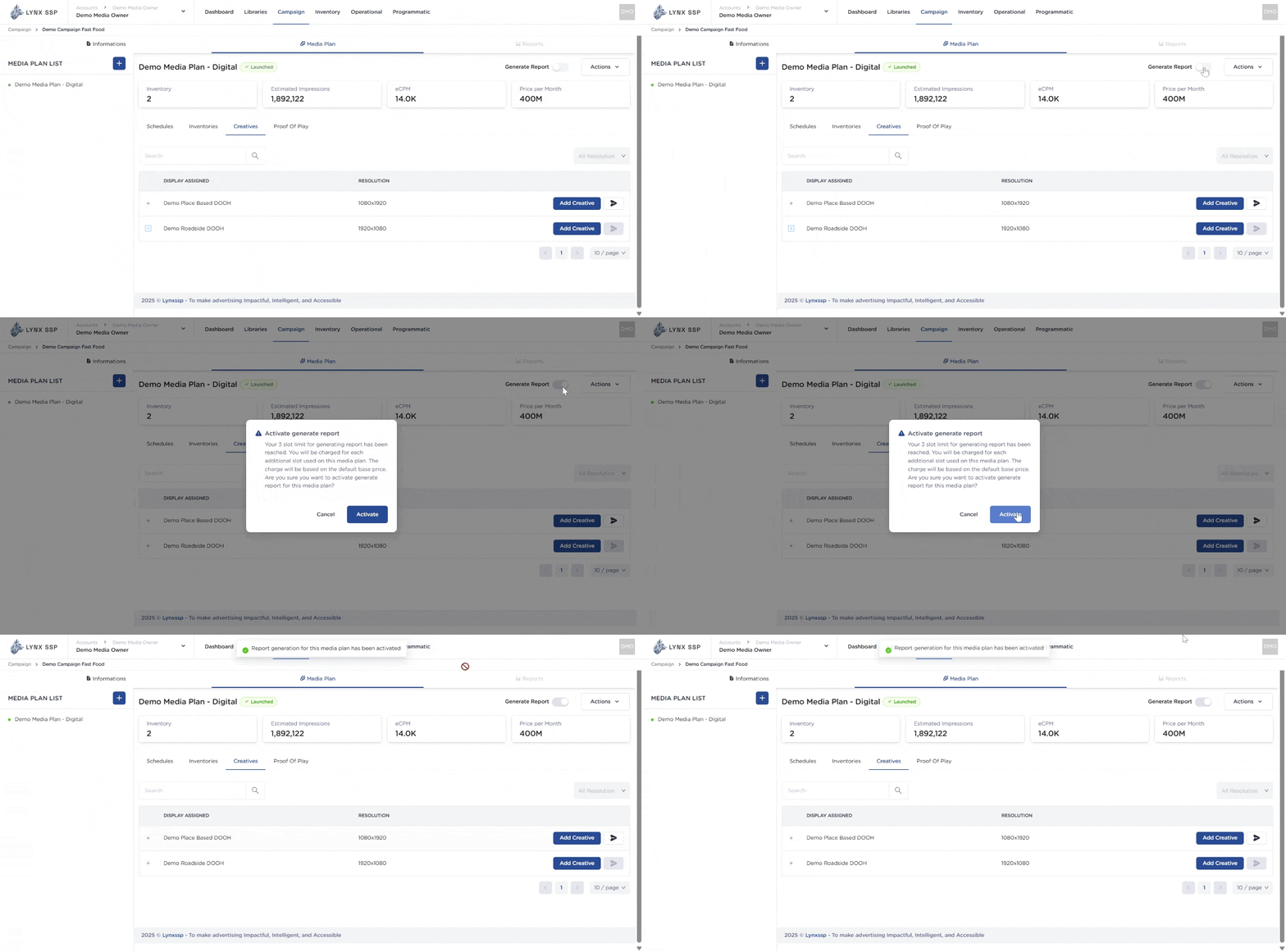 There are **limitations or restrictions** for you as the media owner regarding report generation. The available slots are subject to the **subscription agreement** with the Lynx SSP team.
You can disable report generation or keep it enabled and proceed to launch your media plan ([See Launch Media Plan ↗](/documentation/campaign-management/create/media-plan/launch)).
There are **limitations or restrictions** for you as the media owner regarding report generation. The available slots are subject to the **subscription agreement** with the Lynx SSP team.
You can disable report generation or keep it enabled and proceed to launch your media plan ([See Launch Media Plan ↗](/documentation/campaign-management/create/media-plan/launch)).