> ## Documentation Index
> Fetch the complete documentation index at: https://docs.lynxssp.com/llms.txt
> Use this file to discover all available pages before exploring further.

# Download Playlog

You can download playlog data to provide log data from creatives that are displayed on your DOOH (Digital-Out-of-Home) Inventory.

This page helps you with the steps to download playlog data, including:
<Steps>
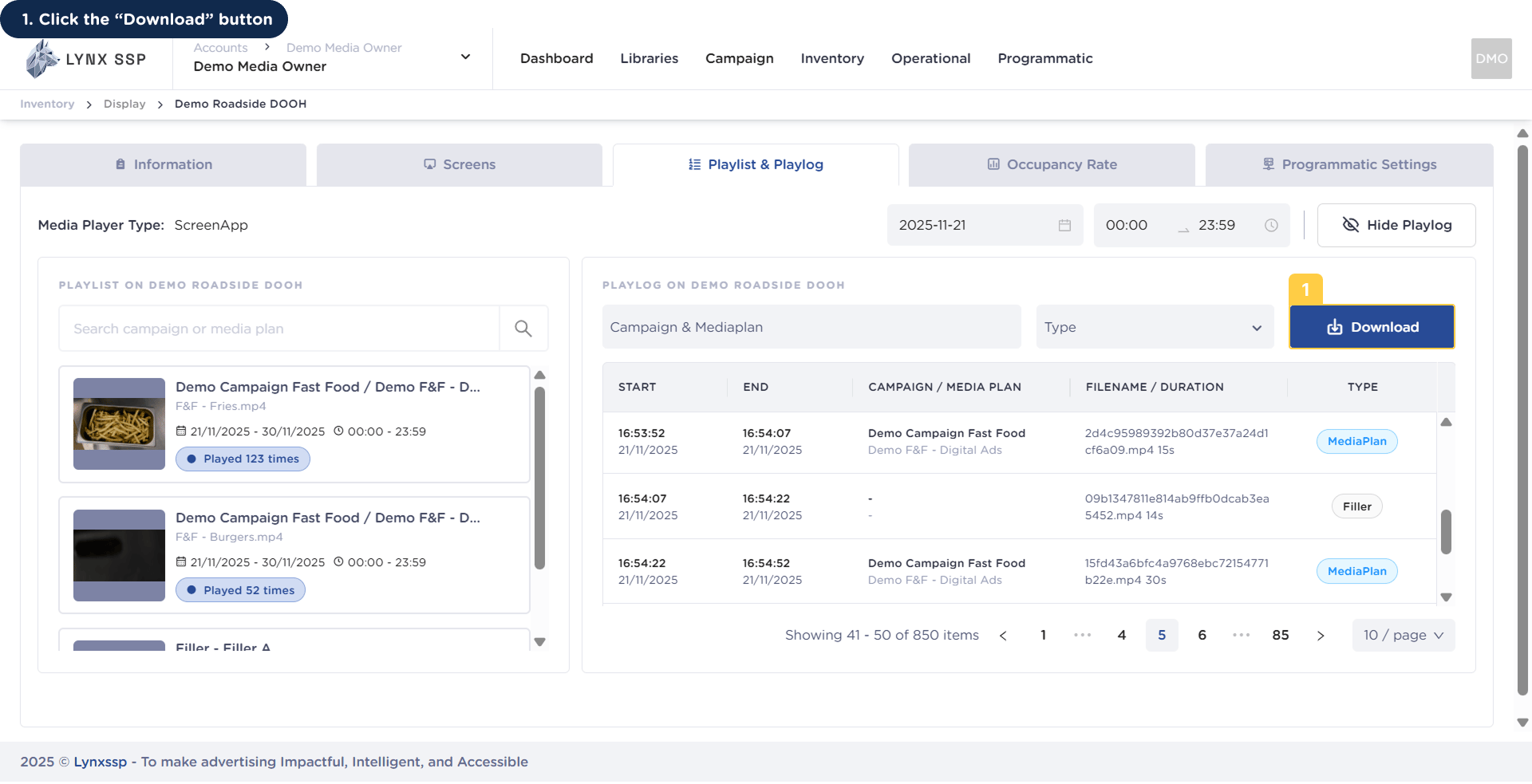
  <Step title="Click the “Download” Button">
    <img src="https://mintcdn.com/lynxssp-91a2d3cb/XyupbwYkIbgndxRU/images/documentation/inventory/display/dooh/playlist-playlog/download/download-playlog-1.png?fit=max&auto=format&n=XyupbwYkIbgndxRU&q=85&s=def4ee39f13377af400ad751b66bc473" alt=" Download Playlog 1 " width="1920" height="983" data-path="images/documentation/inventory/display/dooh/playlist-playlog/download/download-playlog-1.png" />

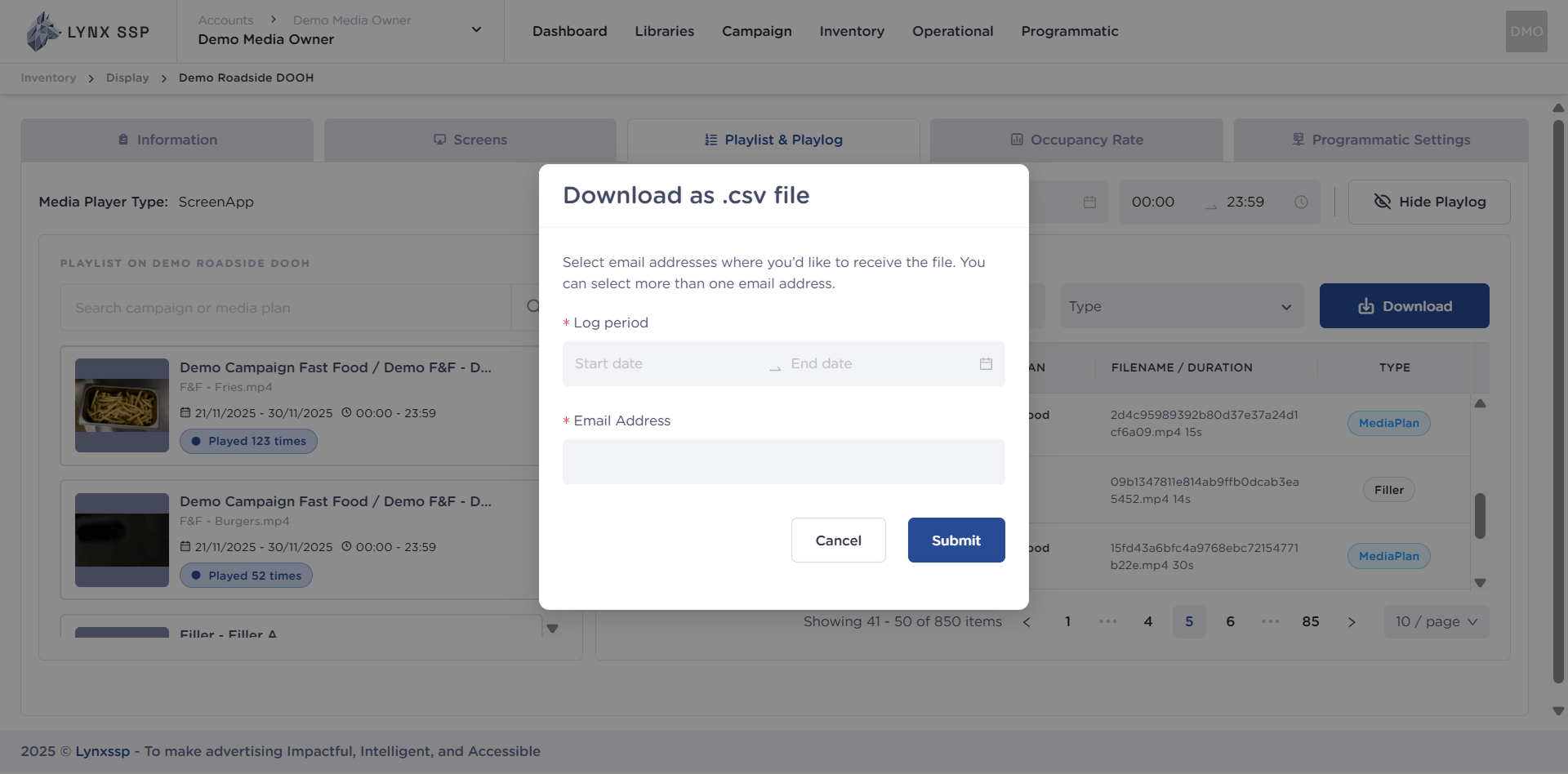
    Then a pop-up will appear.

    <img src="https://mintcdn.com/lynxssp-91a2d3cb/XyupbwYkIbgndxRU/images/documentation/inventory/display/dooh/playlist-playlog/download/download-playlog-1.2.png?fit=max&auto=format&n=XyupbwYkIbgndxRU&q=85&s=81276345241db7a90a82cf40d5156ffa" alt=" Download Playlog 1.2 " width="1920" height="948" data-path="images/documentation/inventory/display/dooh/playlist-playlog/download/download-playlog-1.2.png" />
  </Step>

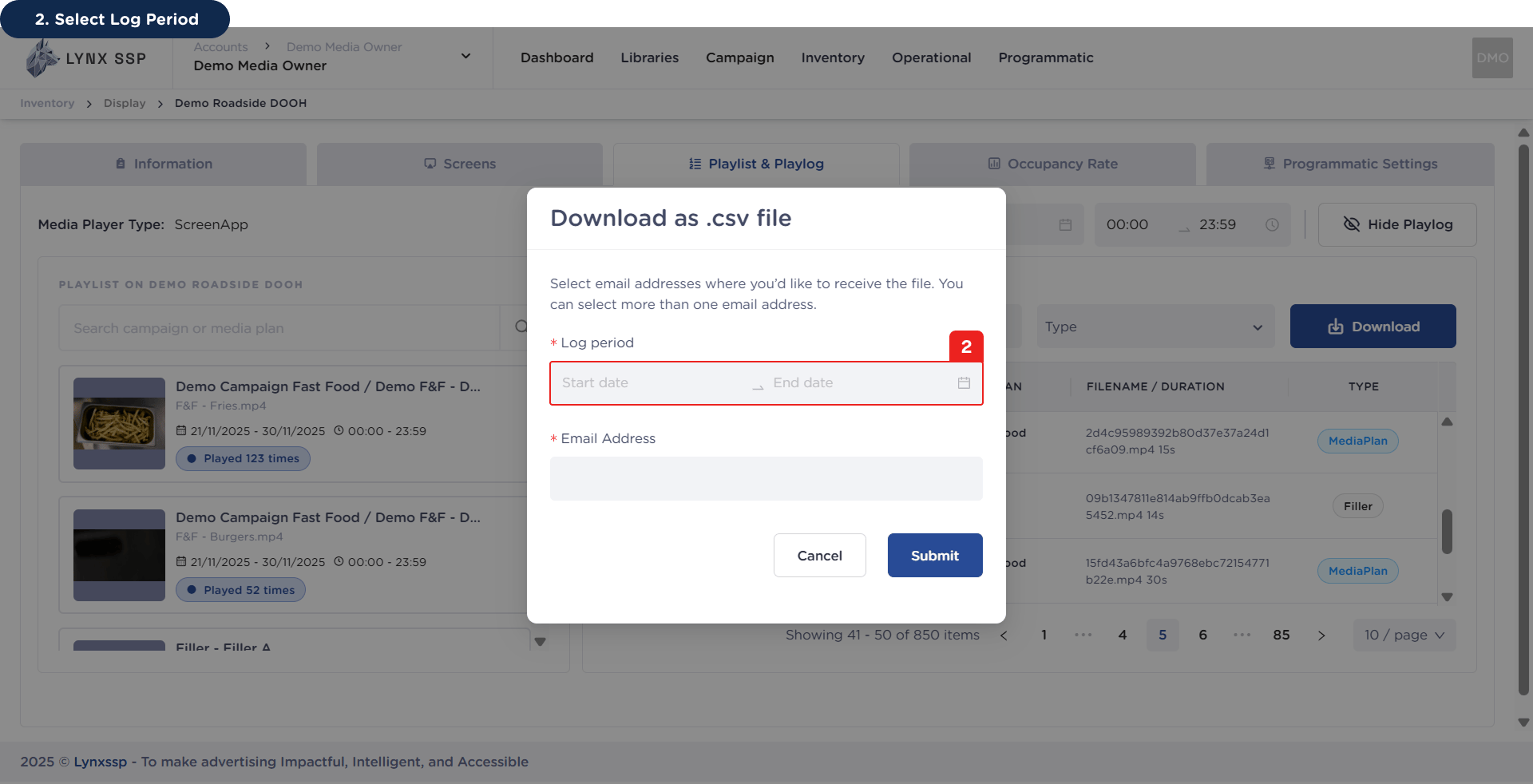
  <Step title="Select Log Period (Required)">
    <img src="https://mintcdn.com/lynxssp-91a2d3cb/XyupbwYkIbgndxRU/images/documentation/inventory/display/dooh/playlist-playlog/download/download-playlog-2.png?fit=max&auto=format&n=XyupbwYkIbgndxRU&q=85&s=2698e79f22a780597c1cb645546fcb32" alt=" Download Playlog 2 " width="1920" height="982" data-path="images/documentation/inventory/display/dooh/playlist-playlog/download/download-playlog-2.png" />
  </Step>

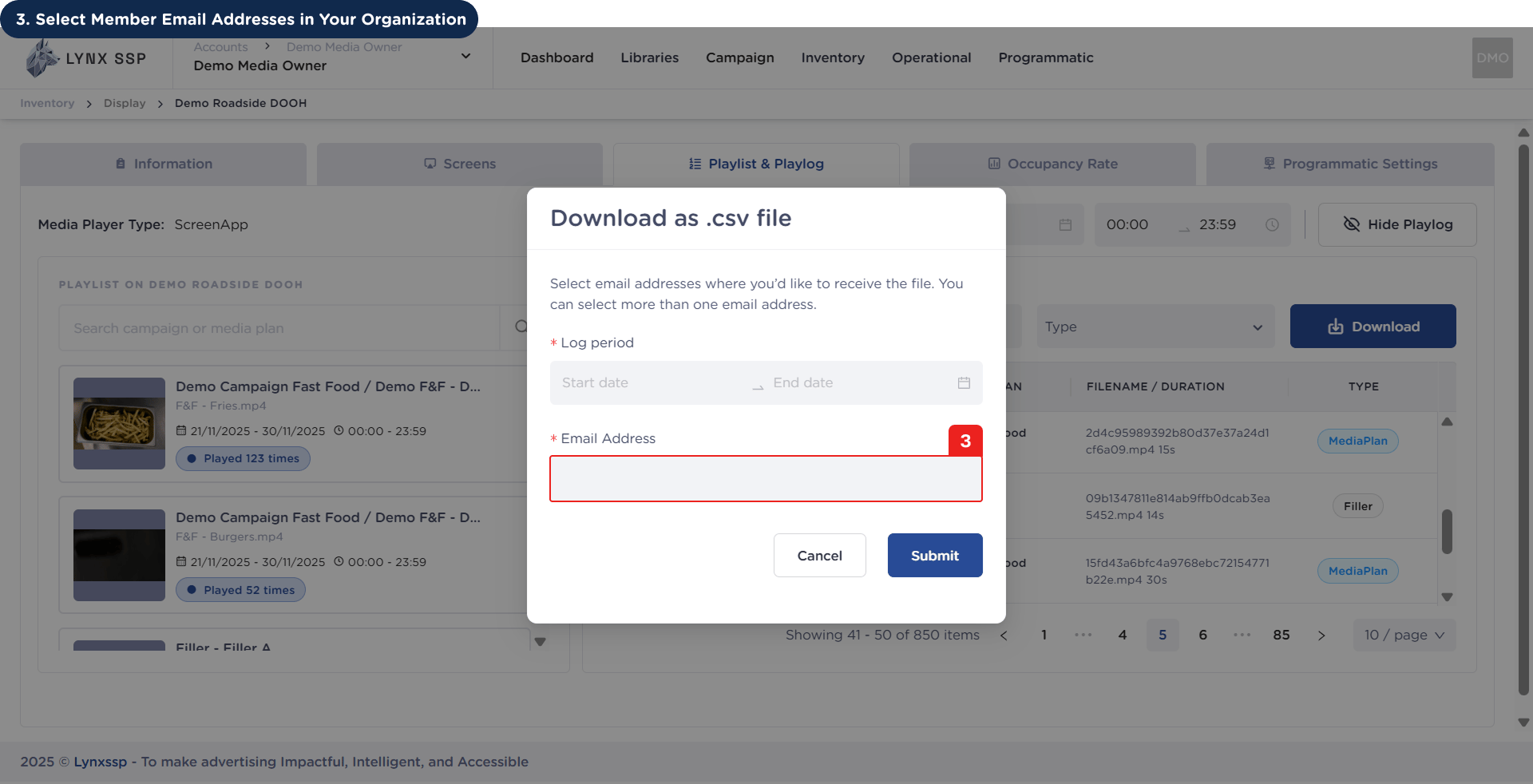
  <Step title="Select Member Email Addresses in Your Organization (Required)">
    <img src="https://mintcdn.com/lynxssp-91a2d3cb/XyupbwYkIbgndxRU/images/documentation/inventory/display/dooh/playlist-playlog/download/download-playlog-3.png?fit=max&auto=format&n=XyupbwYkIbgndxRU&q=85&s=78eb95fbbc0d186cab1e7105fcec55da" alt=" Download Playlog 3 " width="1920" height="982" data-path="images/documentation/inventory/display/dooh/playlist-playlog/download/download-playlog-3.png" />

    The email address you selected will receive log data in the form of a .csv file later.
  </Step>

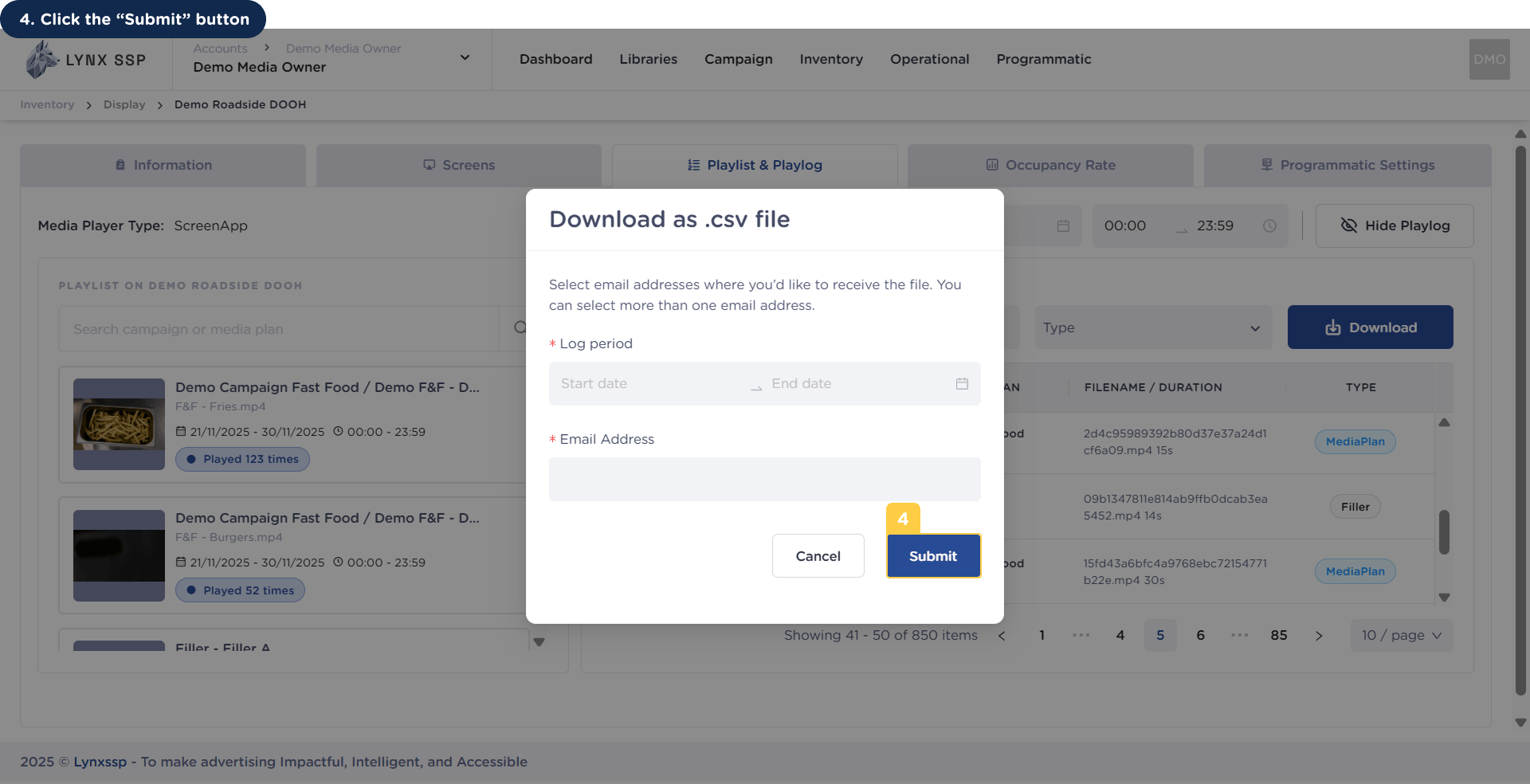
  <Step title=" Click the “Submit” Button">
    <img src="https://mintcdn.com/lynxssp-91a2d3cb/XyupbwYkIbgndxRU/images/documentation/inventory/display/dooh/playlist-playlog/download/download-playlog-4.png?fit=max&auto=format&n=XyupbwYkIbgndxRU&q=85&s=1fe9be9b189e21dd04daee38e3b07594" alt=" Download Playlog 4 " width="1920" height="984" data-path="images/documentation/inventory/display/dooh/playlist-playlog/download/download-playlog-4.png" />
  </Step>
</Steps>

An example of the campaign report in .csv format can be downloaded via the following link:

<Card title="Playlog Data" icon="file-chart-column" horizontal href="https://drive.google.com/file/d/1qdnNXYWIyAVVmx8GURkc_hLcQ9uWqKns/view?usp=sharing" />