> ## Documentation Index
> Fetch the complete documentation index at: https://docs.lynxssp.com/llms.txt
> Use this file to discover all available pages before exploring further.
# Schedule
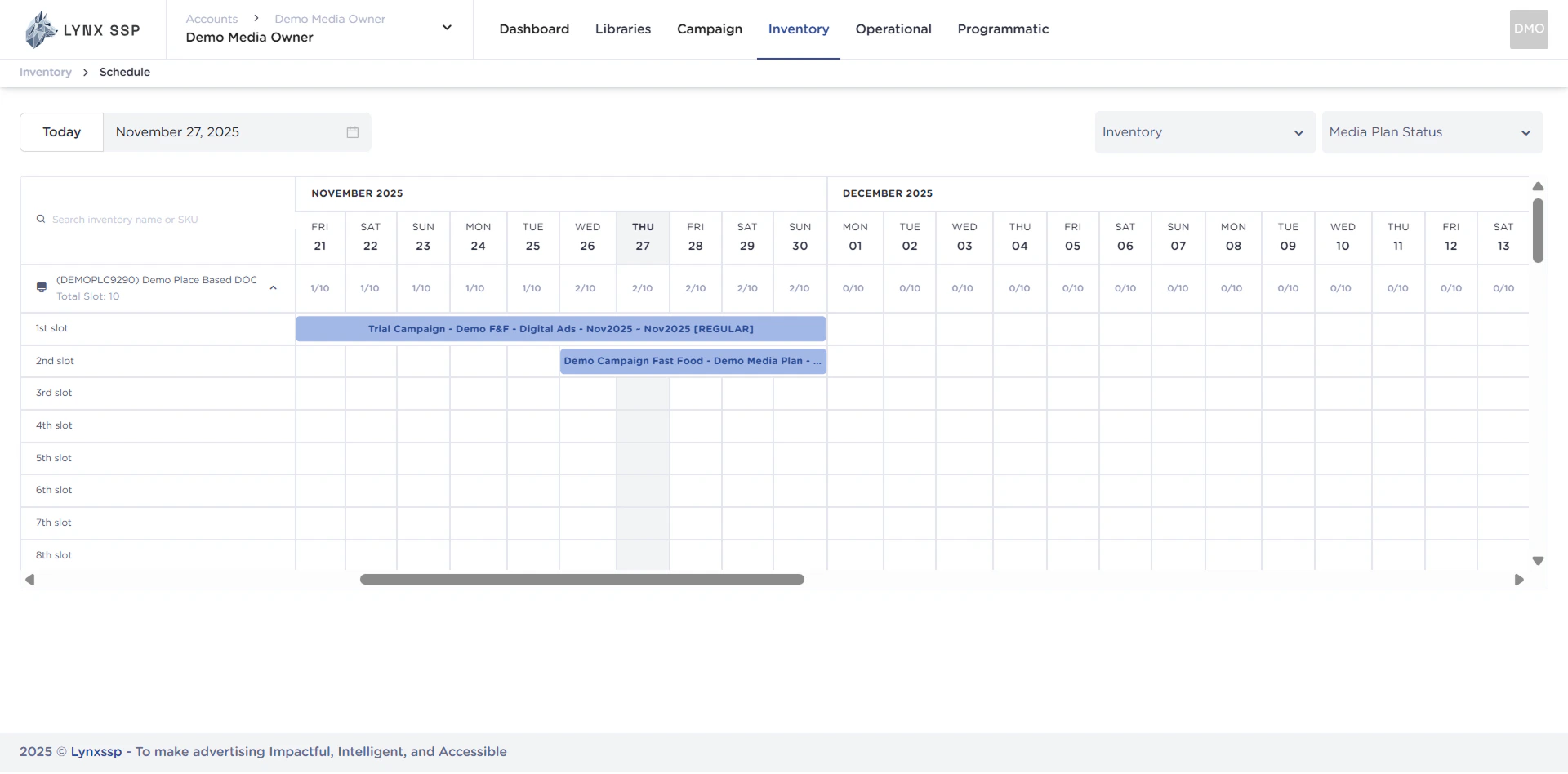
Schedule is a page that displays a list of campaign durations for each inventory you own. Through the schedule, you can see the availability of your DOOH (Digital-Out-of-Home) and OOH (Out-of-Home) Inventory.
This page helps you understand the Schedule menu in the Inventory feature on the Lynx SSP Platform.
## Accessing Schedule
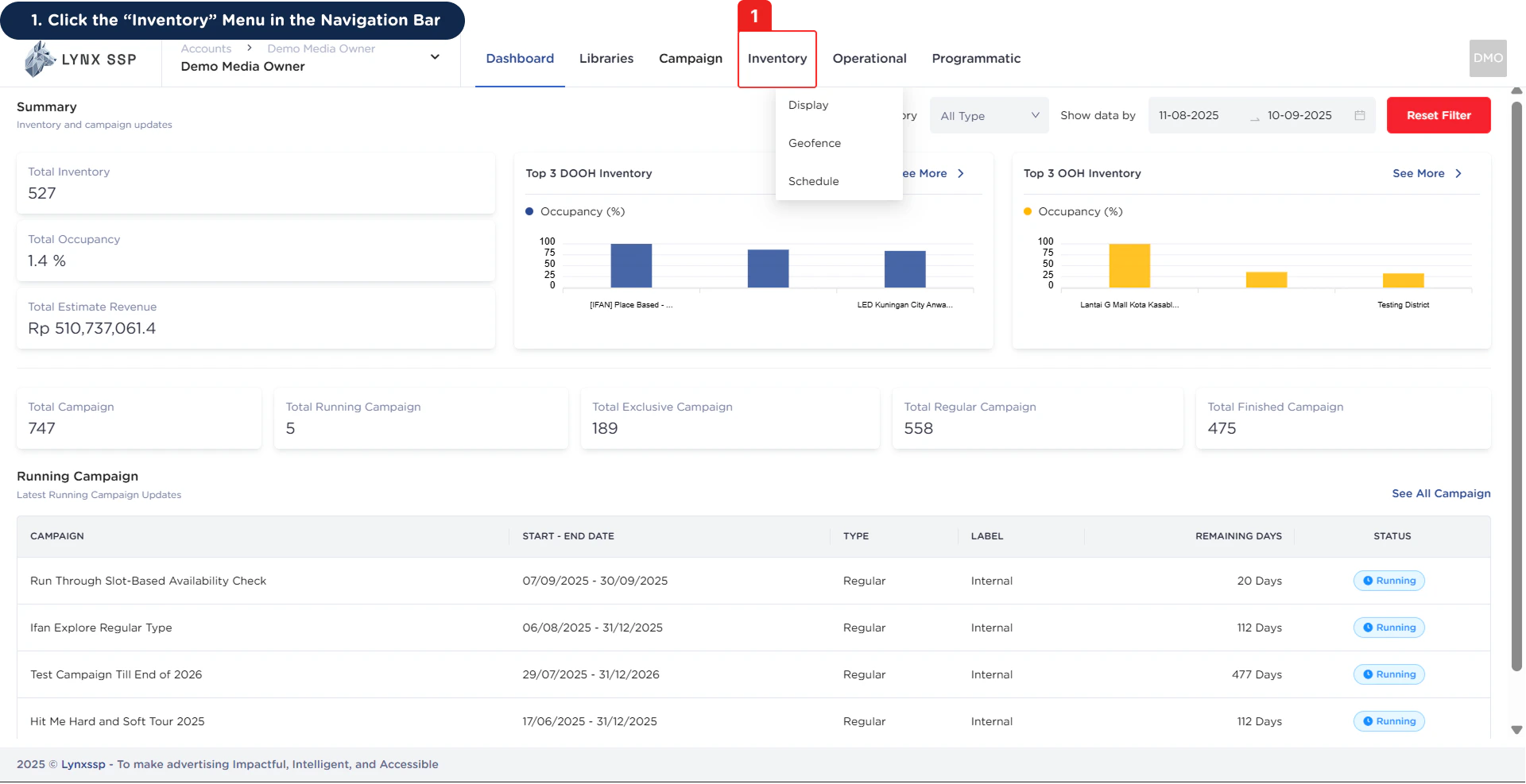
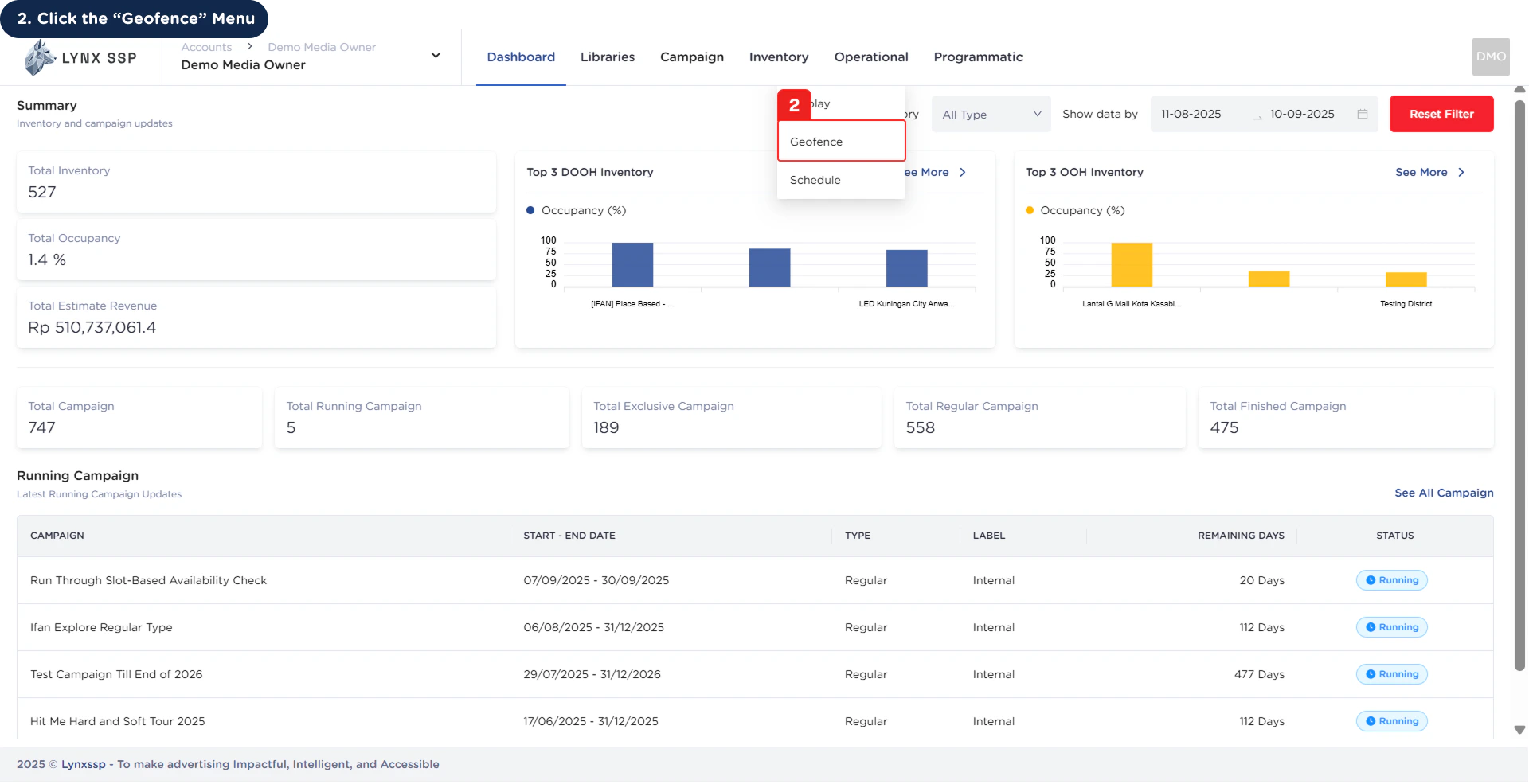 Then the Schedule Page will be displayed.
 ***
## Schedule Overview
***
## Schedule Overview
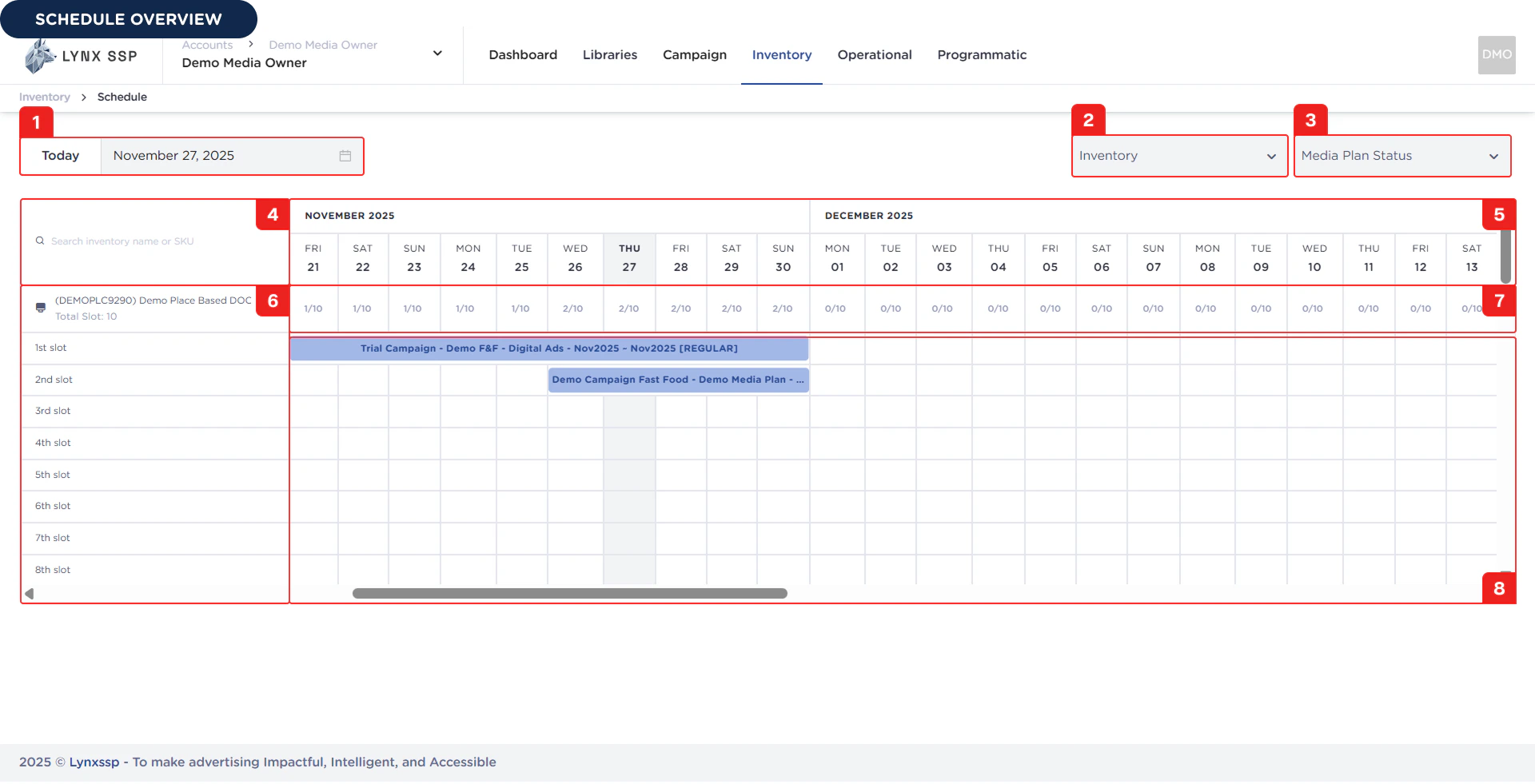 Based on the **Schedule Overview** above, here is an explanation of each section:
### Filter by Date
You can filter the campaign schedule data displayed on this page based on the date you want in the format dd/MM/yyyy.
***
### Filter by Inventory
You can filter the campaign schedule data displayed on this page based on the inventory you select.
***
### Filter by Media Plan Status
You can filter the campaign schedule data displayed on this page based on the media plan status you select.
***
### Search Inventory
You can also search by inventory name or registered SKU.
***
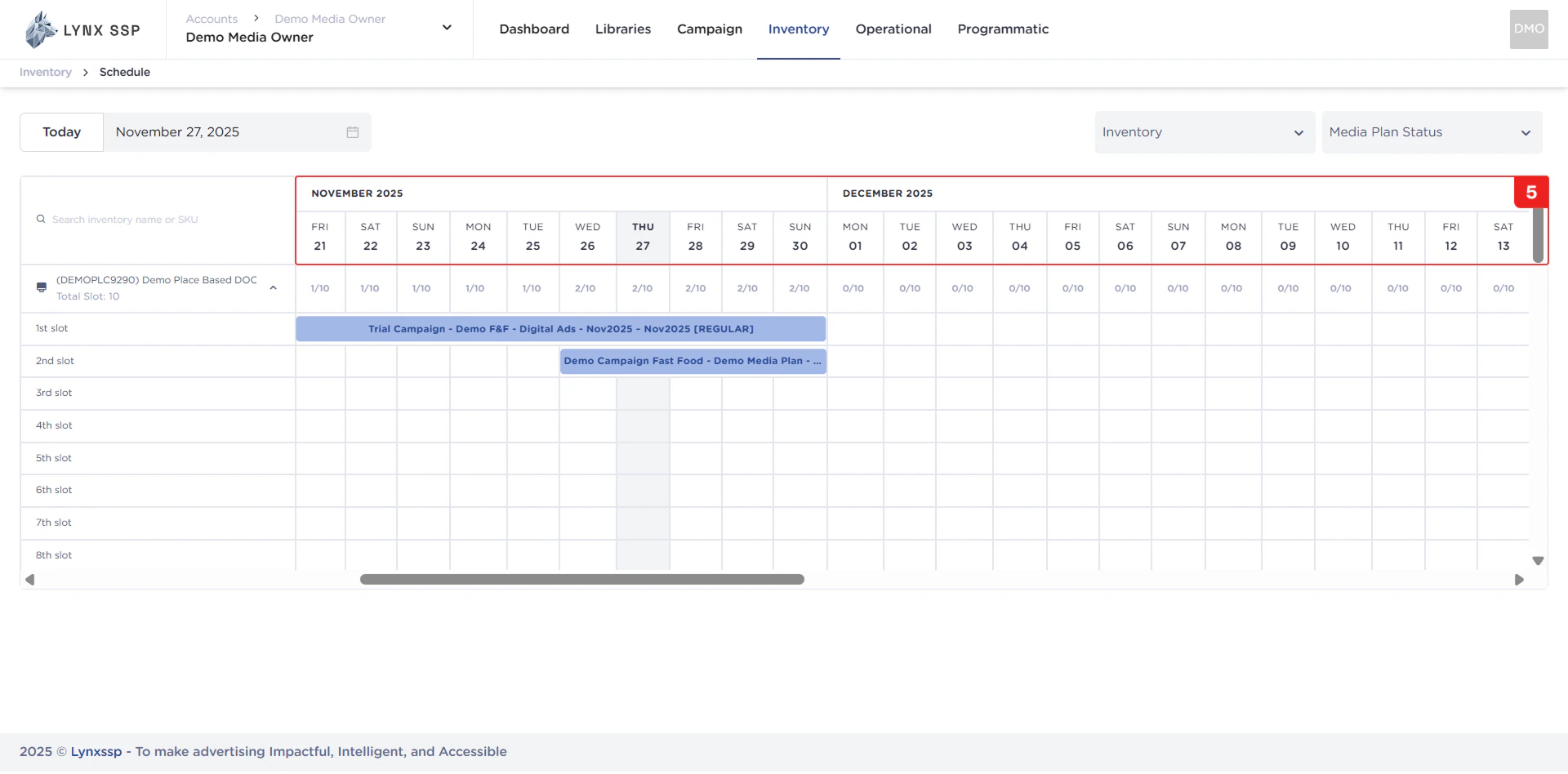
### Calendar
Date order for displaying inventory availability list.
Based on the **Schedule Overview** above, here is an explanation of each section:
### Filter by Date
You can filter the campaign schedule data displayed on this page based on the date you want in the format dd/MM/yyyy.
***
### Filter by Inventory
You can filter the campaign schedule data displayed on this page based on the inventory you select.
***
### Filter by Media Plan Status
You can filter the campaign schedule data displayed on this page based on the media plan status you select.
***
### Search Inventory
You can also search by inventory name or registered SKU.
***
### Calendar
Date order for displaying inventory availability list.
 ***
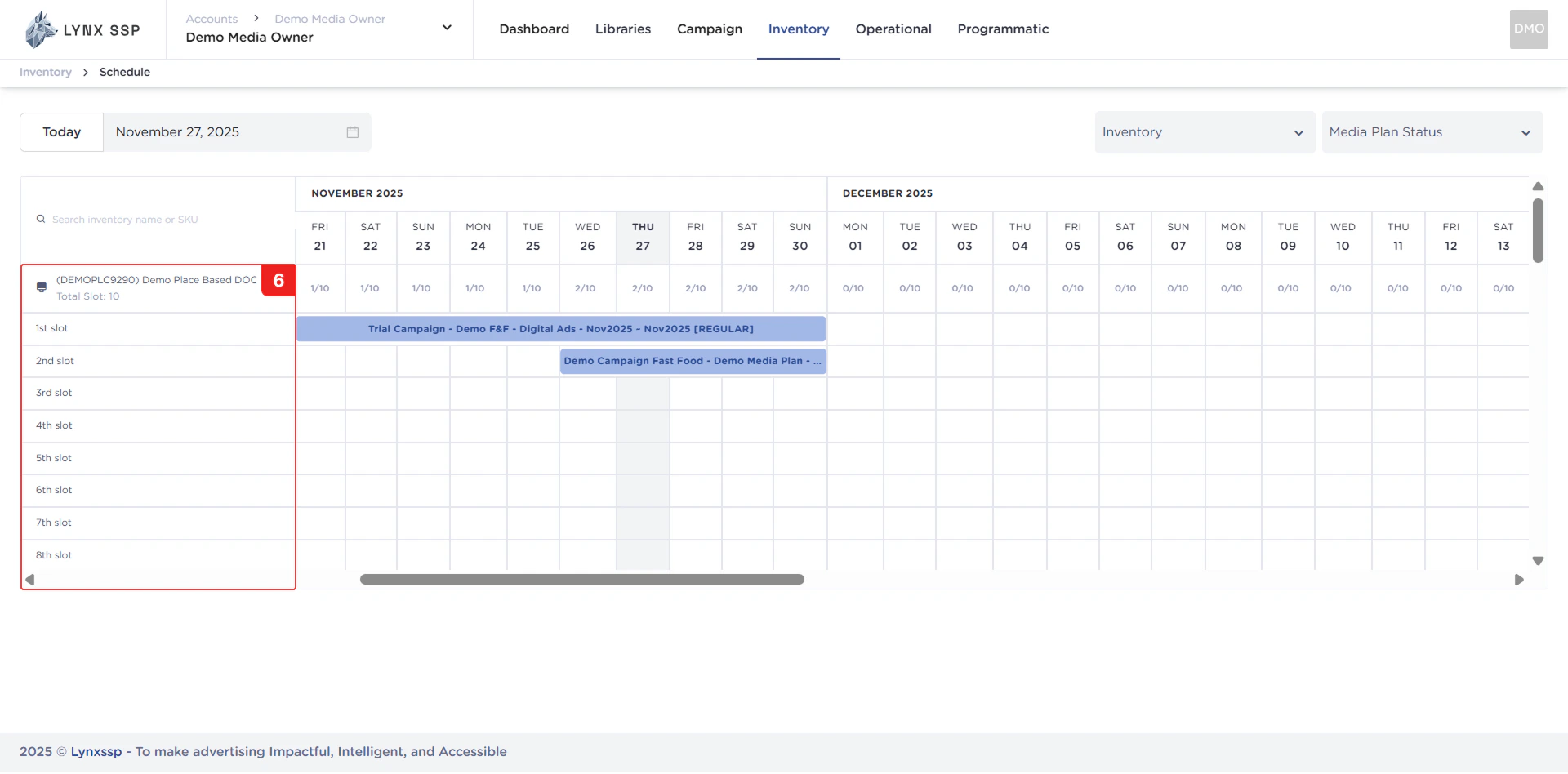
### List Inventory
Displaying the Inventory List and each slot owned.
***
### List Inventory
Displaying the Inventory List and each slot owned.
 ***
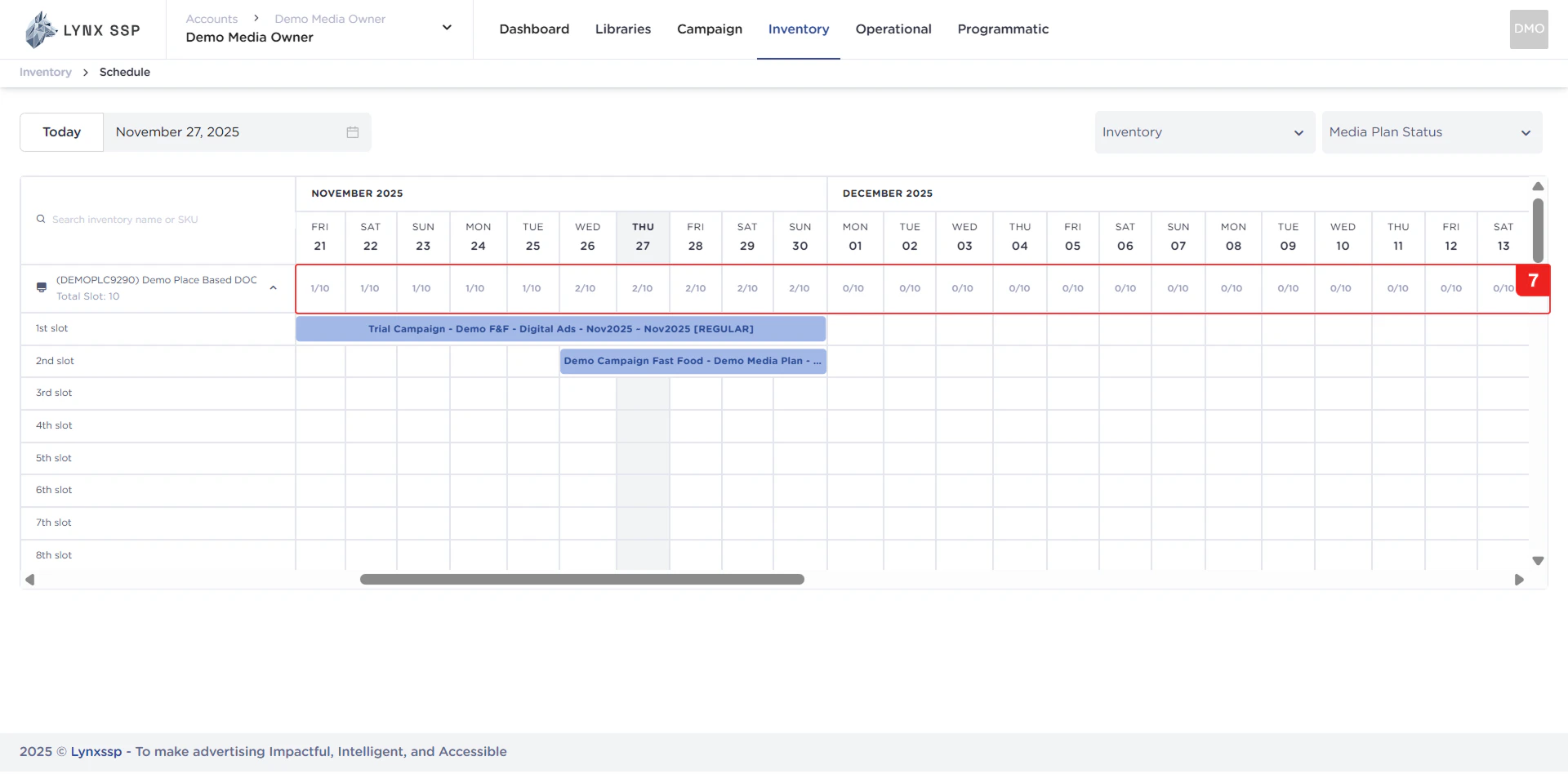
### List Availability Slot
Display a list of available slots for each inventory item based on date.
**Example:** If the slot list displays **“5/9”**, it means that the inventory has **9 slots**, **5 slots** are already filled, and **4 slots** are still available.
***
### List Availability Slot
Display a list of available slots for each inventory item based on date.
**Example:** If the slot list displays **“5/9”**, it means that the inventory has **9 slots**, **5 slots** are already filled, and **4 slots** are still available.
 ***
### List Campaign & Media Plan Occupancy
Display a list of campaigns and media plans that fill each slot of the available inventory.
***
### List Campaign & Media Plan Occupancy
Display a list of campaigns and media plans that fill each slot of the available inventory.
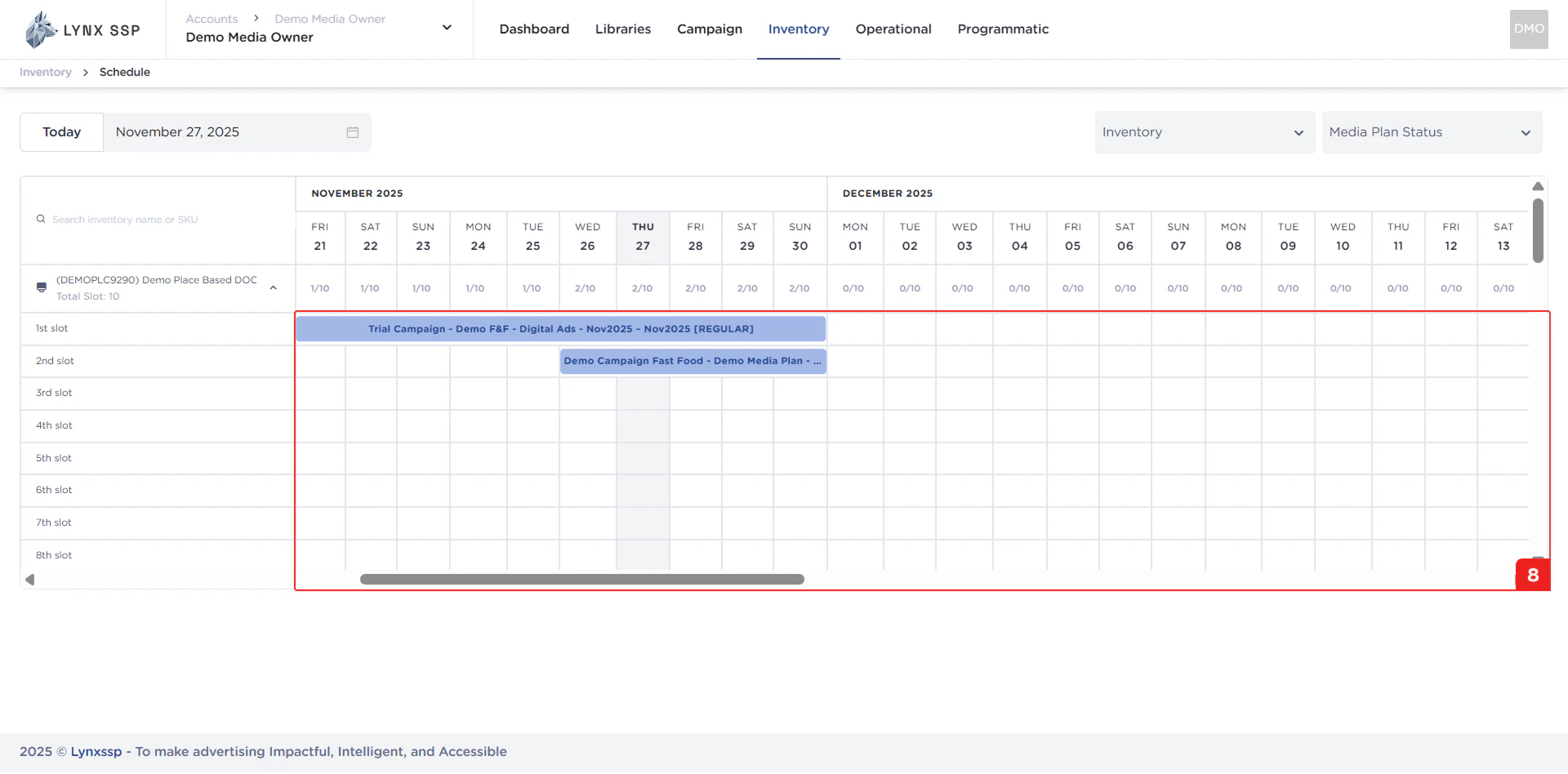 Based on the display above, there are differences in the colors of each media plan, including:
This status indicates that the media plan has not yet been launched or implemented.
Based on the display above, there are differences in the colors of each media plan, including:
This status indicates that the media plan has not yet been launched or implemented.
 This status indicates that the media plan and campaign have been launched/are running according to the campaign duration that was set.
 This status indicates that the media plan has been launched and the campaign has been terminated due to certain circumstances or because the campaign duration has expired.
