> ## Documentation Index
> Fetch the complete documentation index at: https://docs.lynxssp.com/llms.txt
> Use this file to discover all available pages before exploring further.

# Overview

Brand Management is a feature that allows you to manage brand data for your organization.

This page helps you manage brand data.

## Accessing Brand Management Page
<Steps>
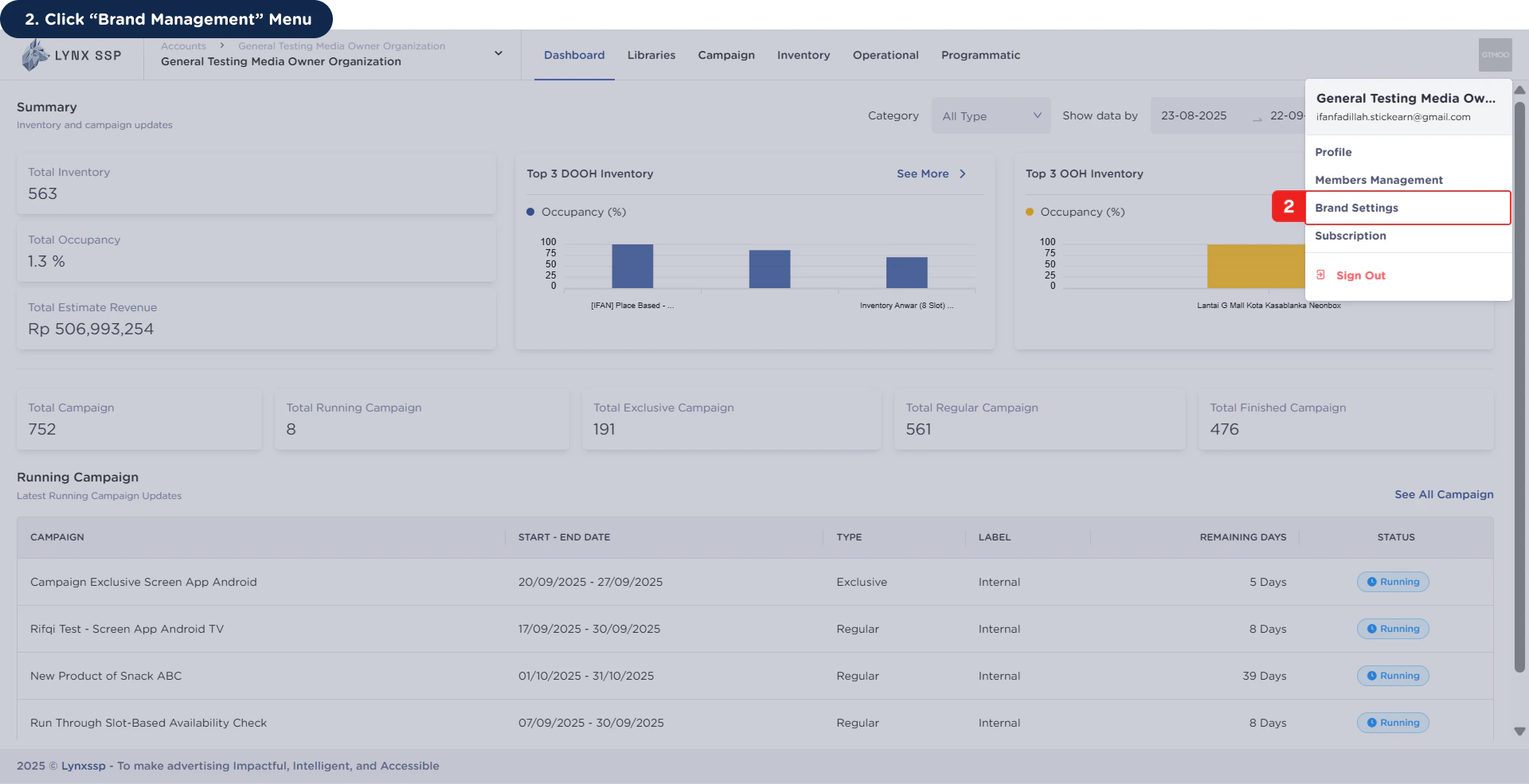
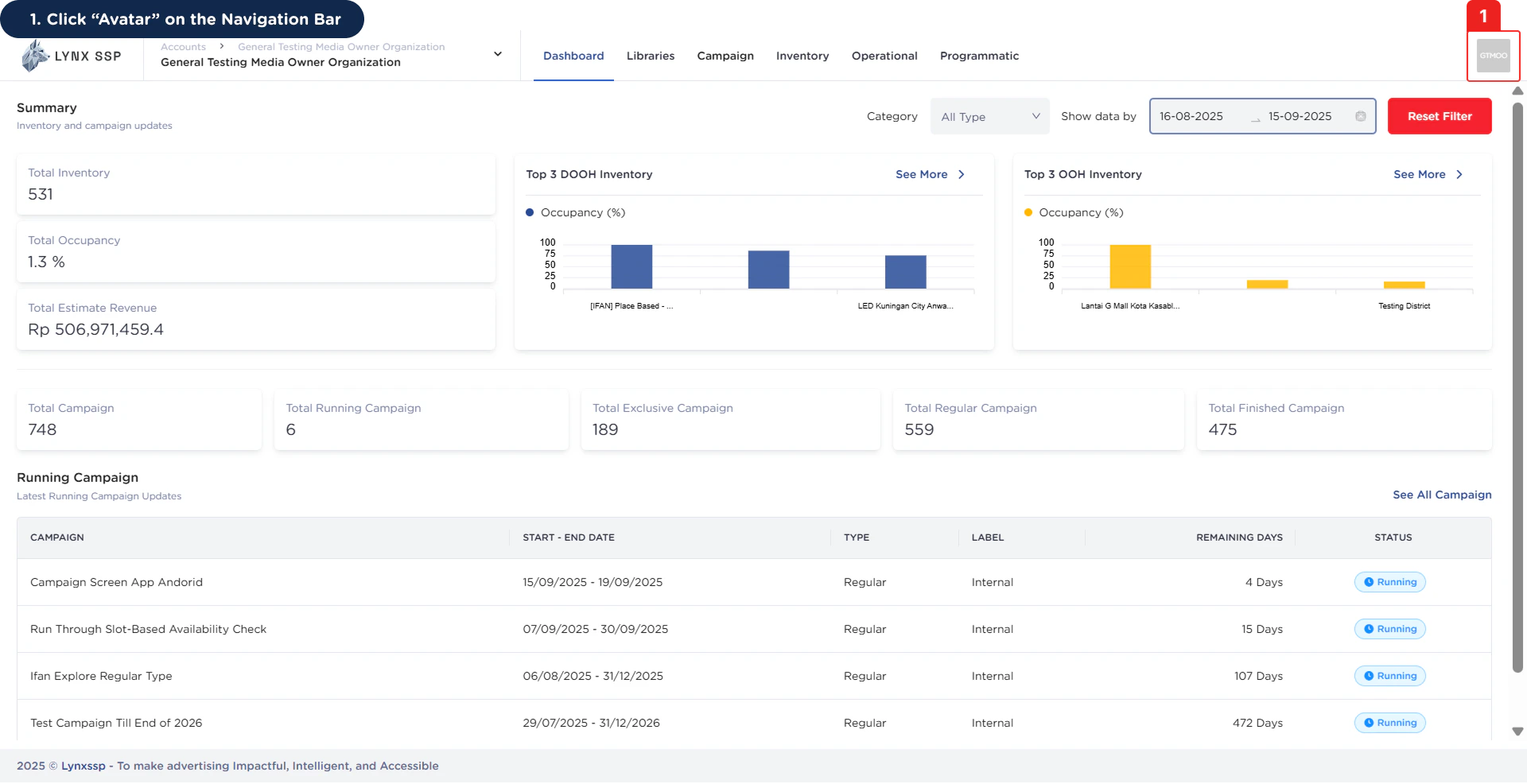
  <Step title="Click “Avatar” on the Navigation Bar">
    <img src="https://mintcdn.com/lynxssp-91a2d3cb/cAx60U0UwWThQAdR/images/documentation/settings/brands-management/overview/accesing-brand-management-page-1.png?fit=max&auto=format&n=cAx60U0UwWThQAdR&q=85&s=02dc2749c79d29232d4c6b07862c35d6" alt="Accessing Brand Management Page 1" width="1920" height="986" data-path="images/documentation/settings/brands-management/overview/accesing-brand-management-page-1.png" />
  </Step>

  <Step title="Click “Brand Management” Menu">
    <img src="https://mintcdn.com/lynxssp-91a2d3cb/cAx60U0UwWThQAdR/images/documentation/settings/brands-management/overview/accesing-brand-management-page-2.png?fit=max&auto=format&n=cAx60U0UwWThQAdR&q=85&s=325bbacc7ecc06af120cd237e9a38c95" alt="Accessing Brand Management Page 2" width="1920" height="985" data-path="images/documentation/settings/brands-management/overview/accesing-brand-management-page-2.png" />

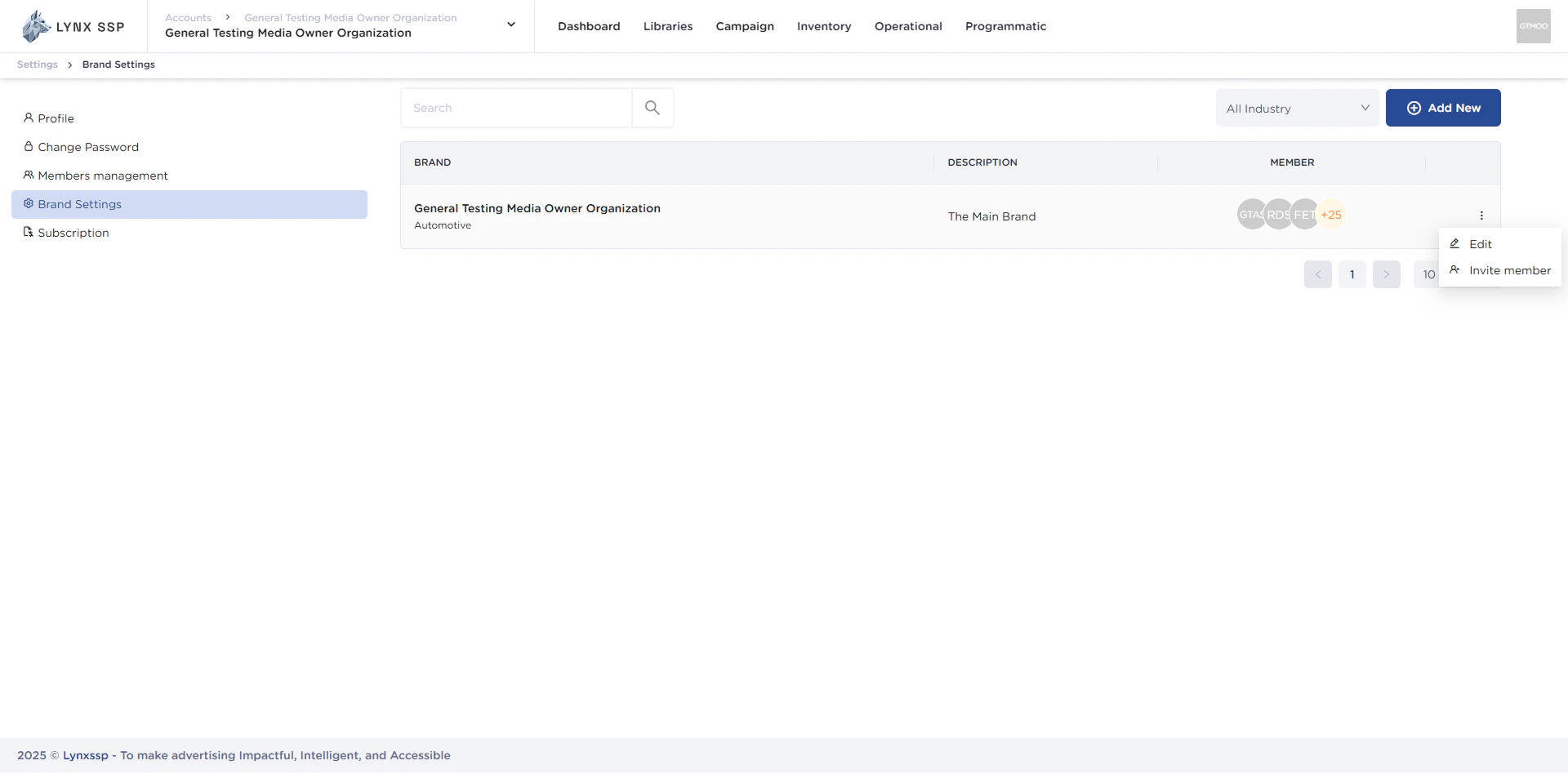
    This will display the Brand Management Page.
    <img src="https://mintcdn.com/lynxssp-91a2d3cb/cAx60U0UwWThQAdR/images/documentation/settings/brands-management/overview/accesing-brand-management-page-2.2.png?fit=max&auto=format&n=cAx60U0UwWThQAdR&q=85&s=b45e4716aa0c8bb32ef7bbcf0cb46375" alt="Accessing Brand Management Page 2.2" width="1920" height="948" data-path="images/documentation/settings/brands-management/overview/accesing-brand-management-page-2.2.png" />
  </Step>
</Steps>

## Brand Management Overview

<img src="https://mintcdn.com/lynxssp-91a2d3cb/cAx60U0UwWThQAdR/images/documentation/settings/brands-management/overview/brand-management-overview.png?fit=max&auto=format&n=cAx60U0UwWThQAdR&q=85&s=17a196c58121679243c3b344760600e9" alt="Brand Management Overview" width="1920" height="984" data-path="images/documentation/settings/brands-management/overview/brand-management-overview.png" />

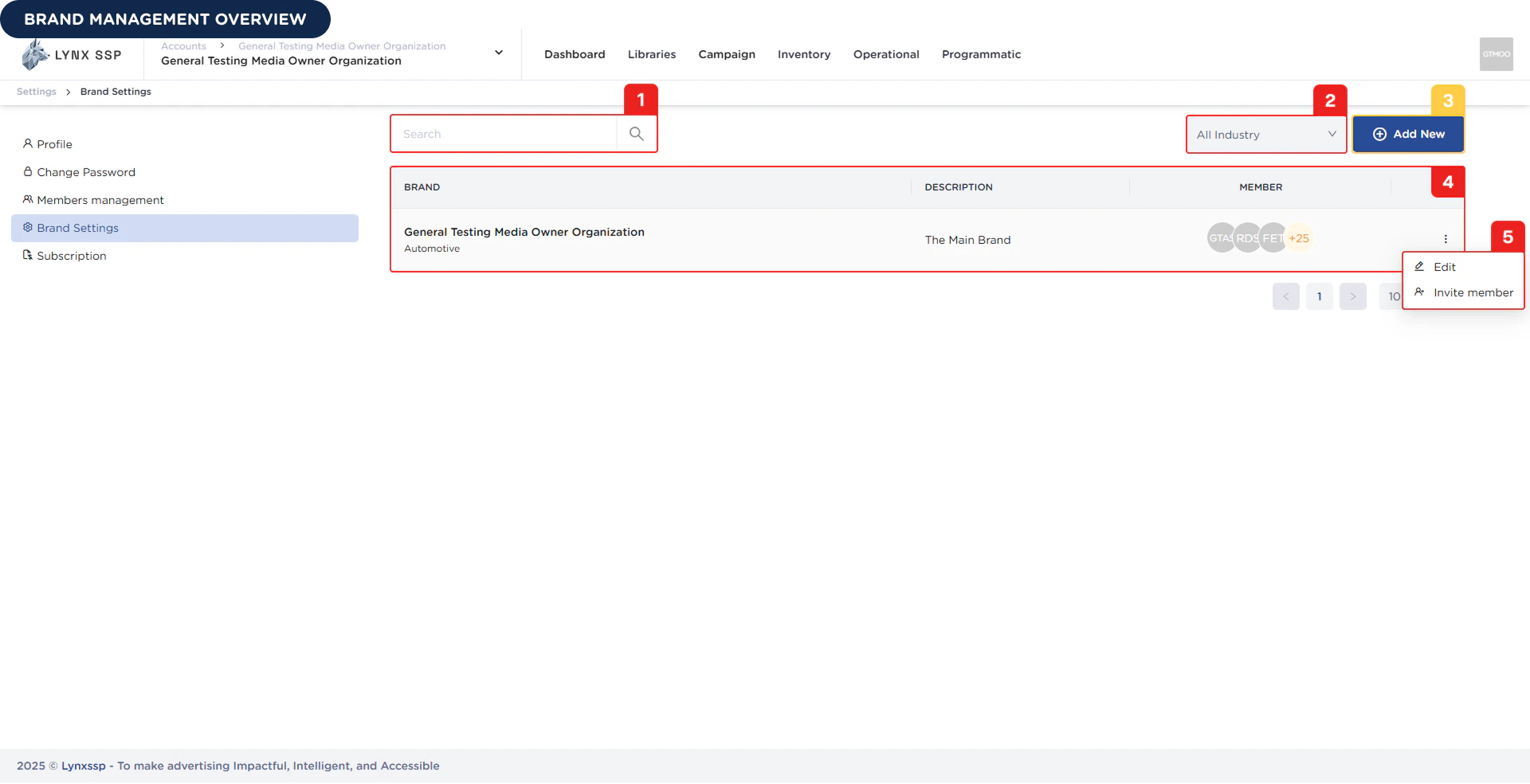
Based on the **Brand Management Overview** above, here is an explanation of each section:

### Search Brand

You can search for brand data by name.

***

### Filter by Industry

You can filter the brand data that appears in the list based on its industry.

***

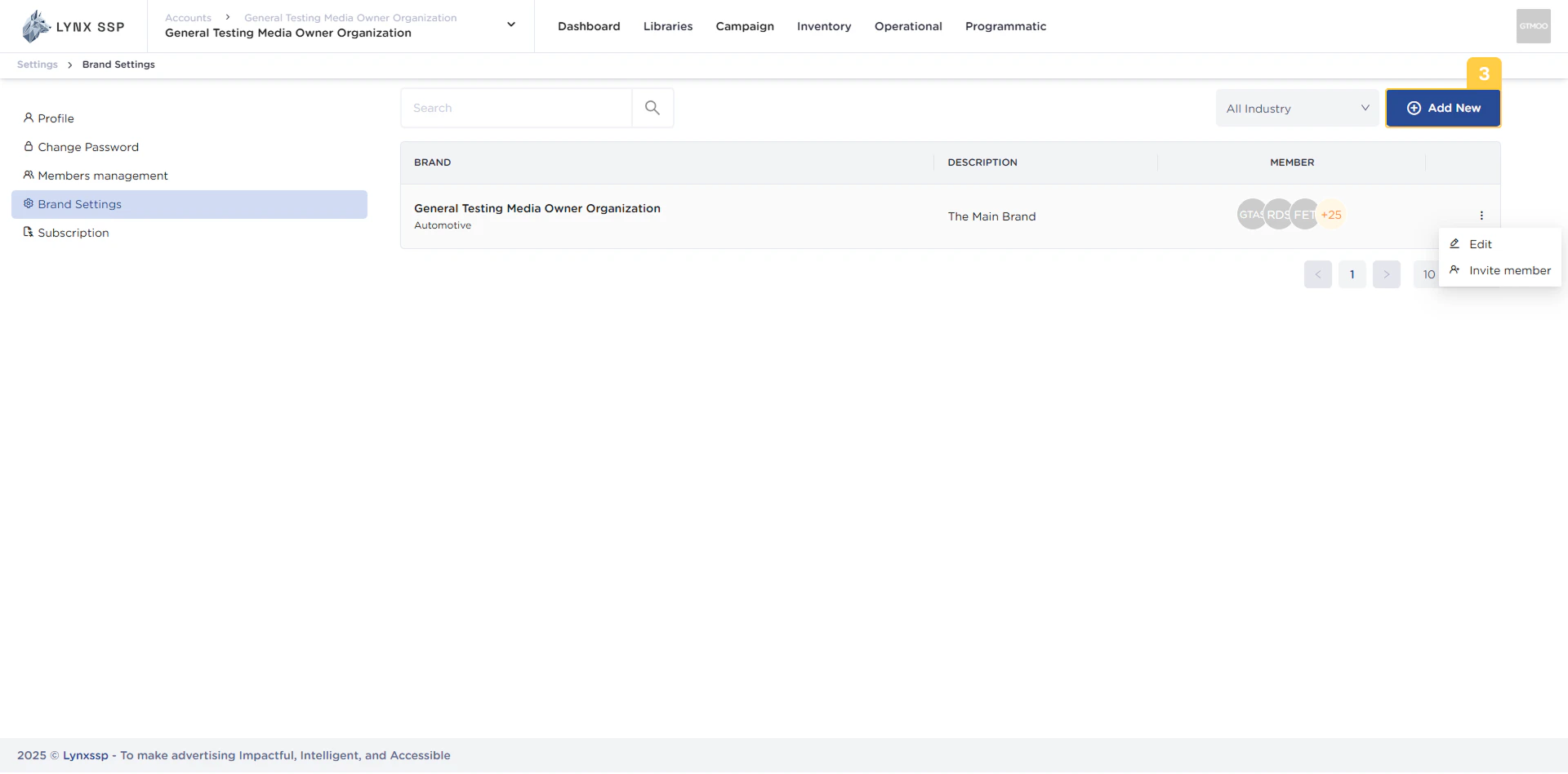
### Add New Brand Button

You can create a new brand by pressing the **“Add New”** button.
<img src="https://mintcdn.com/lynxssp-91a2d3cb/cAx60U0UwWThQAdR/images/documentation/settings/brands-management/overview/brand-management-add-new-button.png?fit=max&auto=format&n=cAx60U0UwWThQAdR&q=85&s=39f964f966f426f3010713b2a26b5000" alt="Add New Brand Button" width="1920" height="948" data-path="images/documentation/settings/brands-management/overview/brand-management-add-new-button.png" />

***

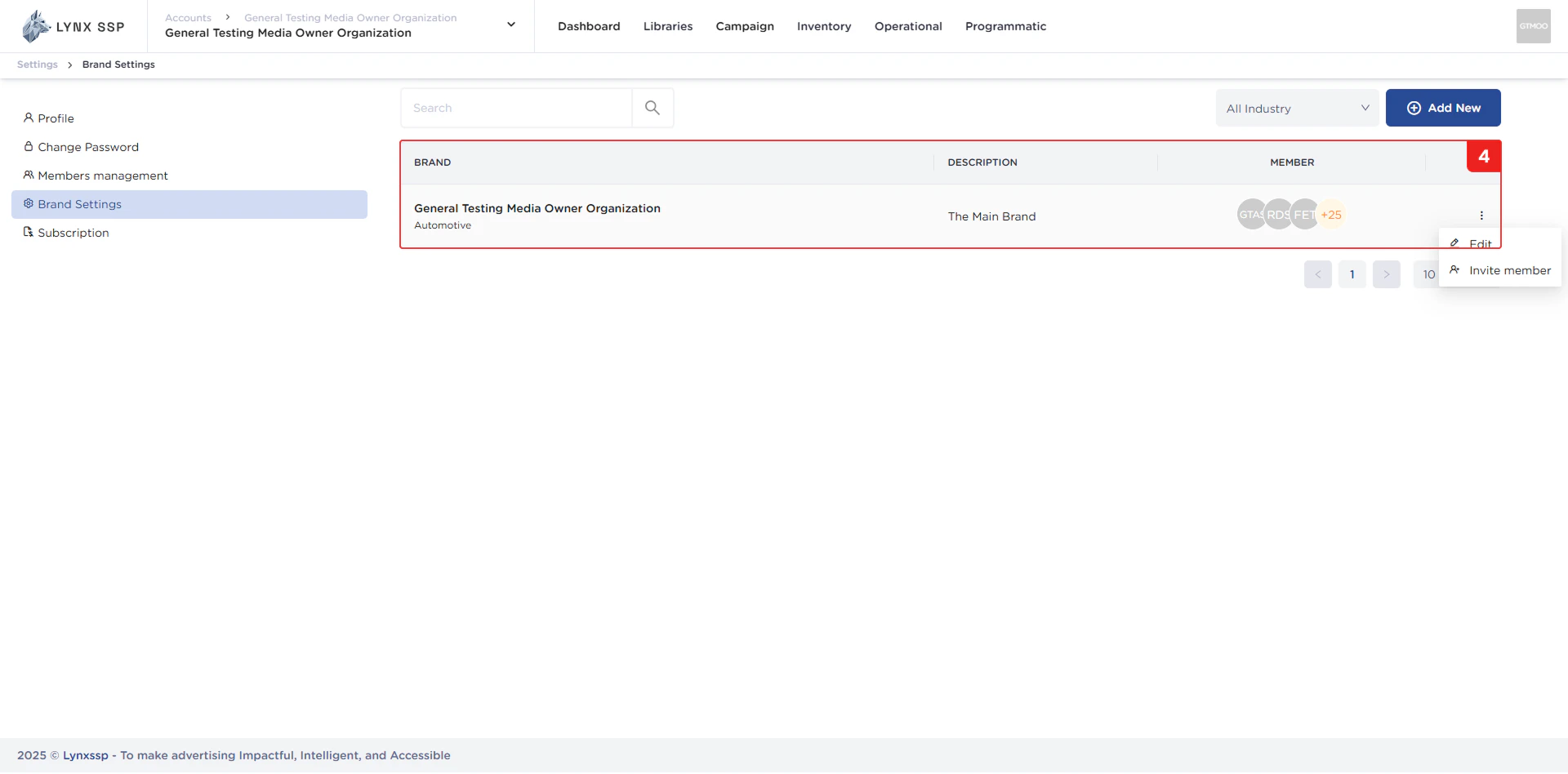
### List Brand

In this section, you can see a list of all brands within the same organization as you. The properties that can be viewed in this table are as follows:

* Brand Name
* Description
* Member
<img src="https://mintcdn.com/lynxssp-91a2d3cb/cAx60U0UwWThQAdR/images/documentation/settings/brands-management/overview/brand-management-list.png?fit=max&auto=format&n=cAx60U0UwWThQAdR&q=85&s=6e4e7df995aa702aa8c54c202e16b8d1" alt="List Brand" width="1920" height="948" data-path="images/documentation/settings/brands-management/overview/brand-management-list.png" />

***

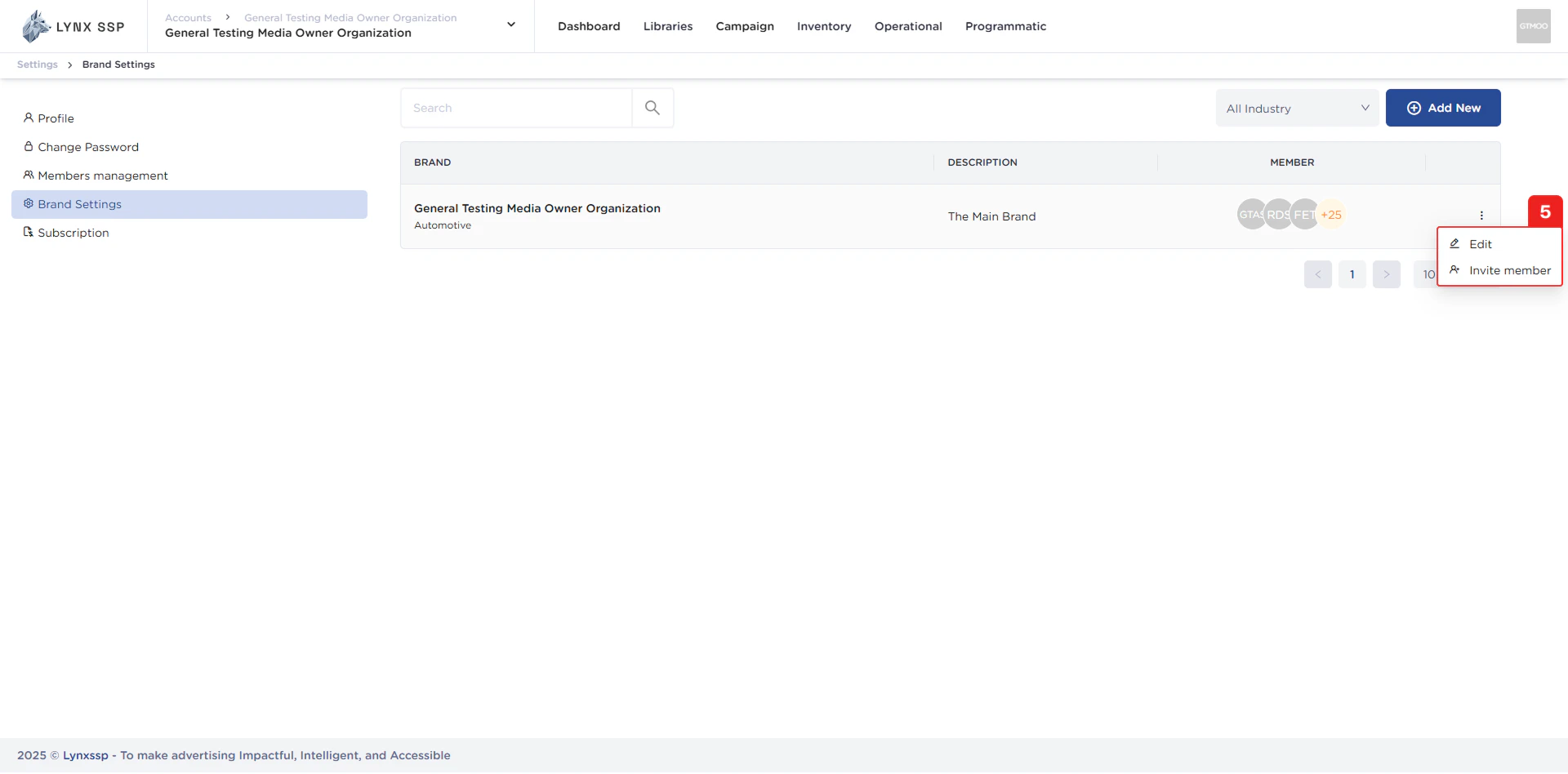
### Action Menu "Edit" & "Invite Members"

You can change brand data through the **“Edit”** menu and add or invite members using the **“Invite Member”** menu.
<img src="https://mintcdn.com/lynxssp-91a2d3cb/cAx60U0UwWThQAdR/images/documentation/settings/brands-management/overview/brand-management-action-button.png?fit=max&auto=format&n=cAx60U0UwWThQAdR&q=85&s=68d80774df3beb2b8507b2667c3857c3" alt="Action Menu &#x22;Edit&#x22; & &#x22;Invite Members&#x22;" width="1920" height="948" data-path="images/documentation/settings/brands-management/overview/brand-management-action-button.png" />