> ## Documentation Index
> Fetch the complete documentation index at: https://docs.lynxssp.com/llms.txt
> Use this file to discover all available pages before exploring further.

# Change Password

This page helps you change your account password.

## Accessing the Change Password Page
<Steps>
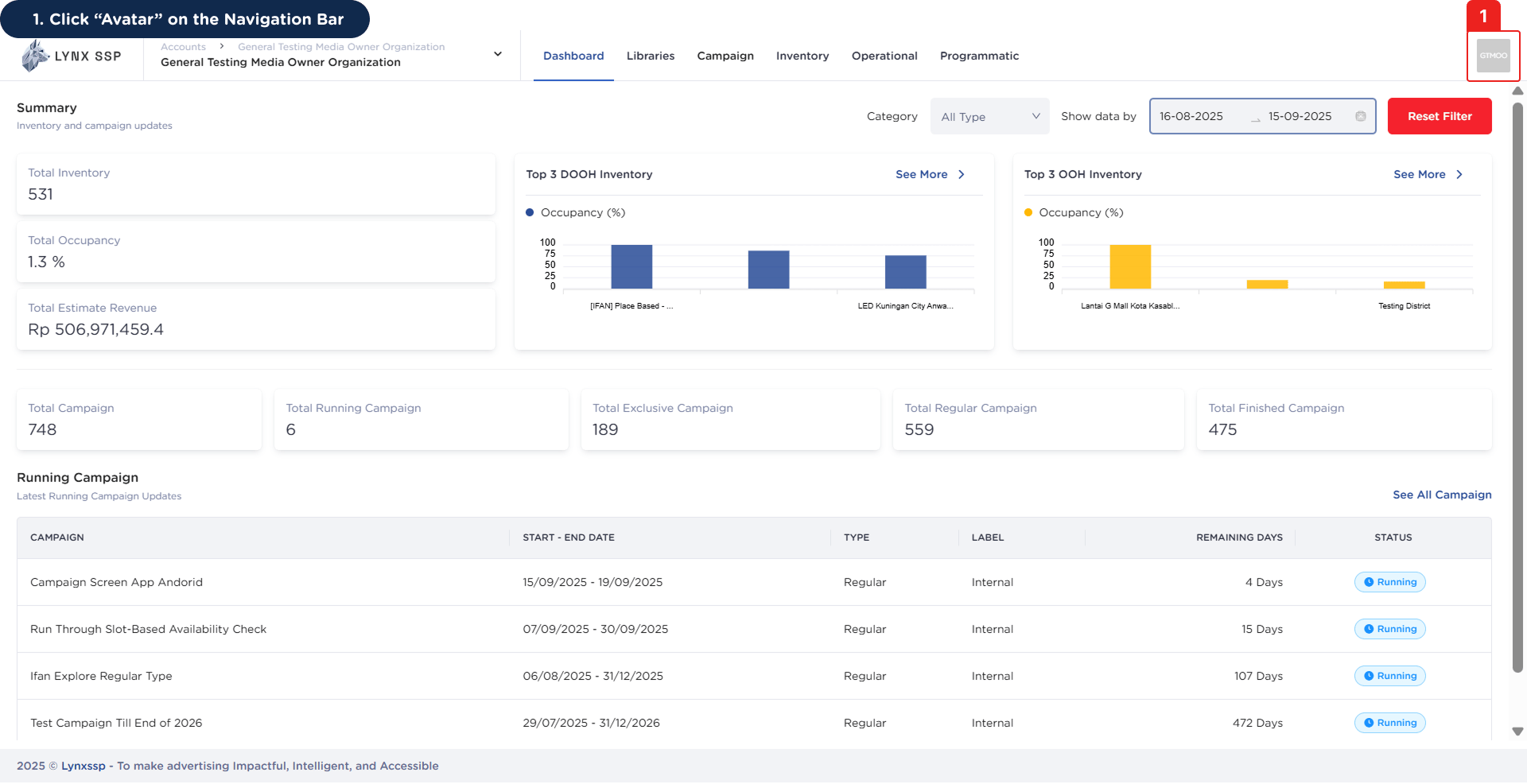
  <Step title="Click “Avatar” on the Navigation Bar">
    <img src="https://mintcdn.com/lynxssp-91a2d3cb/cAx60U0UwWThQAdR/images/documentation/settings/change-password/accessing-change-password-page-1.png?fit=max&auto=format&n=cAx60U0UwWThQAdR&q=85&s=5ada948143c592926a18eec6b1062591" alt="Accessing the Change Password Page 1" width="1920" height="986" data-path="images/documentation/settings/change-password/accessing-change-password-page-1.png" />
  </Step>

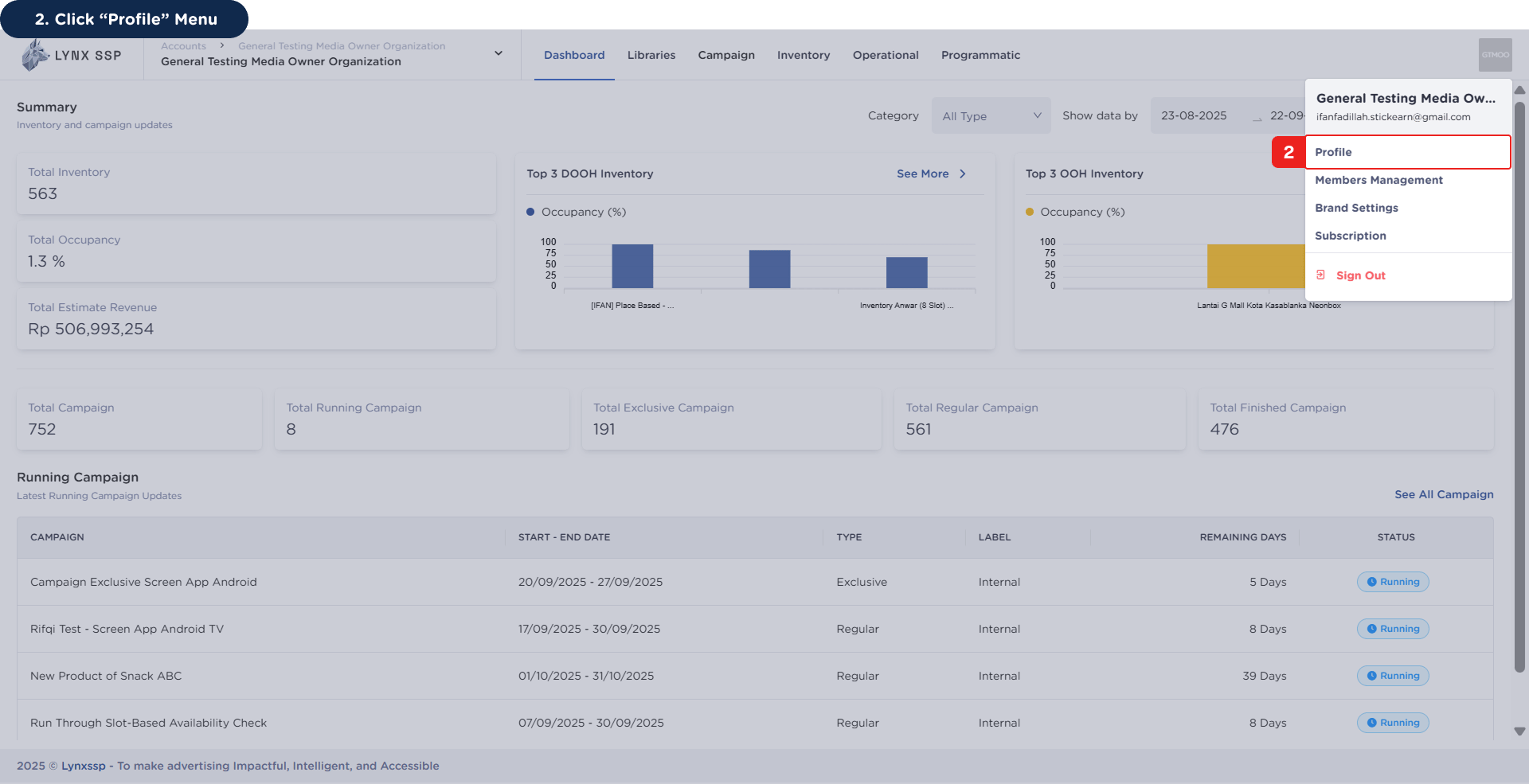
  <Step title="Click “Profile” Menu">
    <img src="https://mintcdn.com/lynxssp-91a2d3cb/cAx60U0UwWThQAdR/images/documentation/settings/change-password/accessing-change-password-page-2.png?fit=max&auto=format&n=cAx60U0UwWThQAdR&q=85&s=94558e8c0736b81b00f80429f474d74d" alt="Accessing the Change Password Page 2" width="1920" height="985" data-path="images/documentation/settings/change-password/accessing-change-password-page-2.png" />

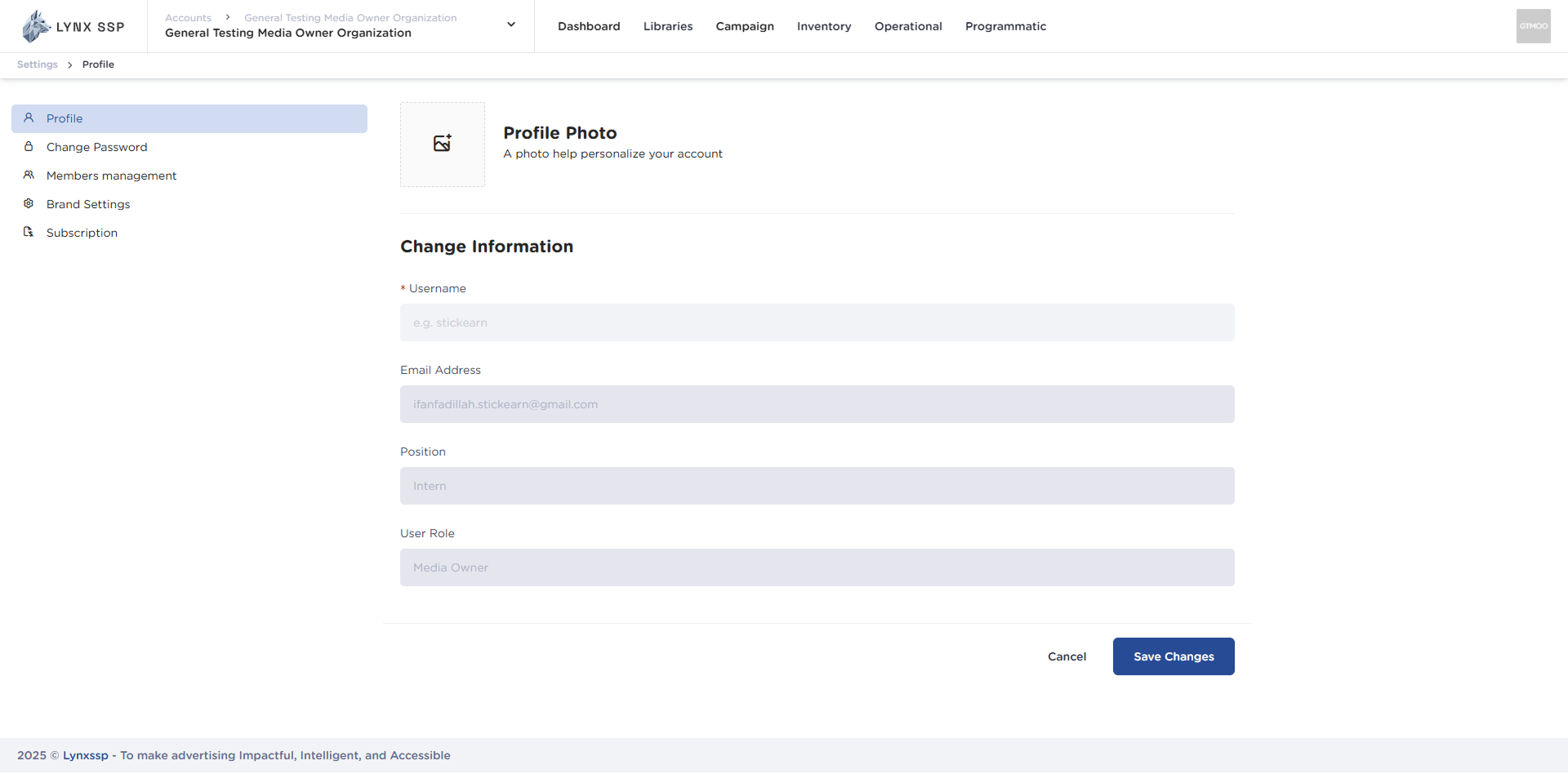
    This will display the Profile Page.

    <img src="https://mintcdn.com/lynxssp-91a2d3cb/cAx60U0UwWThQAdR/images/documentation/settings/change-password/accessing-change-password-page-2.2.png?fit=max&auto=format&n=cAx60U0UwWThQAdR&q=85&s=d68ada561b761d56ebca792081ff947d" alt="Accessing the Change Password Page 2.2" width="1920" height="948" data-path="images/documentation/settings/change-password/accessing-change-password-page-2.2.png" />
  </Step>

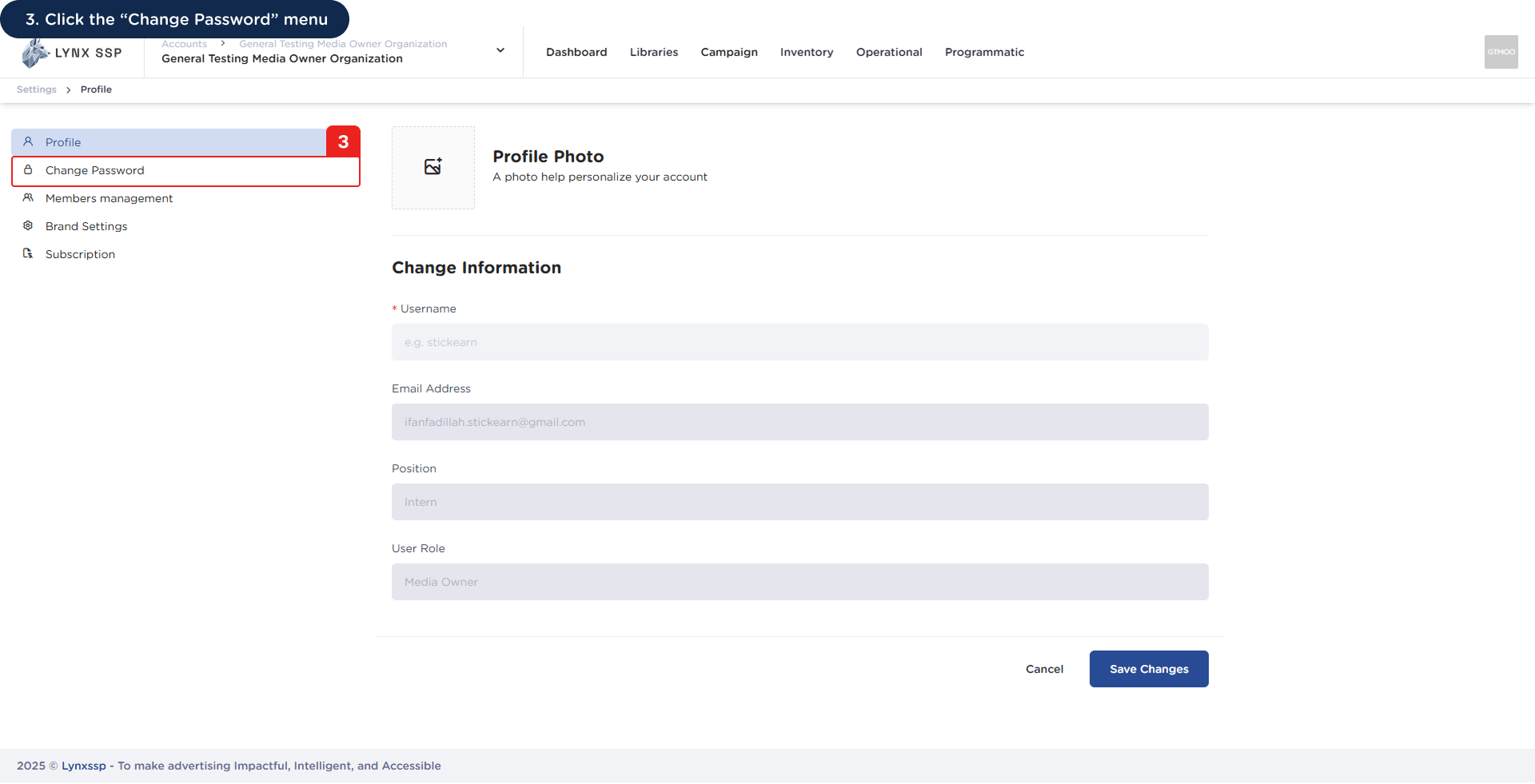
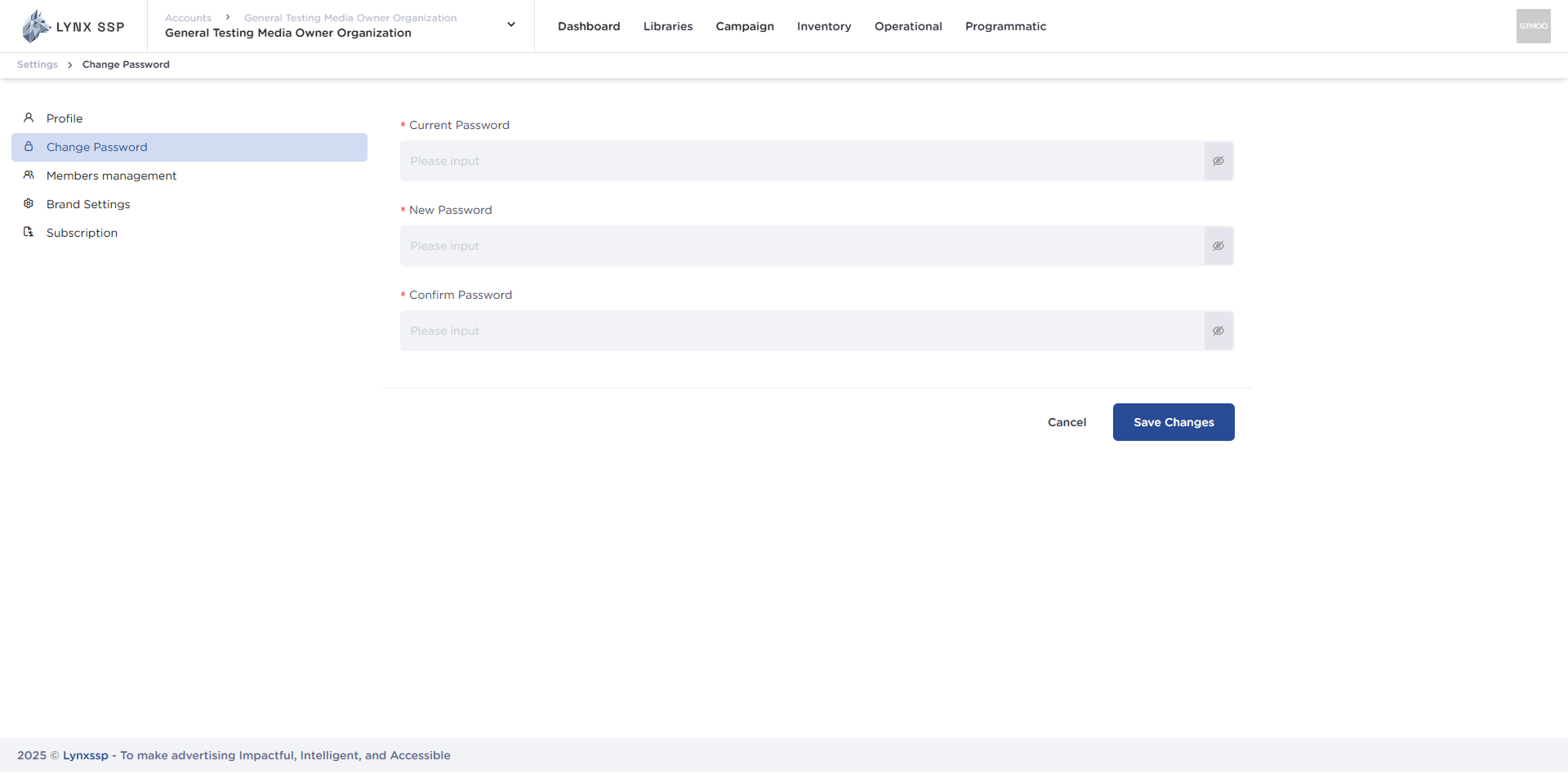
  <Step title="Click the “Change Password” menu ">
    <img src="https://mintcdn.com/lynxssp-91a2d3cb/bjZDAGET5iPaYwlI/images/documentation/settings/change-password/accessing-change-password-page-3.png?fit=max&auto=format&n=bjZDAGET5iPaYwlI&q=85&s=02d4438af0a7ab0c0fe8a35524ccfbe0" alt="Accessing the Change Password Page 3" width="1920" height="981" data-path="images/documentation/settings/change-password/accessing-change-password-page-3.png" />

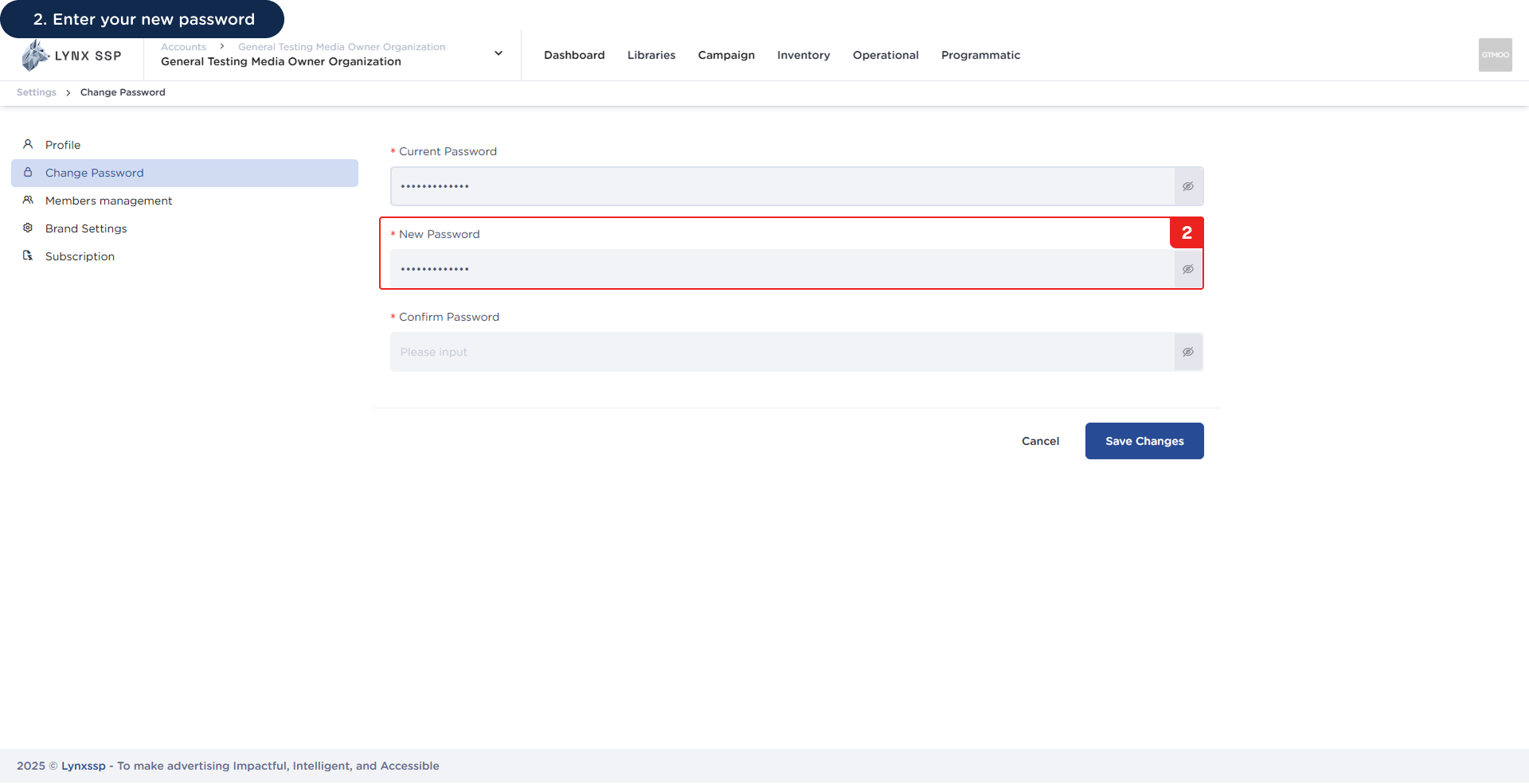
    This will display the page for changing your password.
    <img src="https://mintcdn.com/lynxssp-91a2d3cb/cAx60U0UwWThQAdR/images/documentation/settings/change-password/accessing-change-password-page-3.2.png?fit=max&auto=format&n=cAx60U0UwWThQAdR&q=85&s=981dd8db3d1949078040f770610ed0eb" alt="Accessing the Change Password Page 3.2" width="1920" height="948" data-path="images/documentation/settings/change-password/accessing-change-password-page-3.2.png" />
  </Step>
</Steps>

***

## How to Change Your Password

You can change your account password by following these steps:
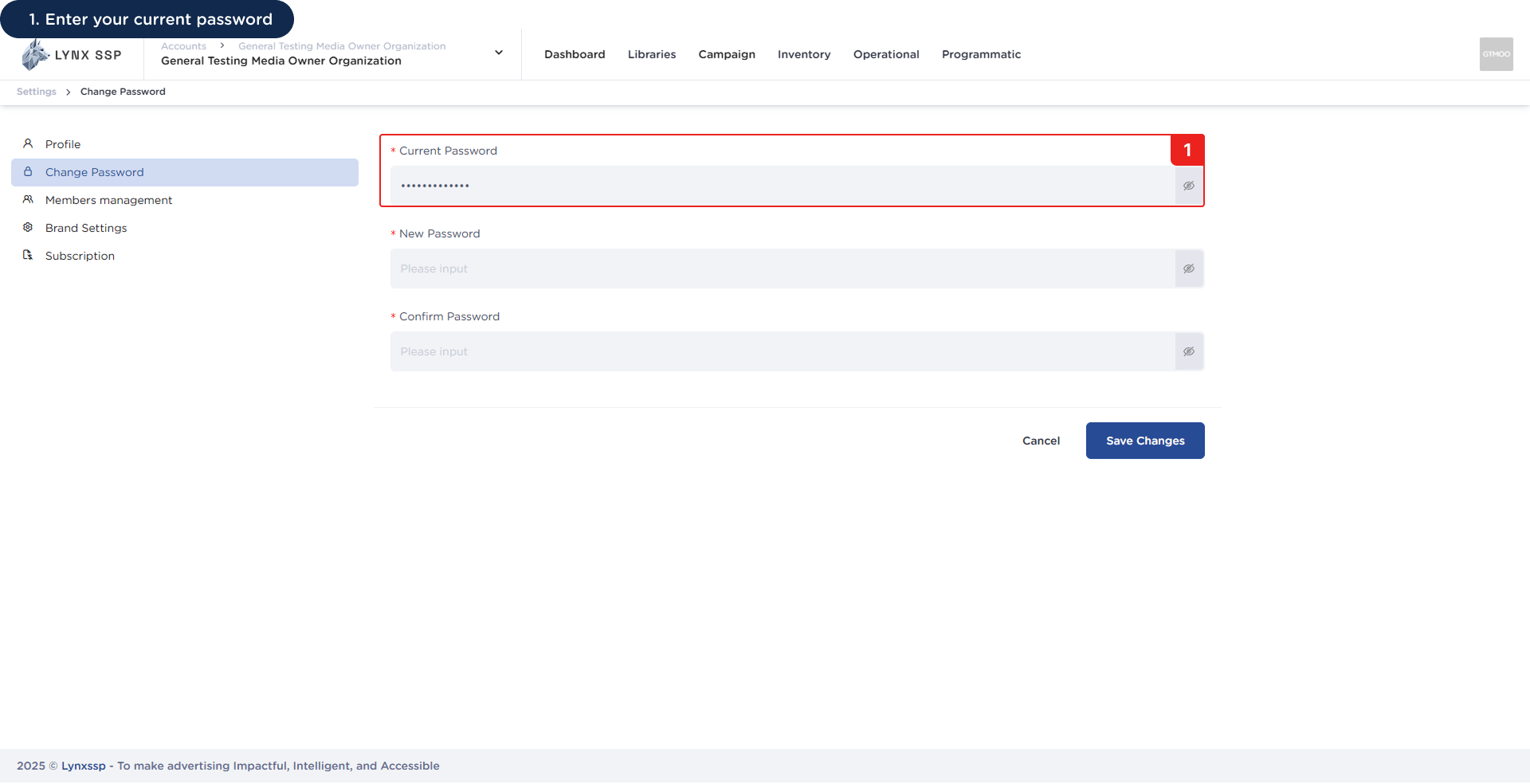
<Steps>
  <Step title="Enter Your Current Password">
    <img src="https://mintcdn.com/lynxssp-91a2d3cb/bjZDAGET5iPaYwlI/images/documentation/settings/change-password/how-to-change-your-password-1.png?fit=max&auto=format&n=bjZDAGET5iPaYwlI&q=85&s=5bda4fa4a6c7fa3118dd0c256987fa00" alt="How to Change Your Password 1" width="1920" height="984" data-path="images/documentation/settings/change-password/how-to-change-your-password-1.png" />
  </Step>

  <Step title="Enter Your New Password">
    <img src="https://mintcdn.com/lynxssp-91a2d3cb/bjZDAGET5iPaYwlI/images/documentation/settings/change-password/how-to-change-your-password-2.png?fit=max&auto=format&n=bjZDAGET5iPaYwlI&q=85&s=66a3996281b11d85da4f99d57214d07c" alt="How to Change Your Password 2" width="1920" height="985" data-path="images/documentation/settings/change-password/how-to-change-your-password-2.png" />
  </Step>

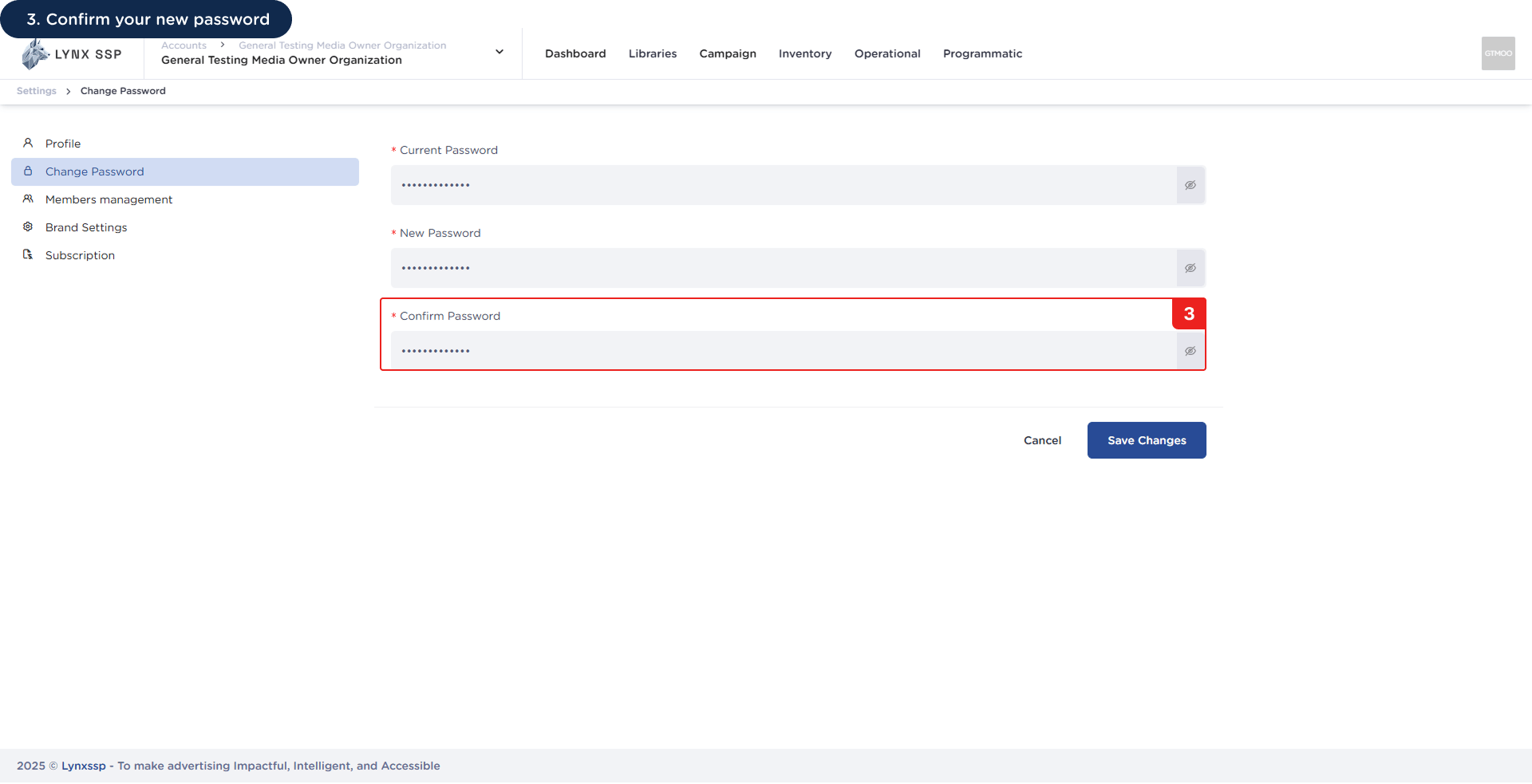
  <Step title="Confirm Your New Password">
    <img src="https://mintcdn.com/lynxssp-91a2d3cb/bjZDAGET5iPaYwlI/images/documentation/settings/change-password/how-to-change-your-password-3.png?fit=max&auto=format&n=bjZDAGET5iPaYwlI&q=85&s=451c4511b7a106ee395cebe63d6f9f10" alt="How to Change Your Password 3" width="1920" height="983" data-path="images/documentation/settings/change-password/how-to-change-your-password-3.png" />
  </Step>

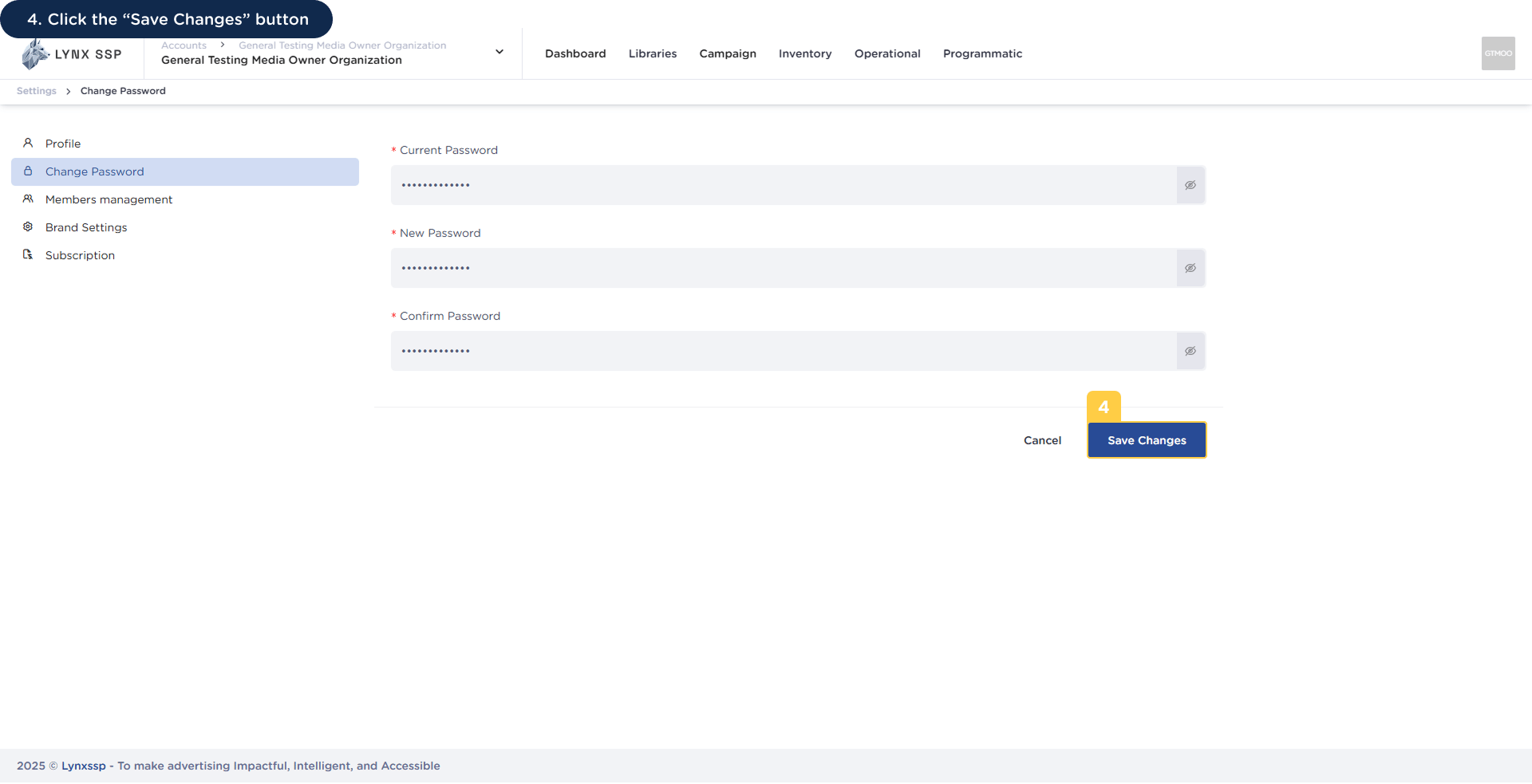
  <Step title="Click the “Save Changes” Button">
    <img src="https://mintcdn.com/lynxssp-91a2d3cb/bjZDAGET5iPaYwlI/images/documentation/settings/change-password/how-to-change-your-password-4.png?fit=max&auto=format&n=bjZDAGET5iPaYwlI&q=85&s=84747902ba2398919e3482ee91bfc9f4" alt="How to Change Your Password 4" width="1920" height="983" data-path="images/documentation/settings/change-password/how-to-change-your-password-4.png" />
  </Step>
</Steps>