> ## Documentation Index
> Fetch the complete documentation index at: https://docs.lynxssp.com/llms.txt
> Use this file to discover all available pages before exploring further.

# Manage Profile

This page helps you manage your account profile by changing your current account profile data.

## Accessing Profile Page
<Steps>
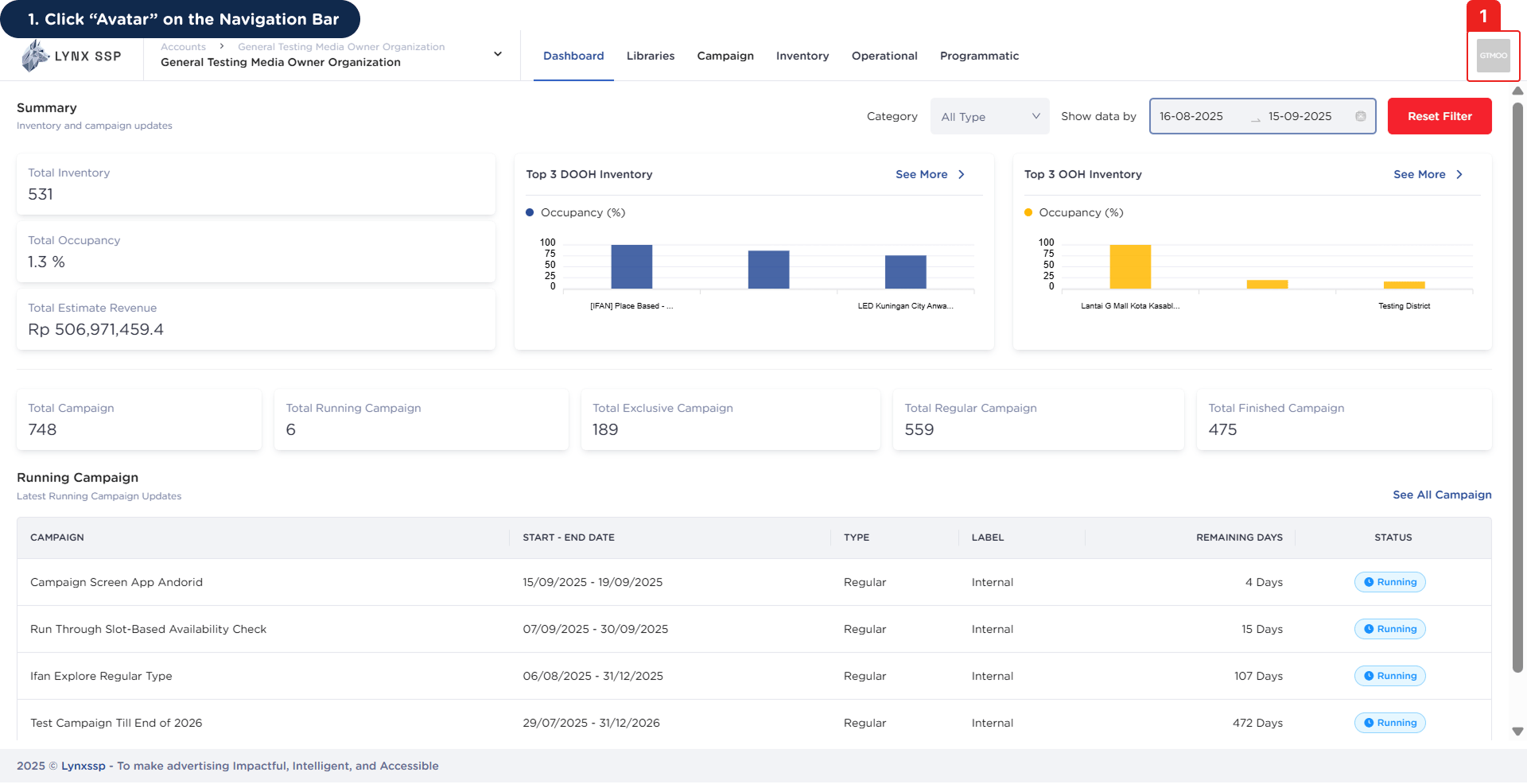
  <Step title="Click “Avatar” on the Navigation Bar ">
    <img src="https://mintcdn.com/lynxssp-91a2d3cb/bjZDAGET5iPaYwlI/images/documentation/settings/manage-profile/accessing-profile-page-1.png?fit=max&auto=format&n=bjZDAGET5iPaYwlI&q=85&s=9f6a0163fa8dc448c133e6e2900897c6" alt="Accessing Profile Page 1" width="1920" height="986" data-path="images/documentation/settings/manage-profile/accessing-profile-page-1.png" />
  </Step>

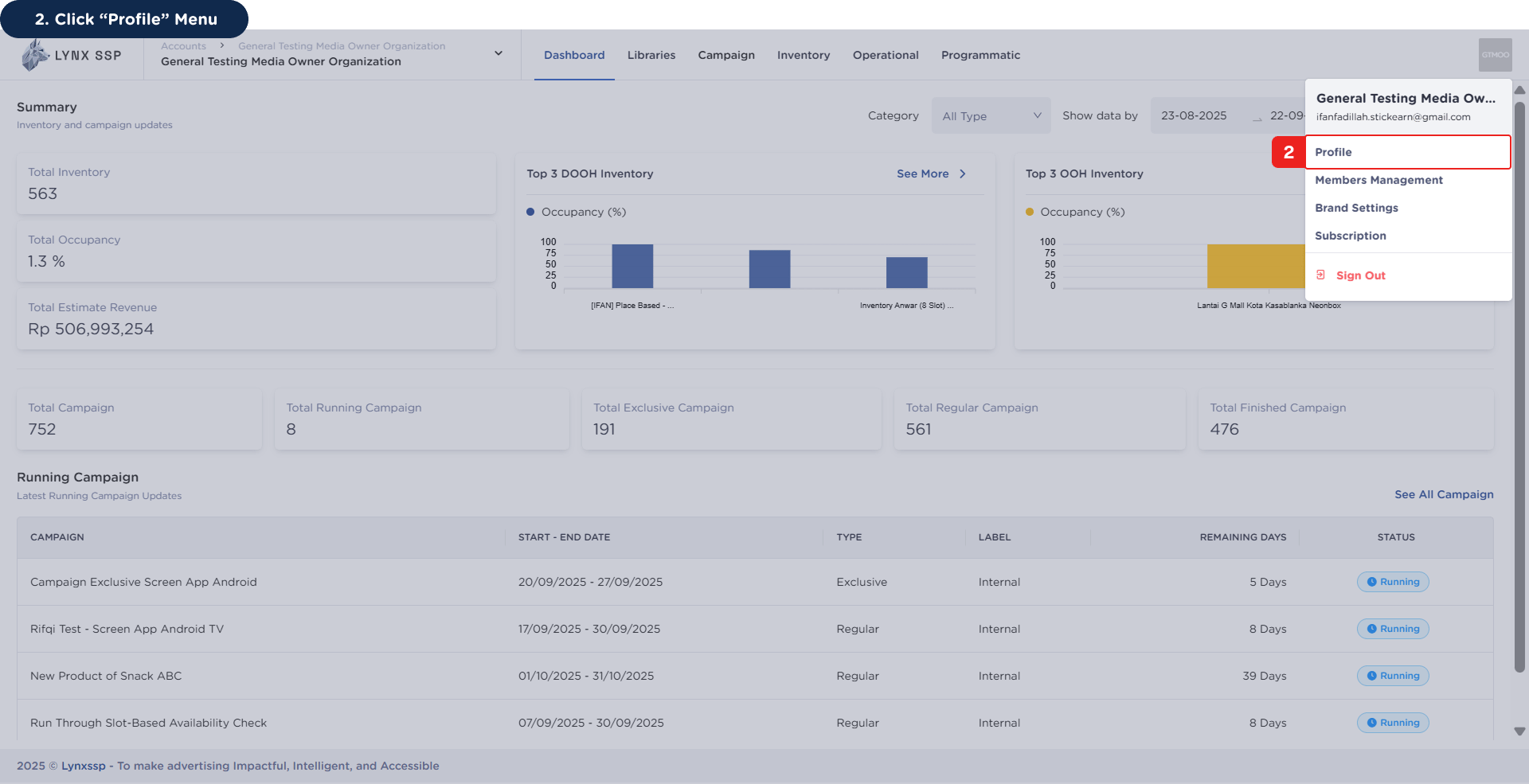
  <Step title="Click “Profile” Menu">
    <img src="https://mintcdn.com/lynxssp-91a2d3cb/bjZDAGET5iPaYwlI/images/documentation/settings/manage-profile/accessing-profile-page-2.png?fit=max&auto=format&n=bjZDAGET5iPaYwlI&q=85&s=f761c2ed7b1db2d1a59419d9da1acd10" alt="Accessing Profile Page 2" width="1920" height="985" data-path="images/documentation/settings/manage-profile/accessing-profile-page-2.png" />

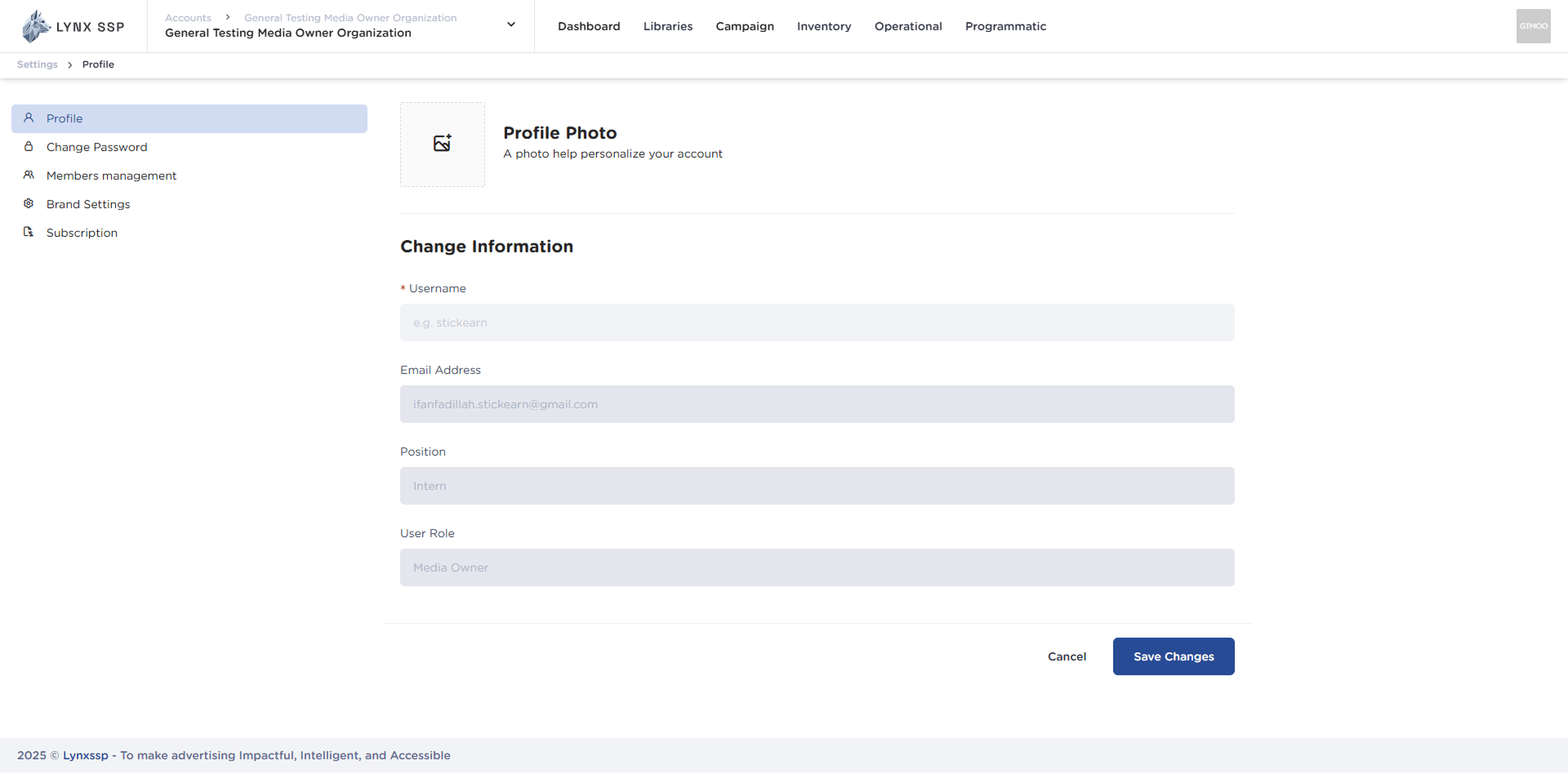
    This will display the Profile Page.

    <img src="https://mintcdn.com/lynxssp-91a2d3cb/bjZDAGET5iPaYwlI/images/documentation/settings/manage-profile/accessing-profile-page-2.2.png?fit=max&auto=format&n=bjZDAGET5iPaYwlI&q=85&s=4f2f3cb7ce861567e712768dd4429387" alt="Accessing Profile Page 2.2" width="1920" height="948" data-path="images/documentation/settings/manage-profile/accessing-profile-page-2.2.png" />
  </Step>
</Steps>

***

## How to Edit Profile

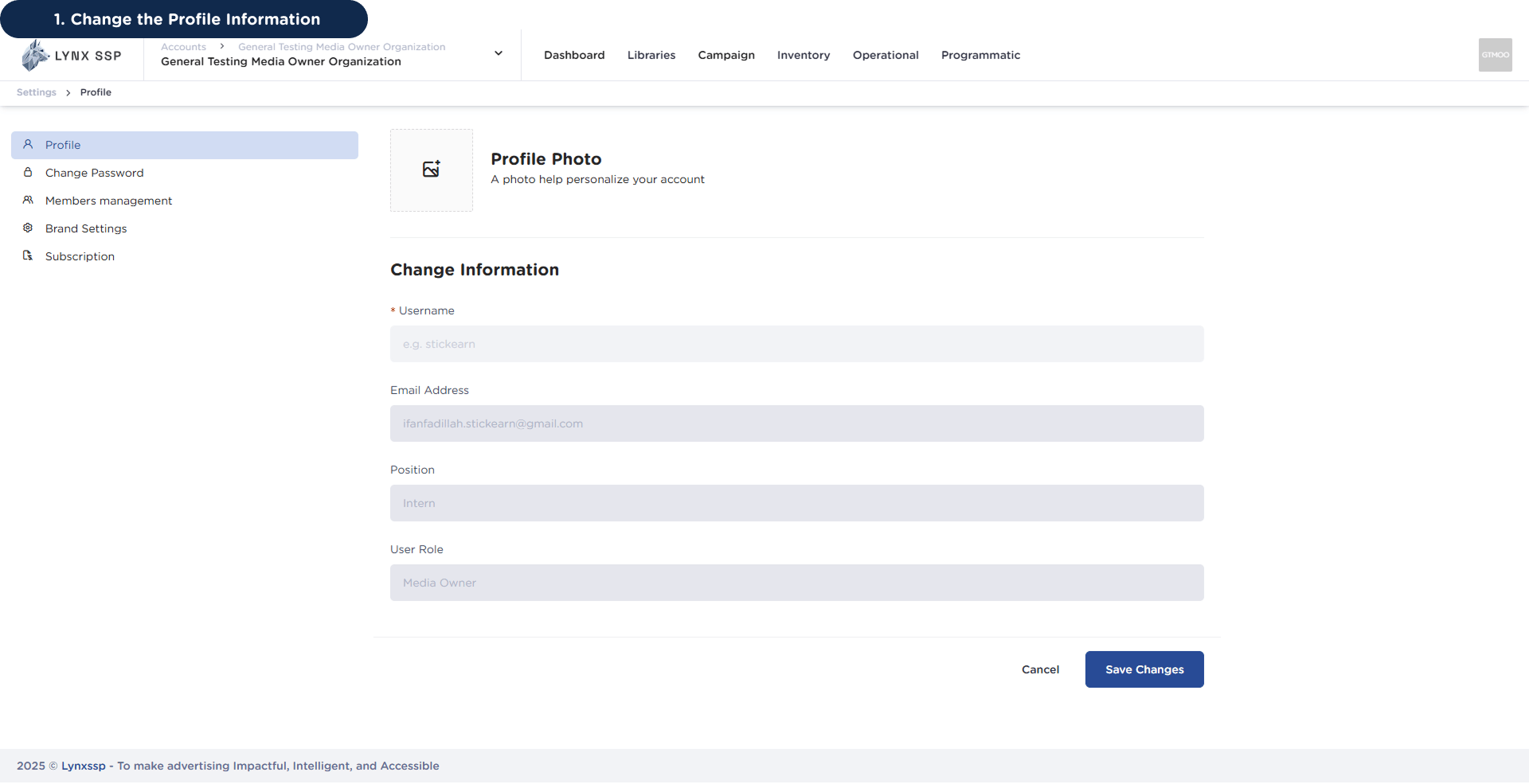
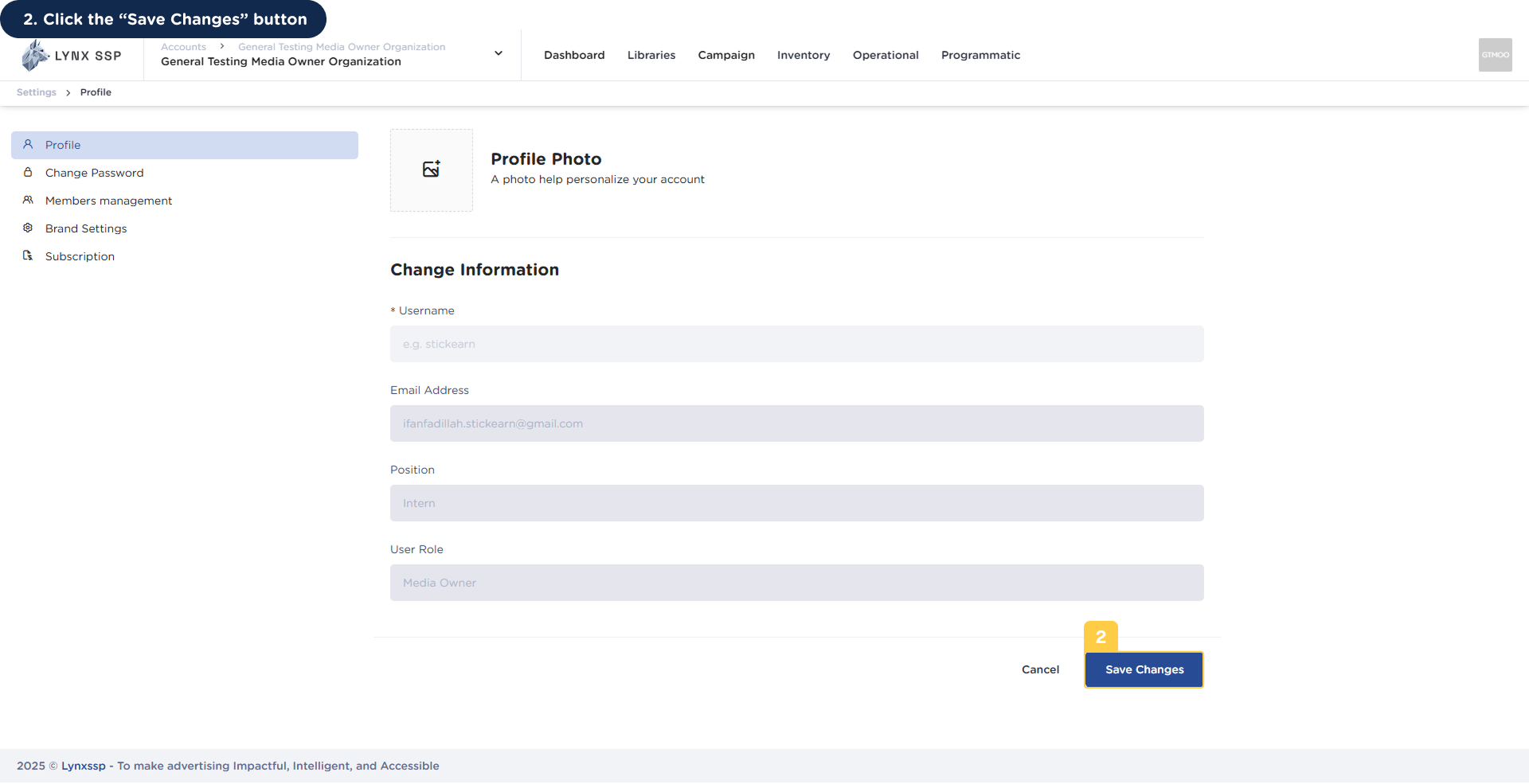
If there are changes to your account profile, you can change or edit it by following these steps:
<Steps>
  <Step title="Change the Profile Information">
    <img src="https://mintcdn.com/lynxssp-91a2d3cb/bjZDAGET5iPaYwlI/images/documentation/settings/manage-profile/edit-profile-1.png?fit=max&auto=format&n=bjZDAGET5iPaYwlI&q=85&s=dbcc6510957e78122900698f5a832971" alt="How to Edit Profile 1" width="1920" height="985" data-path="images/documentation/settings/manage-profile/edit-profile-1.png" />
  </Step>

  <Step title="Click the “Save Changes” button">
    <img src="https://mintcdn.com/lynxssp-91a2d3cb/bjZDAGET5iPaYwlI/images/documentation/settings/manage-profile/edit-profile-2.png?fit=max&auto=format&n=bjZDAGET5iPaYwlI&q=85&s=37120cb6983a816f904d3acdf33d54b1" alt="How to Edit Profile 2" width="1920" height="985" data-path="images/documentation/settings/manage-profile/edit-profile-2.png" />

    You will then receive a notification that your profile data has been successfully changed or edited.
  </Step>
</Steps>