> ## Documentation Index
> Fetch the complete documentation index at: https://docs.lynxssp.com/llms.txt
> Use this file to discover all available pages before exploring further.
# Overview
Deal management is a feature that helps you, as a Media Owner, publish or sell your DOOH (Digital-Out-of-Home) Inventory into Programmatic Campaigns. Unlike open auctions and Direct (Regular) Campaigns, this feature allows you to create various types of closed deals, such as **Programmatic Guaranteed (PG)** or **Private Marketplace (PMP)**, which can only be accessed by specific advertisers or agencies.
This page will help you create and manage all deals efficiently. As such, this feature is at the core of programmatic campaigns on the Lynx SSP platform, where you can offer your DOOH (Digital-Out-of-Home) inventory to specific advertisers at pre-agreed prices and terms, thereby maximizing the value of each asset you own.
## Accessing the Deal Management Page
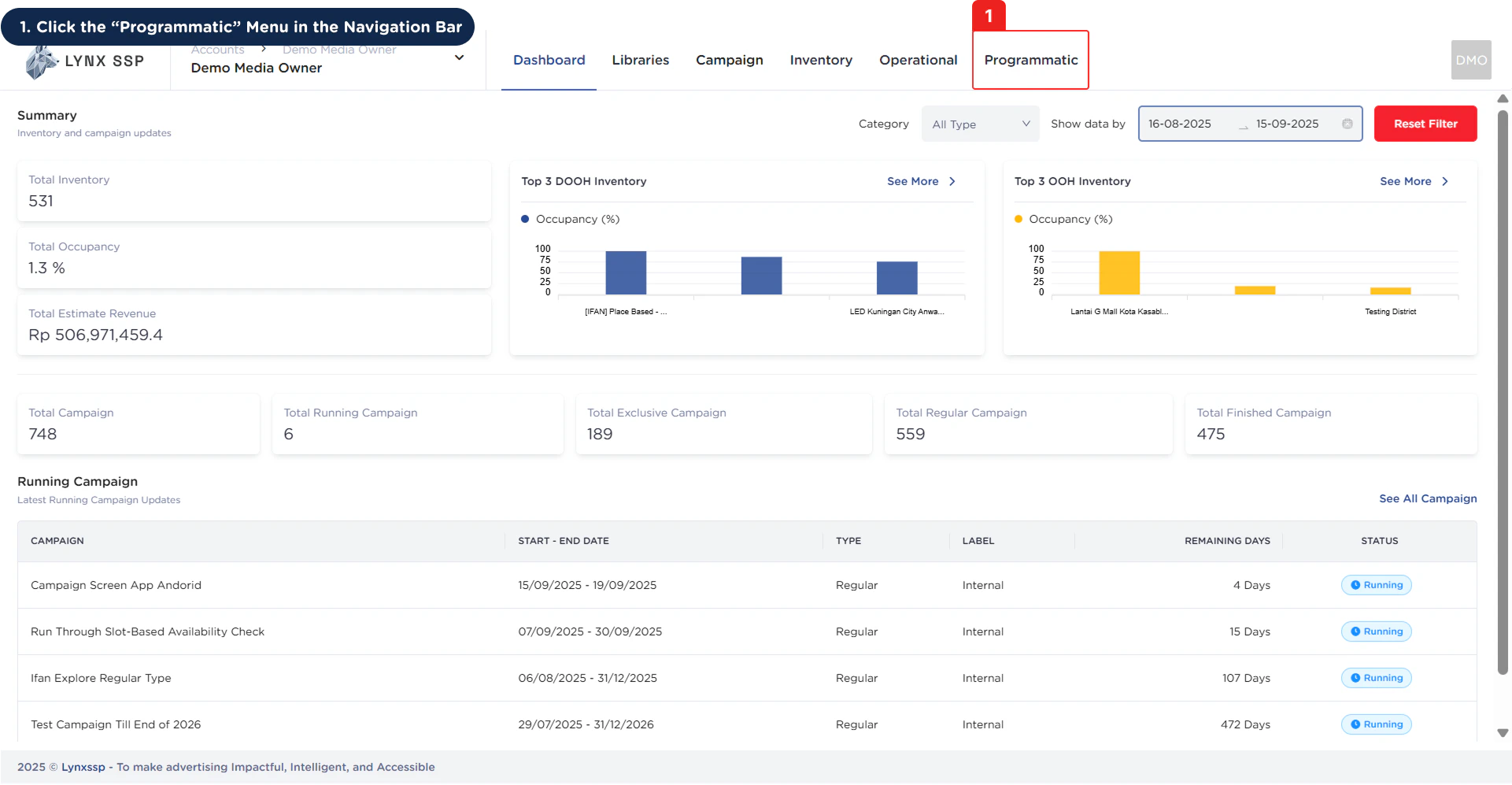
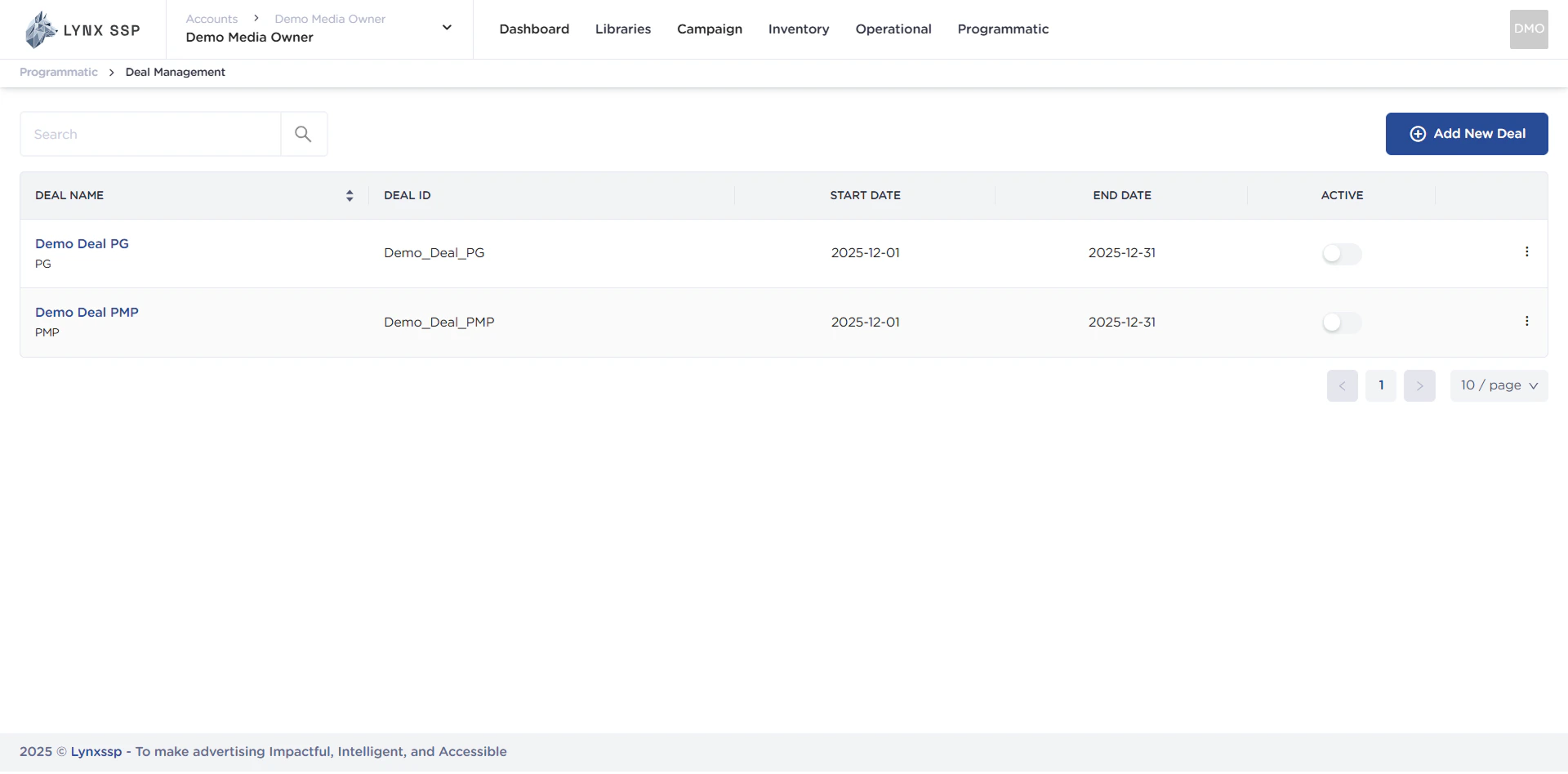
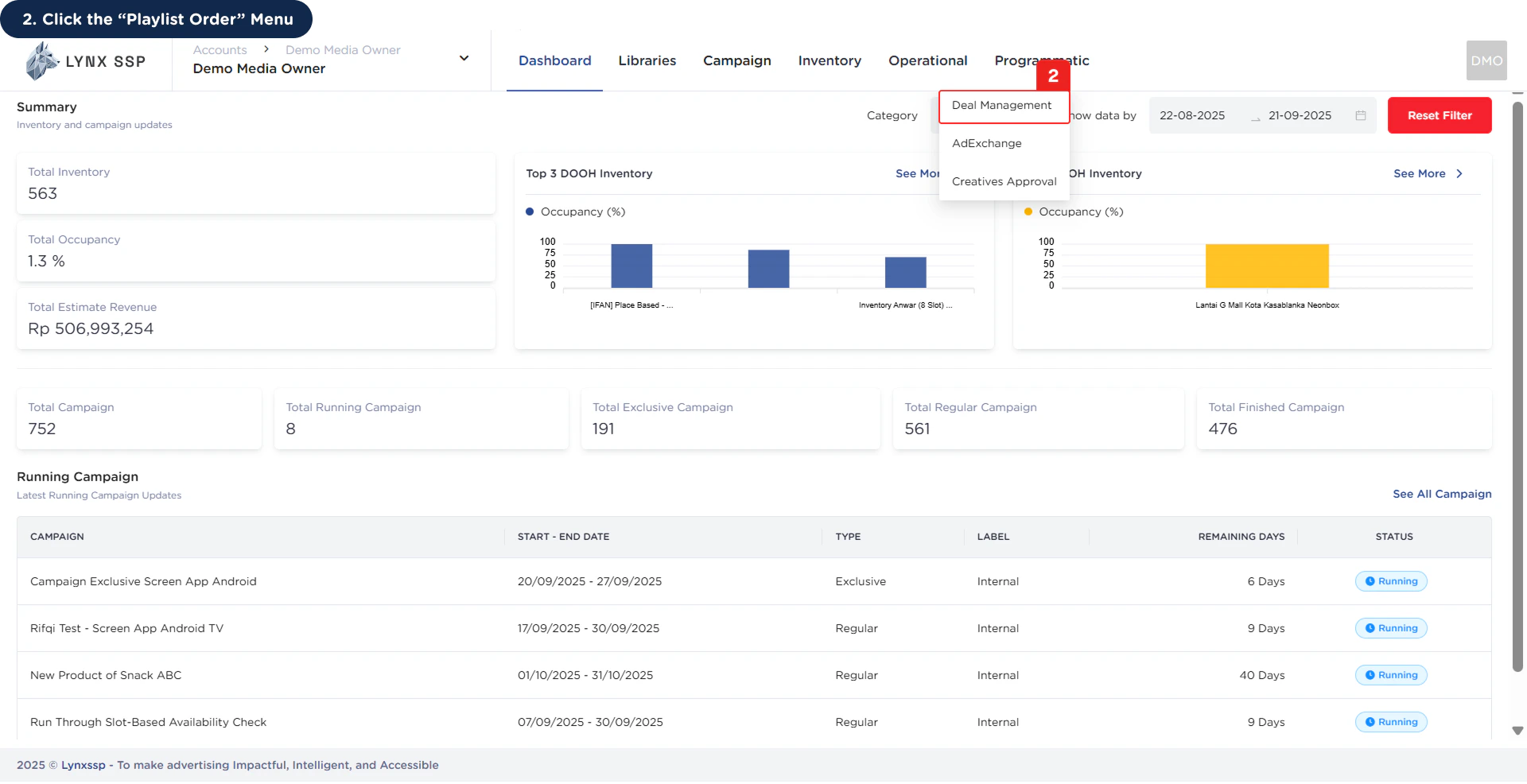 This will display the **Deal Management Page.**
 ***
## Deal Management Overview
***
## Deal Management Overview
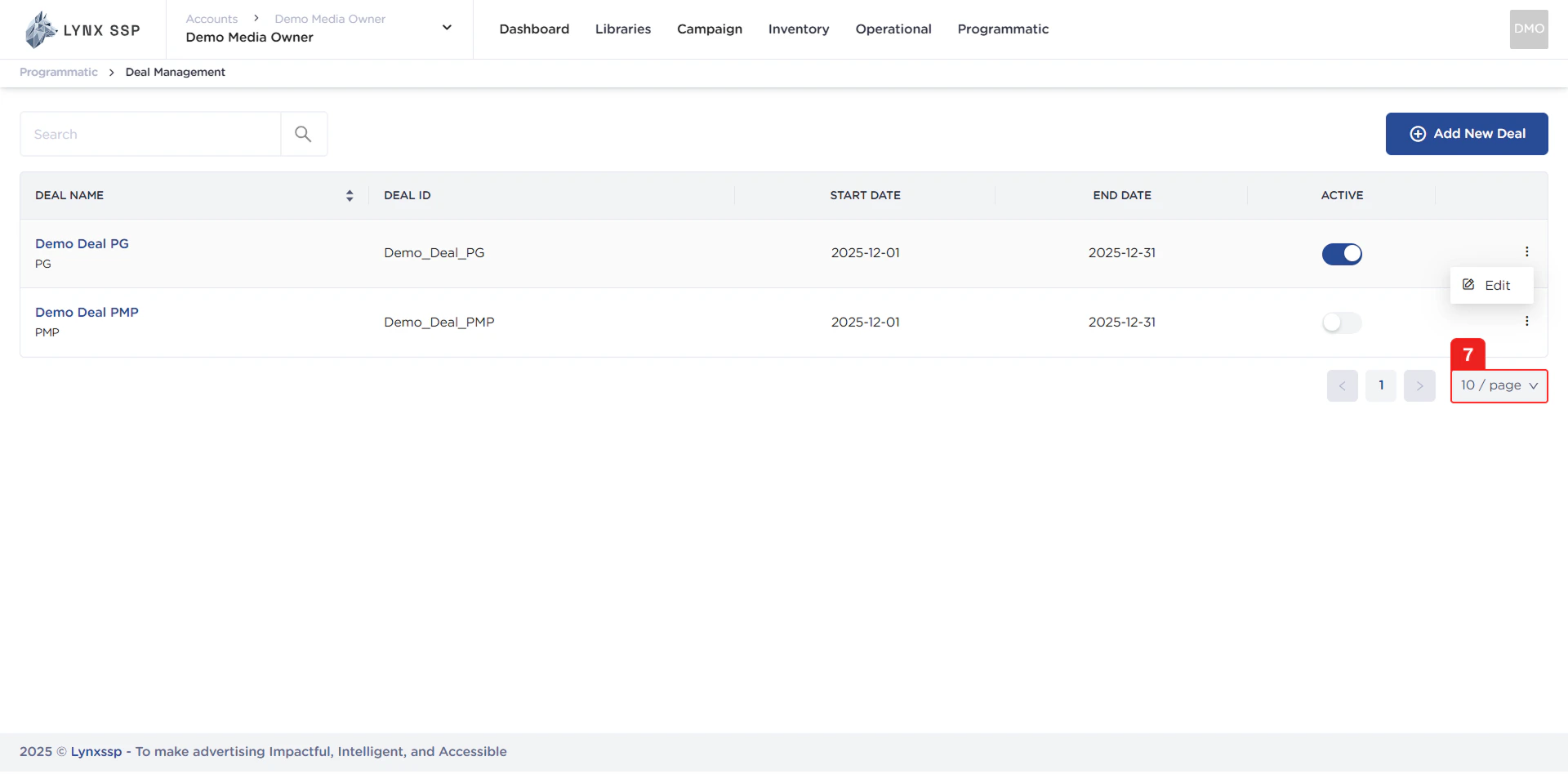
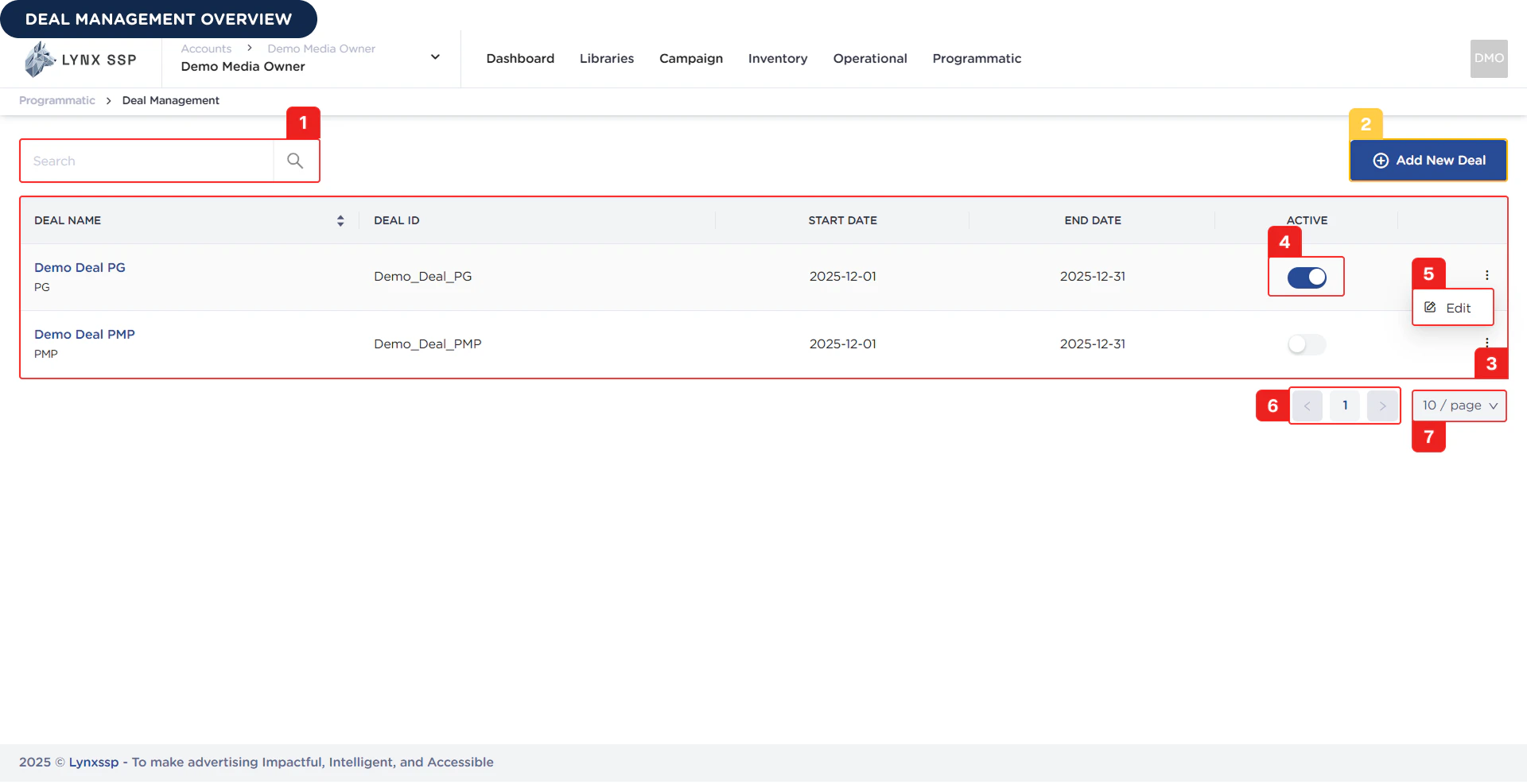 Based on the **Deal Management Overview** above, here is the explanation for each section:
### Deal Search
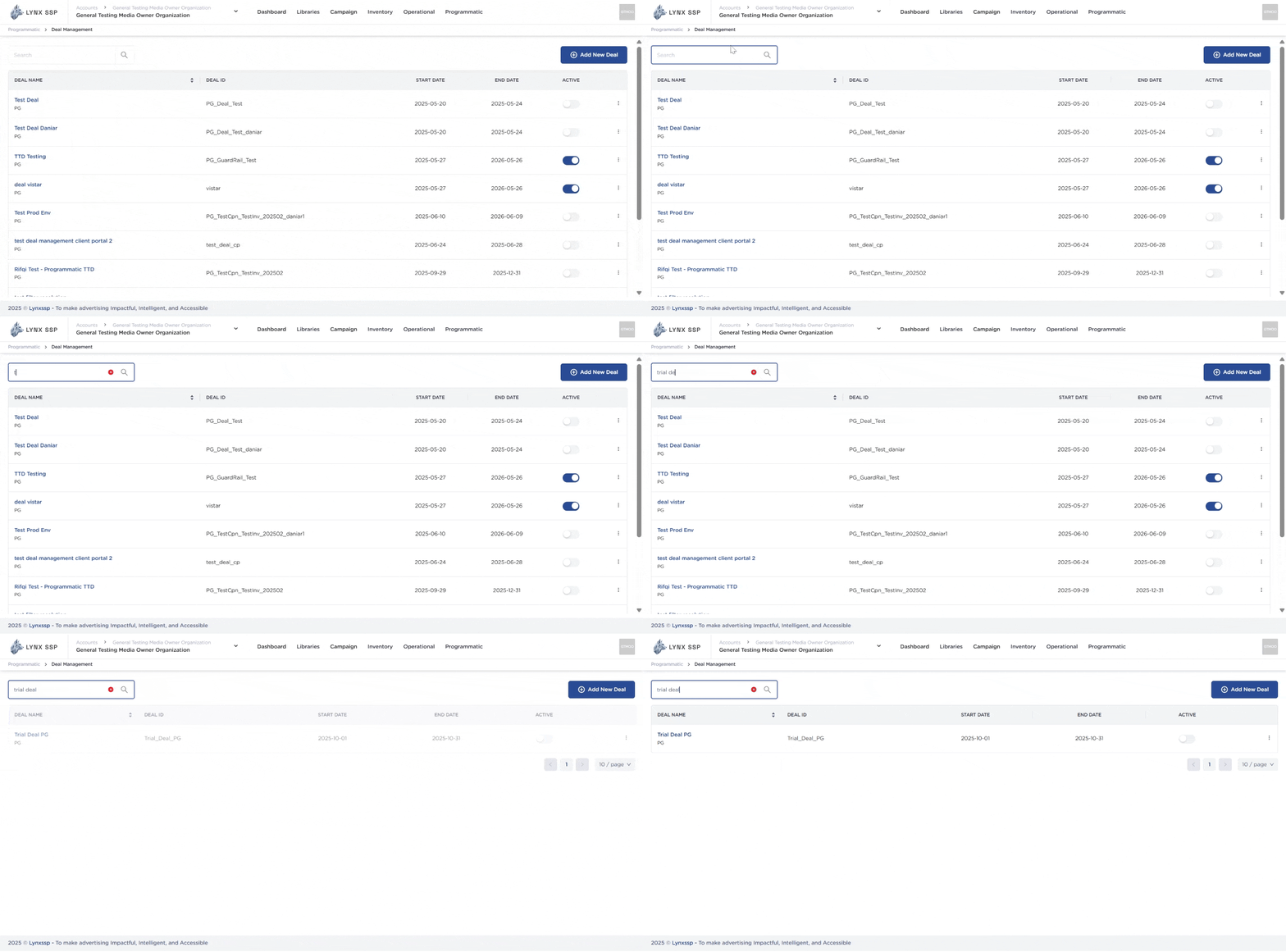
You can search for deals by typing keywords based on the Deal Name or the Deal ID you defined when creating it.
Based on the **Deal Management Overview** above, here is the explanation for each section:
### Deal Search
You can search for deals by typing keywords based on the Deal Name or the Deal ID you defined when creating it.
 ***
### Add New Deal Button
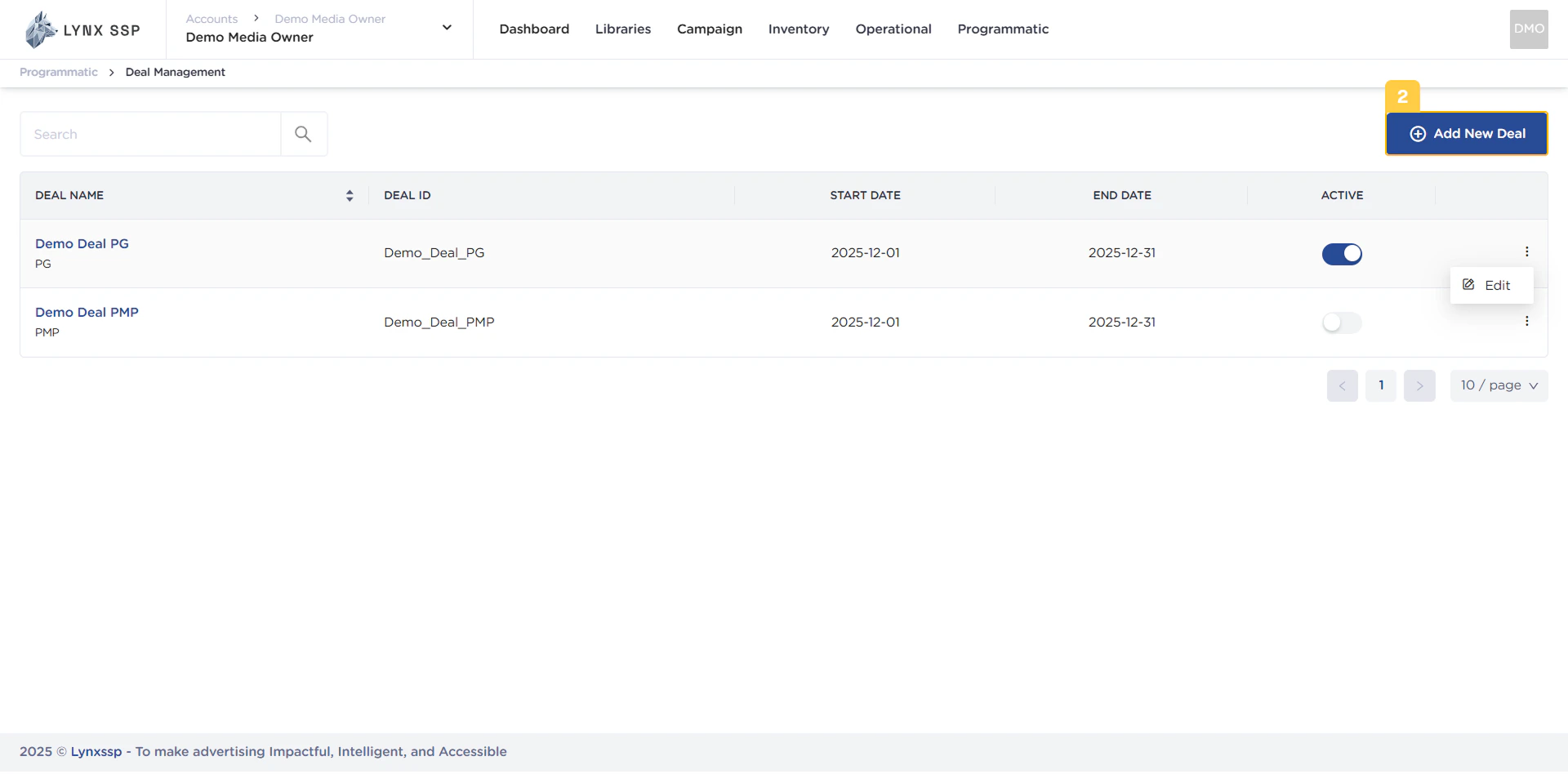
To create a new deal in the Lynx SSP platform, you can press the **Add New Deal** button on this page, and the system will immediately take you to a new page where you must fill in the data regarding the specifications of the deal to be created.
***
### Add New Deal Button
To create a new deal in the Lynx SSP platform, you can press the **Add New Deal** button on this page, and the system will immediately take you to a new page where you must fill in the data regarding the specifications of the deal to be created.
 ***
### List Deal
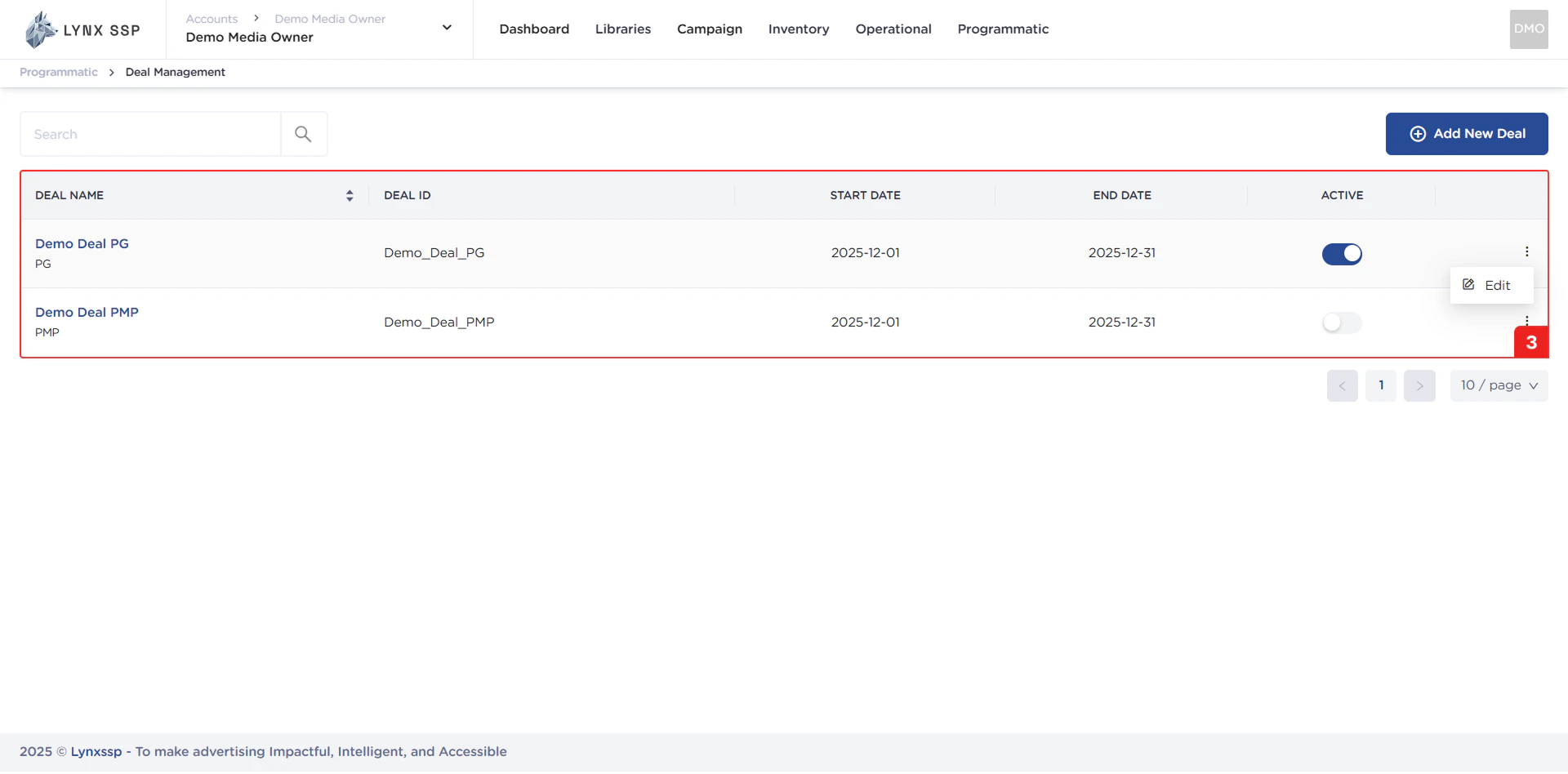
In this section, you can see all the deals you have and that have been successfully entered into the Lynx SSP portal. The properties that can be seen in this table are as follows:
* **Deal Name**
* **Deal Type** ([See Deal Type ↗](./deal-type))
* **Deal ID**
* **Start Date - End Date**
* **Deal Status Button** ([See Deal Status ↗](./deal-status))
***
### List Deal
In this section, you can see all the deals you have and that have been successfully entered into the Lynx SSP portal. The properties that can be seen in this table are as follows:
* **Deal Name**
* **Deal Type** ([See Deal Type ↗](./deal-type))
* **Deal ID**
* **Start Date - End Date**
* **Deal Status Button** ([See Deal Status ↗](./deal-status))
 ***
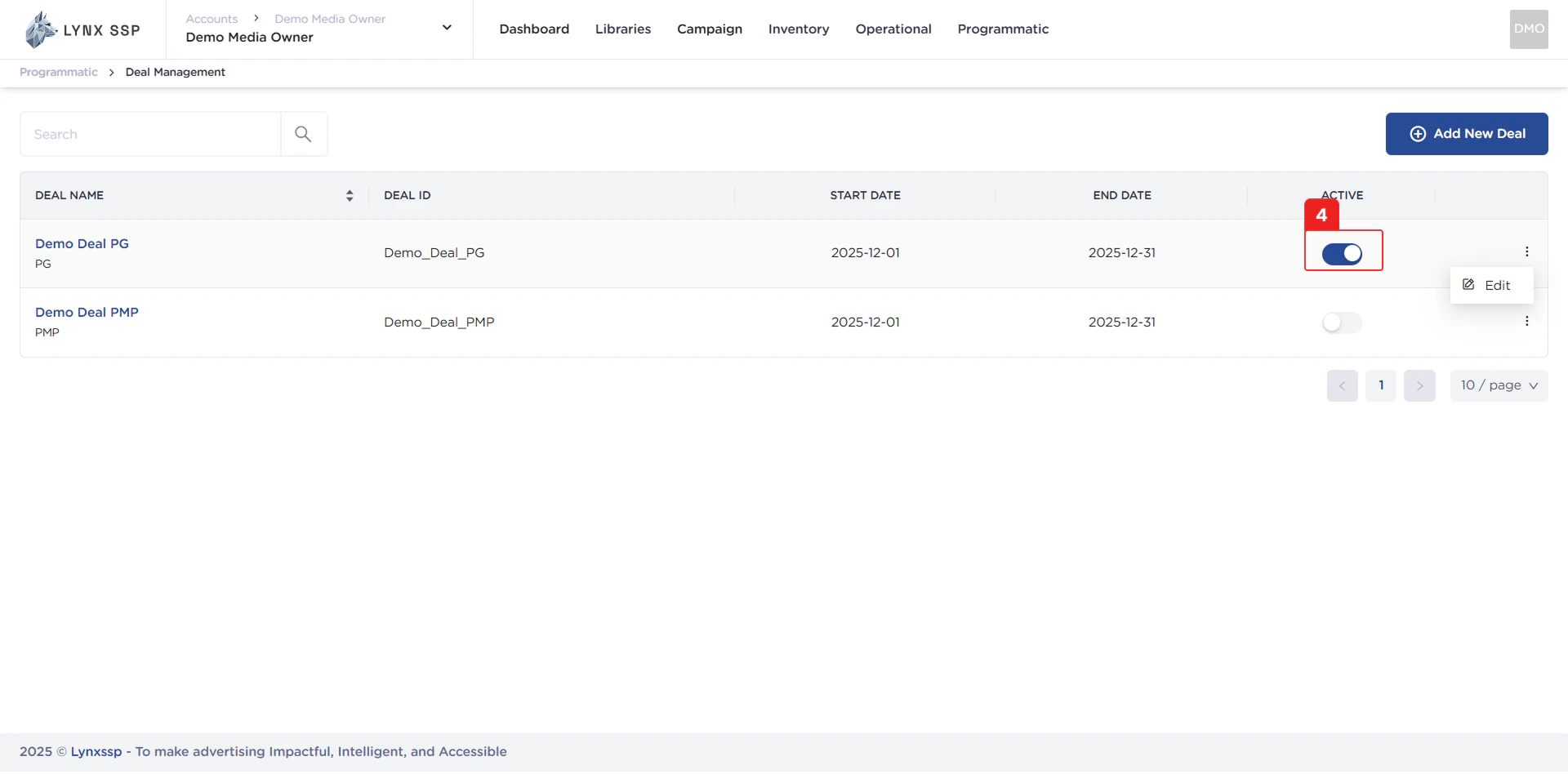
### Deal Status Button
Using this button, you can activate your deals and change their status ([See Deal Status ↗](./deal-status)).
***
### Deal Status Button
Using this button, you can activate your deals and change their status ([See Deal Status ↗](./deal-status)).
 ***
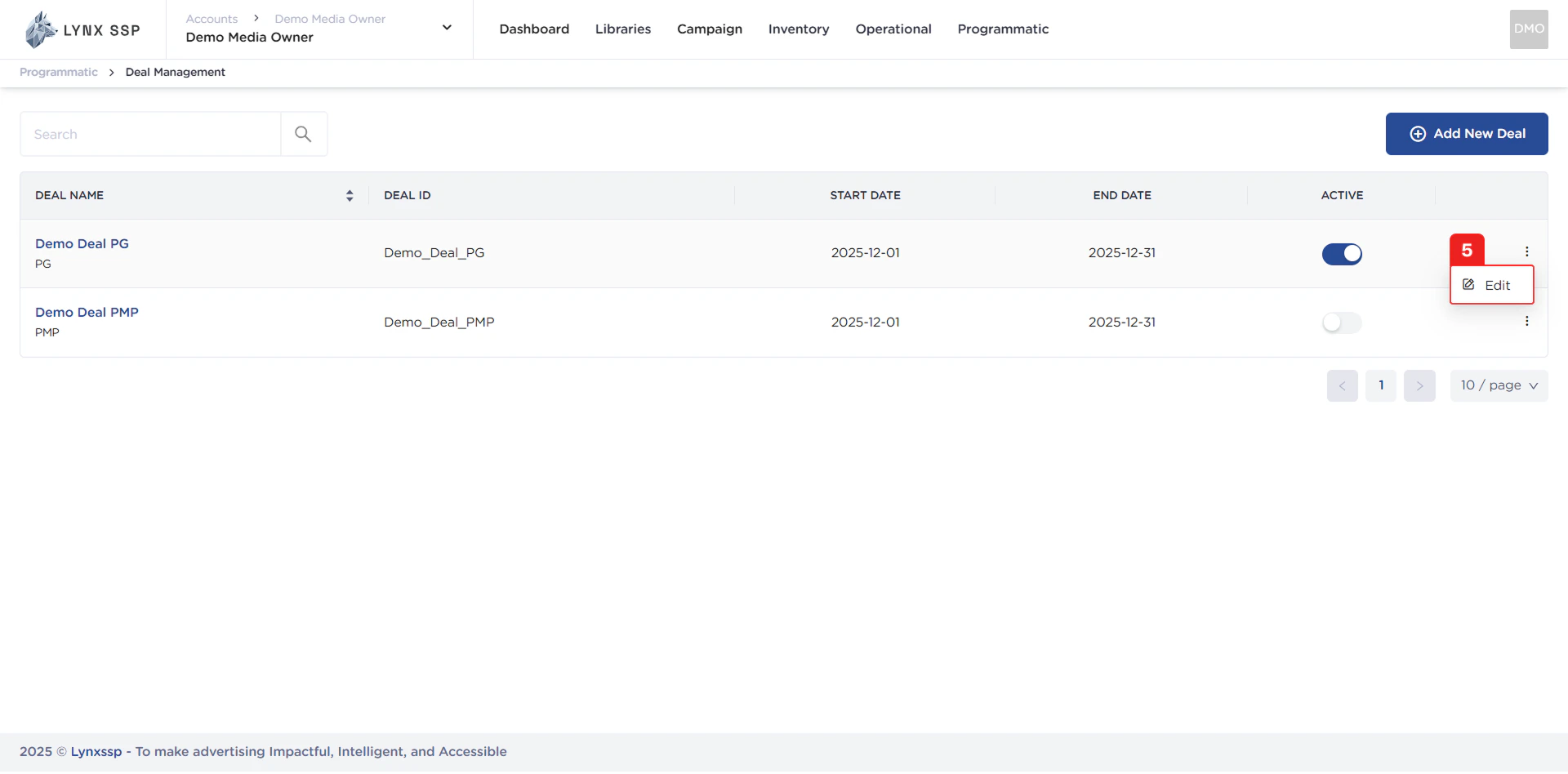
### Edit Deal Button
Using this button, you can edit the details of your deals ([See Edit Deal ↗](./edit)).
***
### Edit Deal Button
Using this button, you can edit the details of your deals ([See Edit Deal ↗](./edit)).
 ***
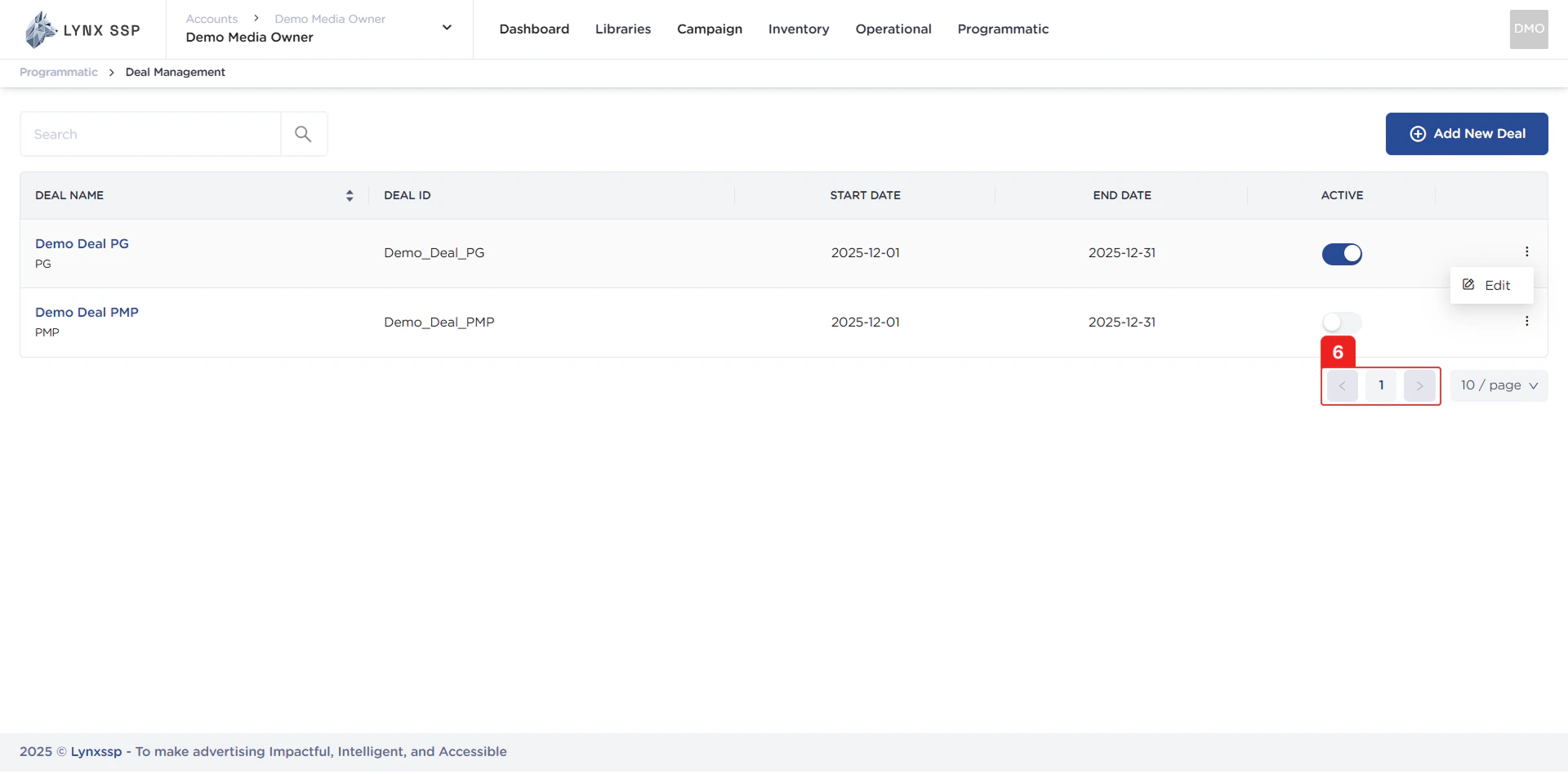
### Pagination
The sequential numbers in the image below are navigation buttons you can use to go to the next deal list page.
***
### Pagination
The sequential numbers in the image below are navigation buttons you can use to go to the next deal list page.
 ***
### Page List
You can change the number of deals displayed. By default, there are 10 items, and you can change it to 50 or 100.
***
### Page List
You can change the number of deals displayed. By default, there are 10 items, and you can change it to 50 or 100.