

1
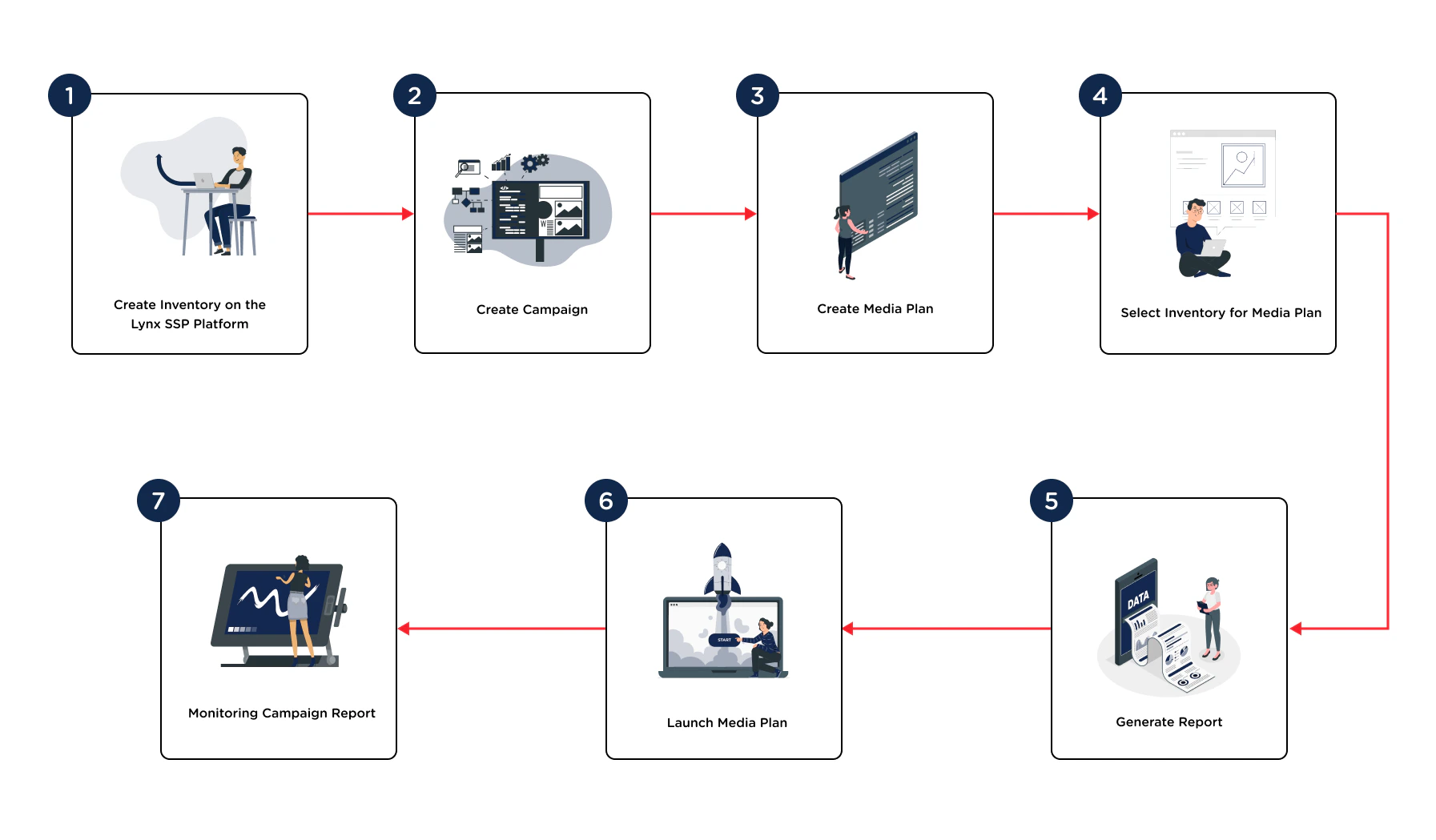
Add New Inventory on the Lynx SSP Platform
You can register the Inventory you own first, whether it is DOOH (Digital-Out-of-Home) Inventory or OOH (Out-of-Home) Inventory.
Create a DOOH (Digital-Out-of-Home) Inventory ↗
Create a OOH (Out-of-Home) Inventory ↗
2
Create a Campaign
You can fill in information regarding the campaign to be run, including the campaign name, type, and duration.
Create Campaign ↗
3
Create a Media Plan
After creating a new campaign, you must create a media plan so that your campaign can run and meet the specifications provided by the client.
Create Media Plan ↗
4
Selectt Inventory to Media Plan
You can select inventories to be included in the media plan that will be used to run a campaign you have created.
Select Inventory to Media Plan ↗
5
Generate Report
Activate the ‘Generate Report’ button if the media plan and campaign you manage require reporting.
Generate Report ↗
6
Launch Media Plan
After completing the series of steps for creating a media plan, starting from the schedule, selecting inventory, and activating ‘generate report’, you can launch the media plan to run the campaign.
Launch Media Plan ↗
7
Monitoring Campaign Report
You can monitor the reporting of the campaign that has been run.