How to Reject Creative
You can reject creatives from advertisers to prevent them from running programmatic campaigns on your DOOH (Digital-Out-of-Home) inventory because they do not meet the criteria by following these steps:1
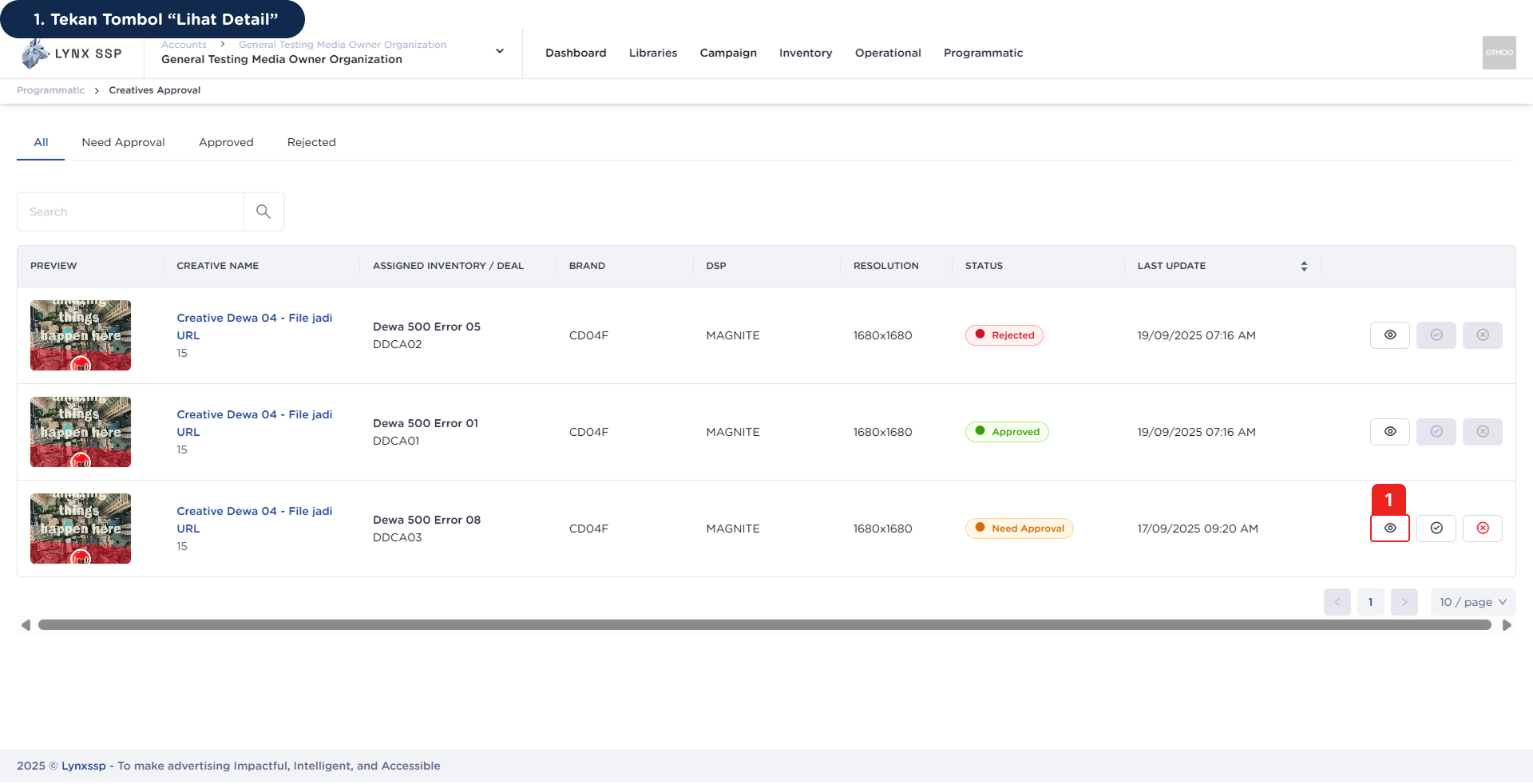
Click 'View Detail' Button
2
Review Detail Creative
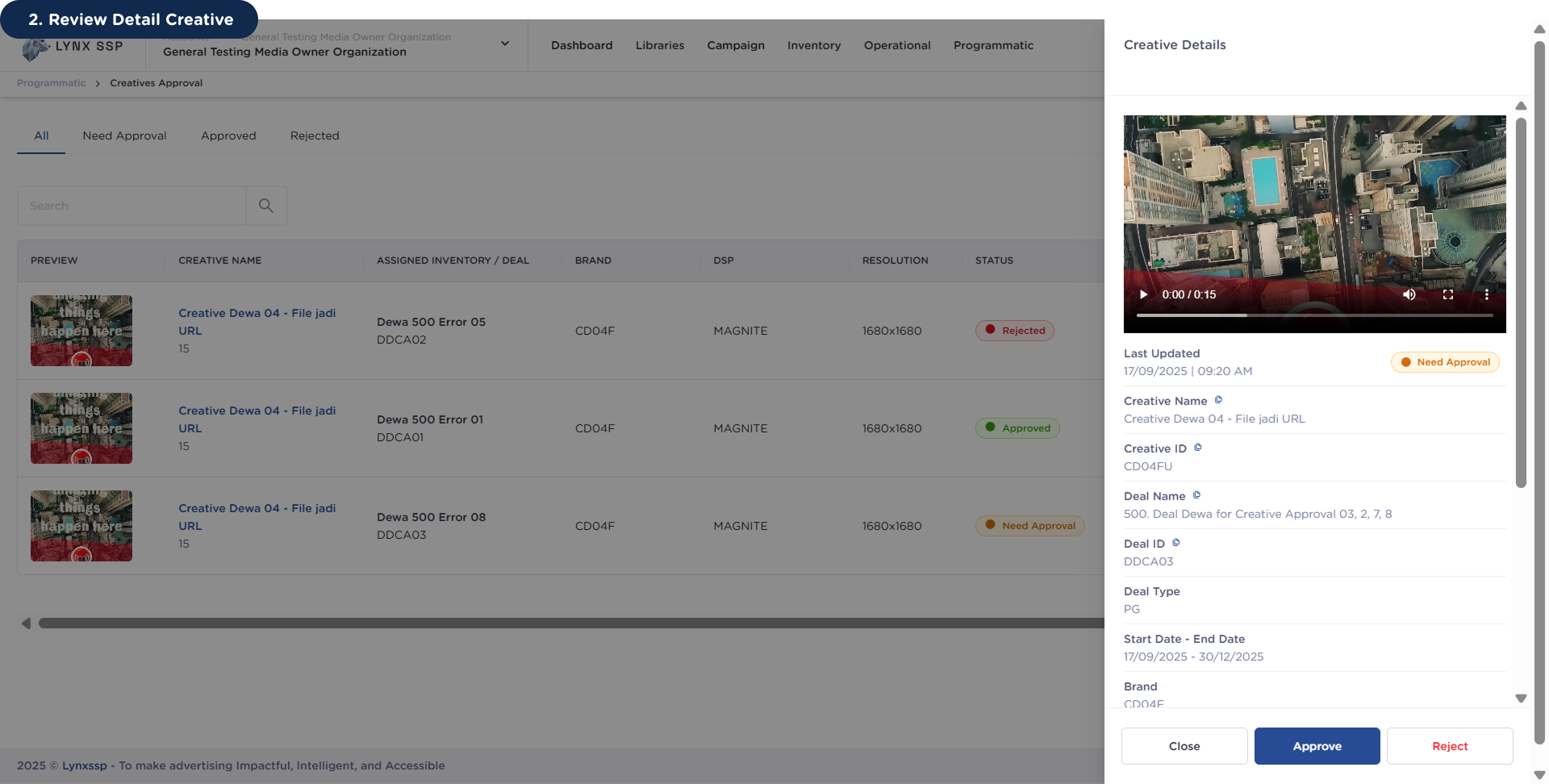
Make sure you have reviewed all the information from the creative before making a decision to Approve or Reject, because once approved, you cannot change the status back!
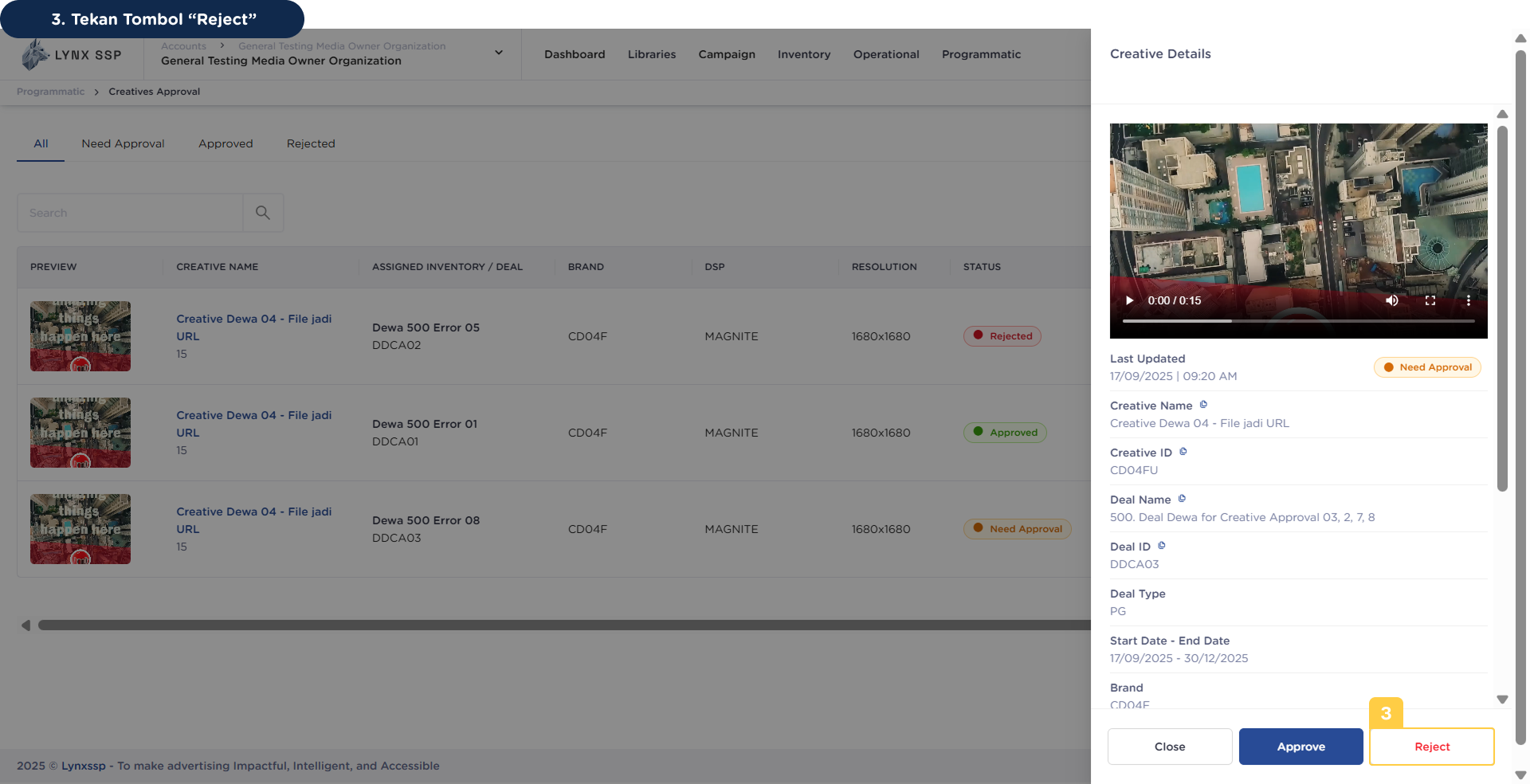
3
Click the 'Reject' button
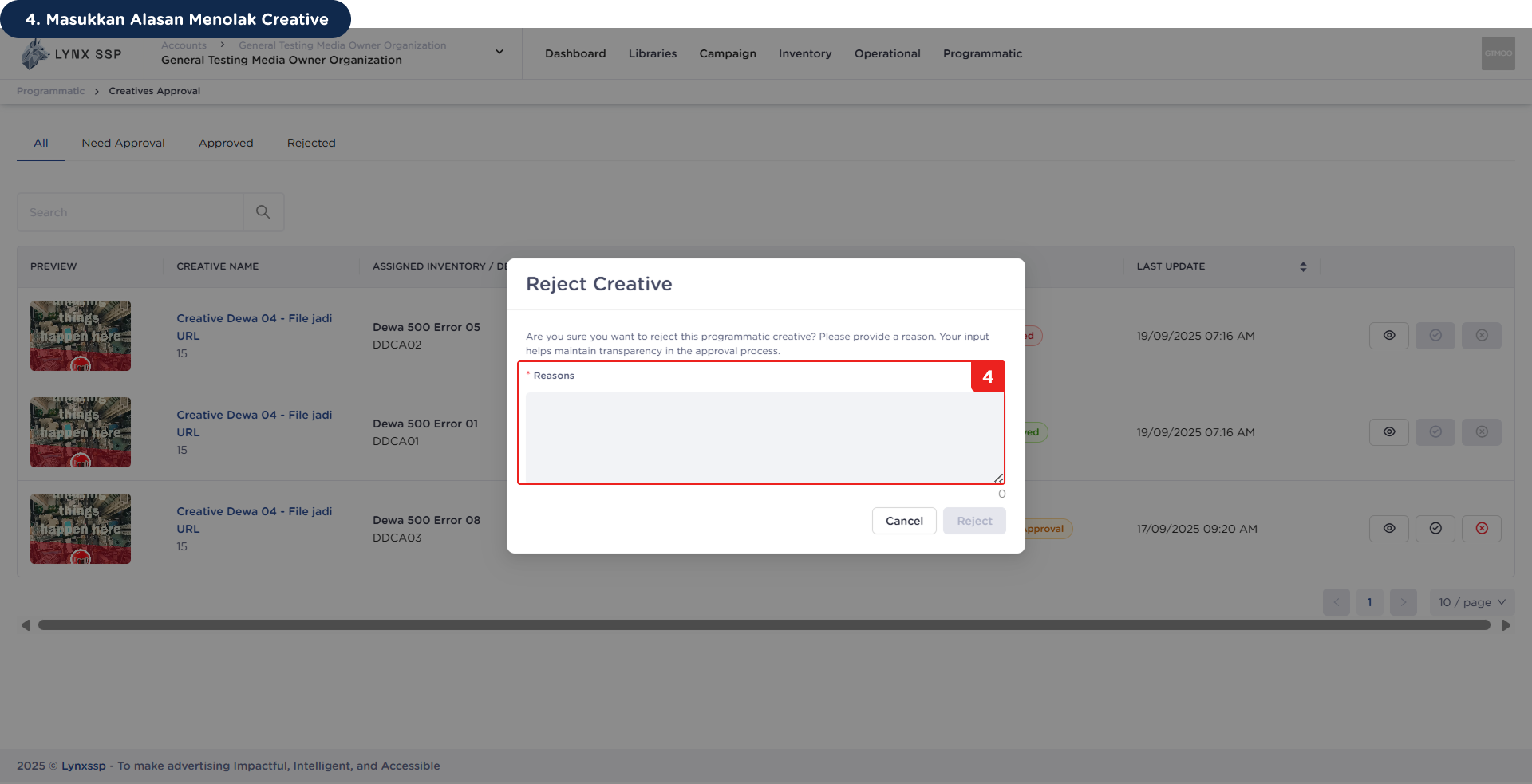
4
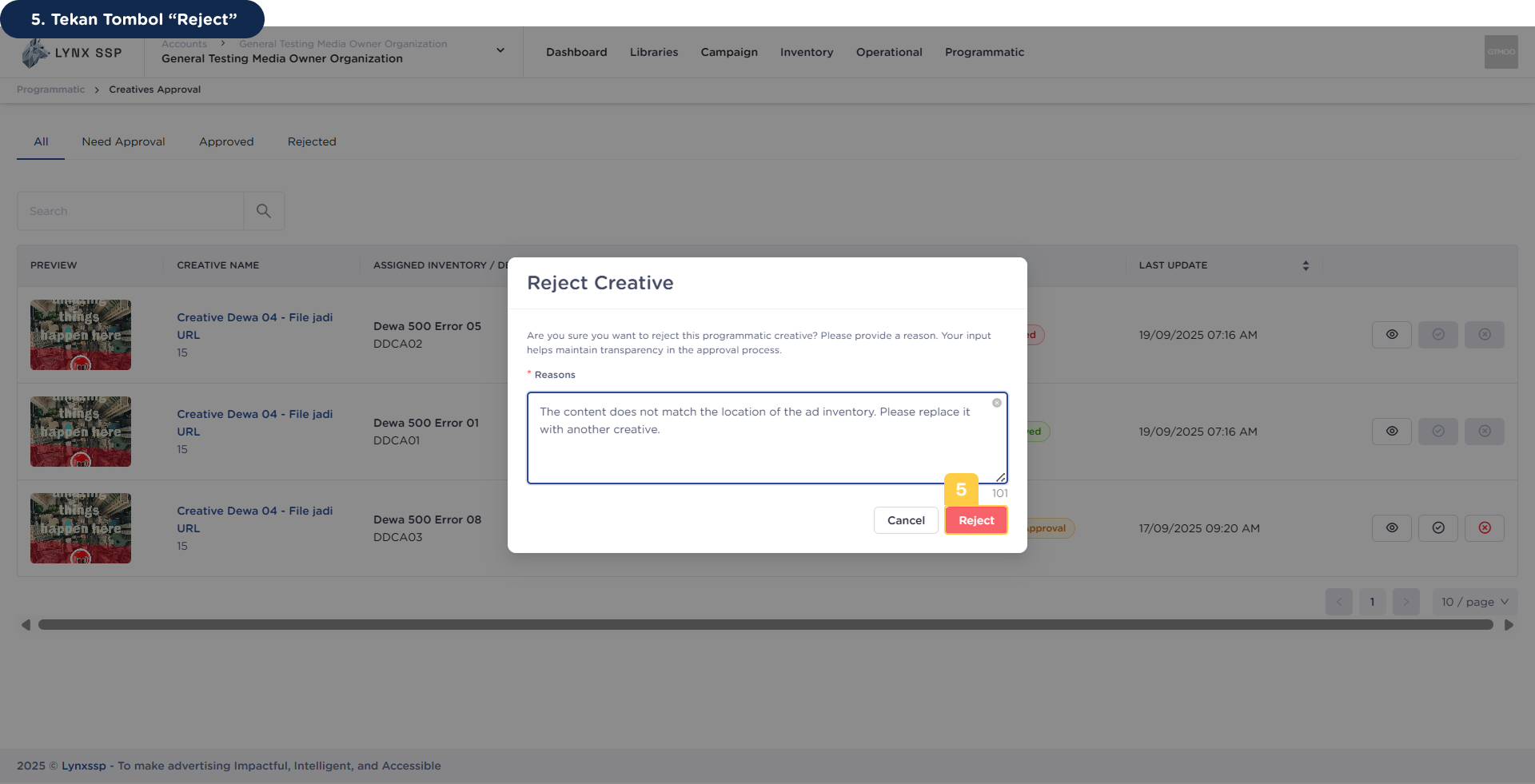
Enter Reason for Rejecting Creative
5
Click the 'Reject' button