

Ad Measurement selection can only be done if the media plan has a “Launch” status or has already been launched (See Launch Media Plan ↗).
How to Select Ad Measurement
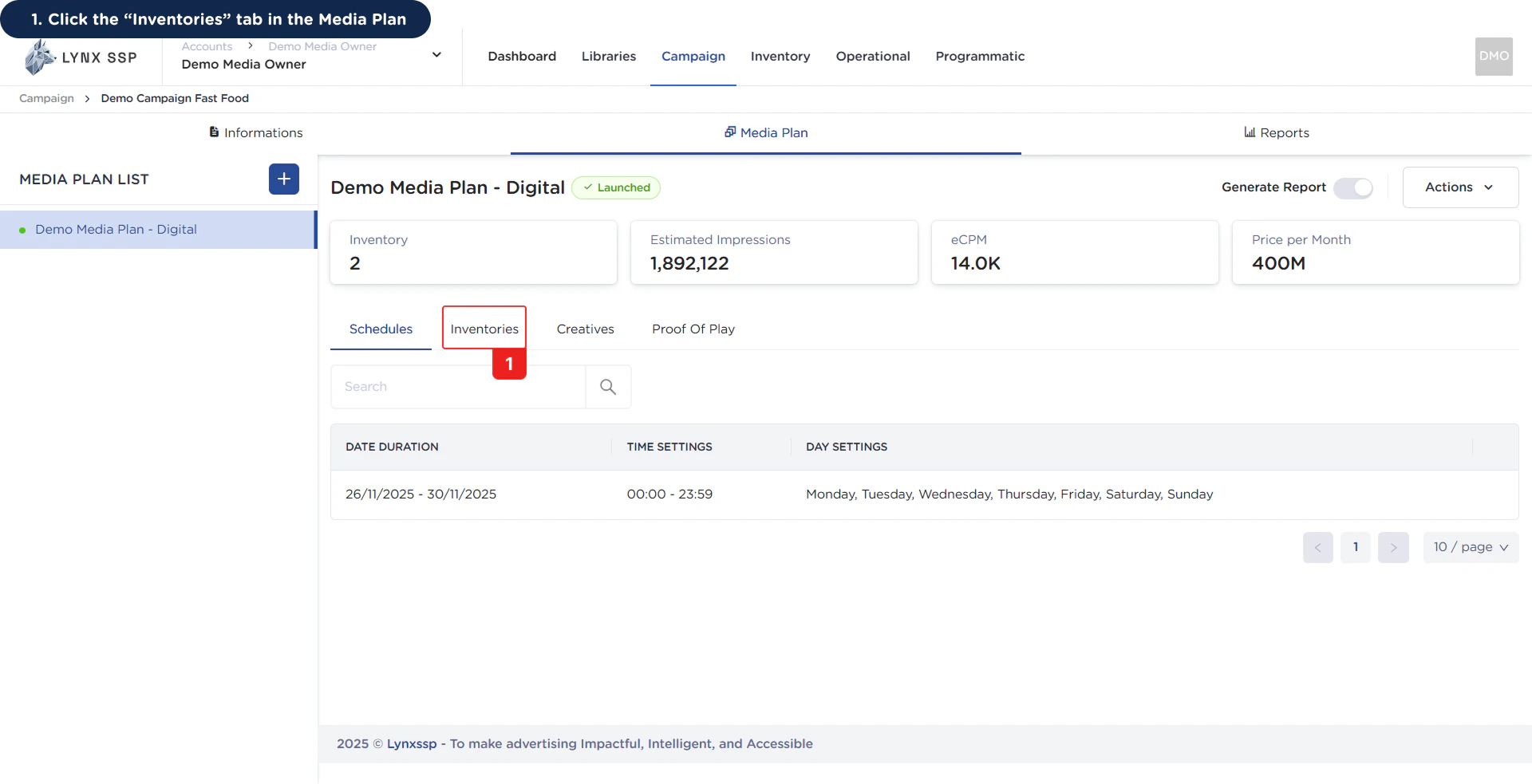
Here are the steps for selecting Ad Measurement:1
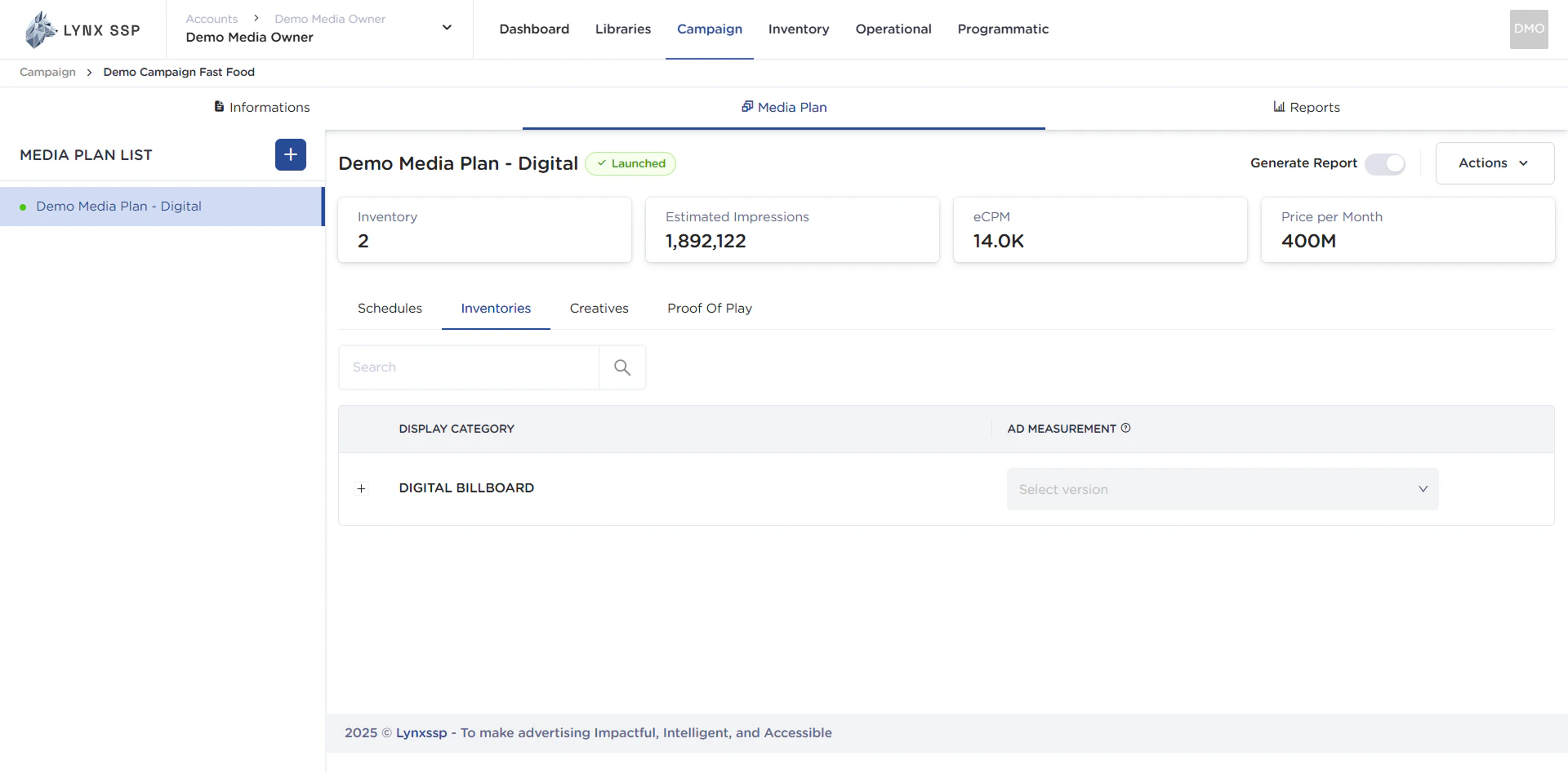
Click the “Inventories” tab in the Media Plan
2
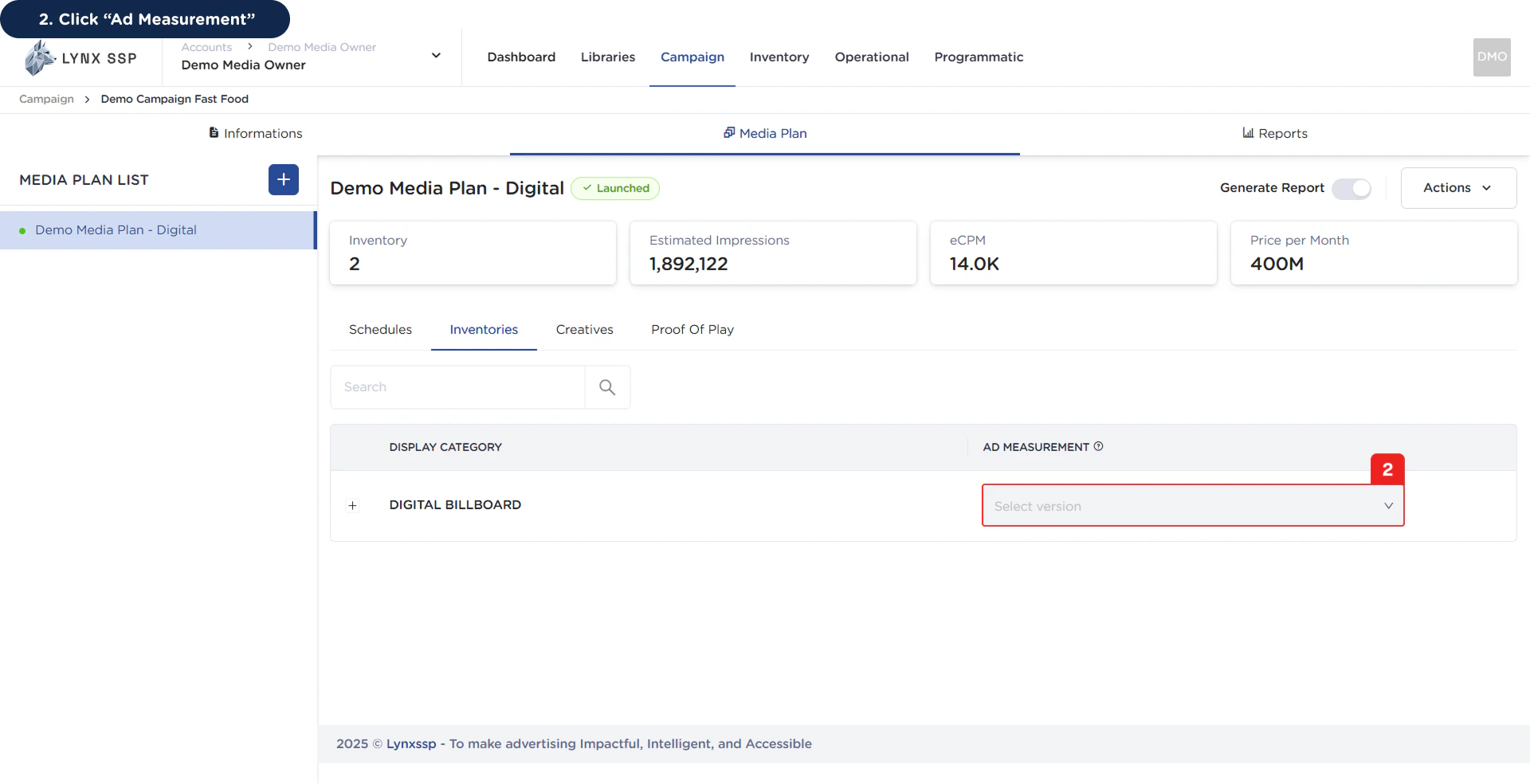
Click “Ad Measurement”
3
Select Ad Measurement
You only can select one of Ad Measurement version (See Ad Measurement Version ↗)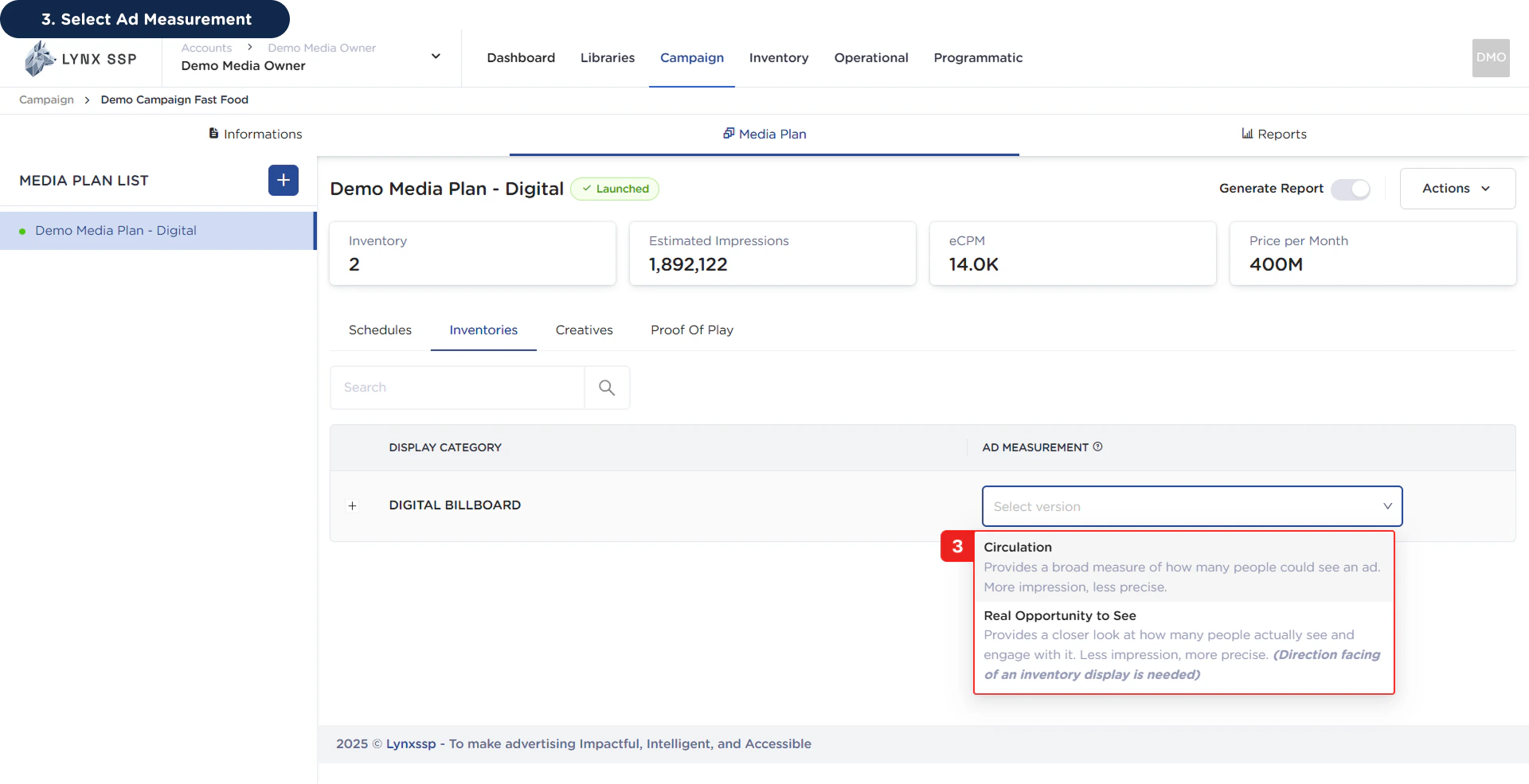
Some billboards are not compatible with the selected version method. Please review the compatibility list before proceeding.