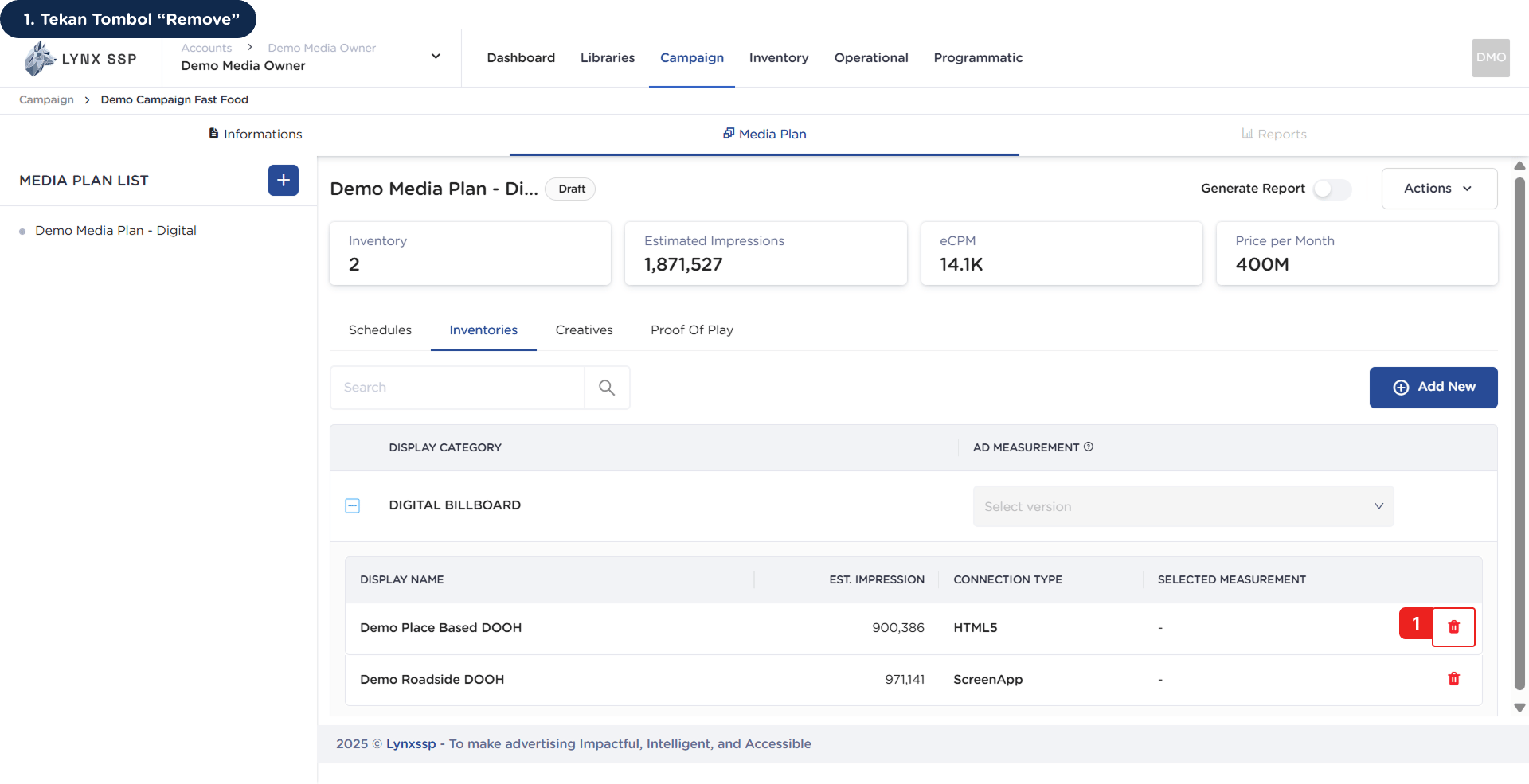
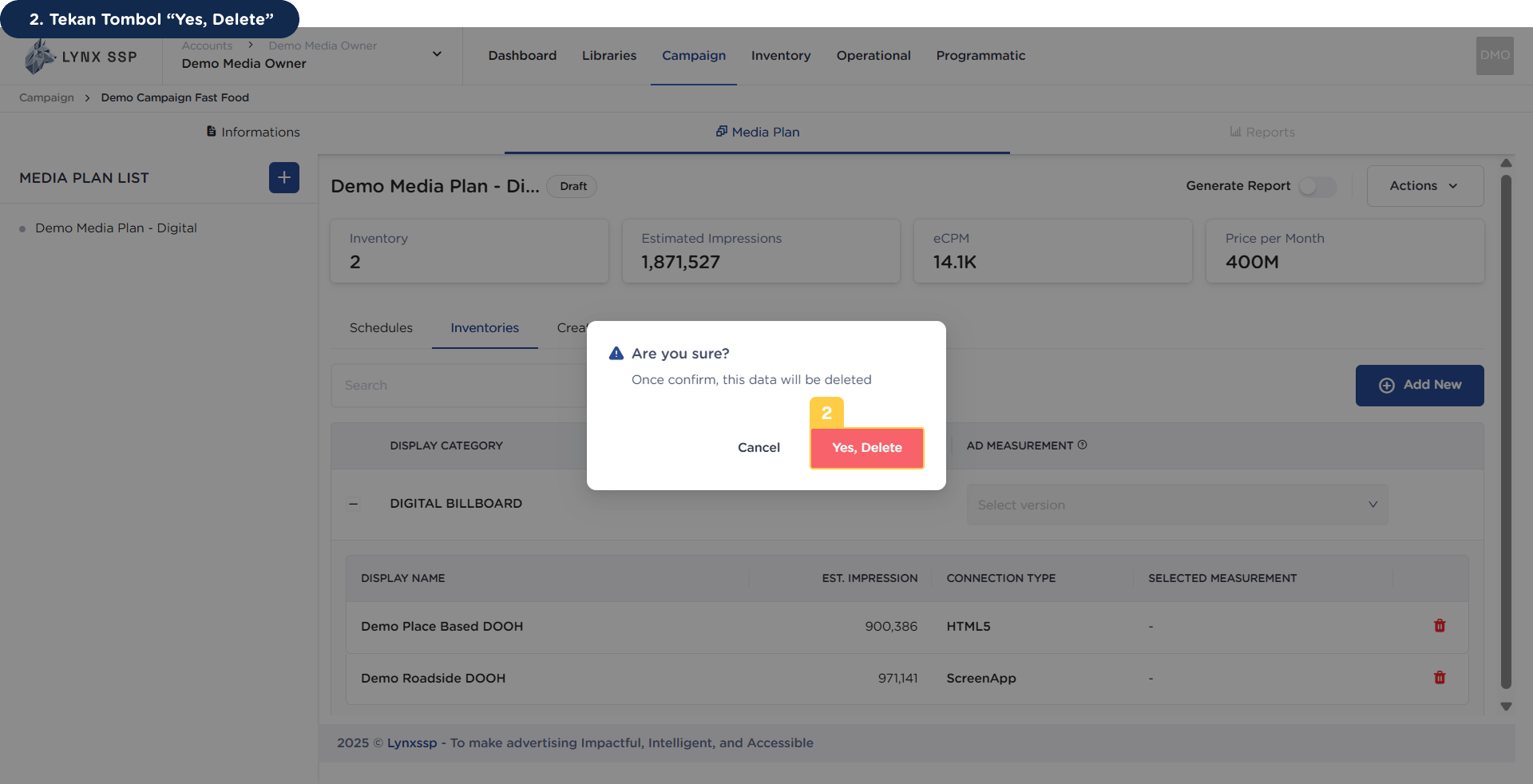
You can delete inventory that has been selected or added to a previous media plan, provided that the media plan has not been launched or its status is still “Draft”, by following these steps:
1
Click the “Remove” Button
2
Click the “Yes, Delete” Button
You will then receive a notification that the inventory has been successfully deleted.