Lynx SSP Documentation home page
Search...
⌘K
Support
Dashboard
Dashboard
Search...
Navigation
Proof of Play
Delete Proof of Play
Documentation
User Guideline
Programmatic
API Reference
User Guideline
Introduction
Generate Campaign Report
Getting Started
Add New Inventory
Create a Campaign
How to Create
Campaign Information
Media Plan
Create a Media Plan
Schedules
Inventories
Generate Report
Launch Media Plan
Ad Measurement
Proof of Play
Add Proof of Play
Delete Proof of Play
Reports
Screen Connection
Lynx CMS (Screen App)
HTML
Proof of Play
Delete Proof of Play
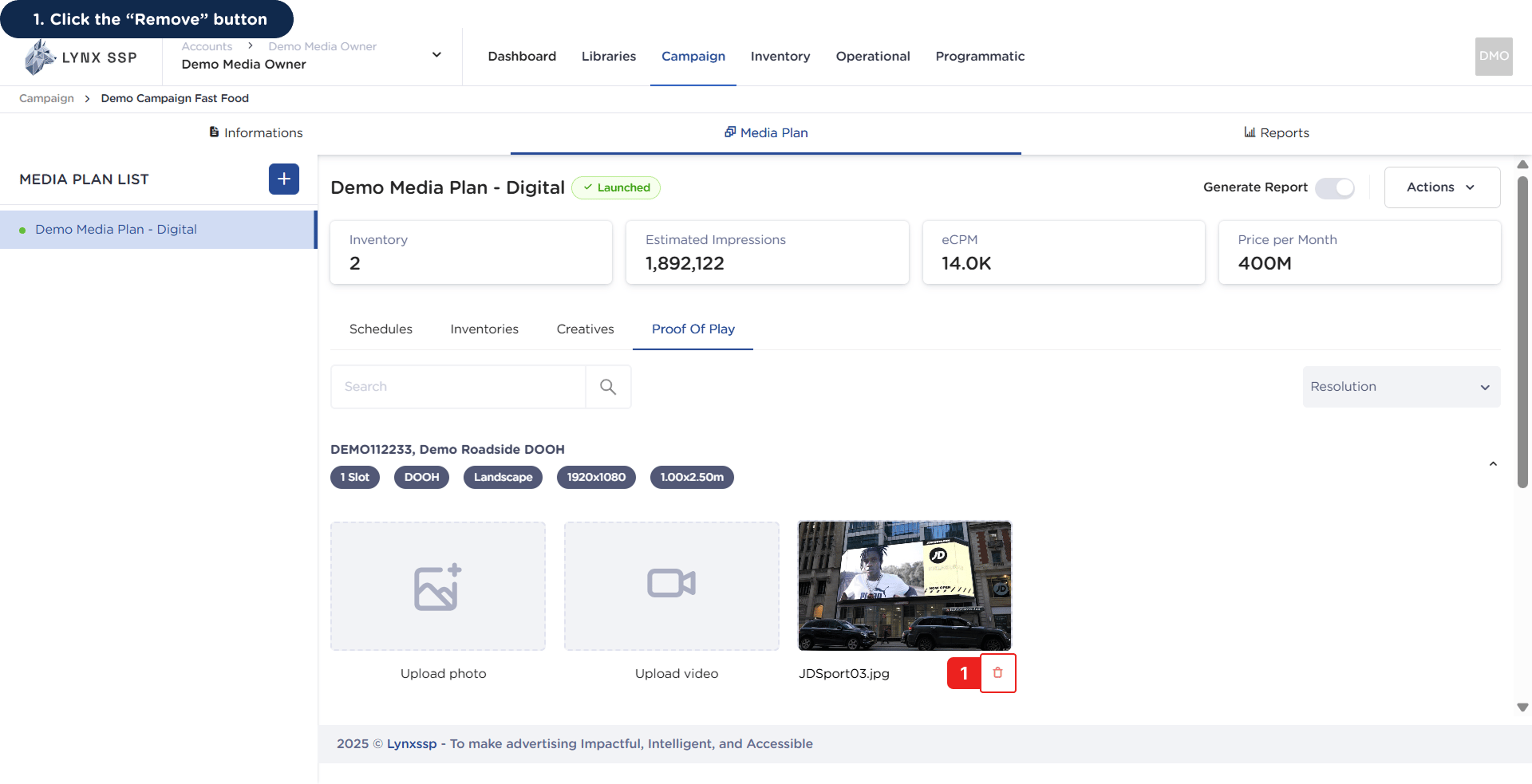
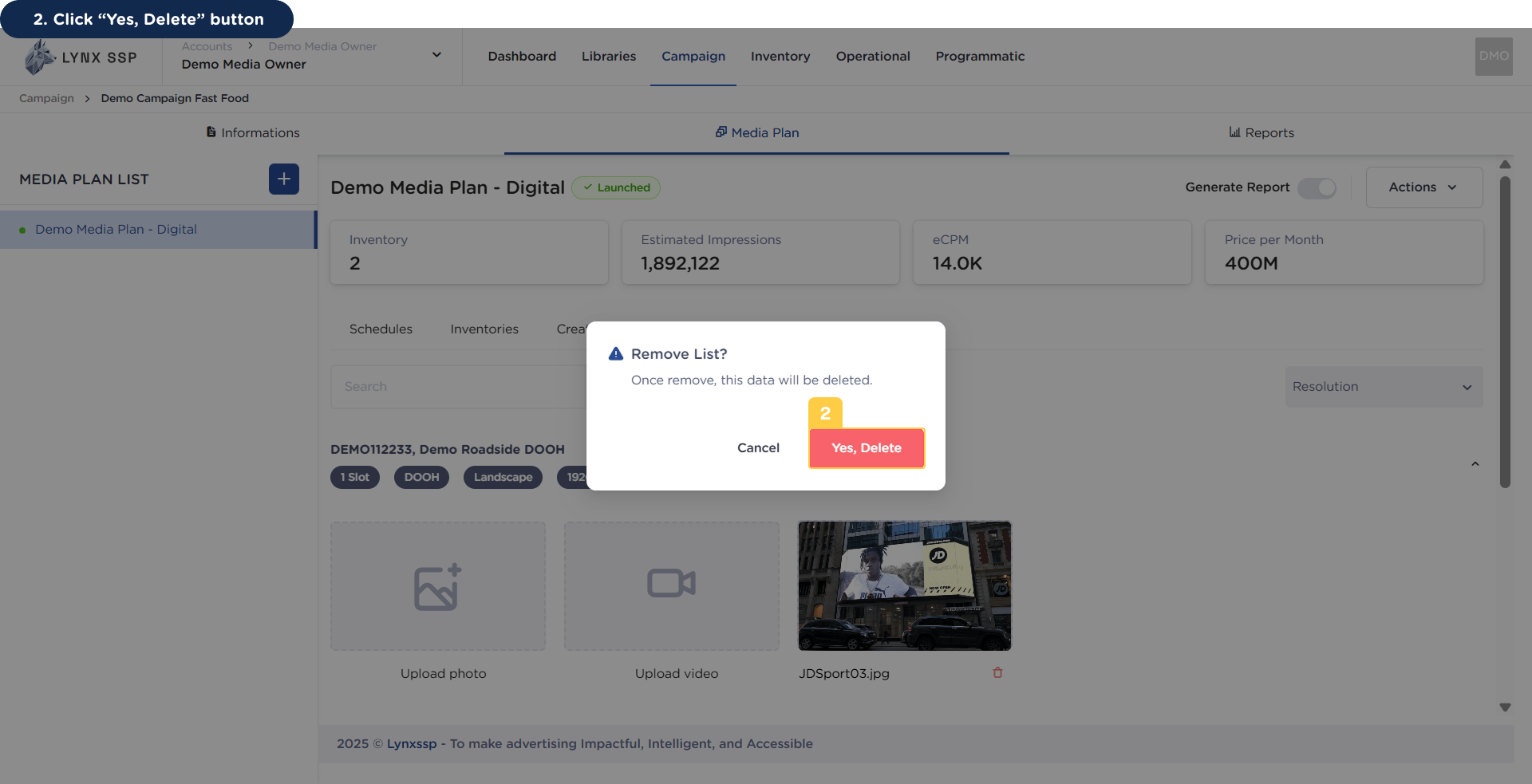
You can delete proof of play media that has been uploaded or added to each inventory in the previous media plan by following these steps:
1
Click the “Remove” Button
2
Click “Yes, Delete” Button
Add Proof of Play
Overview
⌘I