Schedules Overview
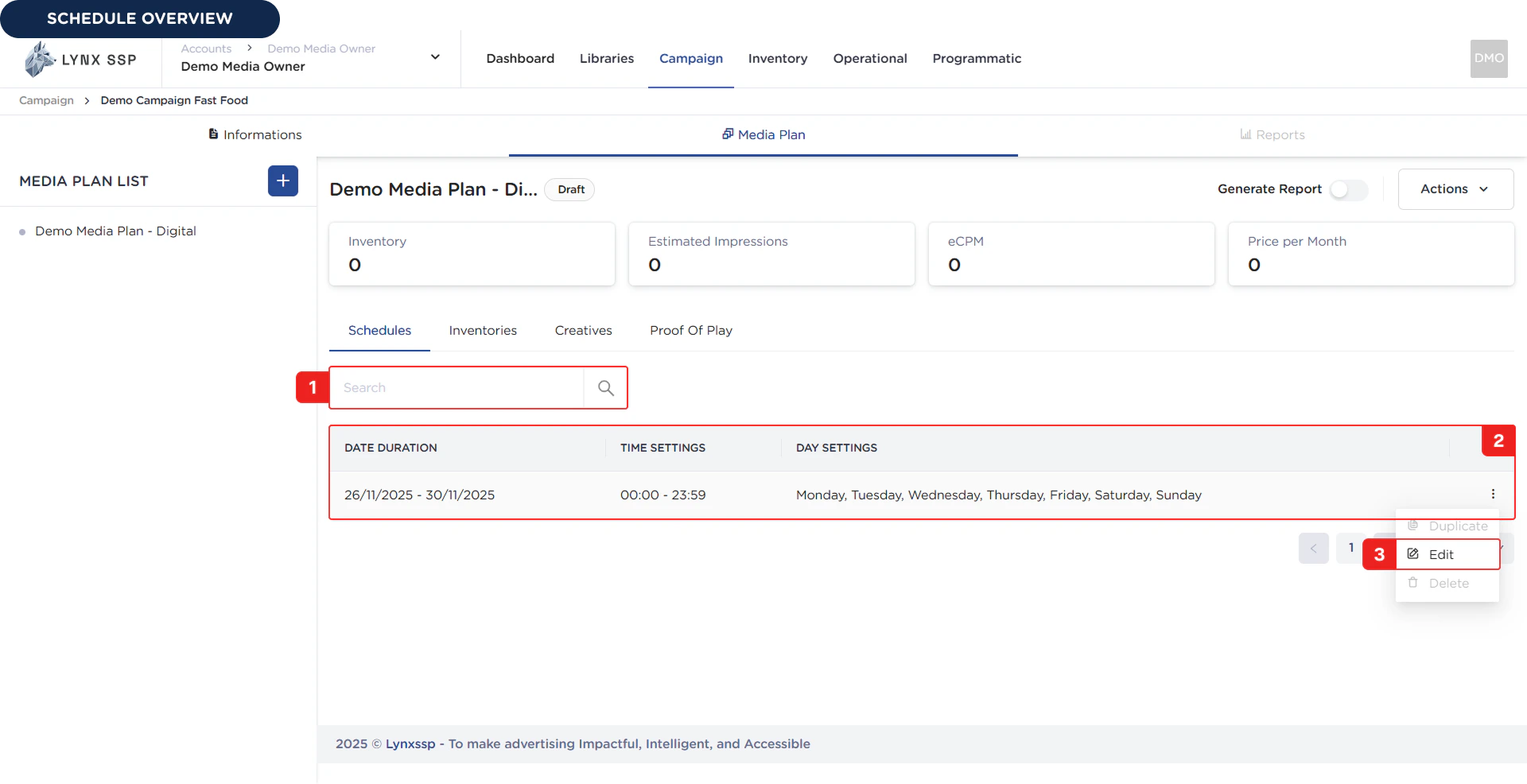
Search Schedule
In this section, you can search for available schedules.List Schedule
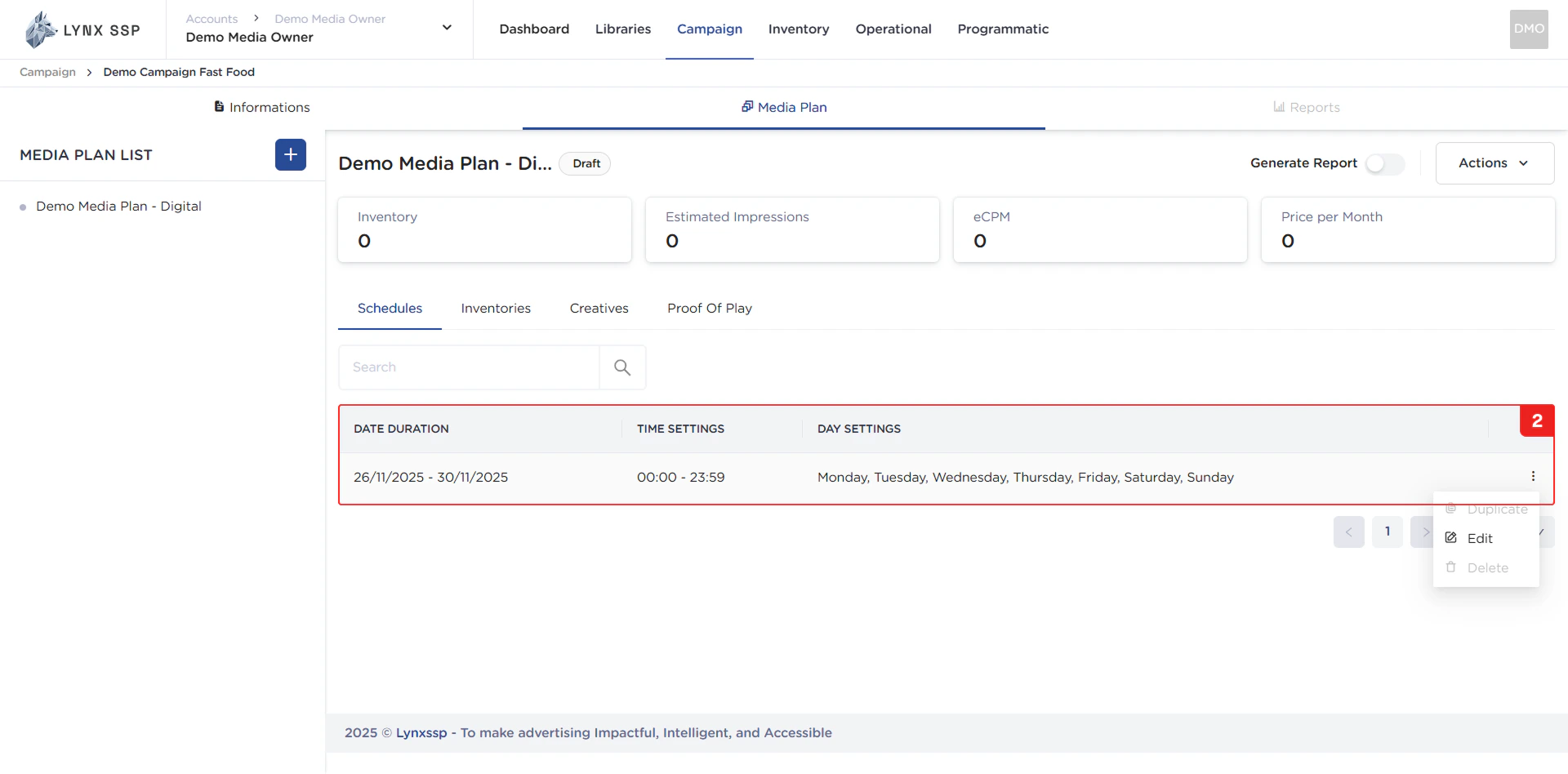
In this section, you can view the schedule of your media plan. By default, there is one schedule that is automatically created when you create a new media plan. This date range refers to the duration of the campaign for which this media plan is intended. This media plan schedule is used as a reference for when creative content (advertisements) will begin to run and for recording the impressions, reach, and frequency obtained from those advertisements. The schedule properties that can be seen in this table are as follows:- Date Duration
- Time Settings
- Day Settings
Edit Schedule Button
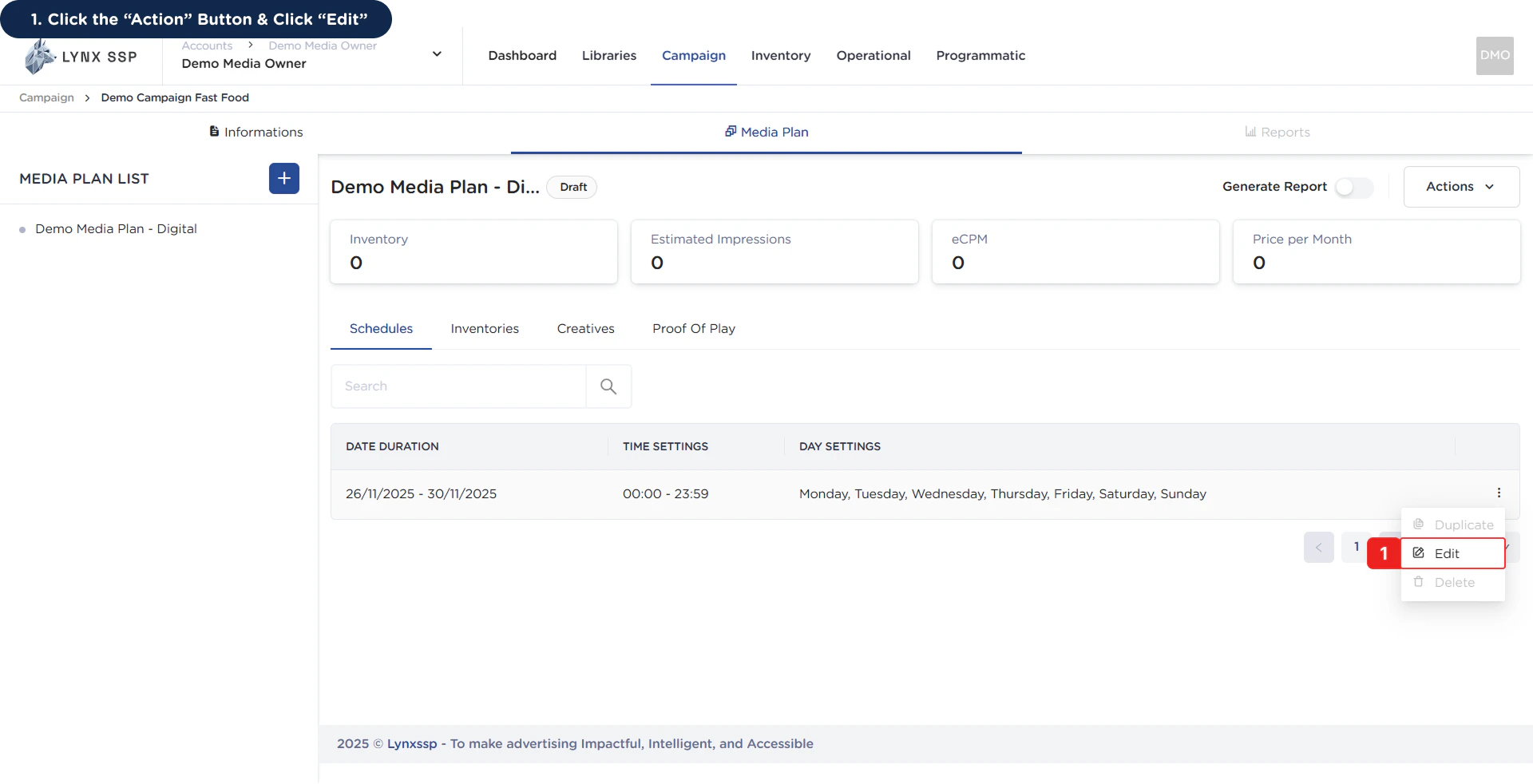
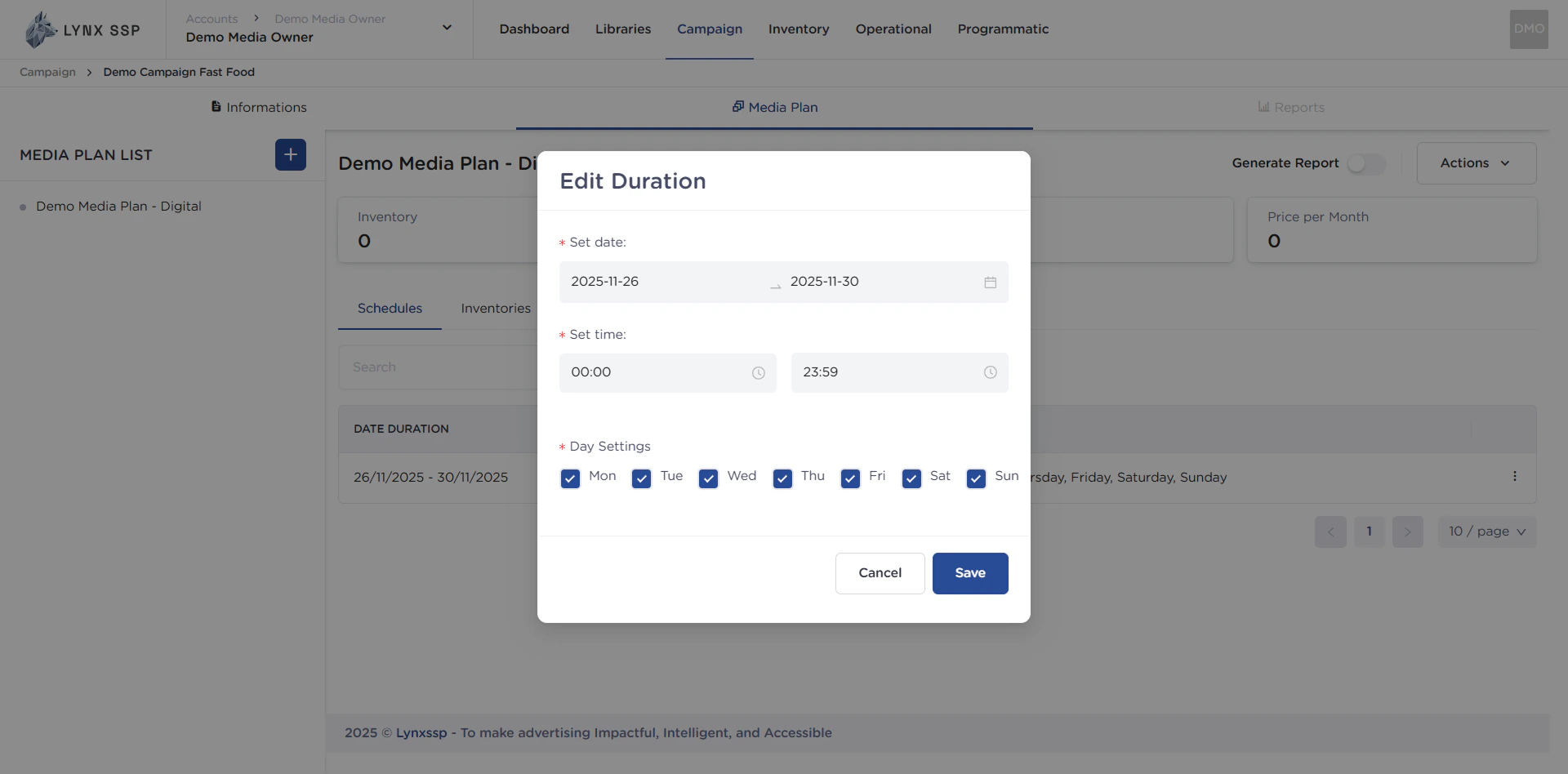
Using the edit button, you can change the media plan schedule according to your preferred duration, time, and day on which your media plan will run (See How to Edit Media Plan Schedule ↗).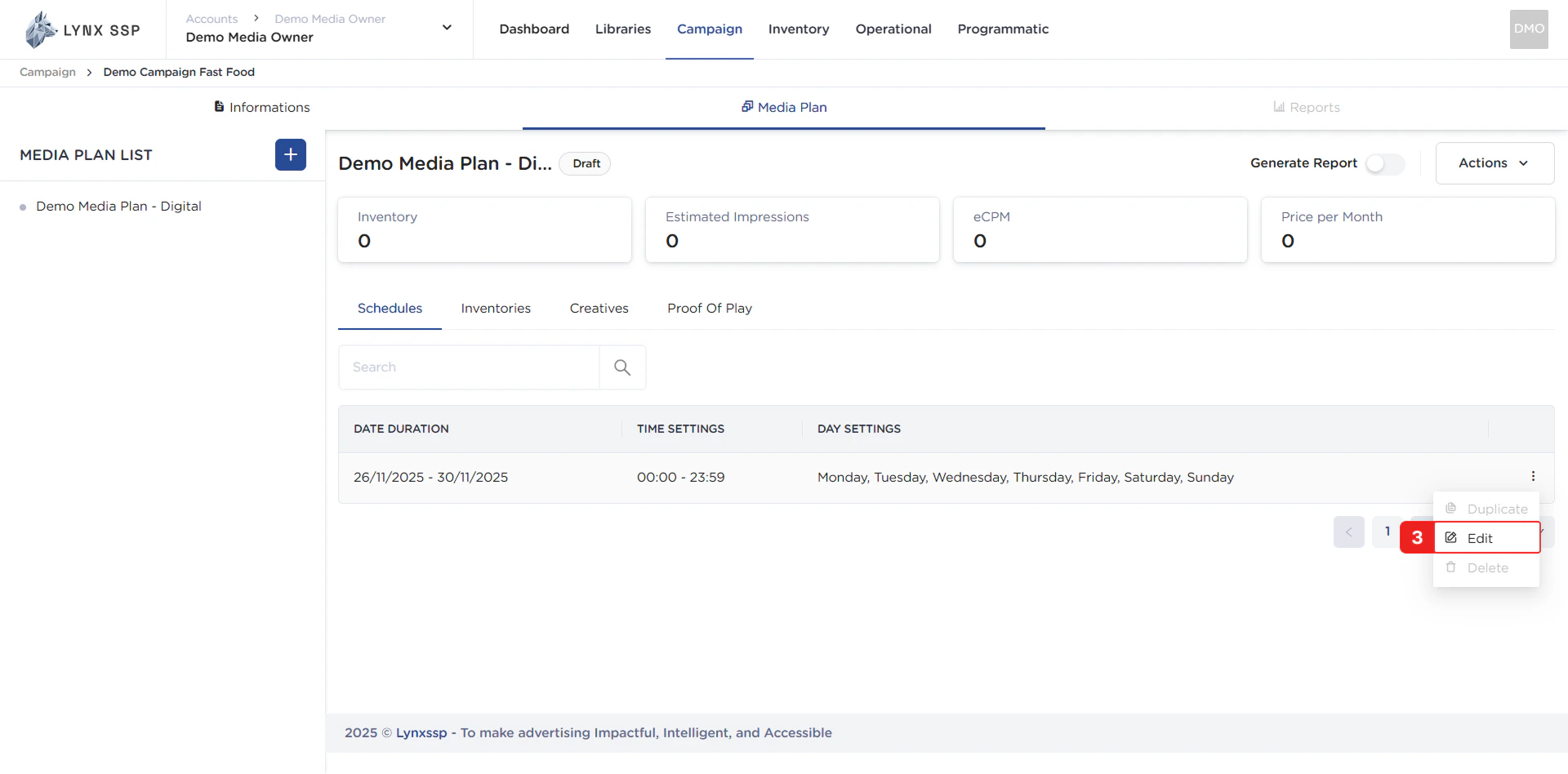
How to Edit Media Plan Schedule
Here are the steps for changing the media plan schedule:1
Click the “Action” Button & Click “Edit”
2
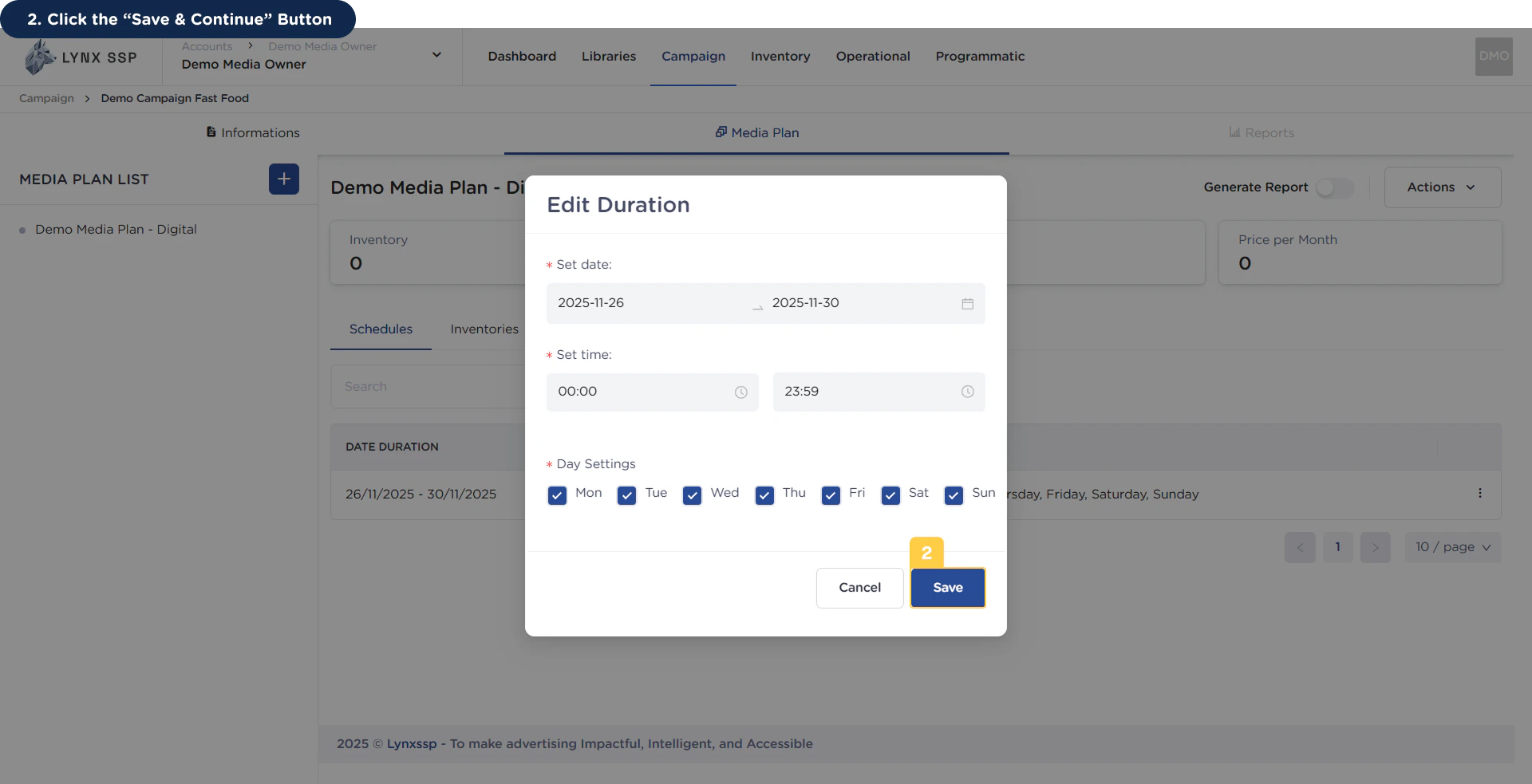
Click the “Save & Continue” Button
When you have finished making changes, press the “Save & Continue” button to save the changed data.