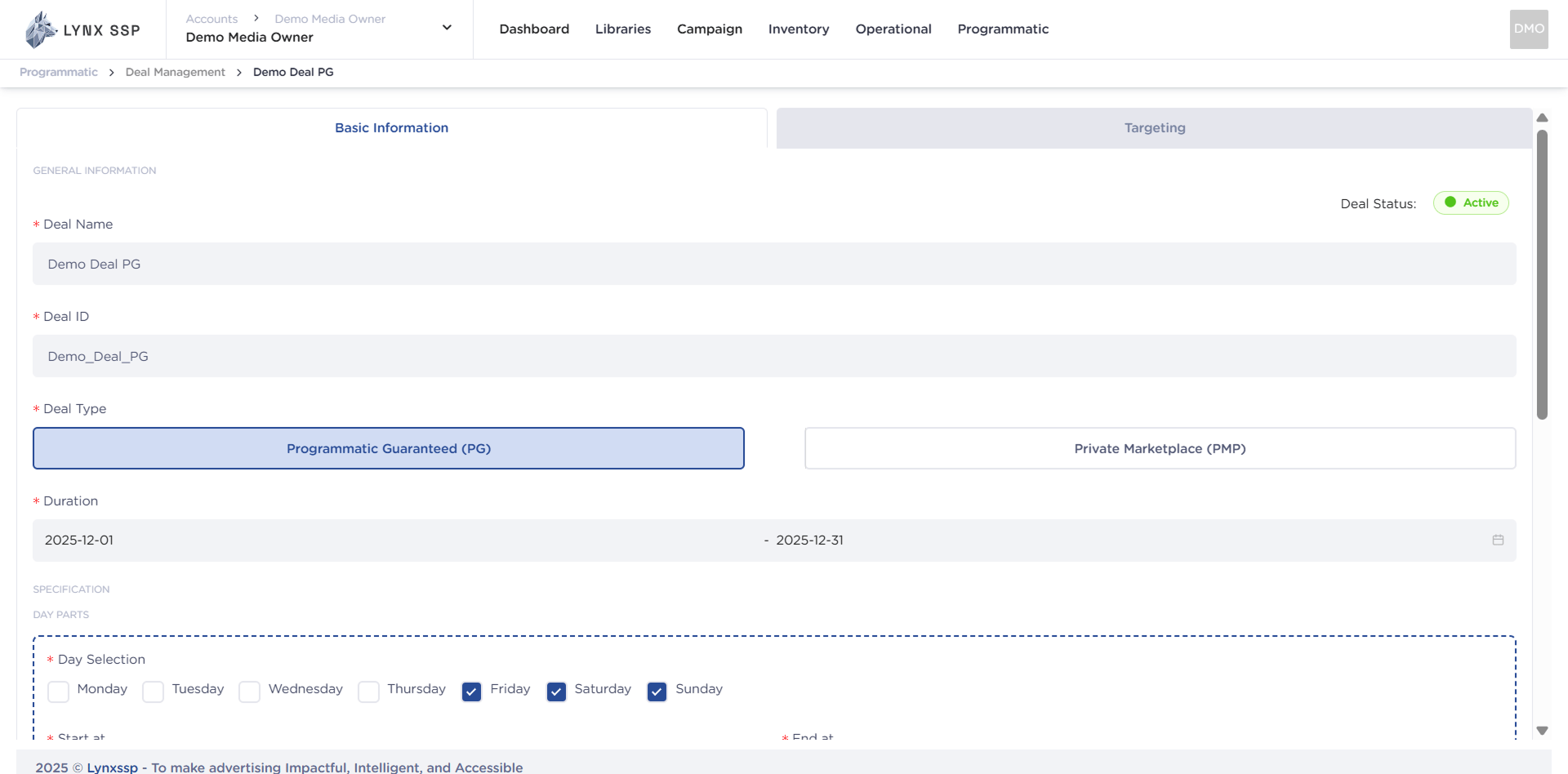
If there are changes to the specifications of your deal, you can change or edit them by following these steps:
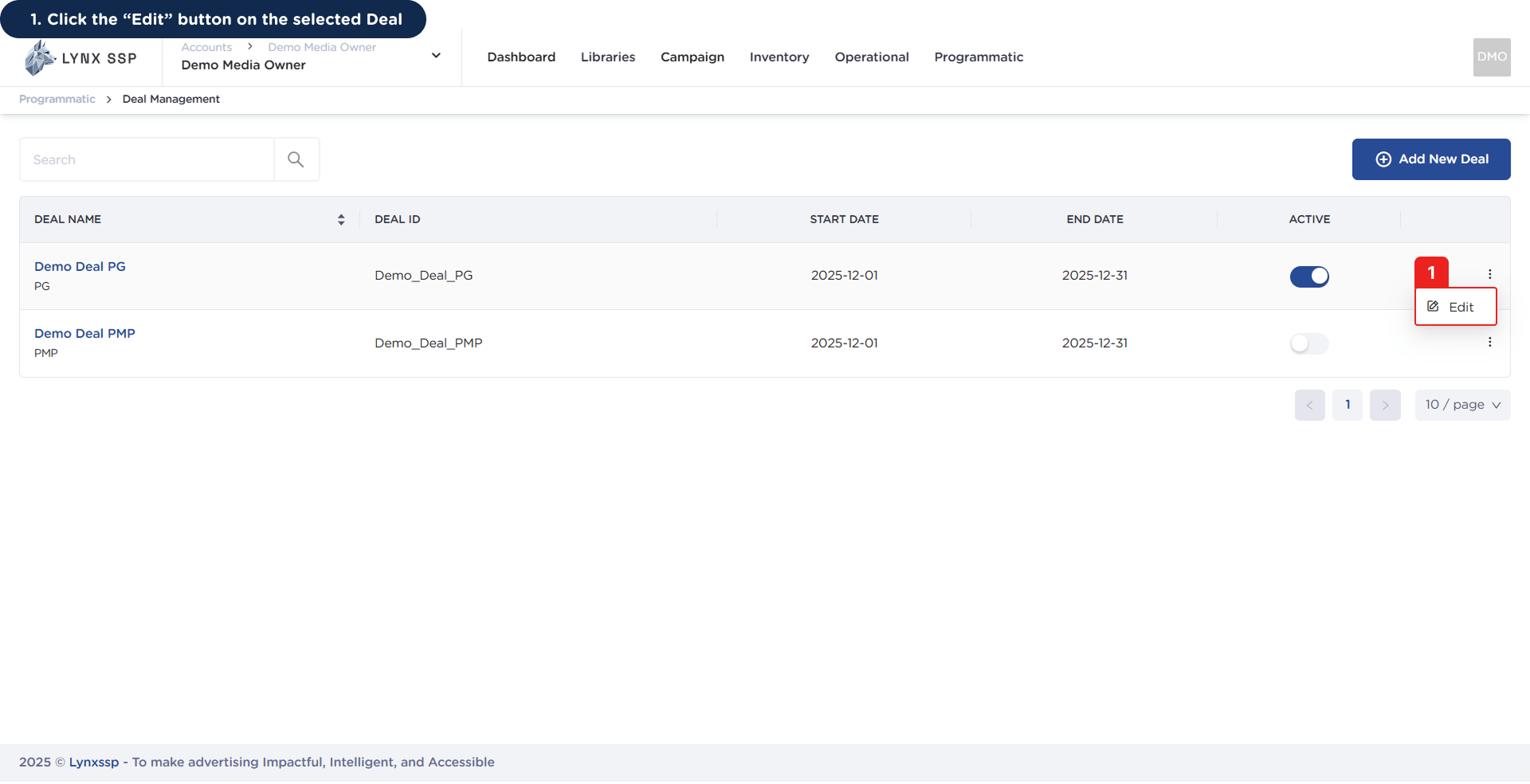
1

Click the 'Edit' button on the selected Deal
Accessing the Create New Deal Page 1This will display the selected Deal Details Page.Accessing the Create New Deal Page 1.2
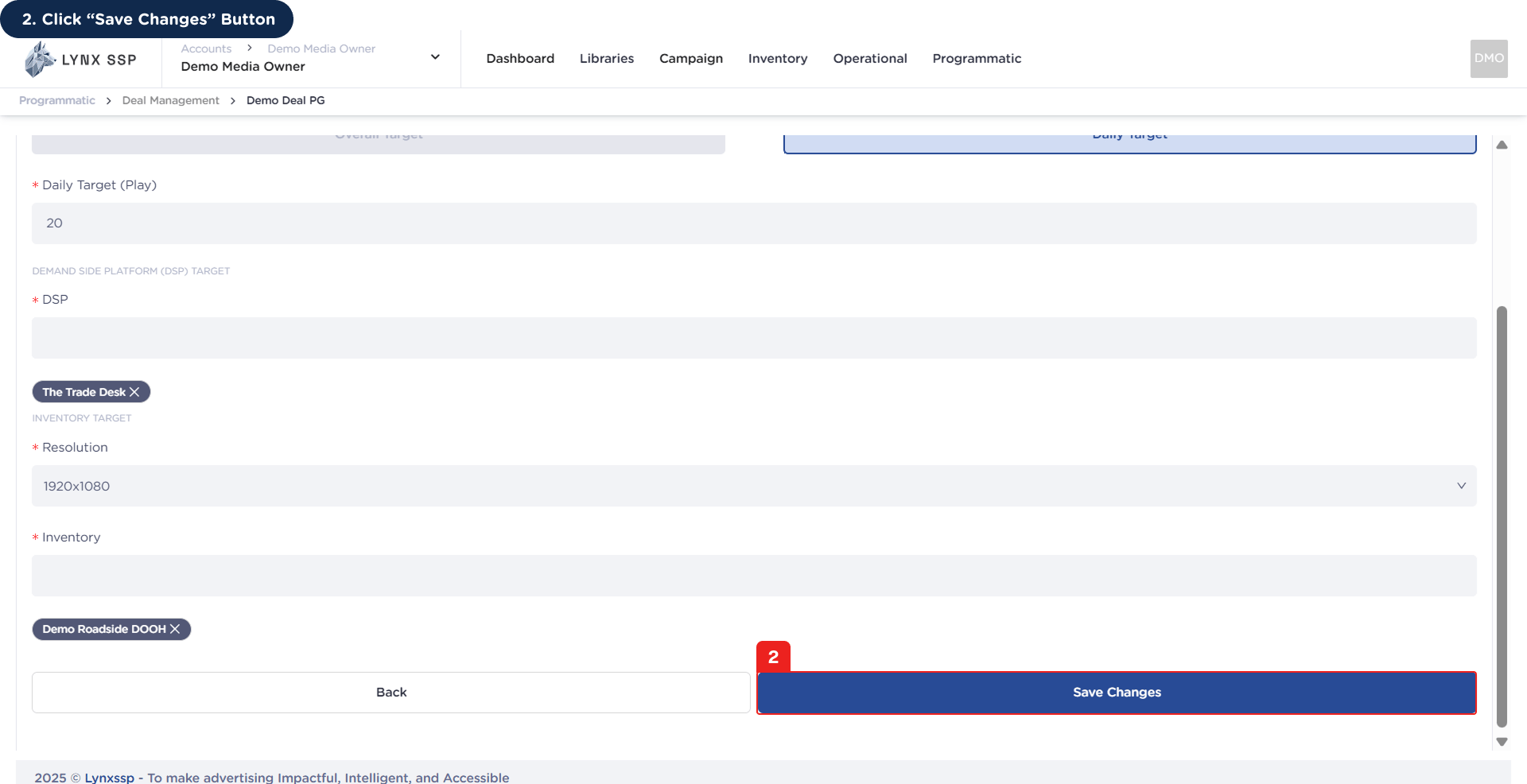
2

Click 'Save Changes' Button

Once you have finished making changes, press the Save button to save the changed data.Accessing the Create New Deal Page 1You will then receive a notification that the deal has been successfully changed or edited.