

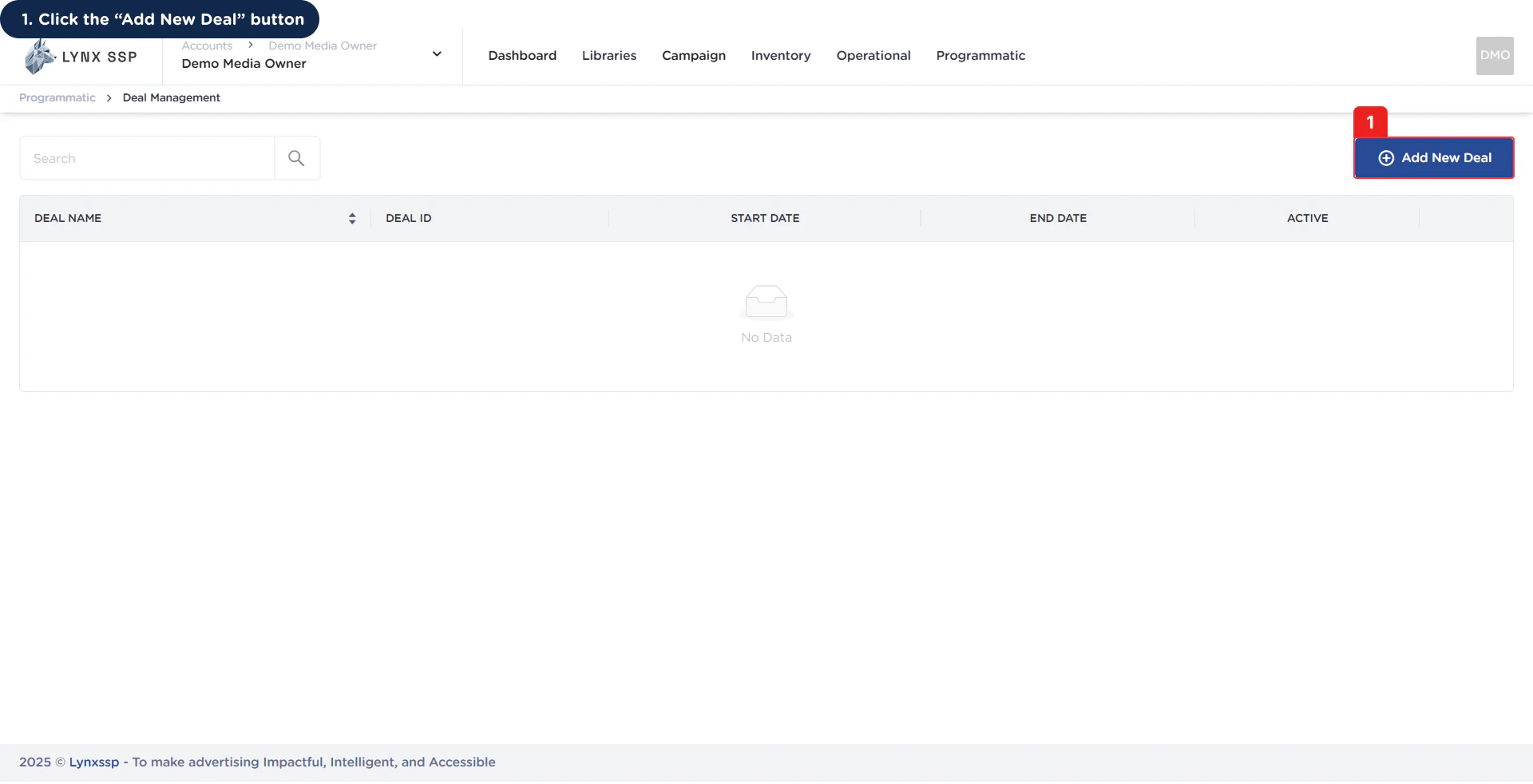
Accessing the Create New Deal Page
1
Click 'Add New' Deal Button
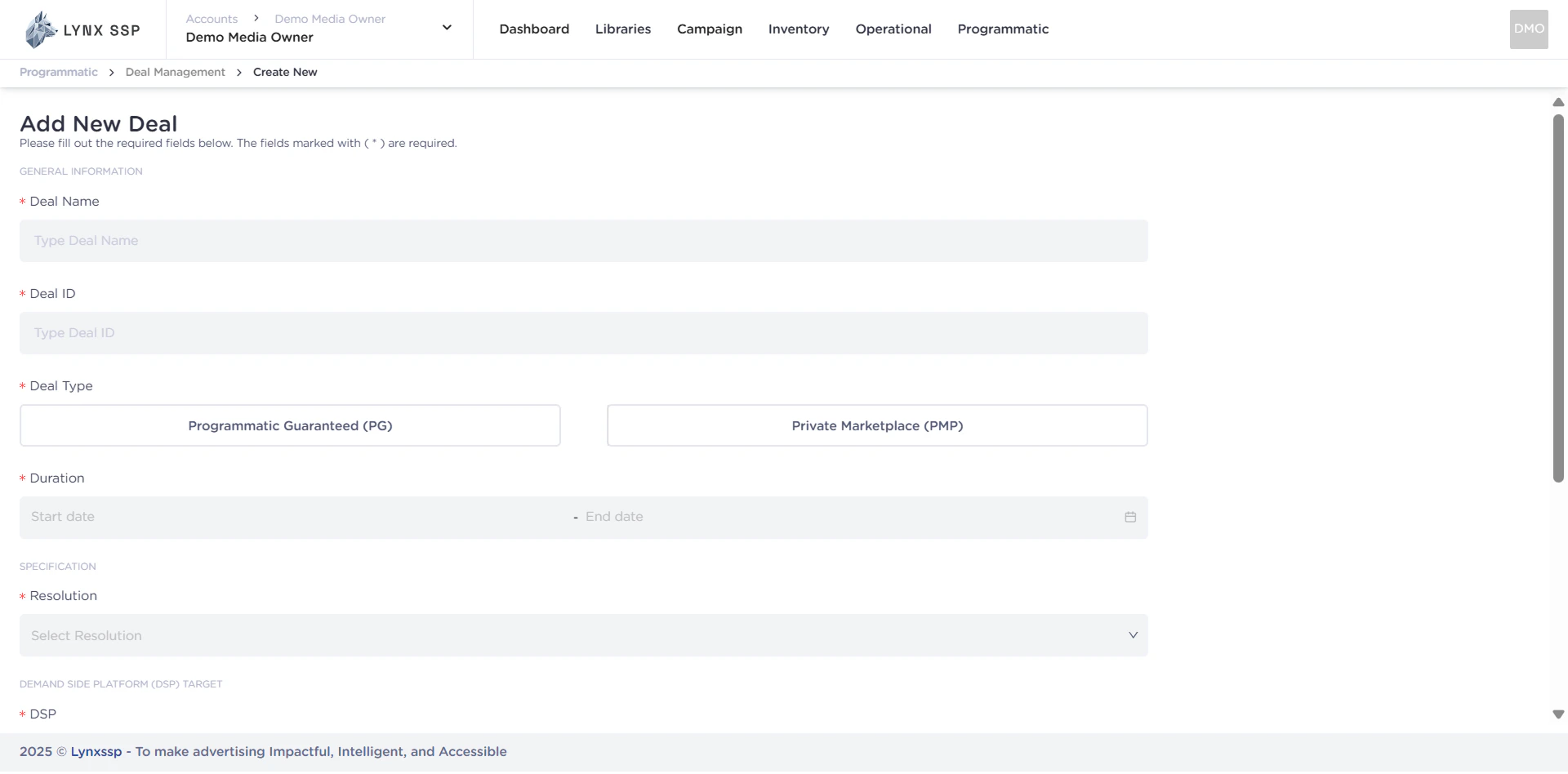
How to Create a Private Marketplace (PMP) Deal
Private Marketplace (PMP) Deal Form
When creating a Private Marketplace (PMP) on the Lynx SSP Platform, you will need to prepare and enter some information or data in the following form: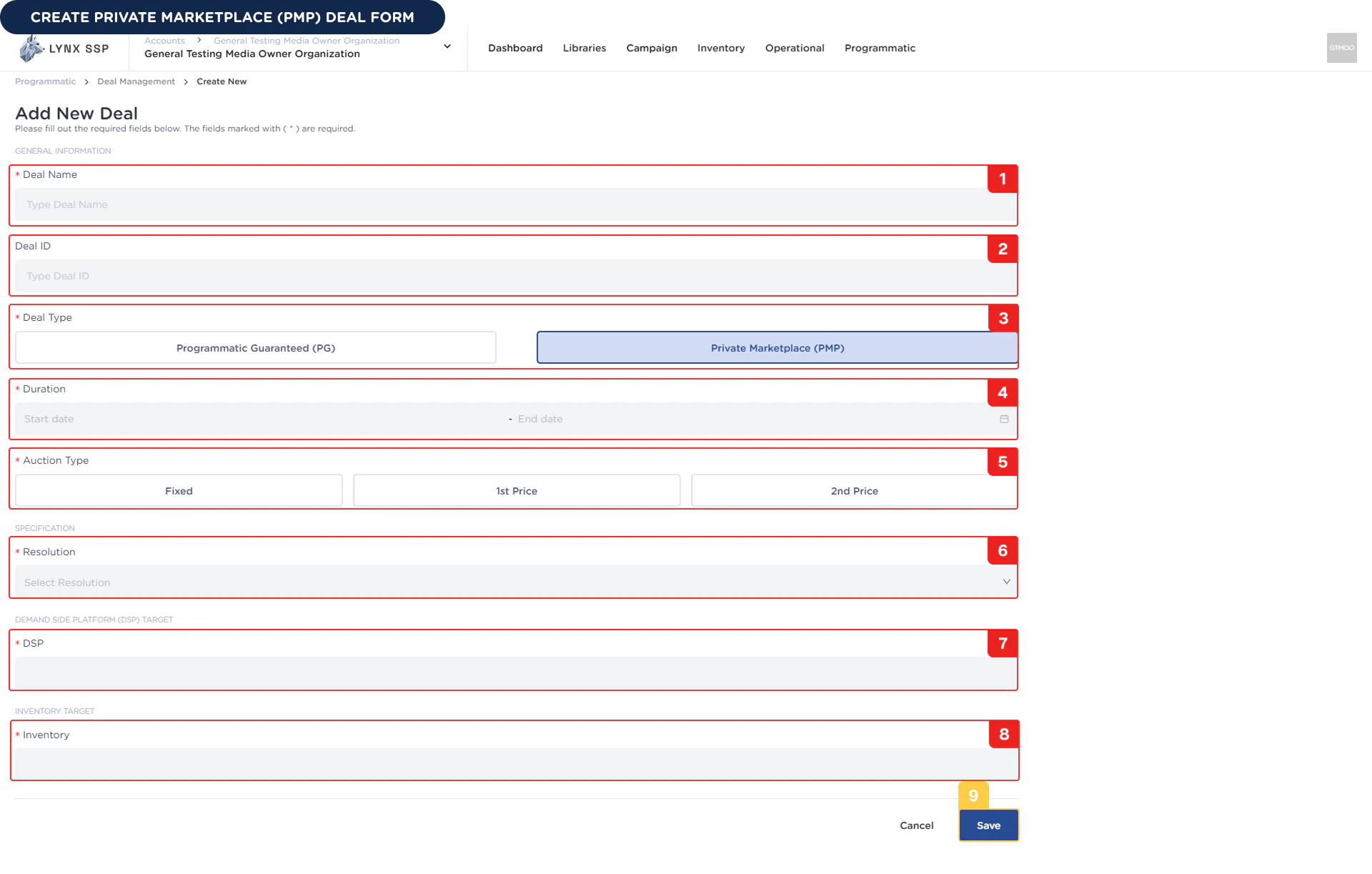
1
Deal Name (Required)
You must enter the name of the Private Marketplace (PMP) deal you created.Example : Demo Deal PMP
2
Deal ID (Optional)
You can enter the Private Marketplace (PMP) deal ID that you created. We recommend using a format that suits your organization so that you can easily manage your deals.Example : Demo_Deal_PMP
3
Deal Type (Required)
You can have a Private Marketplace (PMP) deal type because you will be making deals with that type.
4
Duration (Required)
You must select the duration or period of the Private Marketplace (PMP) deal according to your inventory selling preferences.Example : 01 Desember 2025 - 31 Desember 2025 (30 Days)
5
Auction Type (Required)
You must choose the auction type or type of auction
Fixed Price
Fixed Price
Fixed Price is the price you set where the auction will be won by the bidder who offers the price you set.Example : You set the price at $5.If there are 3 advertisers with the following bid values:
- Advertiser A → $3
- Advertiser B → $5
- Advertiser C → $7
1st Price
1st Price
In this model, the auction winner will pay the exact price they bid. The winner is the bidder with the highest price.Example :If there are 3 advertisers with the following bid values:
- Advertiser A → $3
- Advertiser B → $5
- Advertiser C → $7
2nd Price
2nd Price
In this model, the winning bidder will pay a price slightly higher than the second highest bid. The winner remains the bidder with the highest price.Example :If there are 3 advertisers with the following bid values:
- Advertiser A → $3
- Advertiser B → $5
- Advertiser C → $7
6
Resolution (Required)
You must select the resolution of the Private Marketplace (PMP) deal you are going to create. The resolution will determine the list of inventory you can choose from, so make sure the resolution matches the inventory that will be purchased by the advertiser.Example : 1920 x 1080.
7
DSP Platform (Required)
You must select a DSP (Demand-Side Platform) where Private Marketplace (PMP) deals can be used by Advertisers who have previously entered into an agreement.Example : You choose The Trade Desk, this deal will be create only can use on the The Trade Desk Platform.
You can select more than one DSP for the Private Marketplace (PMP) deal you create.
8
Inventory (Required)
You must select the DOOH (Digital-Out-of-Home) Inventory to be used by the Private Marketplace (PMP) deal you are creating. To select DOOH (Digital-Out-of-Home) Inventory, ensure you are connected to Programmatic Settings (See Set DOOH Inventory to Programmatic ↗).
You can also select more than one Inventory.
9
Click 'Save' Button
Once you have filled out the entire Private Marketplace (PMP) deal form, you can press the Save button to complete it, and the Private Marketplace (PMP) deal will be successfully created.