

Accessing the Create New Deal Page
1
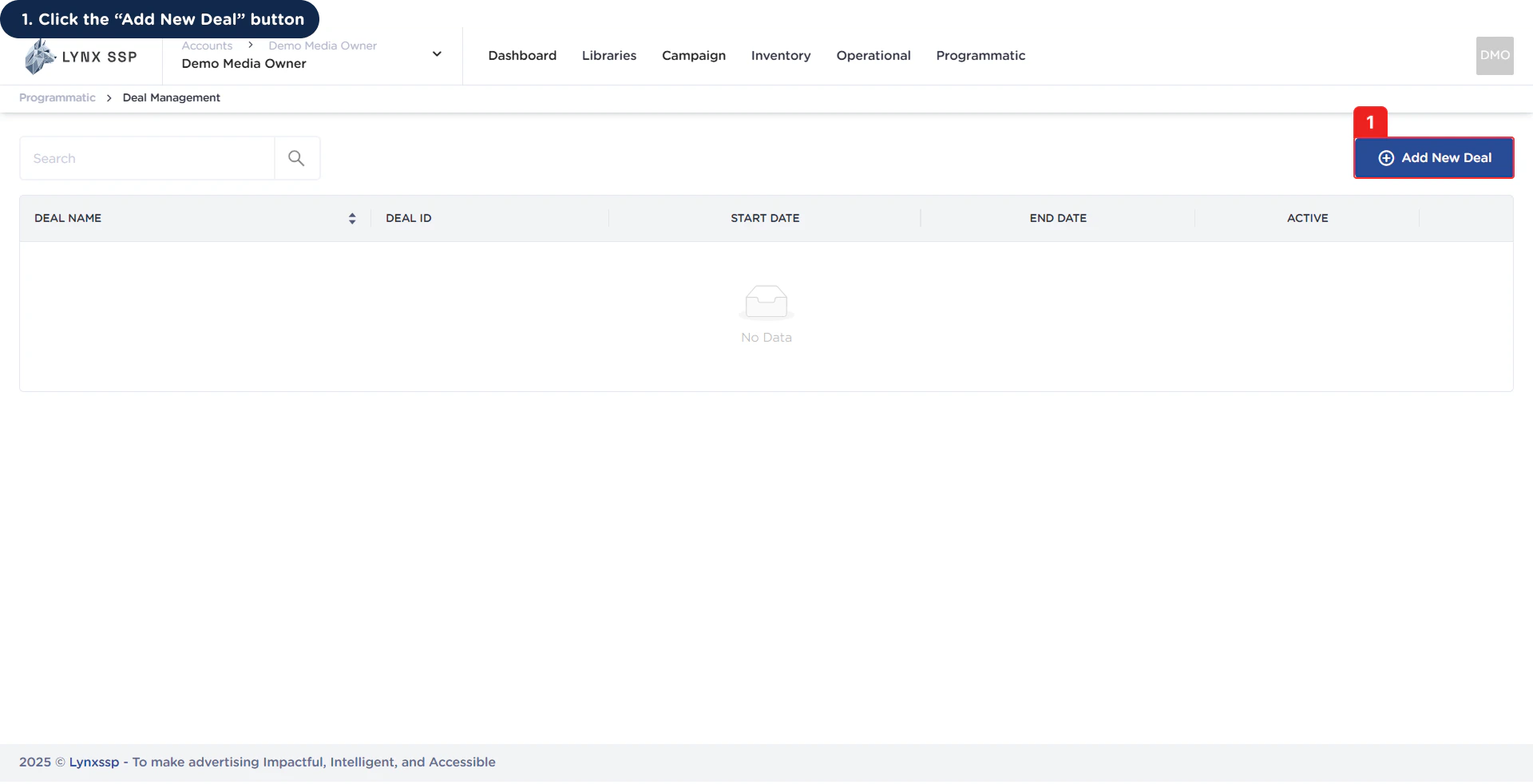
Click 'Add New' Deal Button
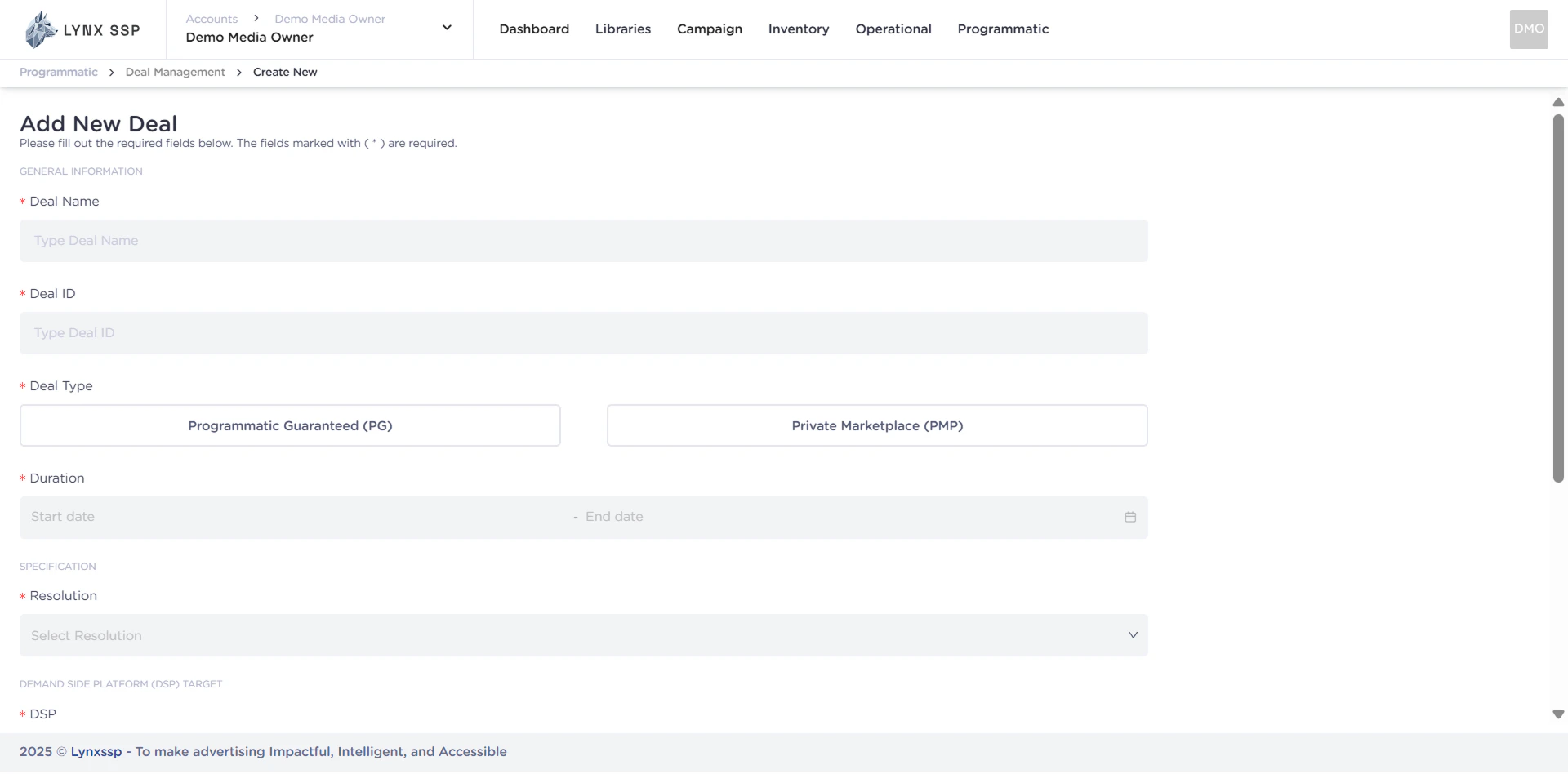
How to Create a Programmatic Guarantee (PG) Deal
Programmatic Guarantee (PG) Deal Form
When creating Programmatic Guaranteed (PG) on the Lynx SSP Platform, you will need to prepare and enter some information or data in the following form: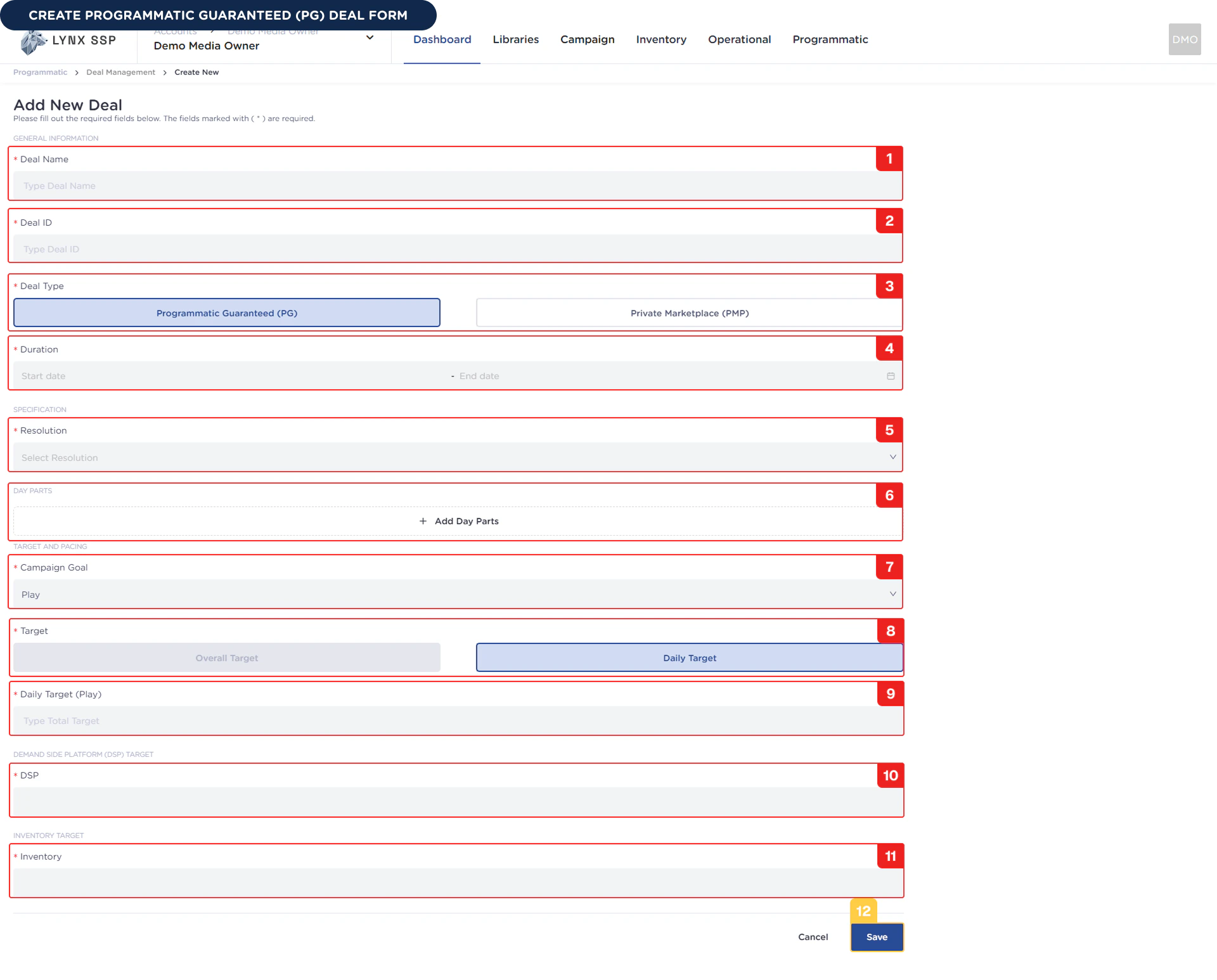
1
Deal Name (Required)
You must enter the name of the Programmatic Guaranteed (PG) deal you created.Example : Demo Deal PG
2
Deal ID (Required)
You must enter the Programmatic Guaranteed (PG) deal ID that you created. We recommend using a format that works for your organization so that you can easily manage your deals.Example : Demo_Deal_PG
3
Deal Type (Required)
You can select a Programmatic Guaranteed (PG) deal type because you will be making a deal with that type.
4
Duration (Required)
You must select the duration or period of the Programmatic Guaranteed (PG) deal in accordance with the Advertiser’s prior agreement.Example : 01 Desember 2025 - 31 Desember 2025 (30 Days)
5
Resolution (Required)
You must select the resolution for the Programmatic Guaranteed (PG) deal you are going to create. The resolution will determine the list of inventory you can choose from, so make sure the resolution matches the inventory that will be purchased by the advertiser.Example : 1920 x 1080
6
Daypart (Optional)
A daypart is a specific time and day when a Programmatic Guaranteed (PG) deal or campaign will run. You can find this out from your prior agreement with the advertiser to see if there is a request to run at a specific day and time.you do not create a daypart, the Programmatic Guaranteed (PG) deal will run by default every day and 24 hours a day. You can create a maximum of 6 dayparts in one Programmatic Guaranteed (PG) deal.Example : Daypart 1, play on Fridays, Saturdays, and Sundays (weekends) - 3:00 p.m. to 8:00 p.m.Example : Daypart 2, play on Monday, Tuesday, Wednesday & Thursday (weekdays) - 6:00 p.m. - 8:00 p.m.
7
Campaign Goal (Required)
You must select a campaign goal from the Programmatic Guaranteed (PG) deal. This is based on the advertiser’s request during negotiations. The campaign goals that can currently be selected are Play or number of views.
8
Target (Required)
You must select the target distribution from the previously selected campaign goal, either overall (adjusting the deal duration as a whole) or daily (per day). Currently, the only option available when creating a Programmatic Guaranteed (PG) deal is Daily.
9
Daily Target (Required)
You must select the number of daily targets chosen.Example : 20, then the Programmatic Guaranteed (PG) deal for the Advertiser campaign you created will run 20 times per day.
10
DSP Platform (Required)
You must select a DSP (Demand-Side Platform) where Programmatic Guaranteed (PG) deals can be used by Advertisers who have previously entered into an agreement.Example : You choose The Trade Desk, this deal will be create only can use on the The Trade Desk Platform.
You can select more than one DSP for the Programmatic Guaranteed (PG) deal you create.
11
Inventory (Required)
You must select the DOOH (Digital-Out-of-Home) Inventory to be used by the Programmatic Guaranteed (PG) deal you are creating. To select DOOH (Digital-Out-of-Home) Inventory, ensure you are connected to Programmatic Settings (See Set DOOH Inventory to Programmatic ↗).
You can also select more than one Inventory.
12
Click 'Save' Button
Once you have filled out the entire Programmatic Guaranteed (PG) deal form, you can press the Save button to complete it, and the Programmatic Guaranteed (PG) deal will be successfully created.