This feature allows you to activate DOOH (Digital-Out-of-Home) Inventory so that it can enter open RTB, which makes it possible to sell DOOH (Digital-Out-of-Home) Inventory slots with a wider reach because it involves (Internal & External DSP, Adserver, Ad Exchange) in the transaction. By activating programmatic advertising, the process of buying and selling advertising media can be automated in real time. This technology also ensures that ads are displayed to the right audience, in the right place, and at the right time (See Programmatic ↗).

How to Set DOOH Inventory to Programmatic


1

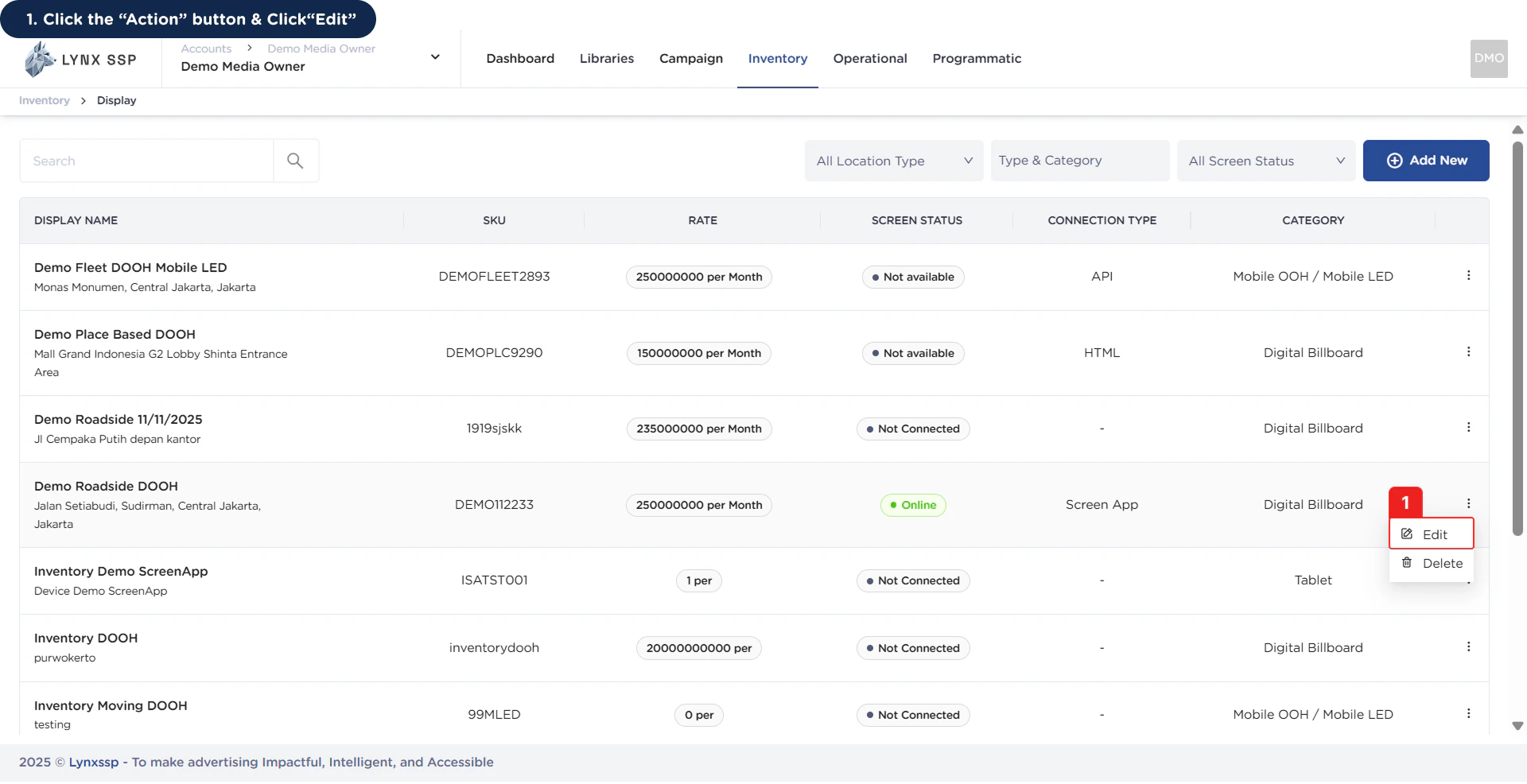
Click the “Action” Button & Click “Edit”

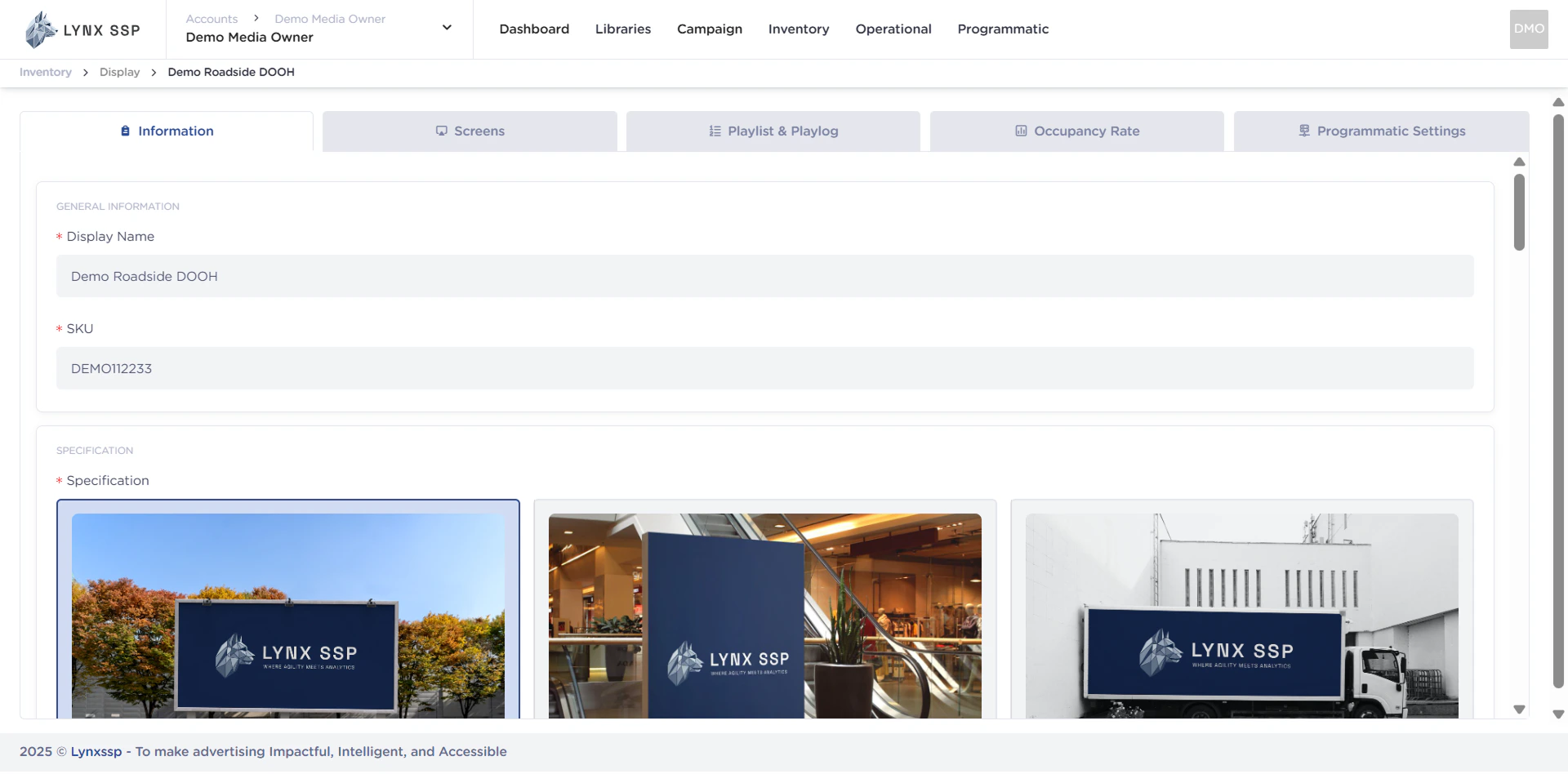
 How to Set DOOH Inventory to Programmatic 1 This will display the Inventory Details Page. How to Set DOOH Inventory to Programmatic 1.2
2

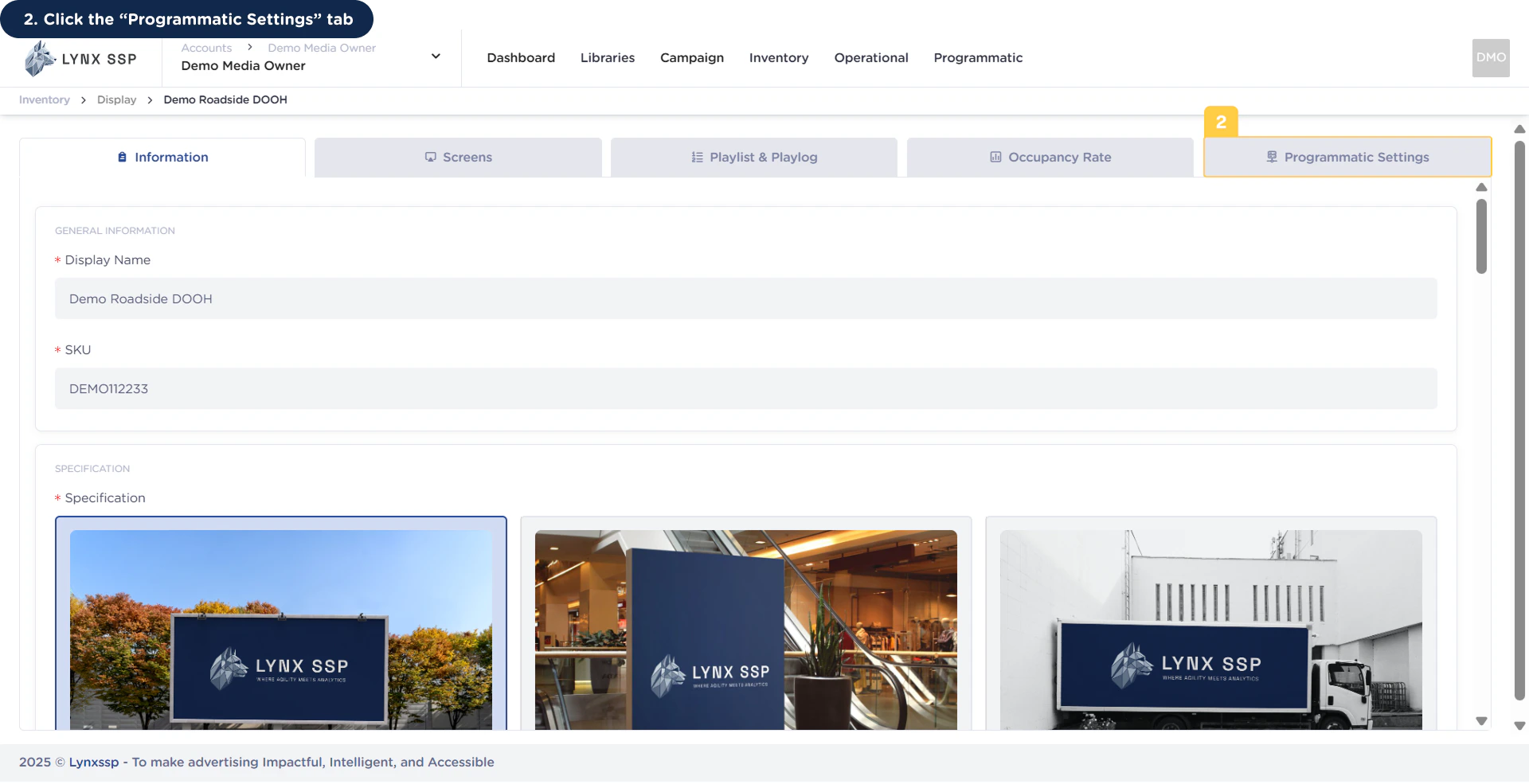
Click the “Programmatic Settings” Tab

 How to Set DOOH Inventory to Programmatic 2This will display the Programmatic Settings page. How to Set DOOH Inventory to Programmatic 2.2
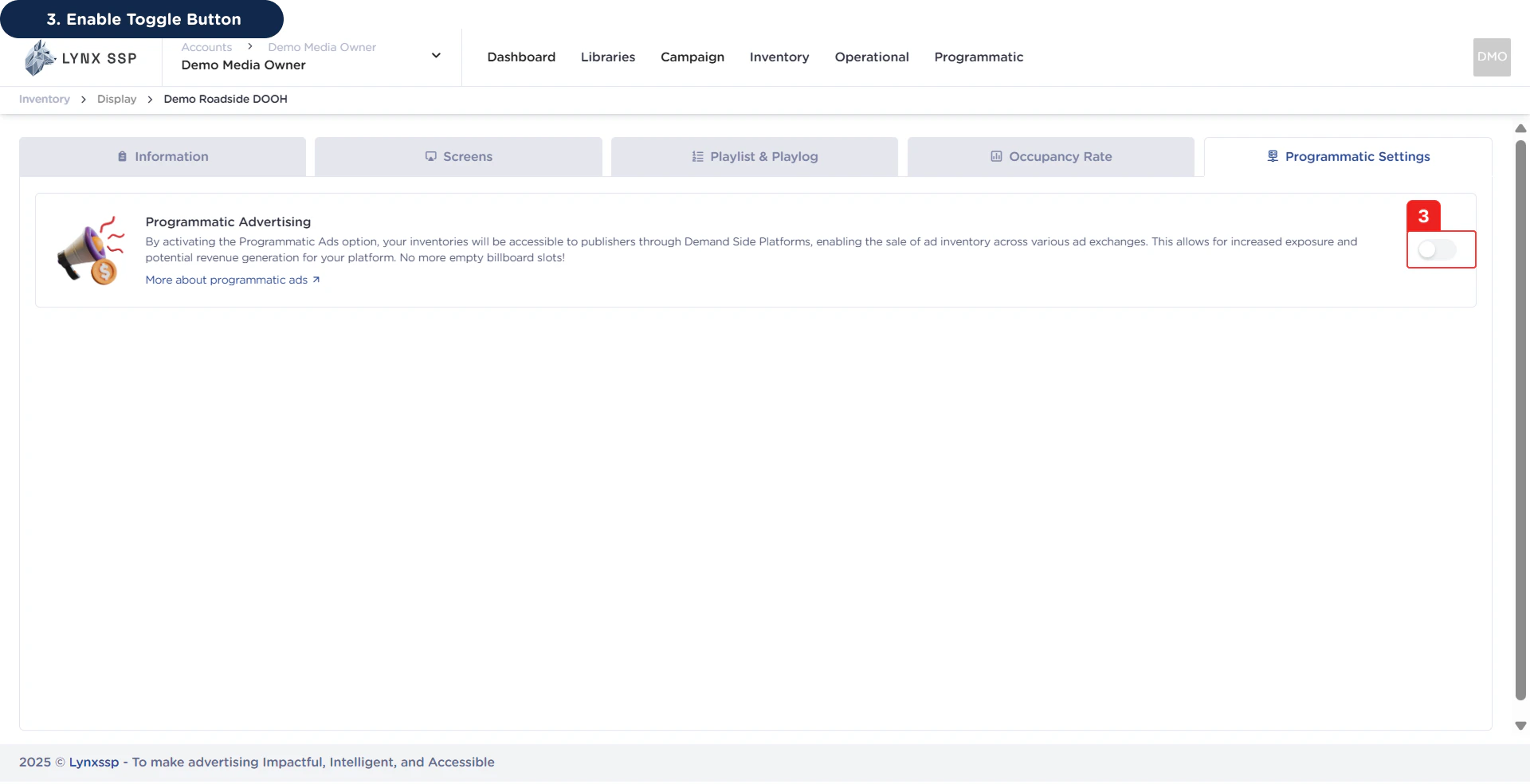
3

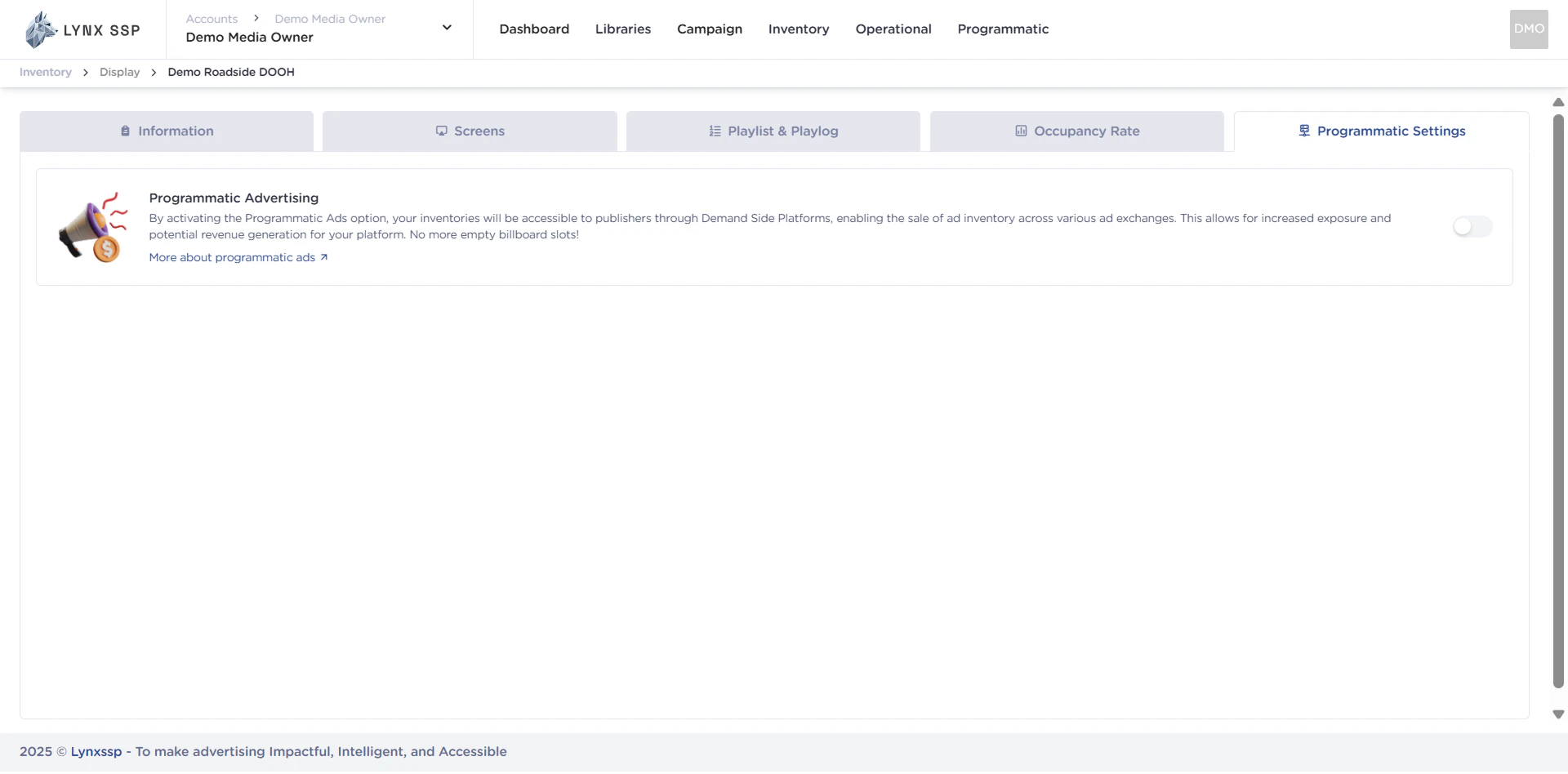
Enable Toggle Button

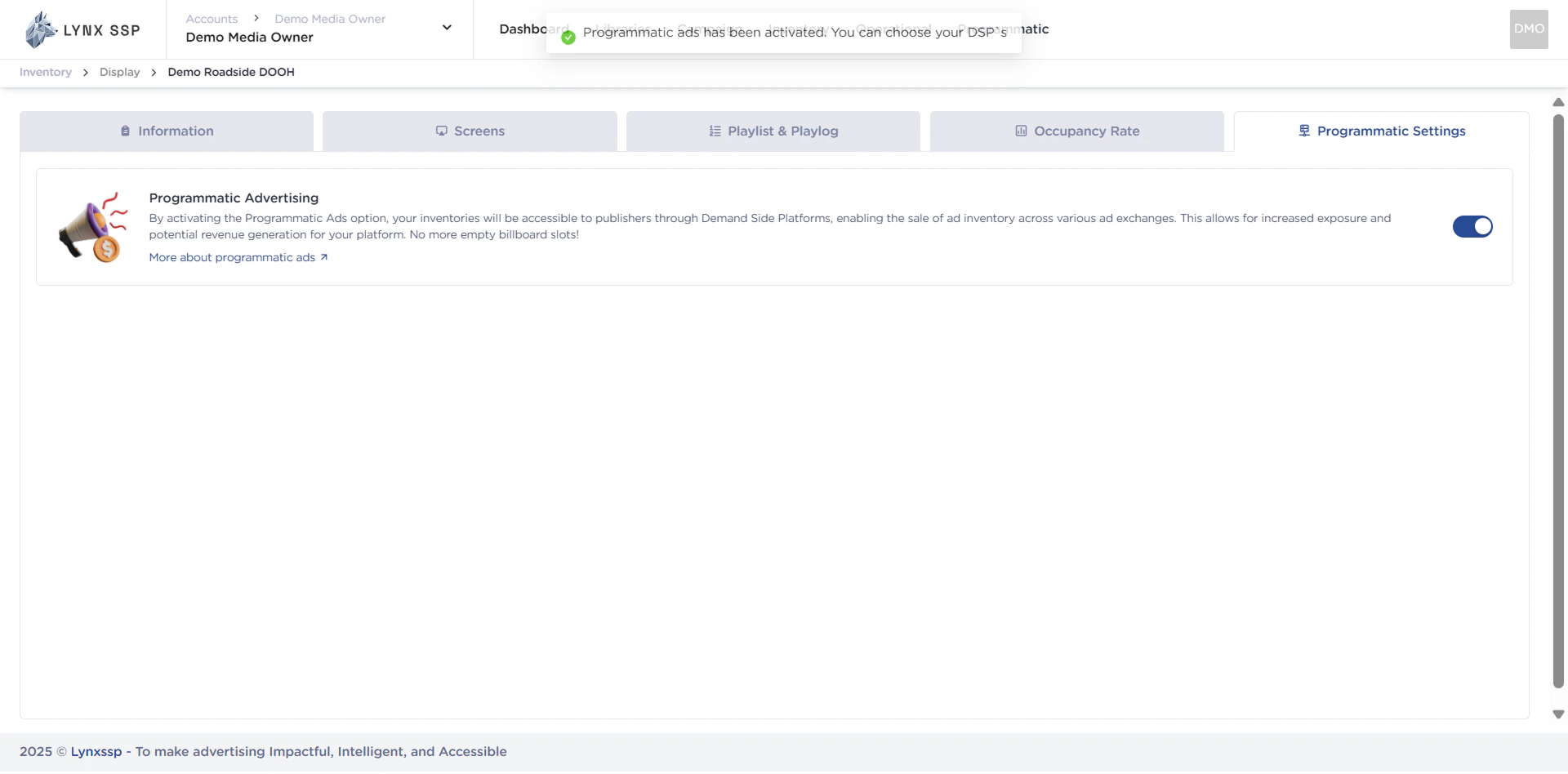
 How to Set DOOH Inventory to Programmatic 3Then DOOH (Digital-Out-of-Home) Inventory successfully connected to Programmatic. How to Set DOOH Inventory to Programmatic 3.2