

1
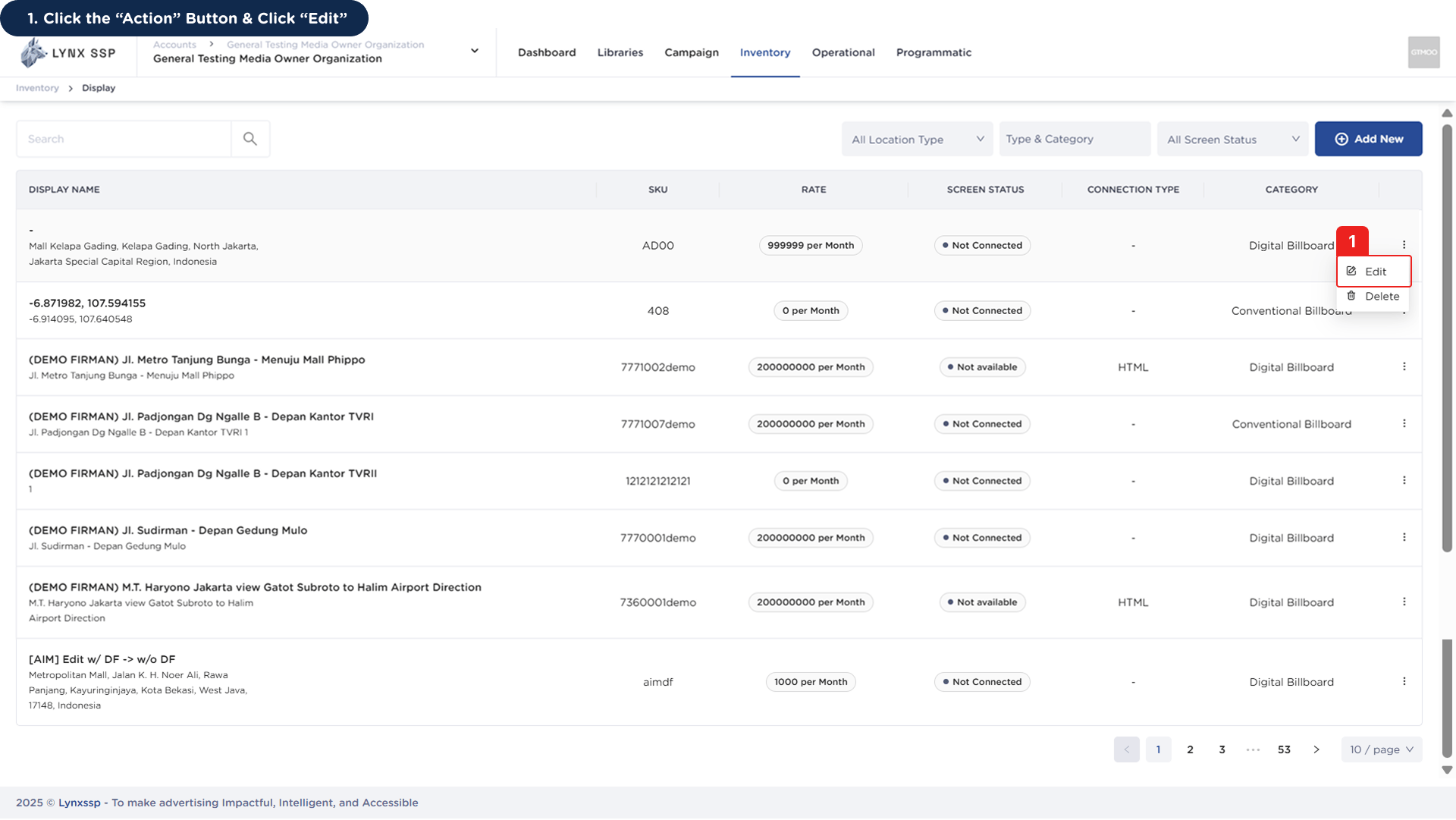
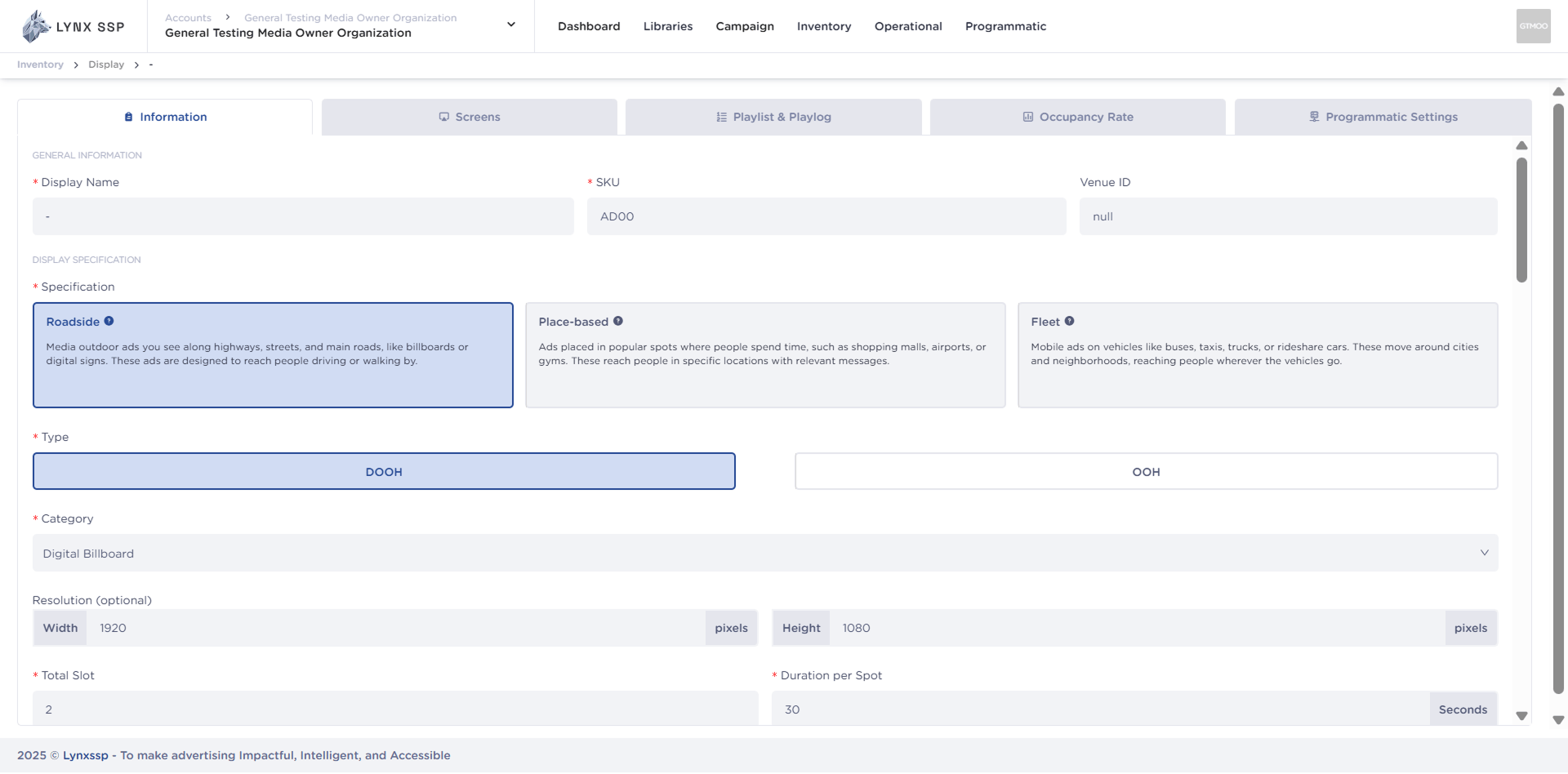
Click the “Action” Button & Click “Edit”
2
Click the “Save” Button
Once you have finished making changes, press the “Save” button to save the changed data.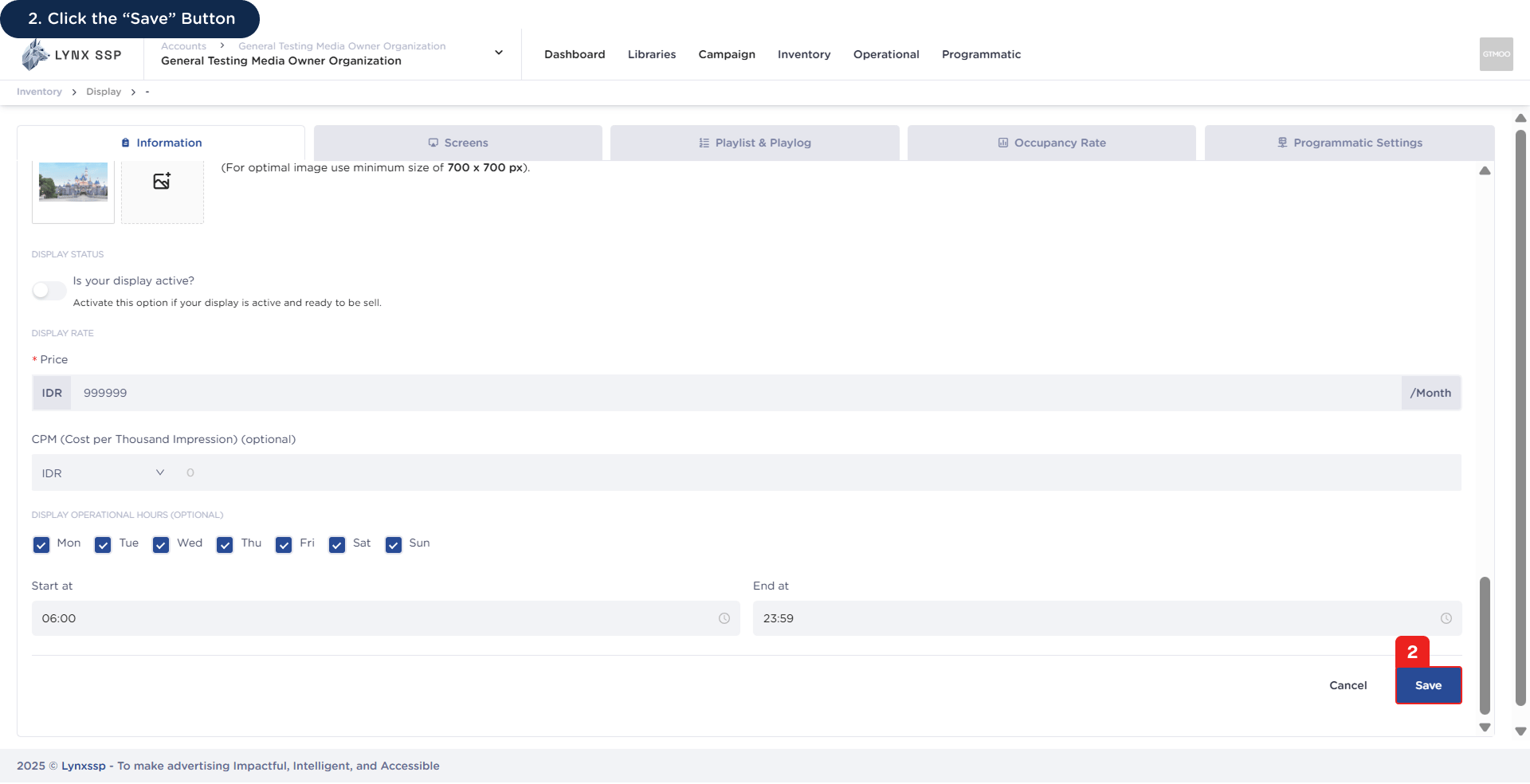
Click the “Action” Button & Click “Edit”
Click the “Save” Button