Accessing Member Management Page
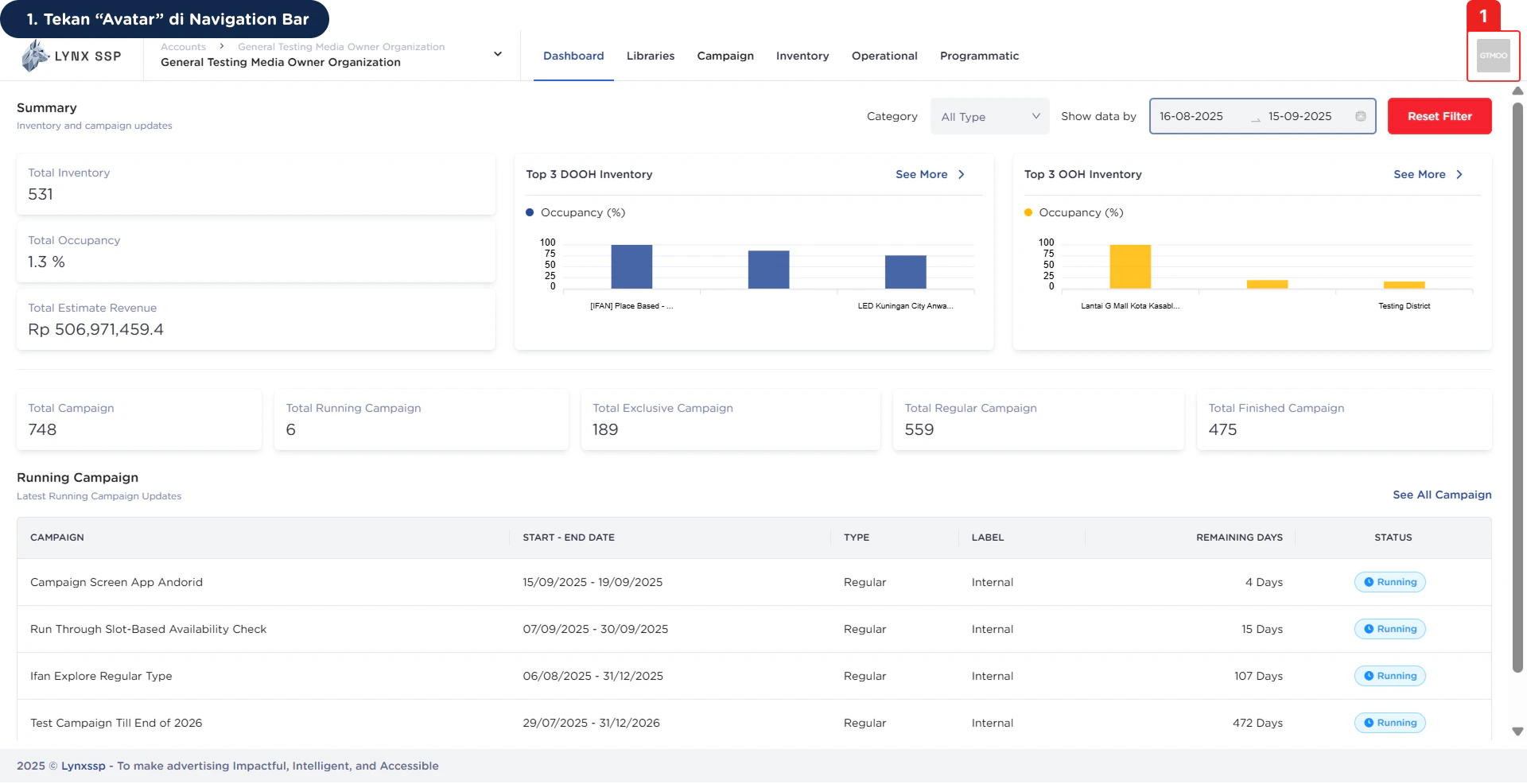
1
Click “Avatar” on the Navigation Bar
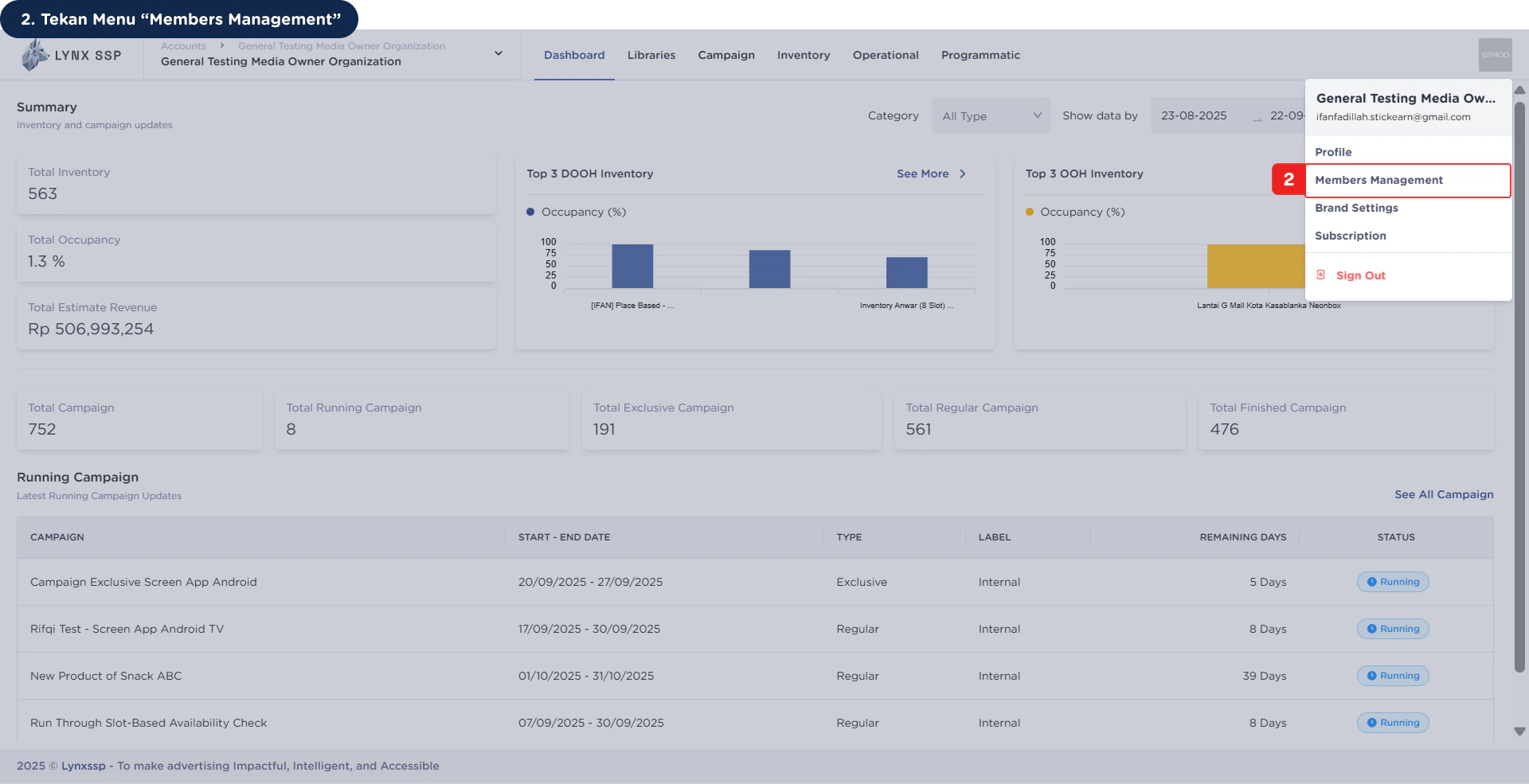
2
Click “Members Management” Menu
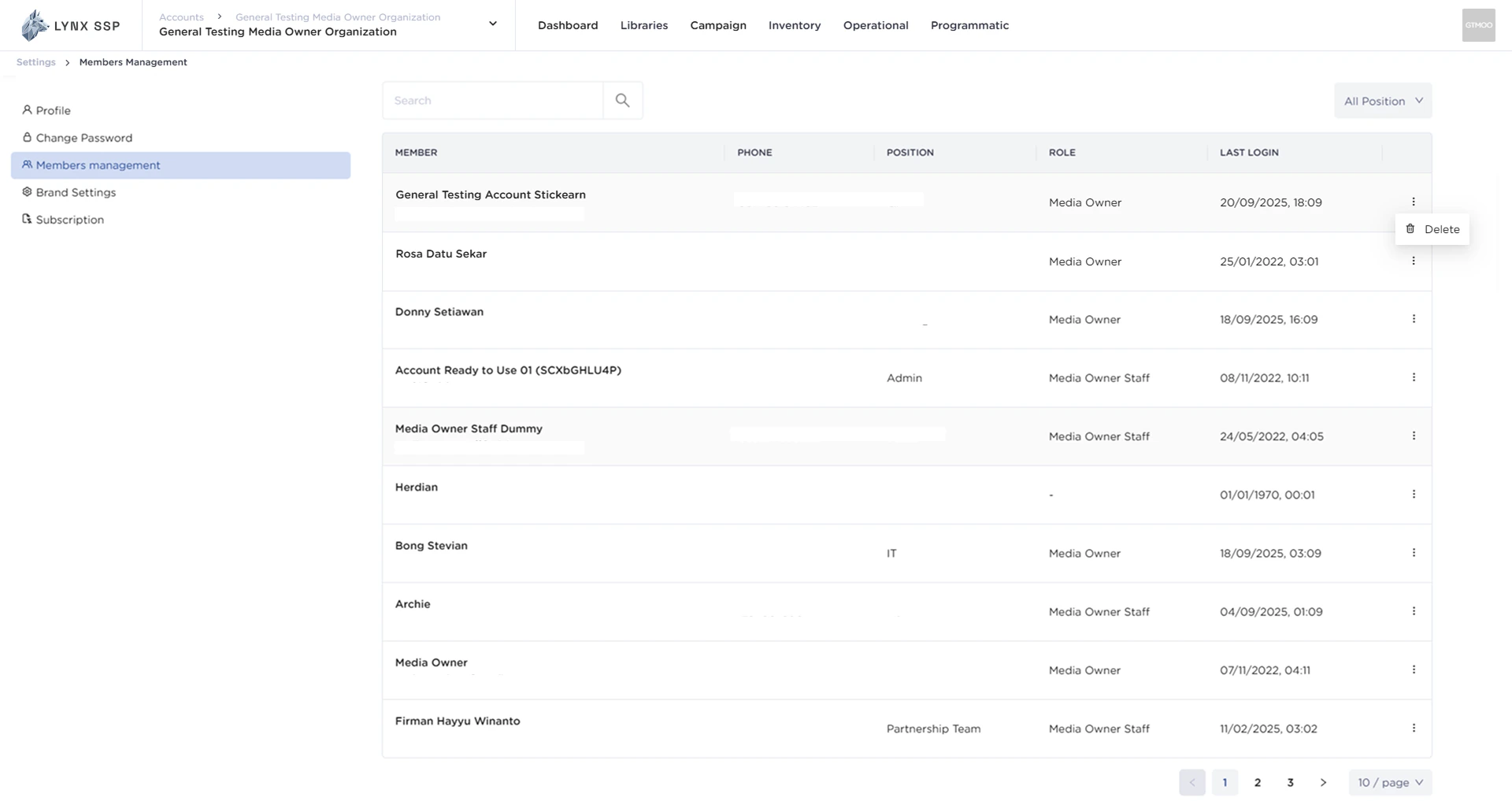
Members Management Overview
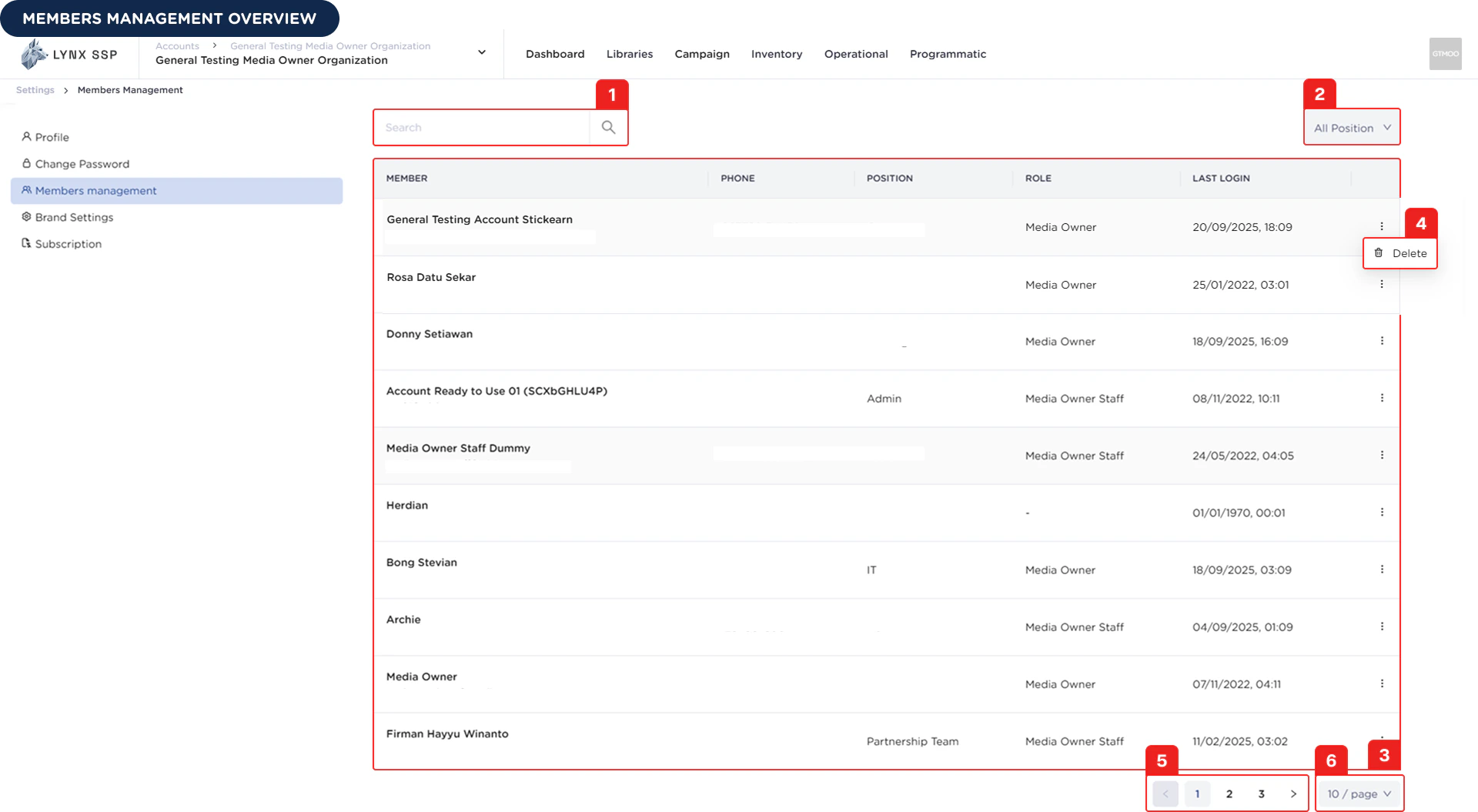
Member Search
You can search for member data by name.Filter by Position
You can filter or sort the list of members based on their position in your organization.List Member
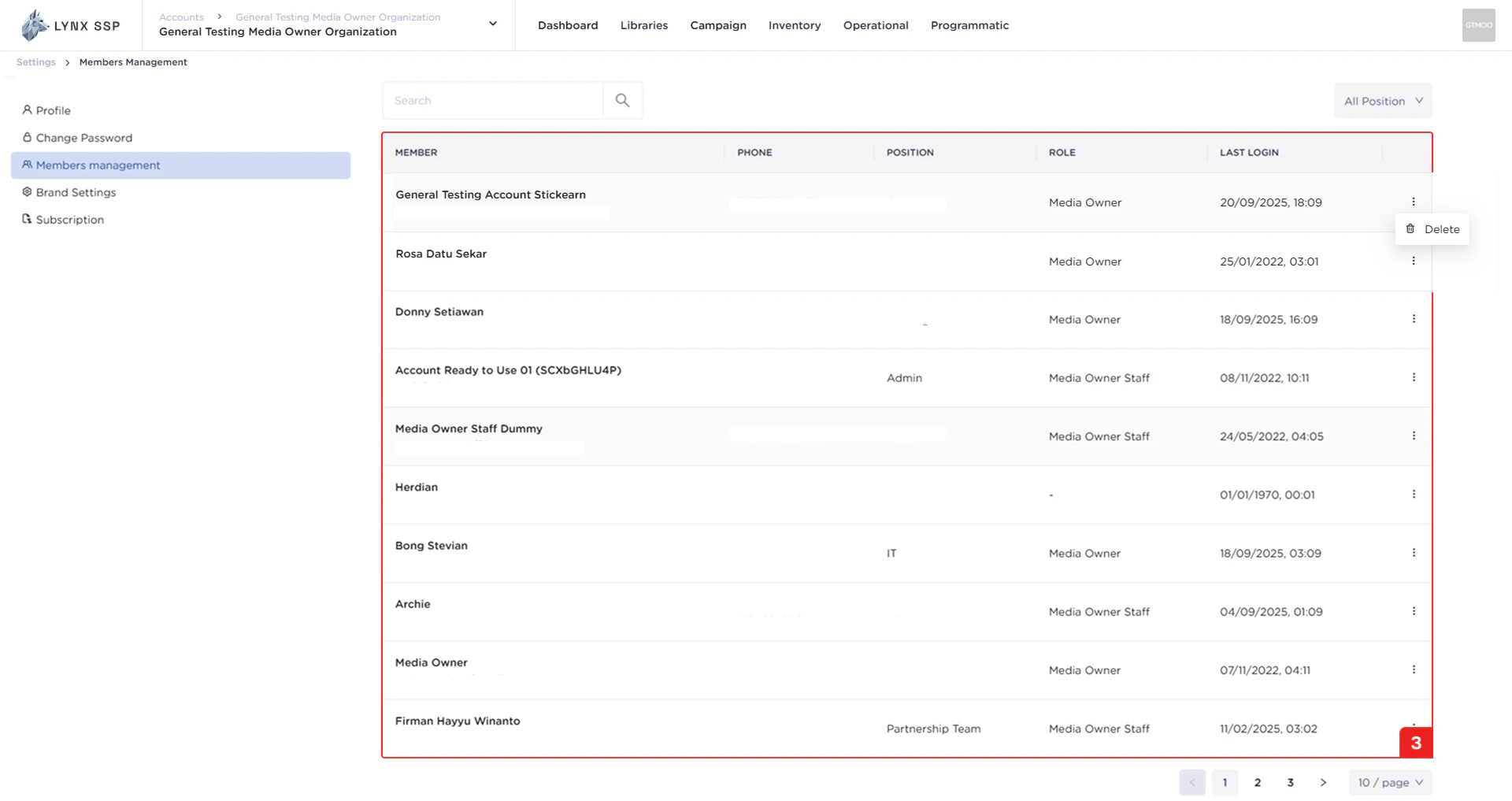
In this section, you can see a list of all members who belong to the same organization as you. The properties that can be viewed in this table are as follows:- Member name
- Phone number
- Position
- Role
- Last login
Delete Member Button
You can remove members from the list by pressing the “Delete” button.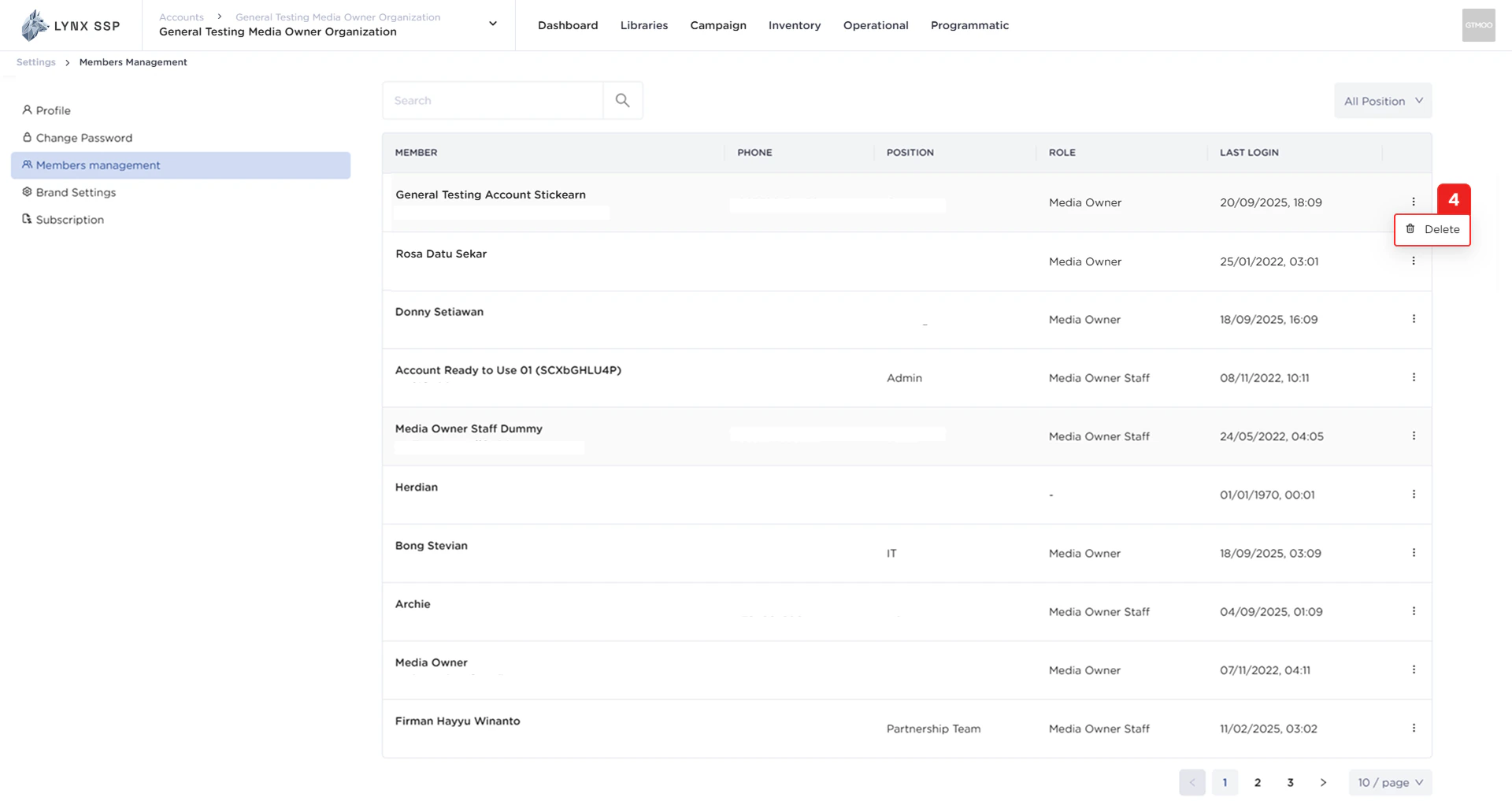
Pagination
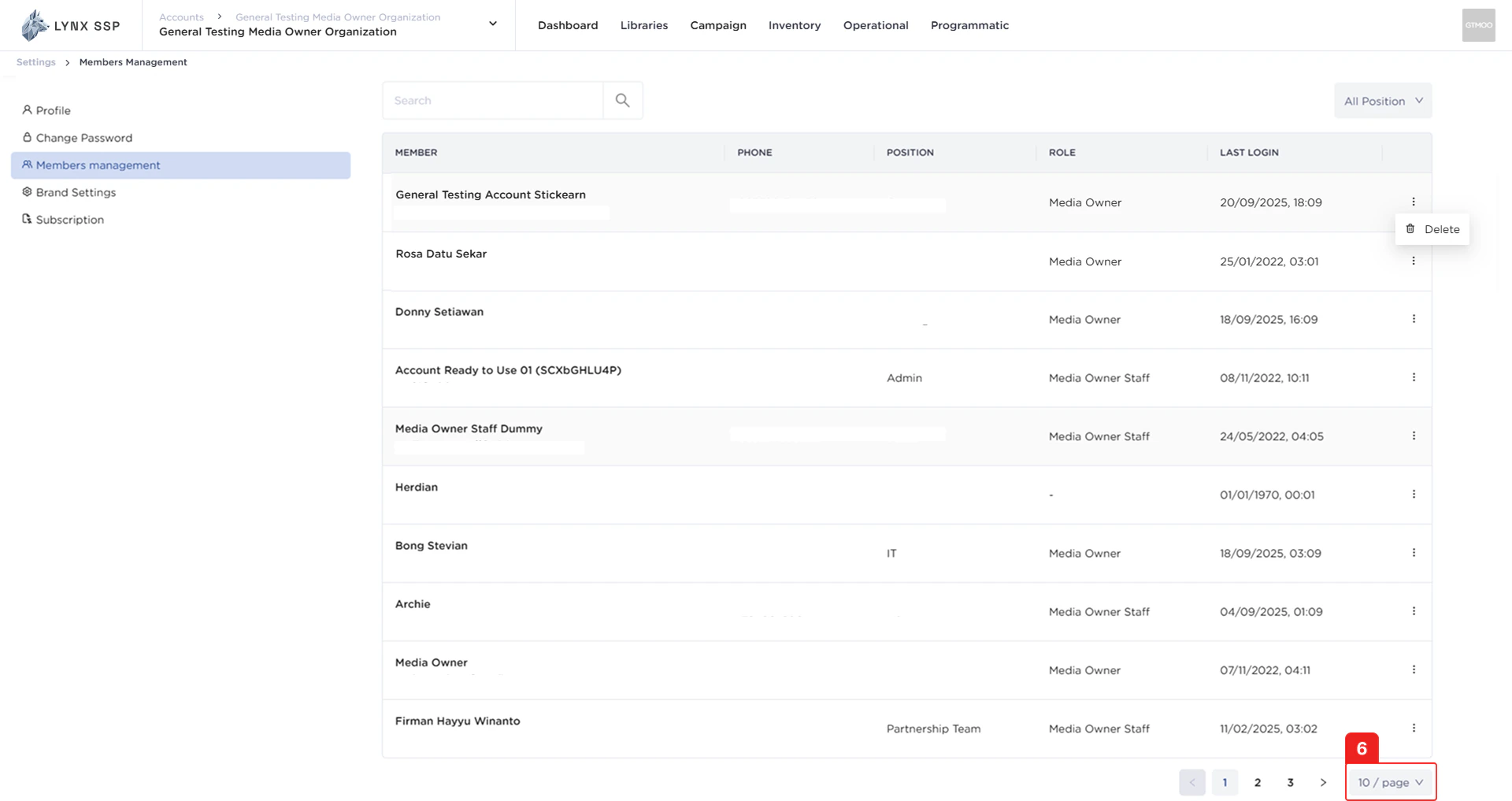
The sequential numbers in the image below are navigation links you can use to go to the next member list page.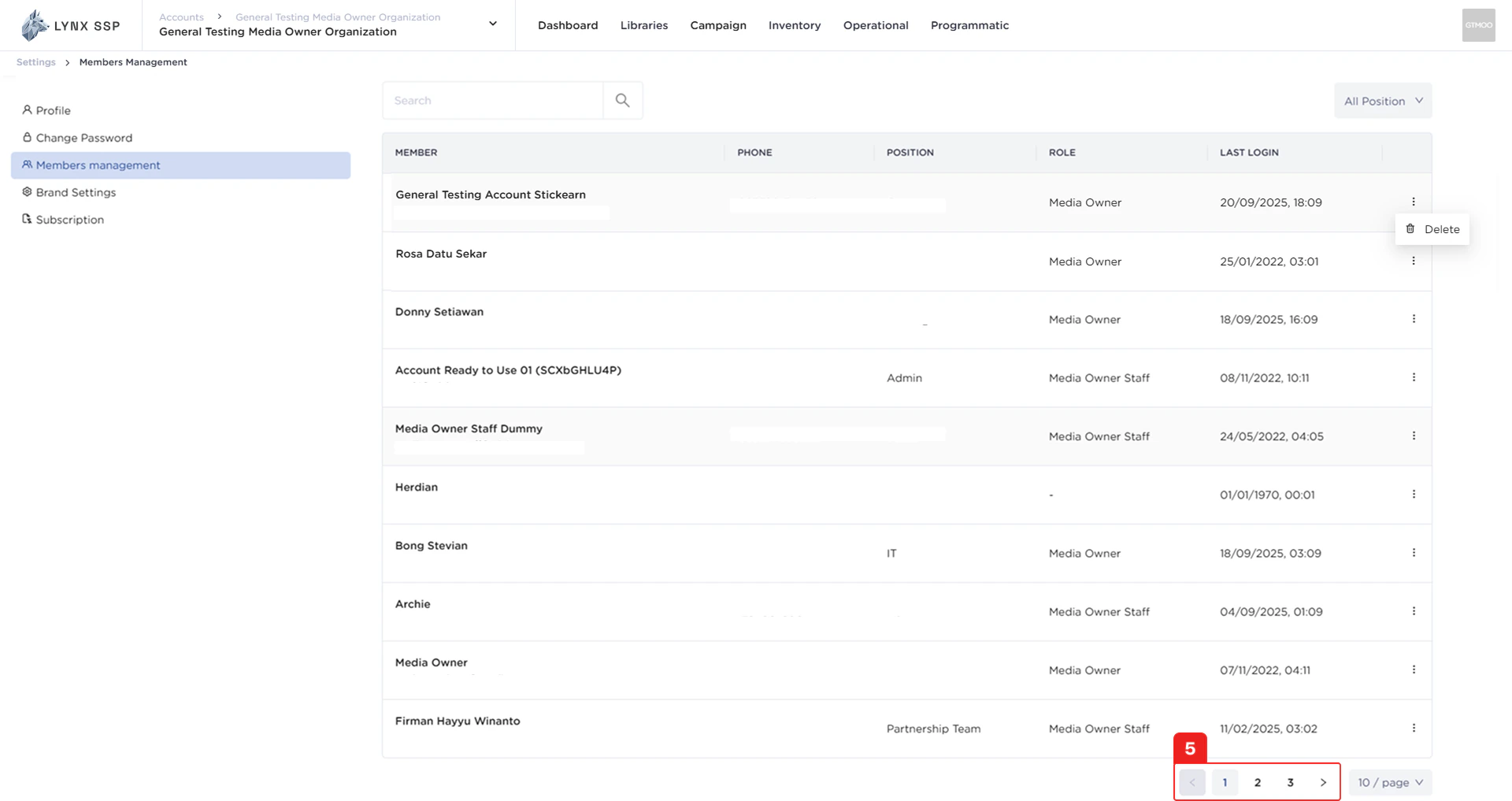
Page List
You can change the list of members displayed. By default, it is set to 10 items, but you can change it to 50 or 100.