How to Install ScreenApp on Windows?
Minimum Requirement
Download ScreenApp
Download the Screen App installer at the following link:Screen App Windows Download
Install ScreenApp on Windows
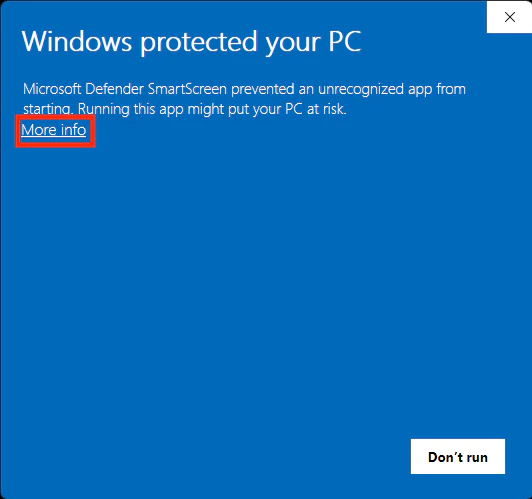
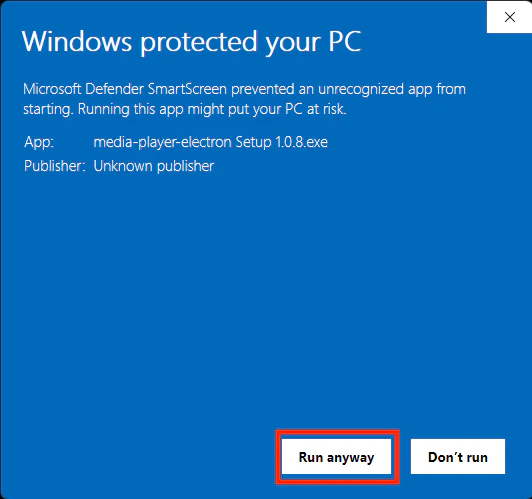
After going to link download, if you find the display as shown below, click the Dropdown button. Then click Keep so that the Installer can still be downloaded.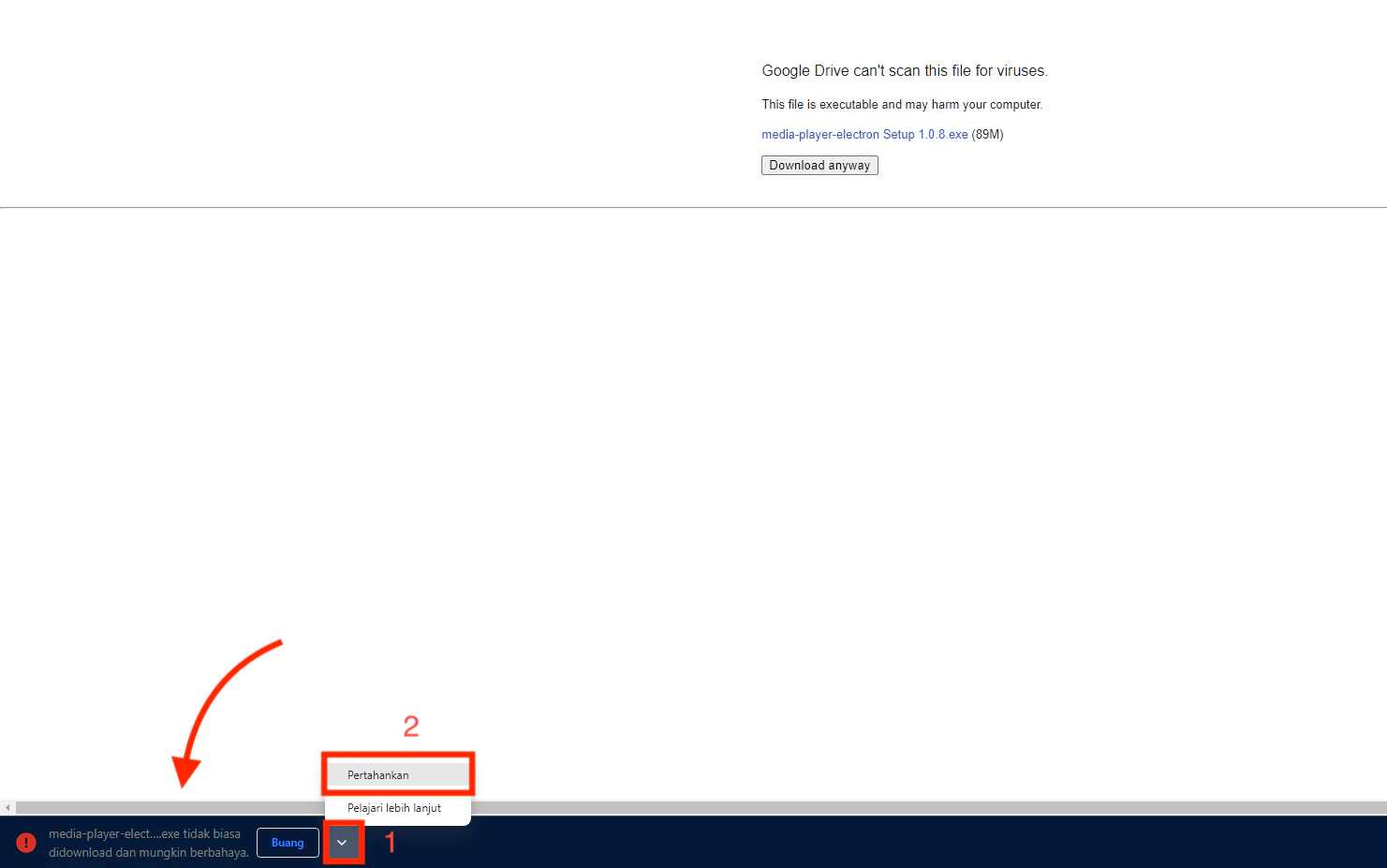
Setting Sync Windows Time
It should be noted every time the device is turned on, specifically the comparison of the device clock with the real clock. because it is feared that there will be an issue if there is a difference between the installation clock and real-time.1
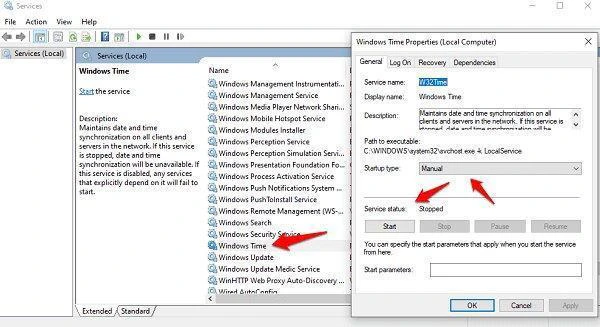
Click win + r, then type services.msc
2
Search for services windows time
3
Right click and select properties
4
Select startup type and change to automatic delayed start