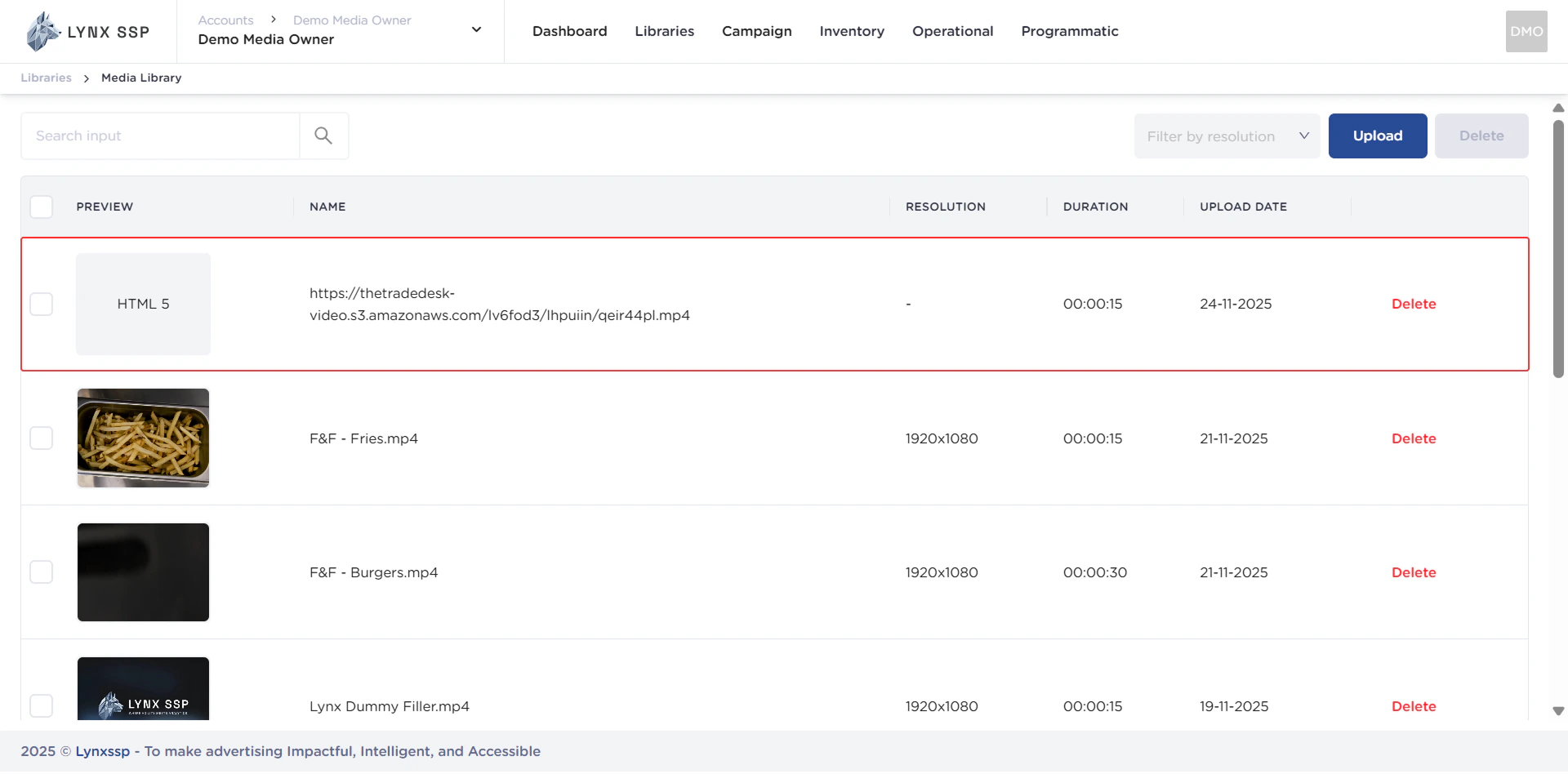
Creative Format
Here are the creative media formats that you can upload to the Lynx SSP Platform:MP4
WEBM
HTML
JPEG
JPG
GIF
PNG
How to Upload Creative Content
You can upload creative content in two ways, namely via your computer directory and URL link:
via Computer
via Computer
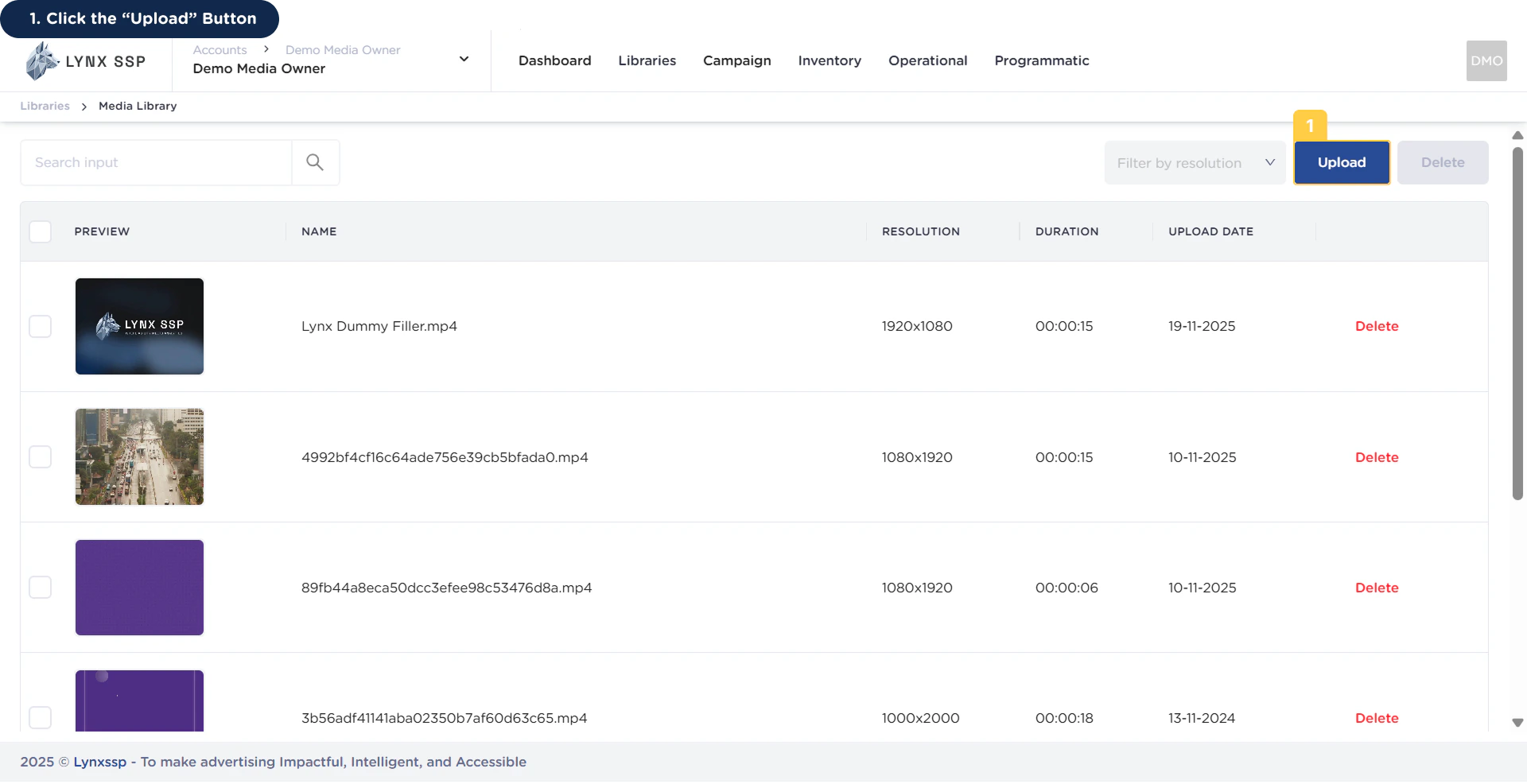
1
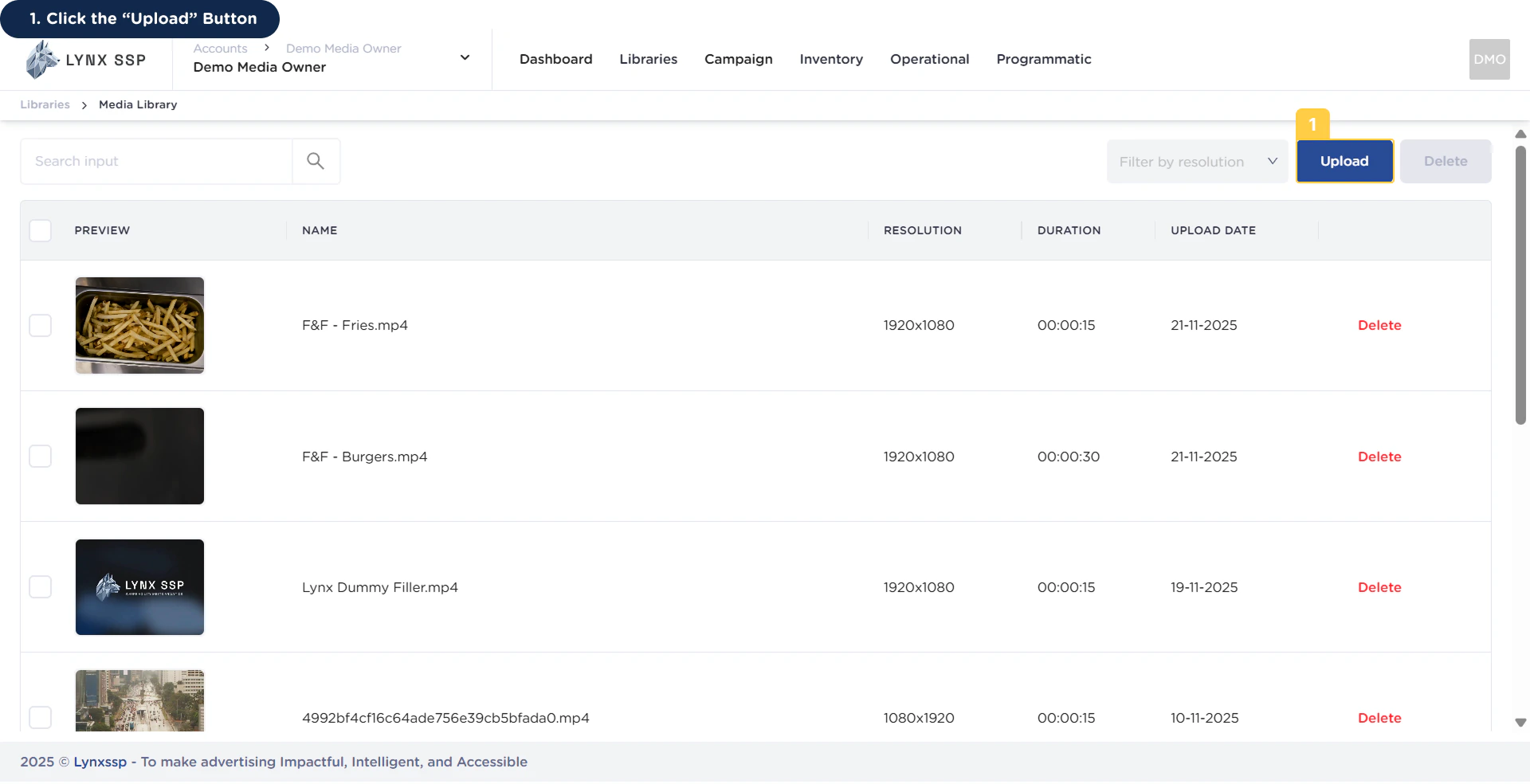
Click the 'Upload' Button
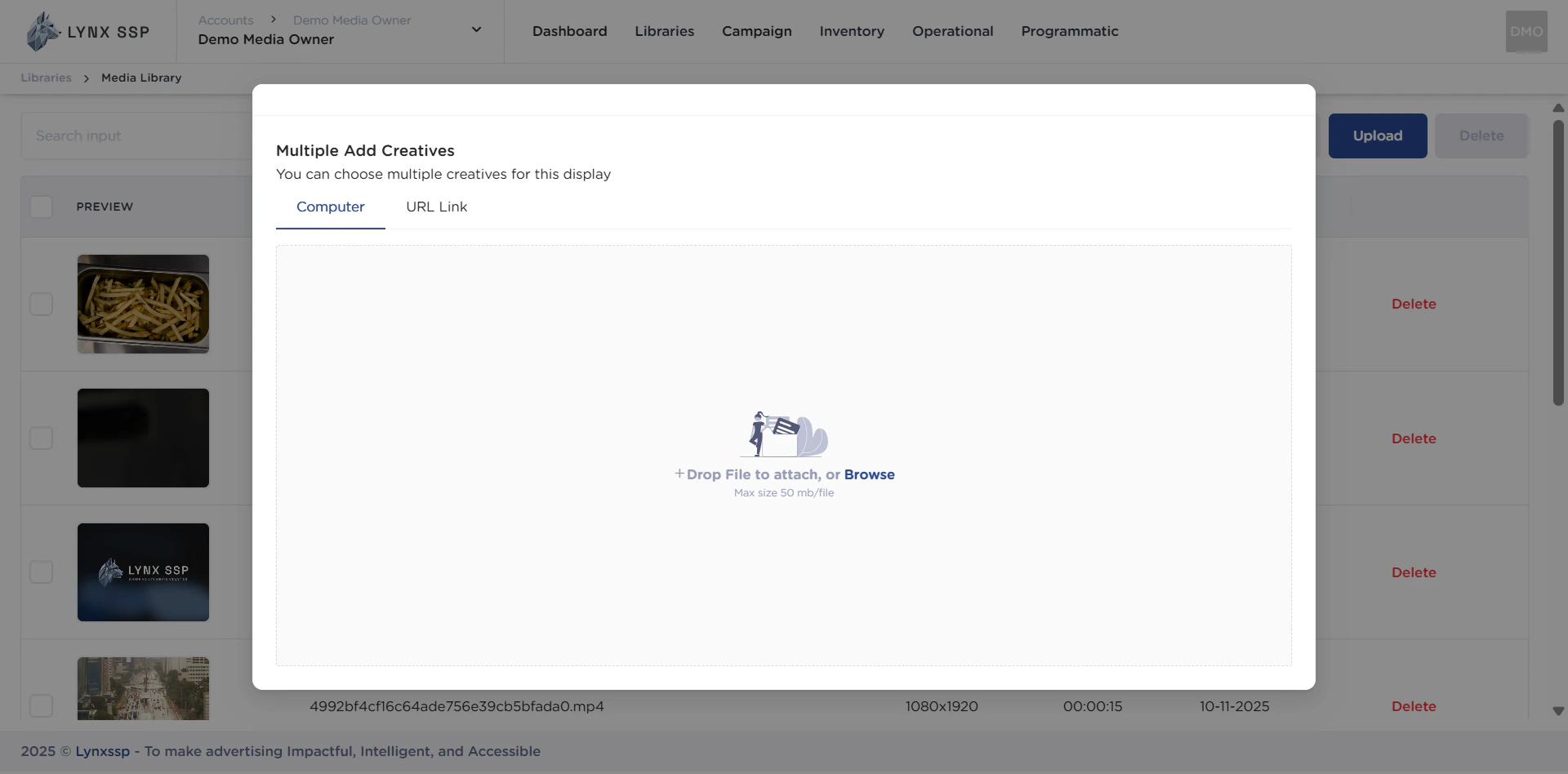
2
Click Drop File or Browse
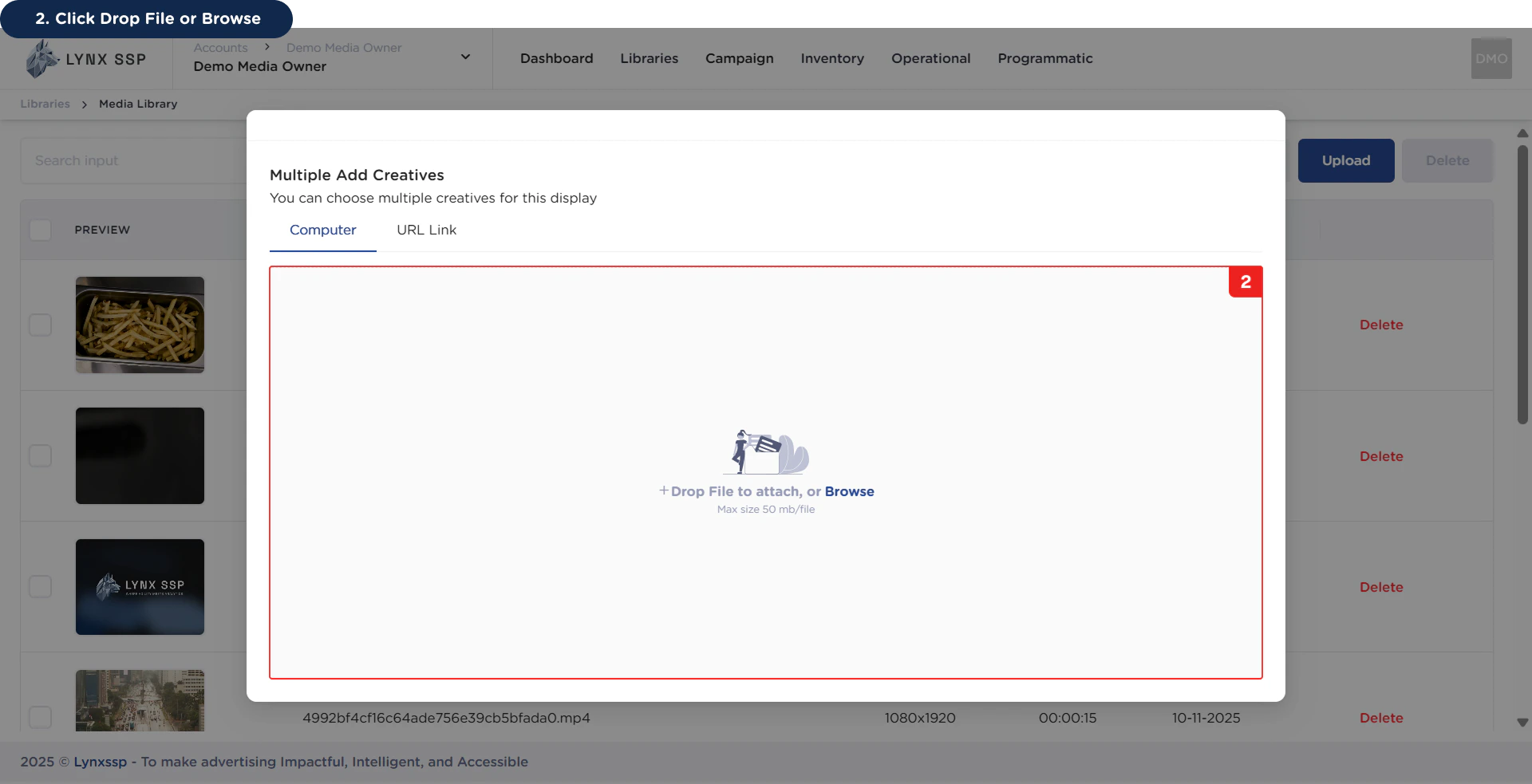
Ensure that the file size of the creative content to be uploaded does not exceed 50MB.
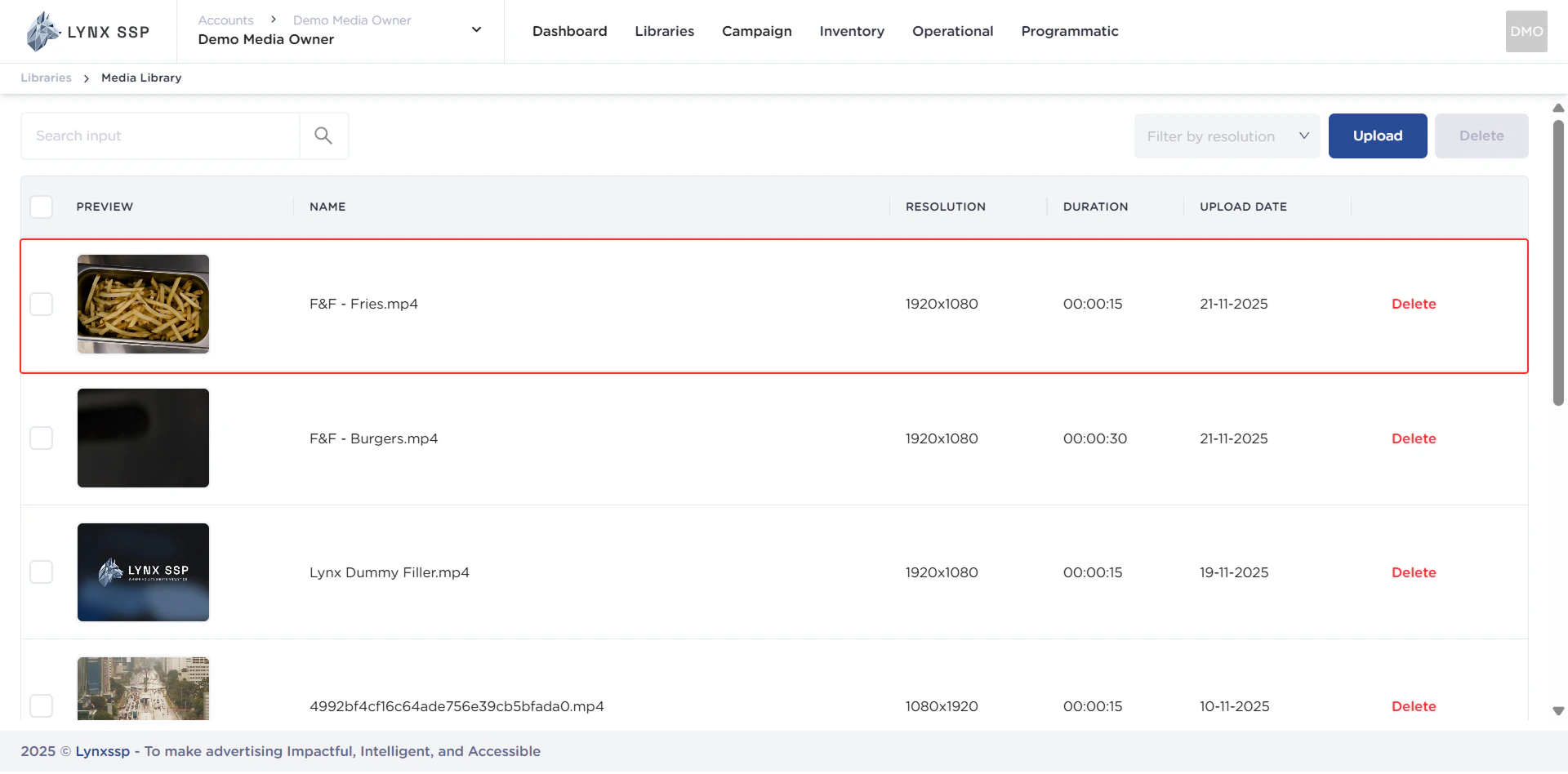
via URL Link
via URL Link
1
Click the 'Upload' Button
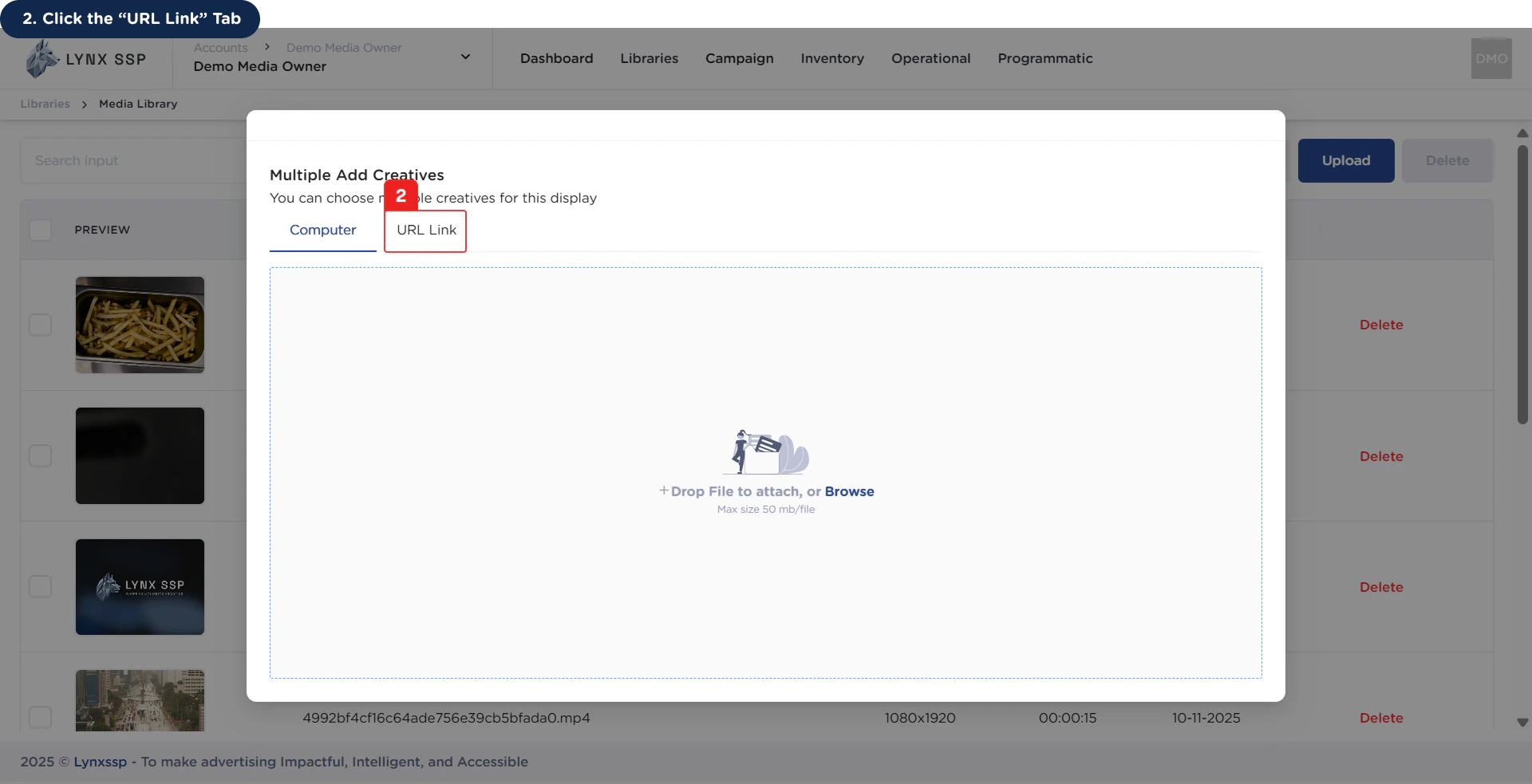
2
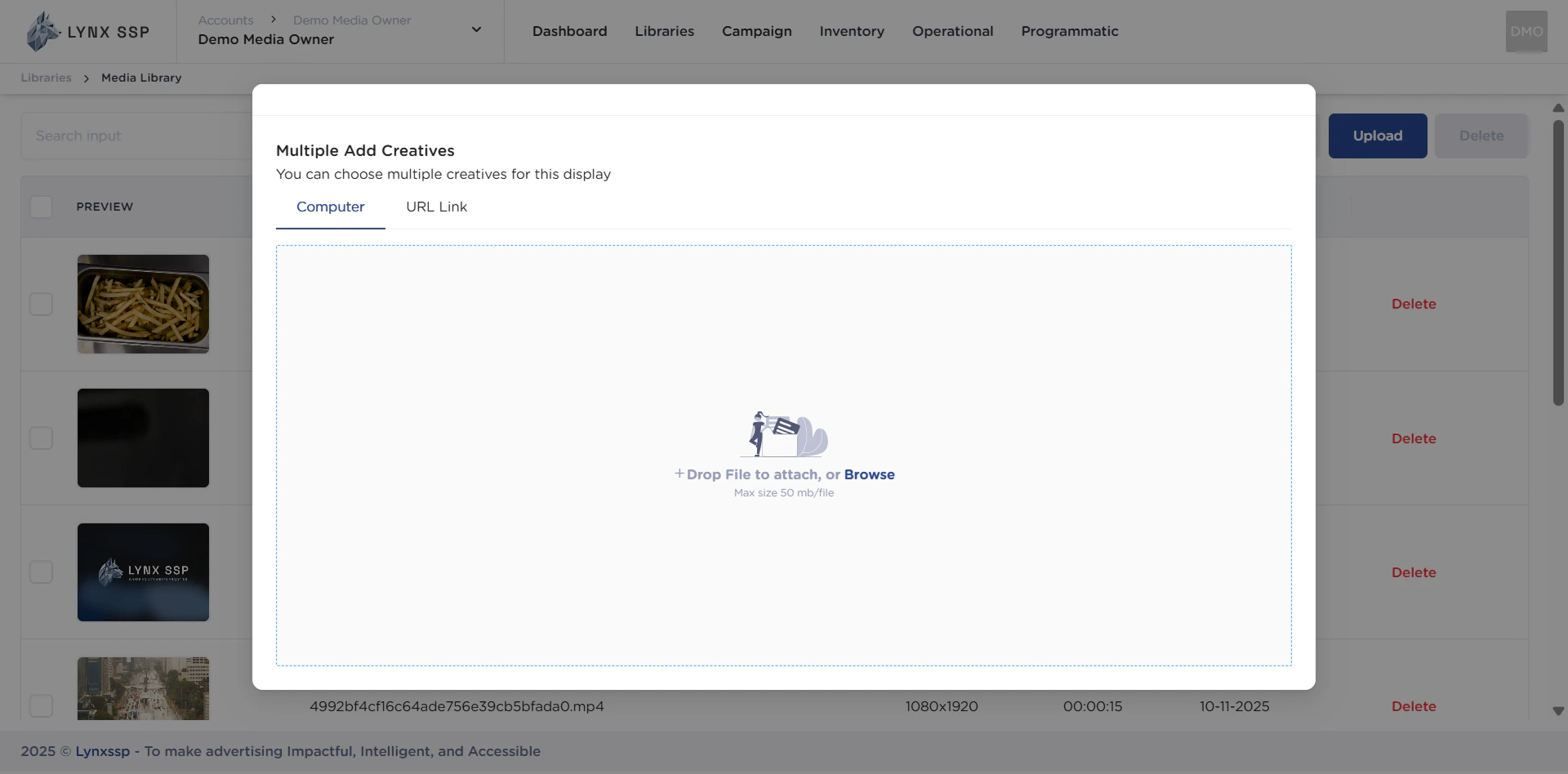
Click 'URL Link' Tab
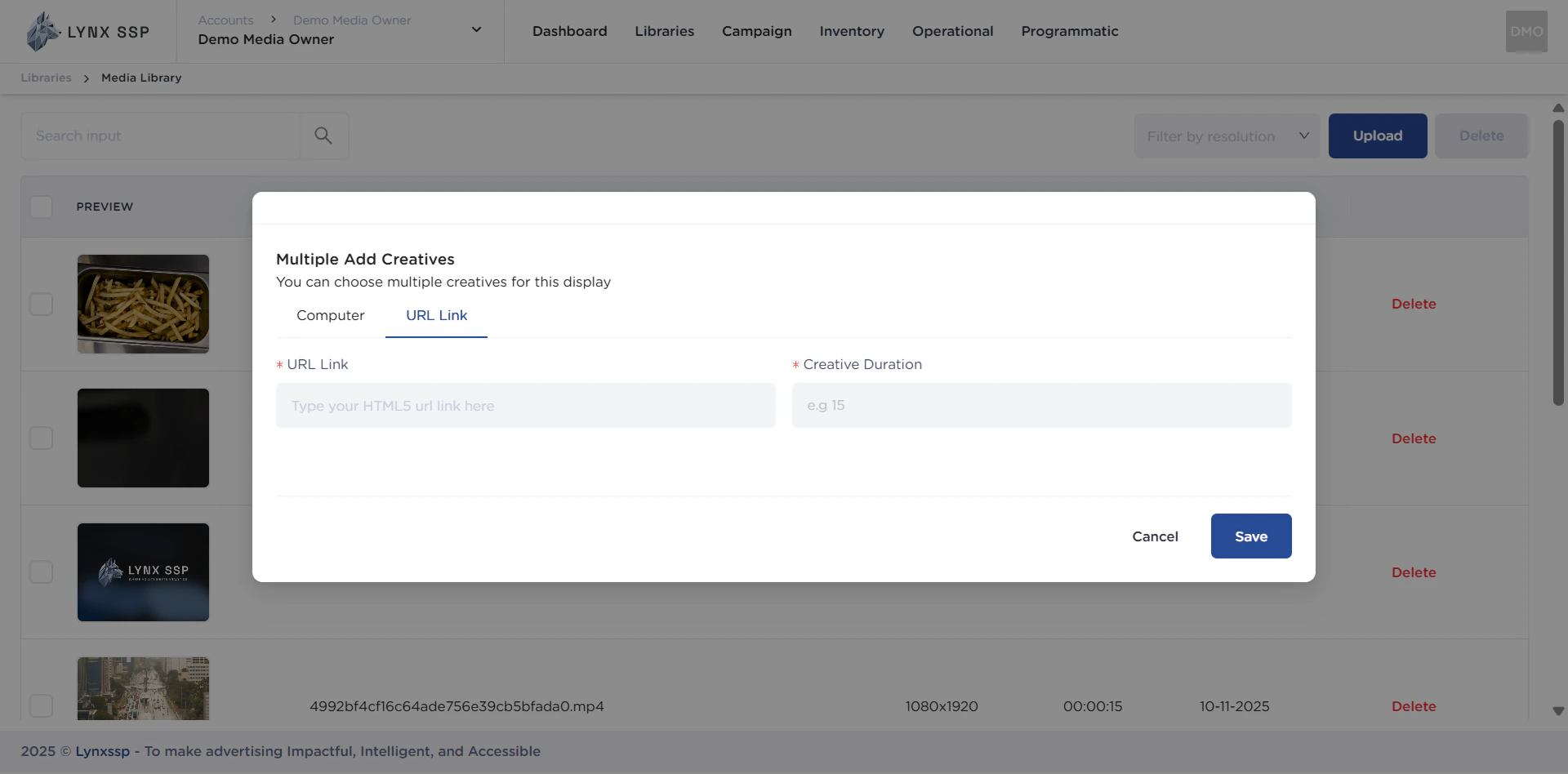
3
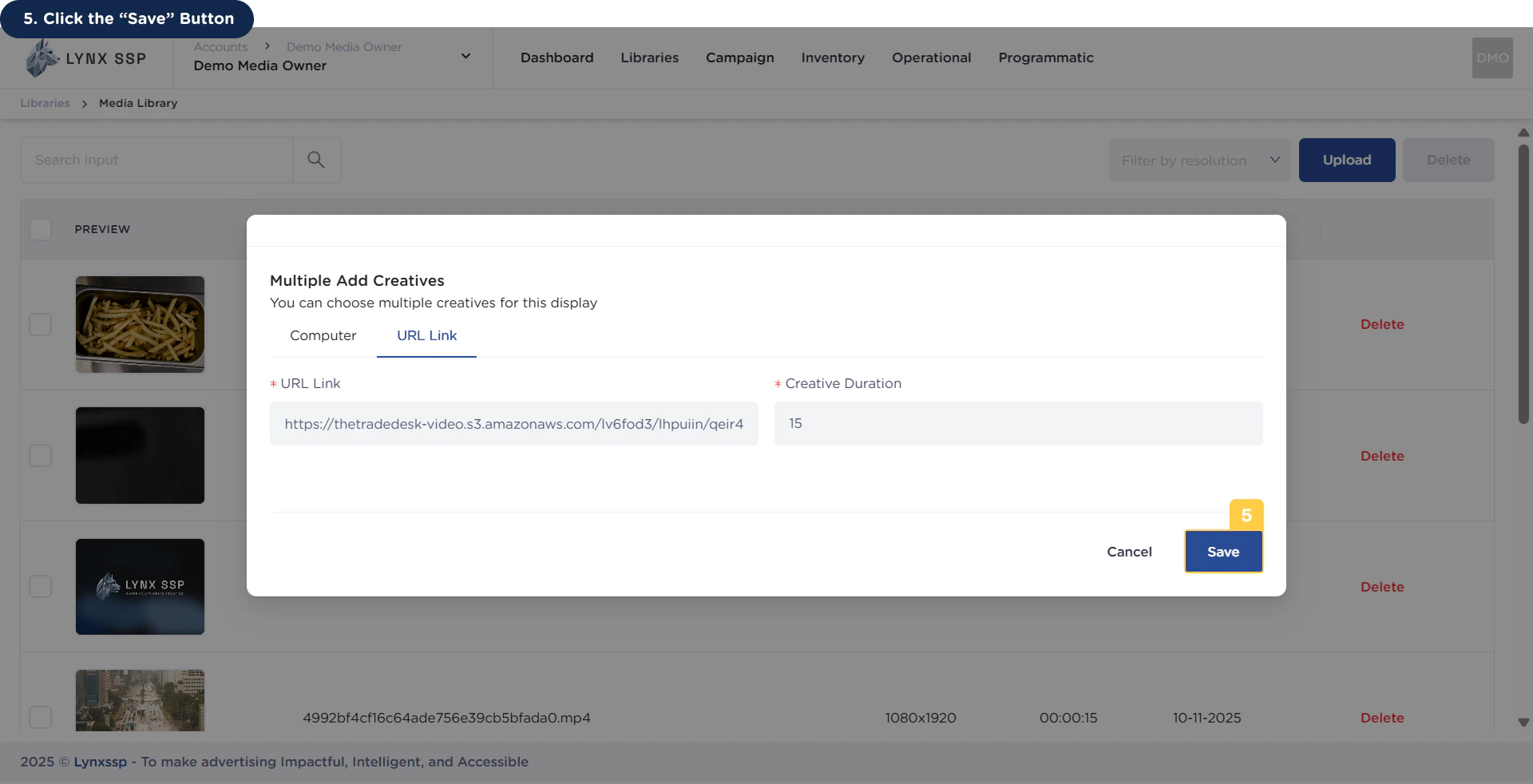
Enter URL Link
Ensure that the URL Link entered is valid.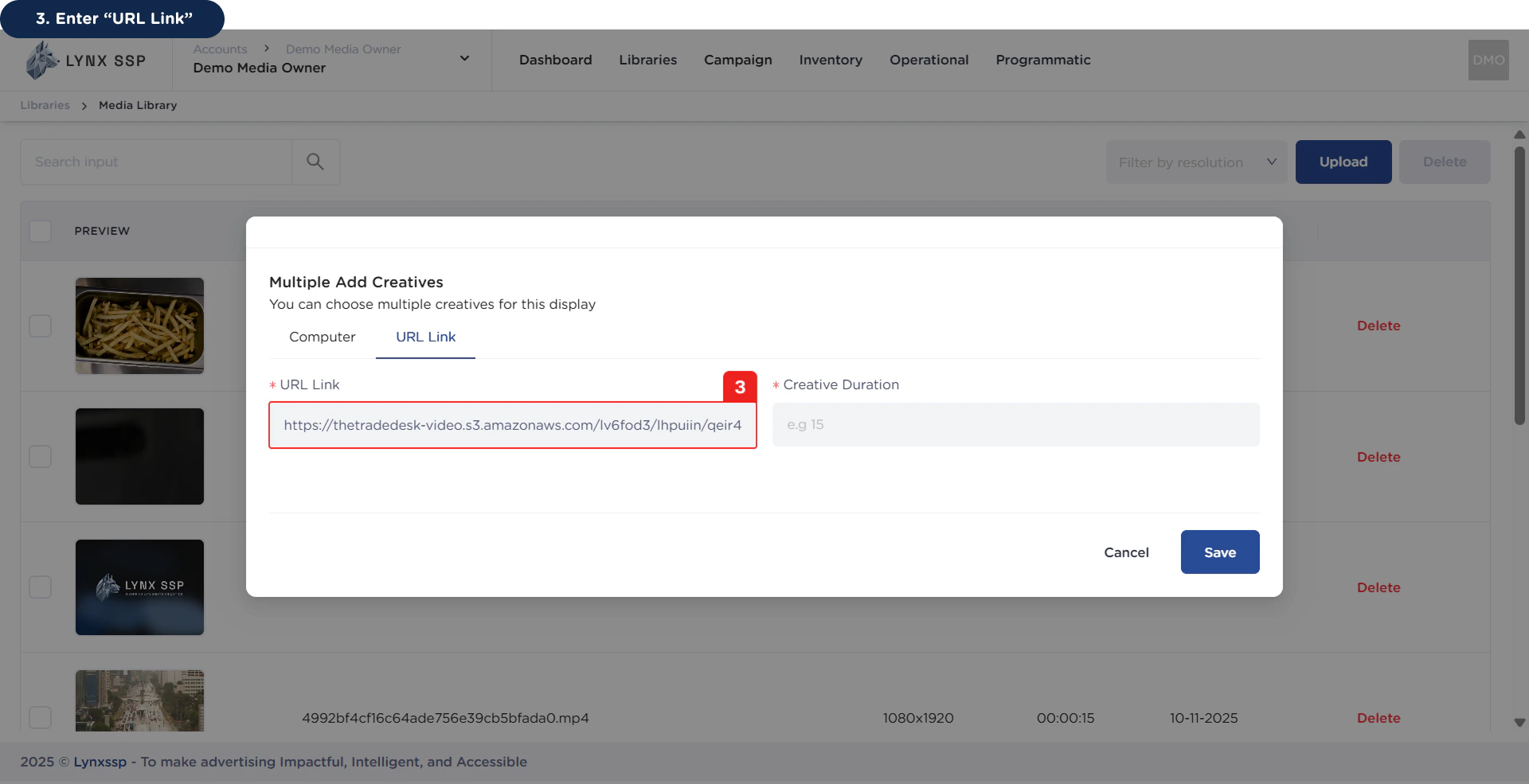
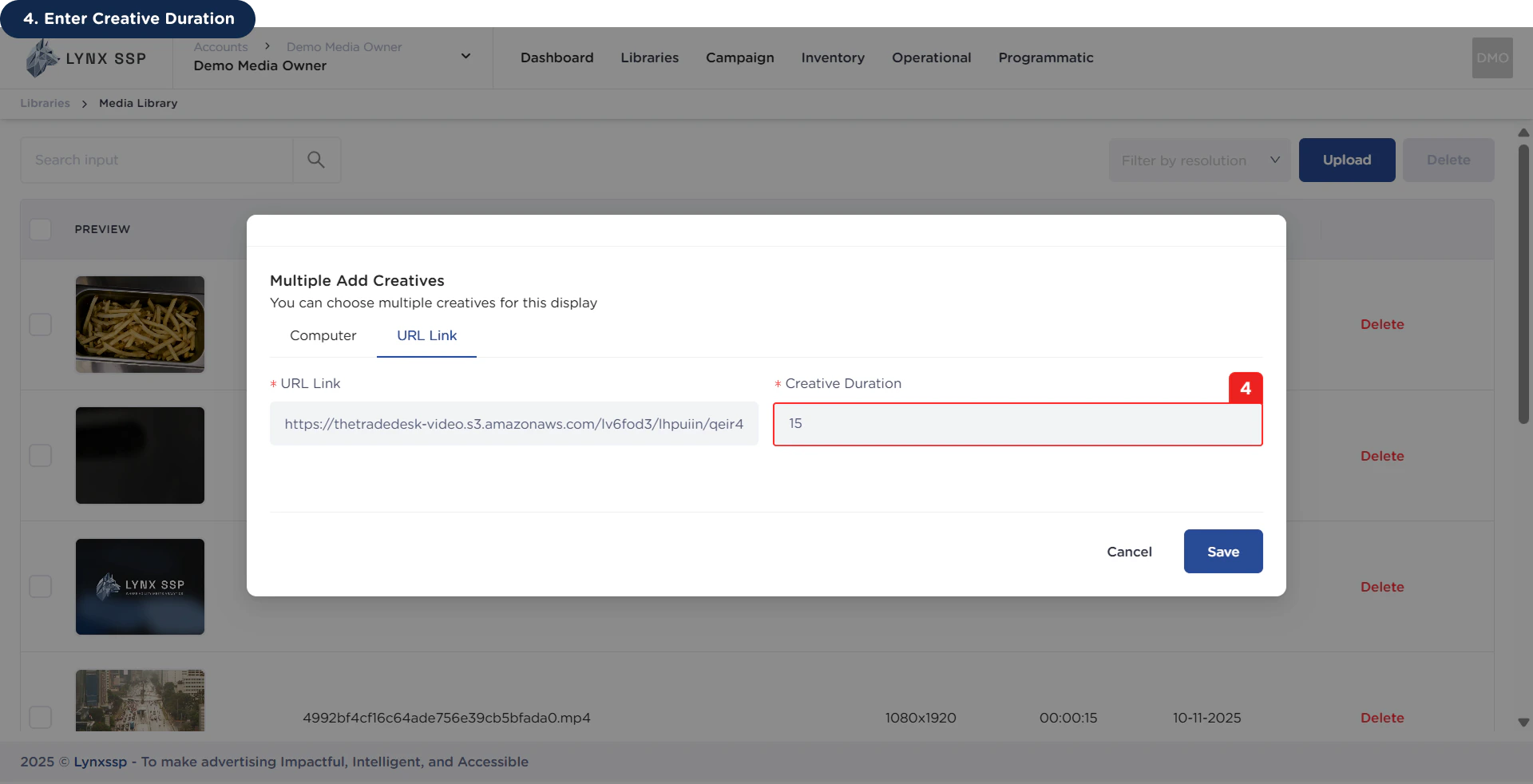
4
Enter Creative Duration
5
Click the 'Save' Button