If there are changes to the creative sequence displayed on DOOH (Digital-Out-of-Home) Inventory, you can change or edit it through the following steps:
1
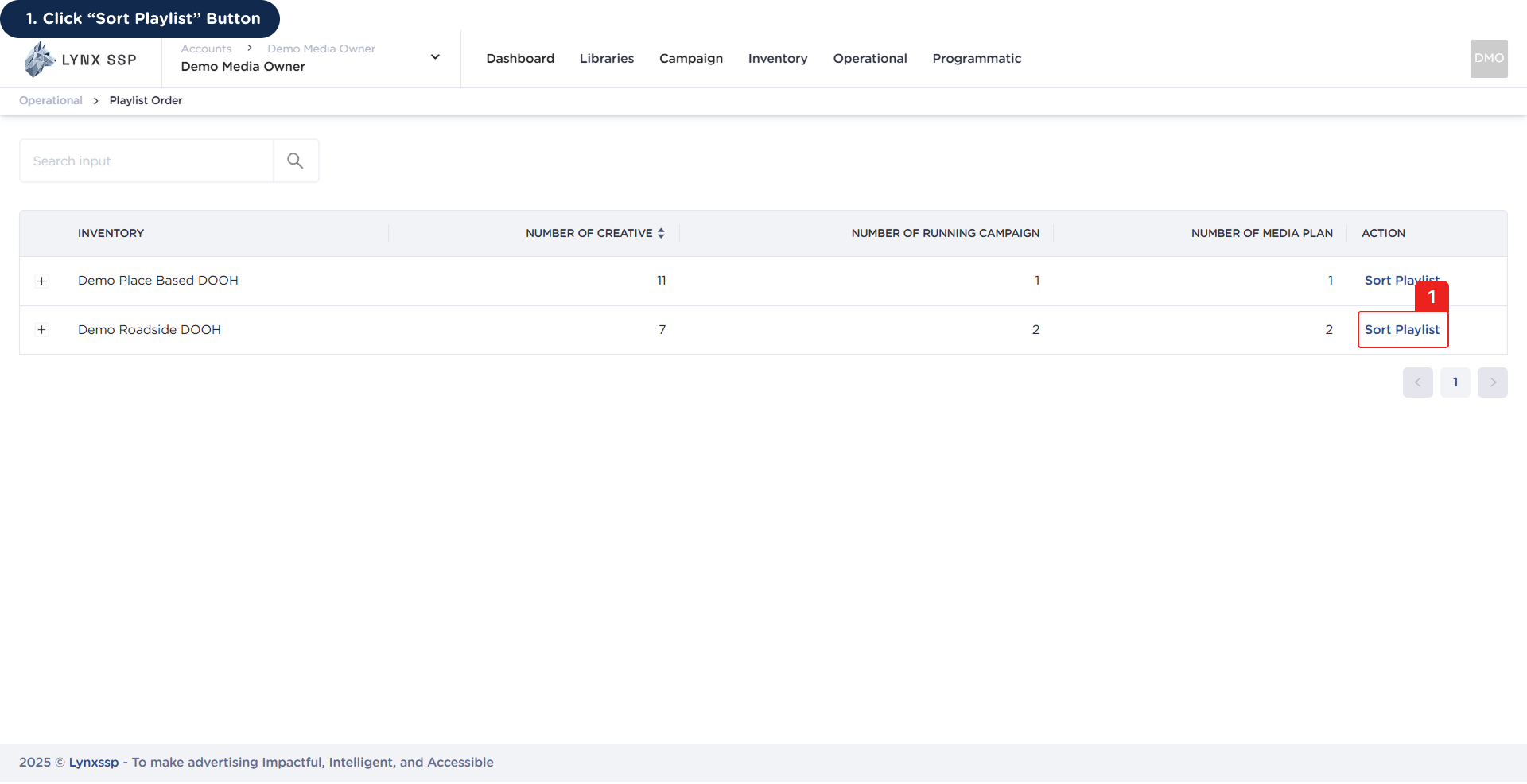
Click 'Sort Playlist' Button
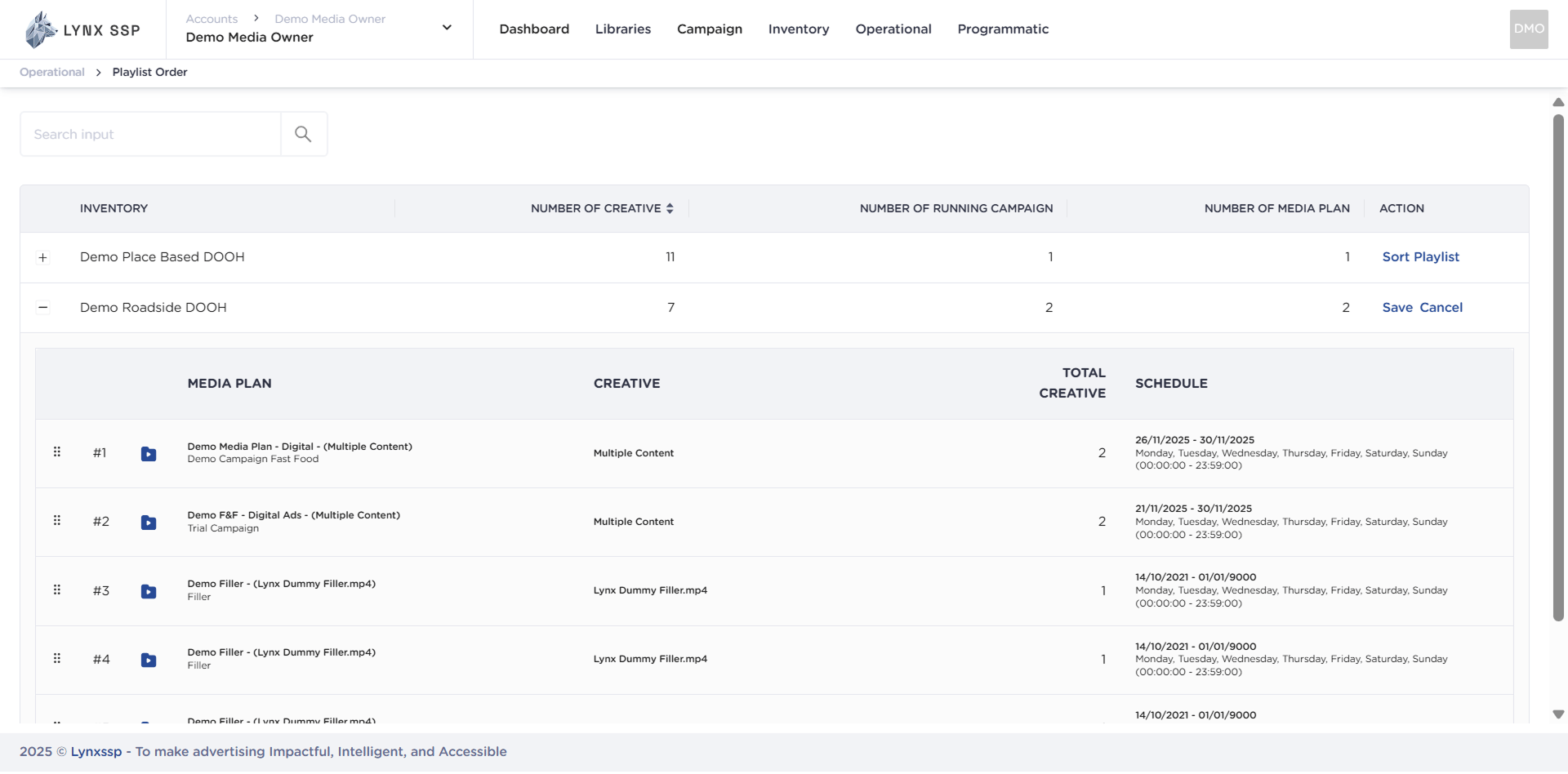
This will display the Creative List in the selected DOOH (Digital-Out-of-Home) Inventory.
2
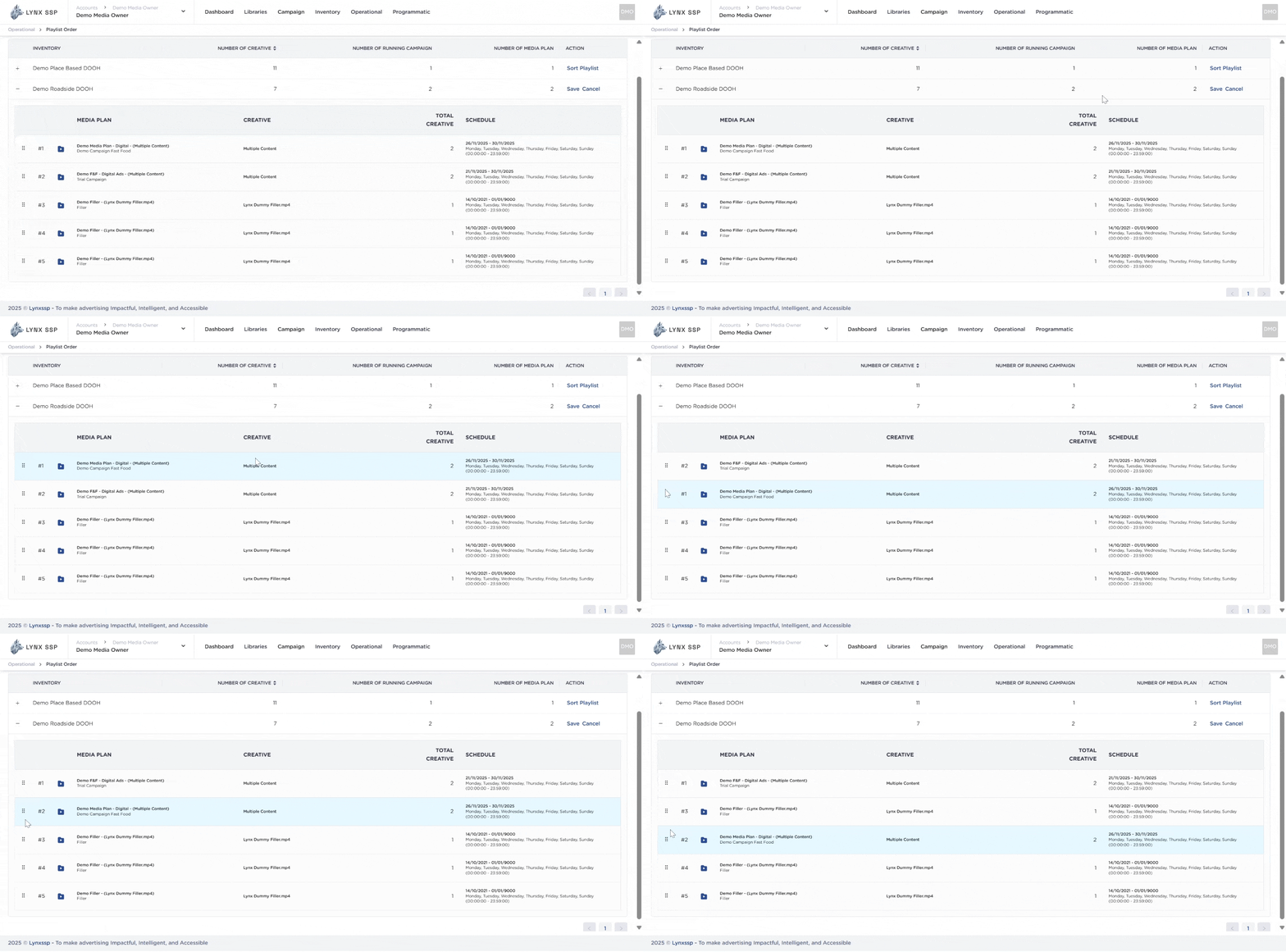
Change the order by dragging the Creative to the desired position.
3
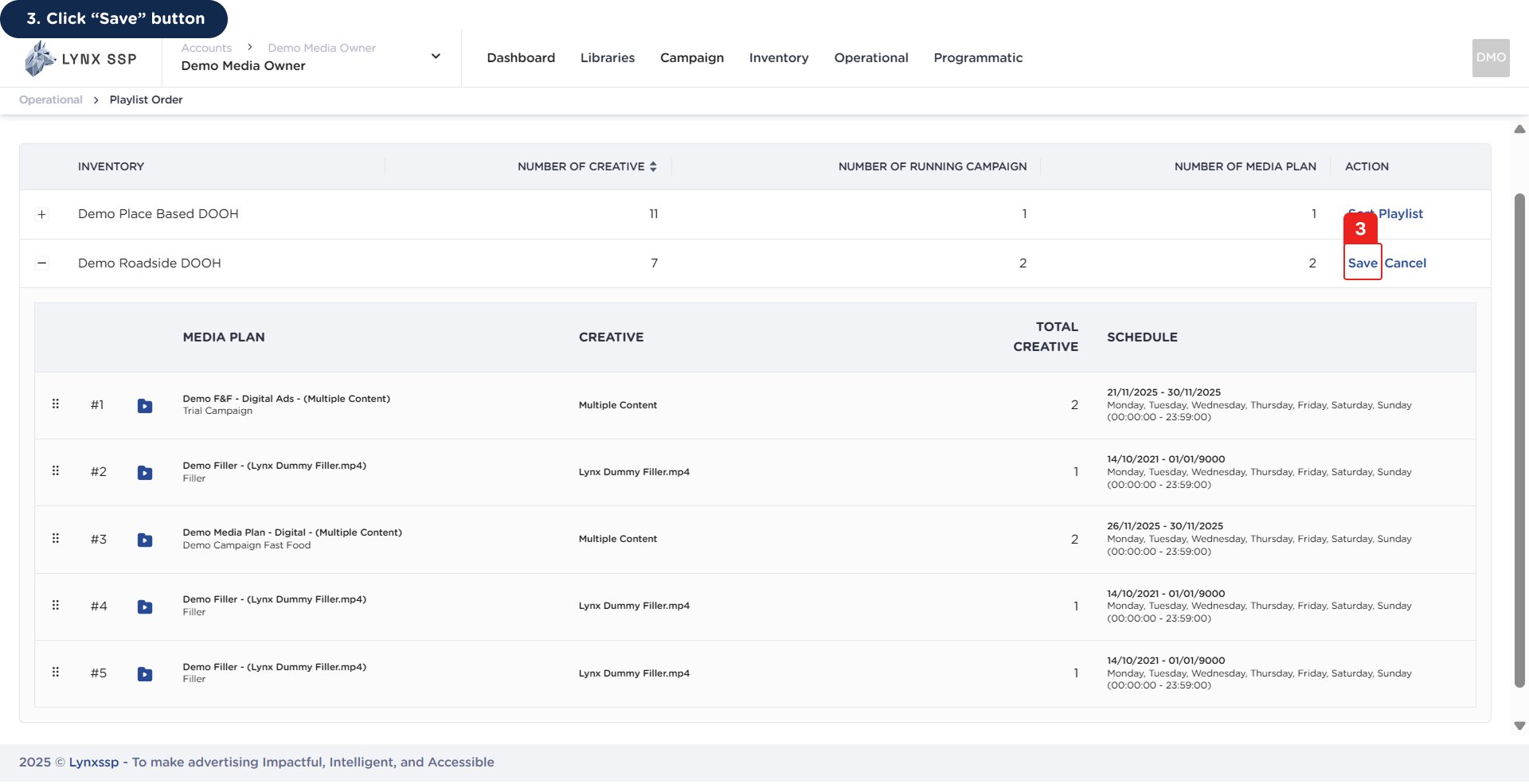
Click 'Save' button
You will then receive a notification that the playlist has been successfully changed.