Lynx SSP Documentation home page
Search...
⌘K
Support
Dashboard
Dashboard
Search...
Navigation
View Your Media Plan
Edit a Media Plan
Documentation
User Guideline
Programmatic
API Reference
Getting Started on the Lynx SSP
Overview
Access Lynx SSP Platform
Introduction
Inventory
Display
Specification, Type & Category
DOOH
OOH
View Your Display
Geofence
Schedule
Creative Management
Media Library
Filler Content
Campaign Management
Campaign
Create a Campaign
How to Create
Campaign Information
Media Plan
Create a Media Plan
Schedules
Inventories
Creatives
Generate Report
Launch Media Plan
Force Complete Media Plan
Ad Measurement
Proof of Play
View Your Media Plan
Edit a Media Plan
Delete a Media Plan
Reports
Operational
Playlist Order
Settings
Manage Profile
Change Password
Members Management
Brands Management
View Your Media Plan
Edit a Media Plan
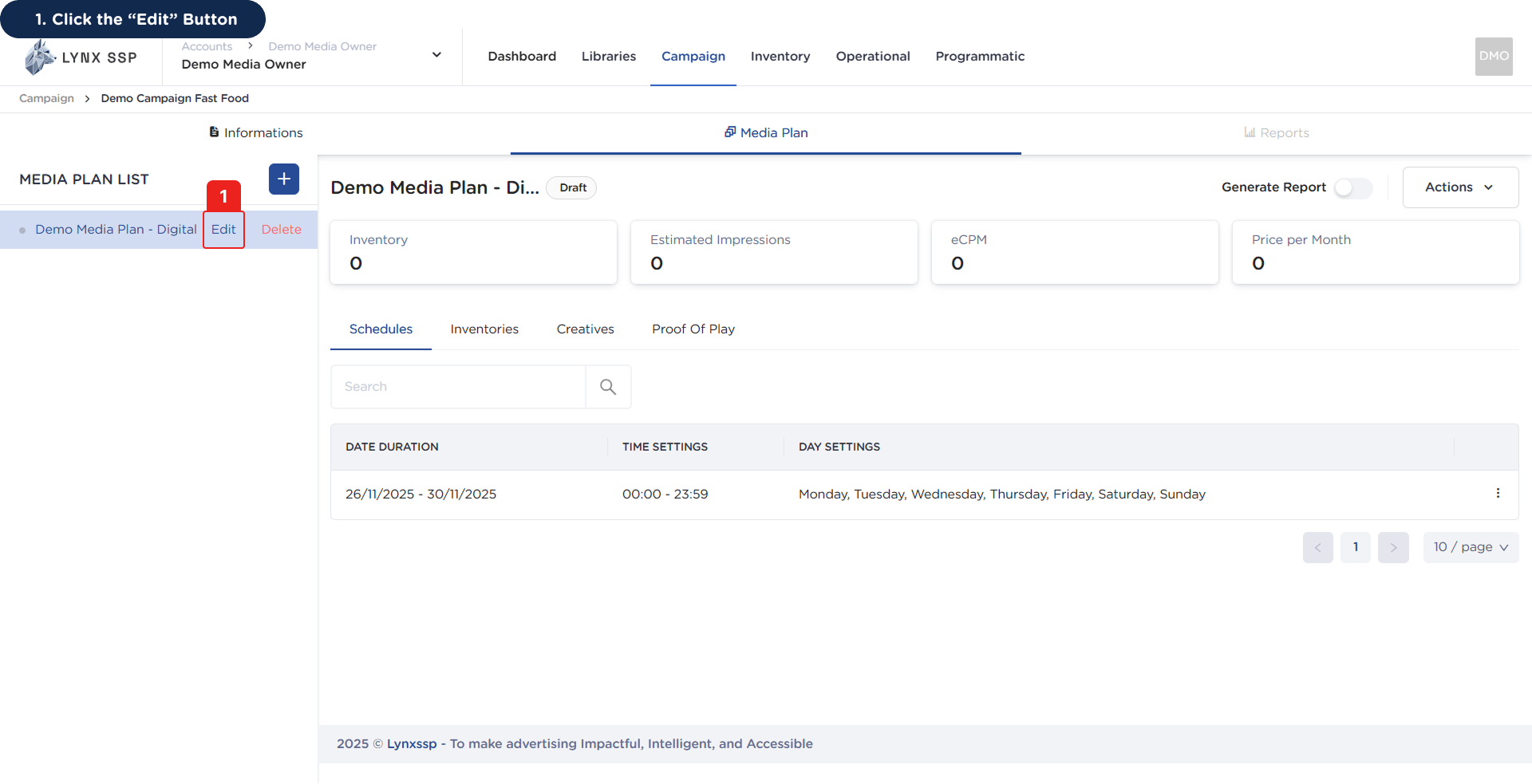
If there is a change to the name of your media plan, you can change or edit it by following these steps:
1
Click the “Edit” Button
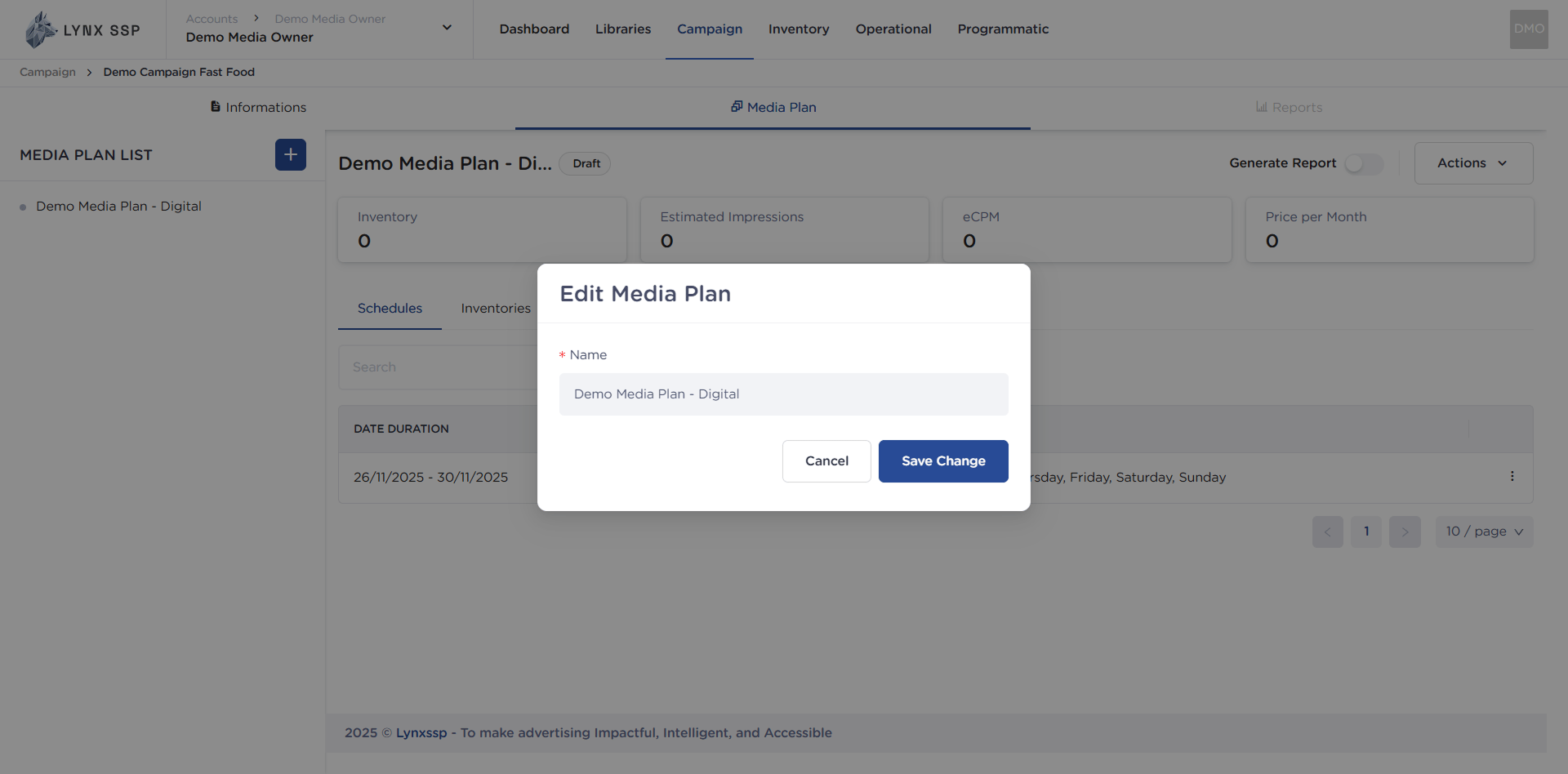
This will display the media plan name edit form.
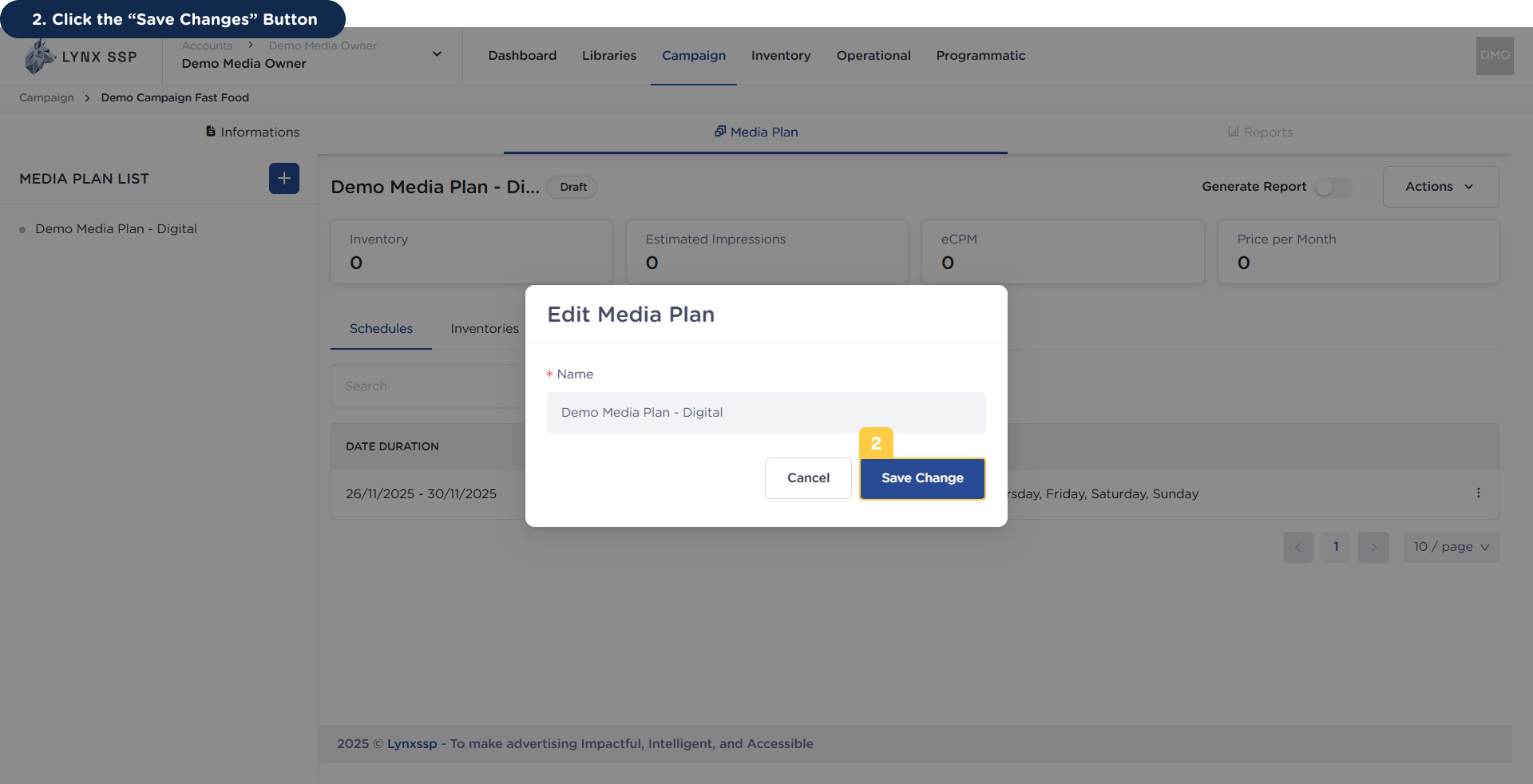
2
Click the “Save Changes” Button
Once you have finished making changes, press the
“Save Changes”
button to save the modified data.
Delete Proof of Play
Delete a Media Plan
⌘I