Lynx SSP Documentation home page
Search...
⌘K
Support
Dashboard
Dashboard
Search...
Navigation
View Your Campaign
Delete a Campaign
Documentation
User Guideline
Programmatic
API Reference
Getting Started on the Lynx SSP
Overview
Access Lynx SSP Platform
Introduction
Inventory
Display
Specification, Type & Category
DOOH
OOH
View Your Display
Geofence
Schedule
Creative Management
Media Library
Filler Content
Campaign Management
Campaign
Overview
Campaign Label
Campaign Type
Campaign Status
View Your Campaign
Edit a Campaign
Delete a Campaign
Create a Campaign
Reports
Operational
Playlist Order
Settings
Manage Profile
Change Password
Members Management
Brands Management
View Your Campaign
Delete a Campaign
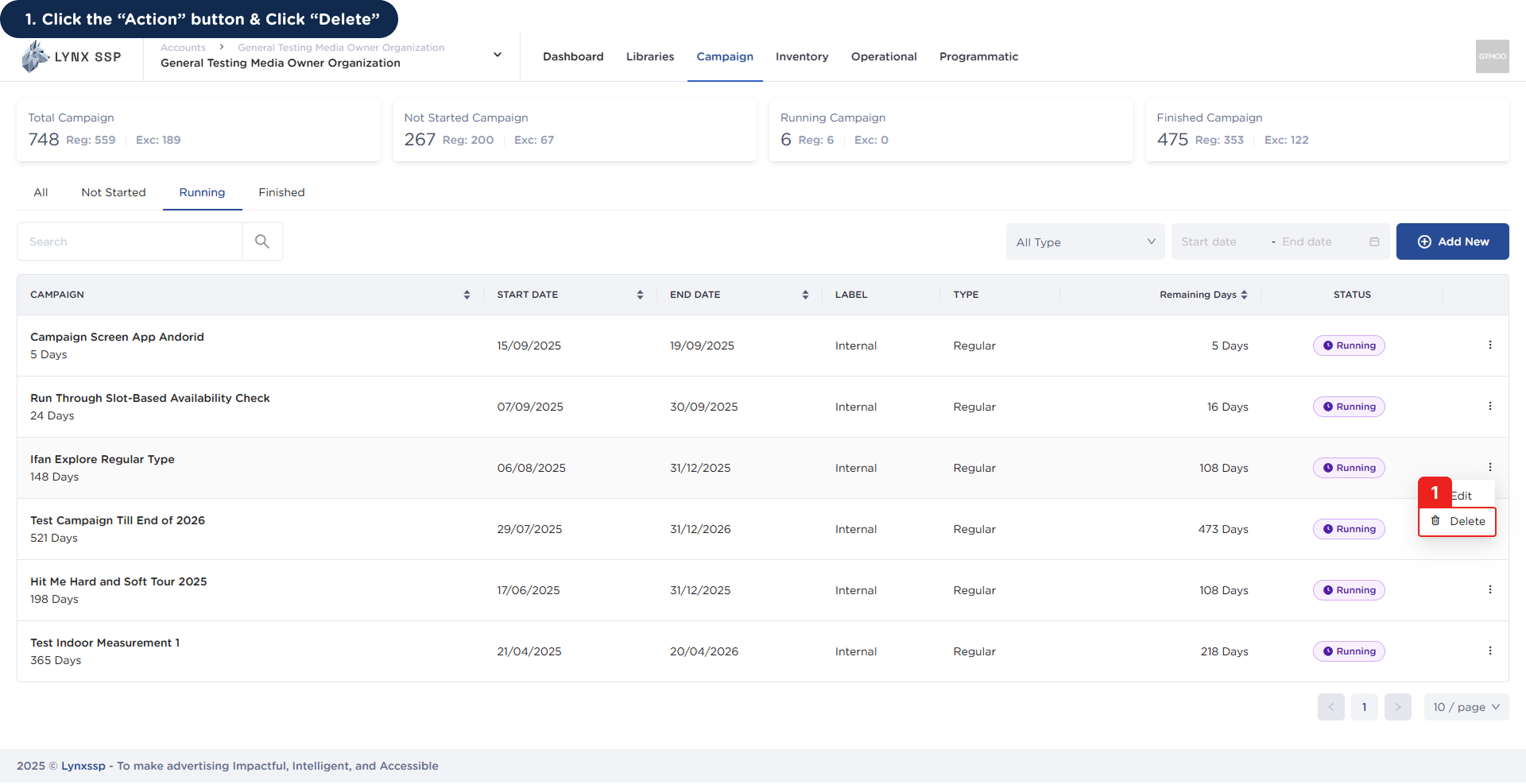
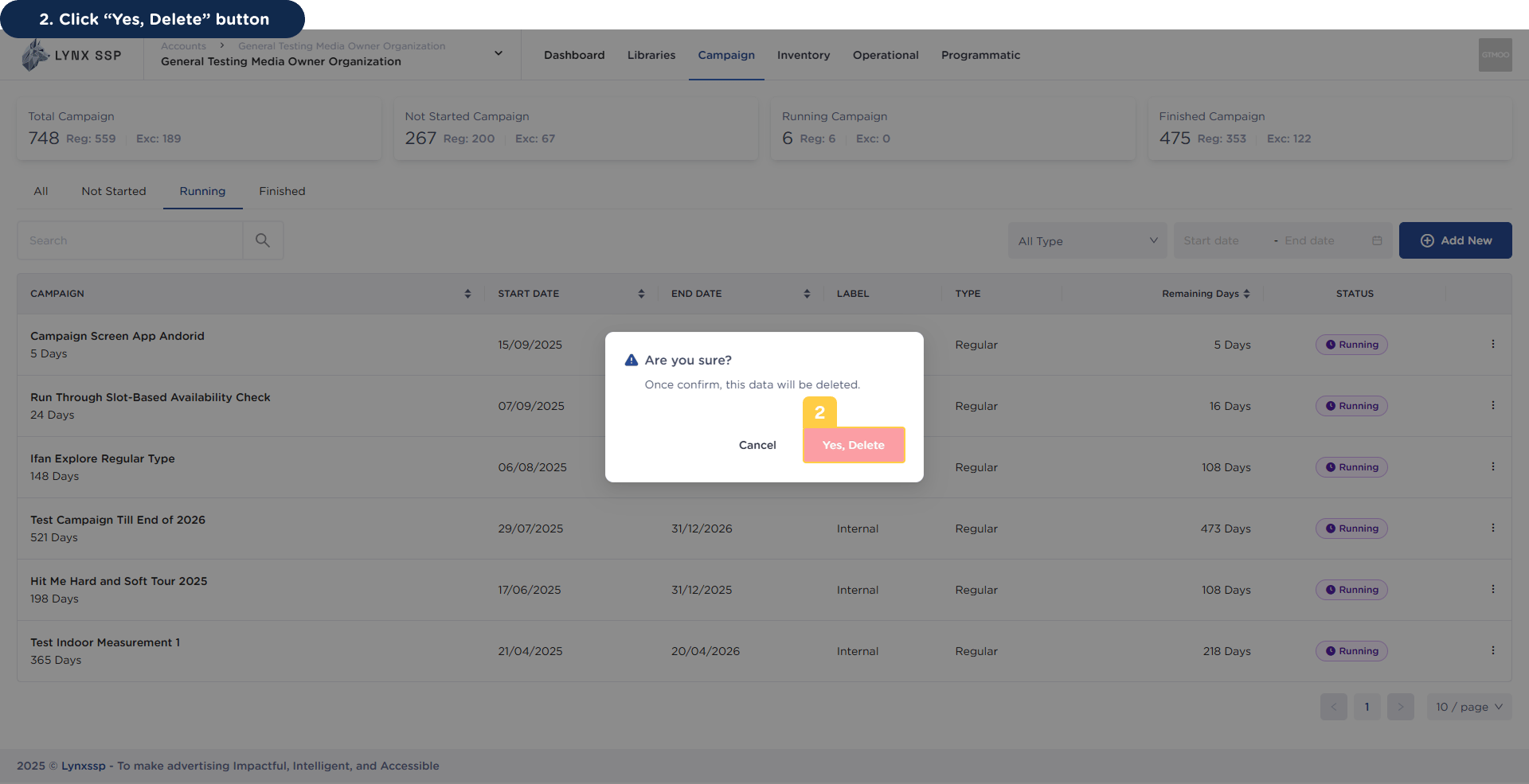
You can delete a campaign by following these steps:
1
Click the 'Action' Button & Click 'Delete'
2
Click 'Yes, Delete' Button
You will then receive a notification that the campaign has been successfully deleted.
Edit a Campaign
How to Create
⌘I