If there are changes to the information in your campaign, you can change or edit it by following these steps:
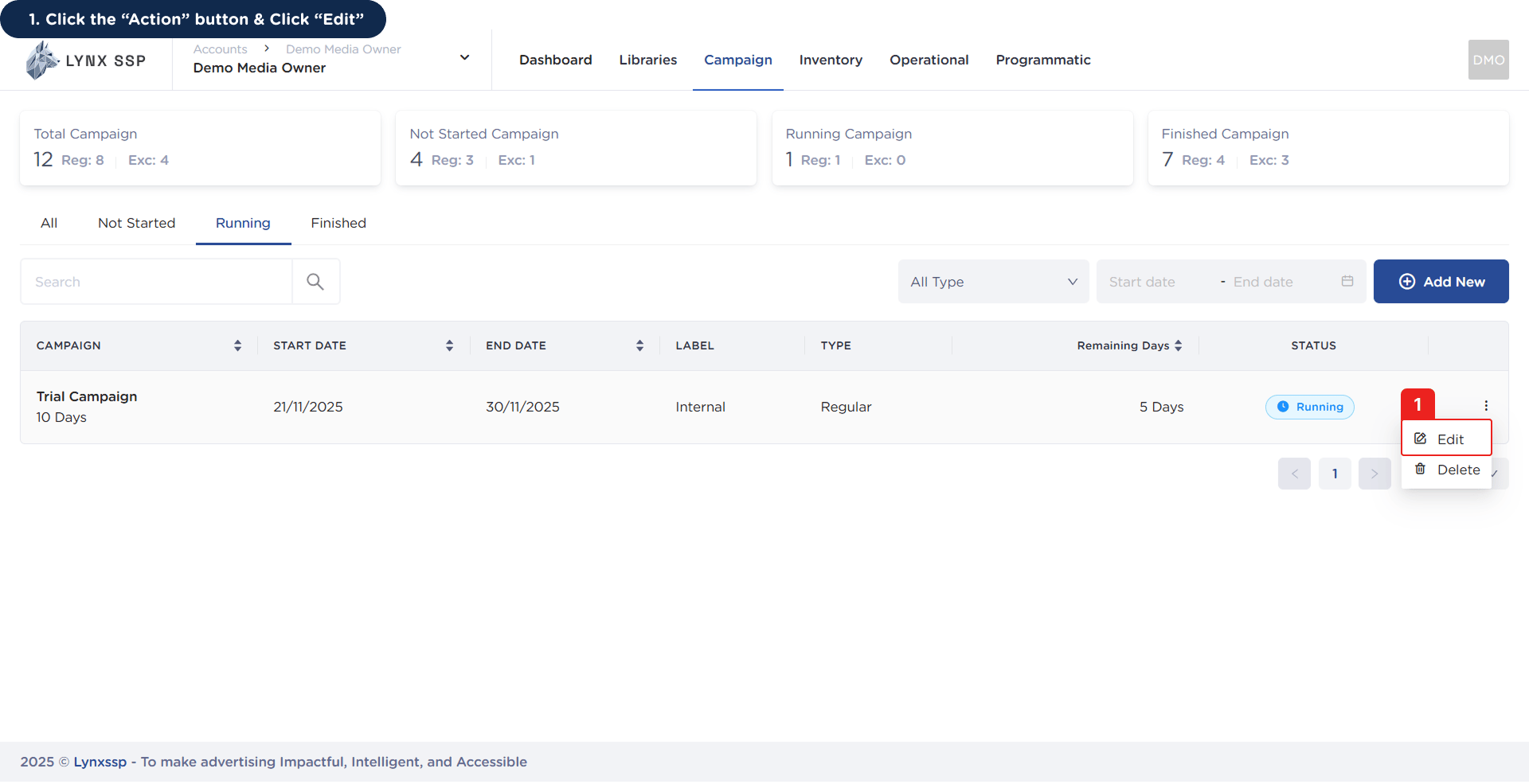
1
Click the 'Action' Button & Click 'Edit'
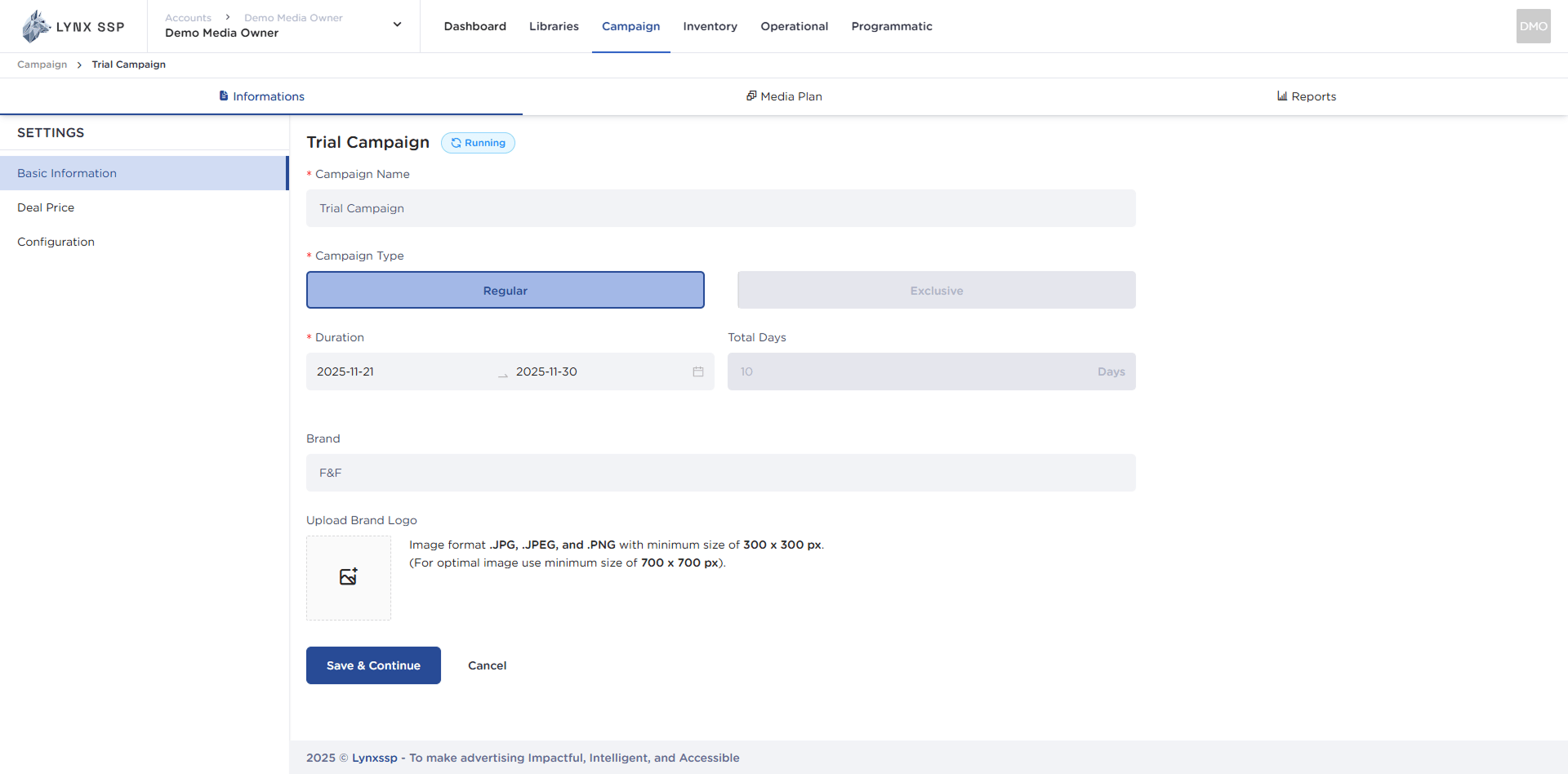
This will display the campaign information details page that will be changed or edited.
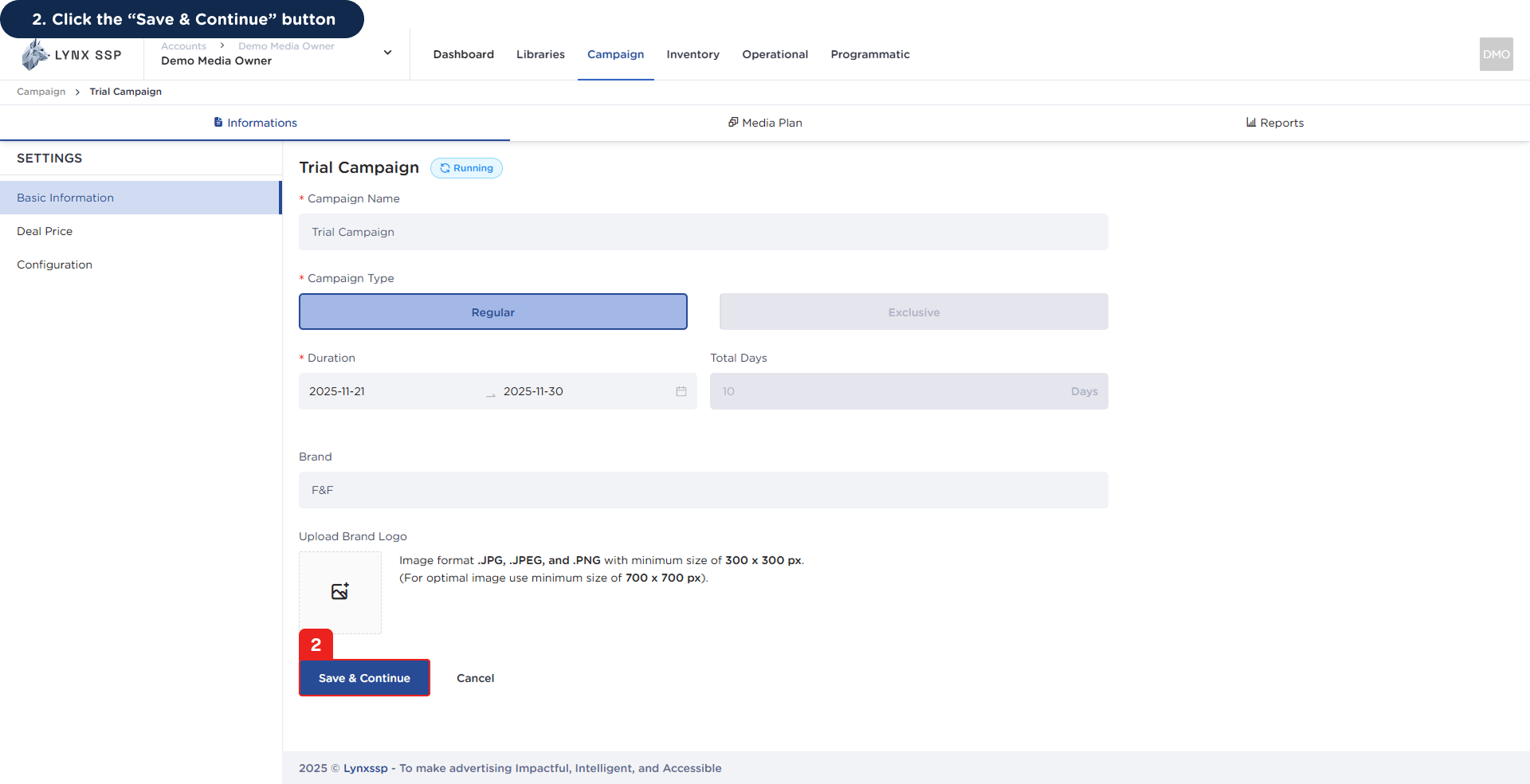
2
Click the “Save & Continue” Button
Once you have finished making changes, click the “Save & Continue” button to save the changed data.You will then receive a notification that the campaign data has been successfully edited.