

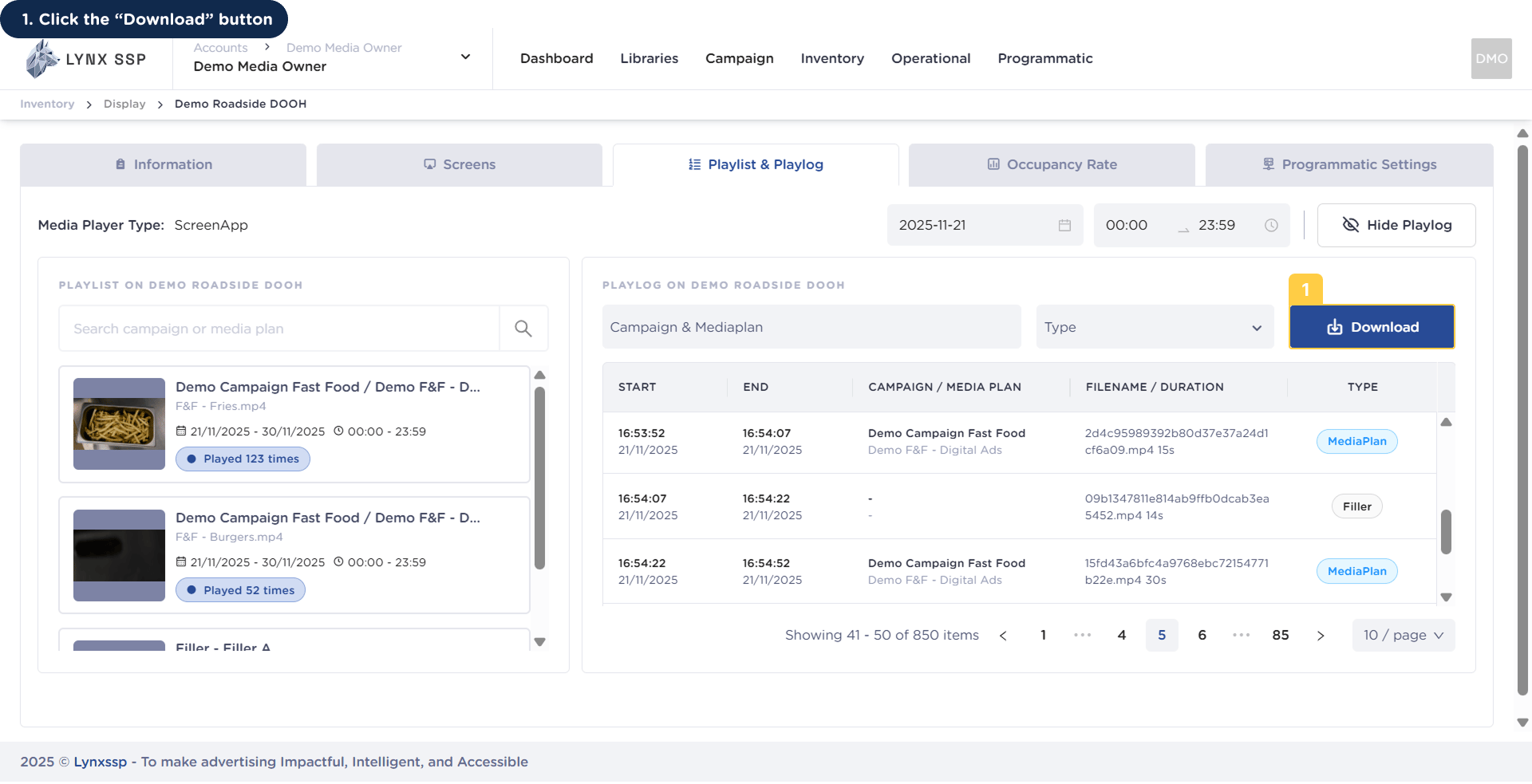
1
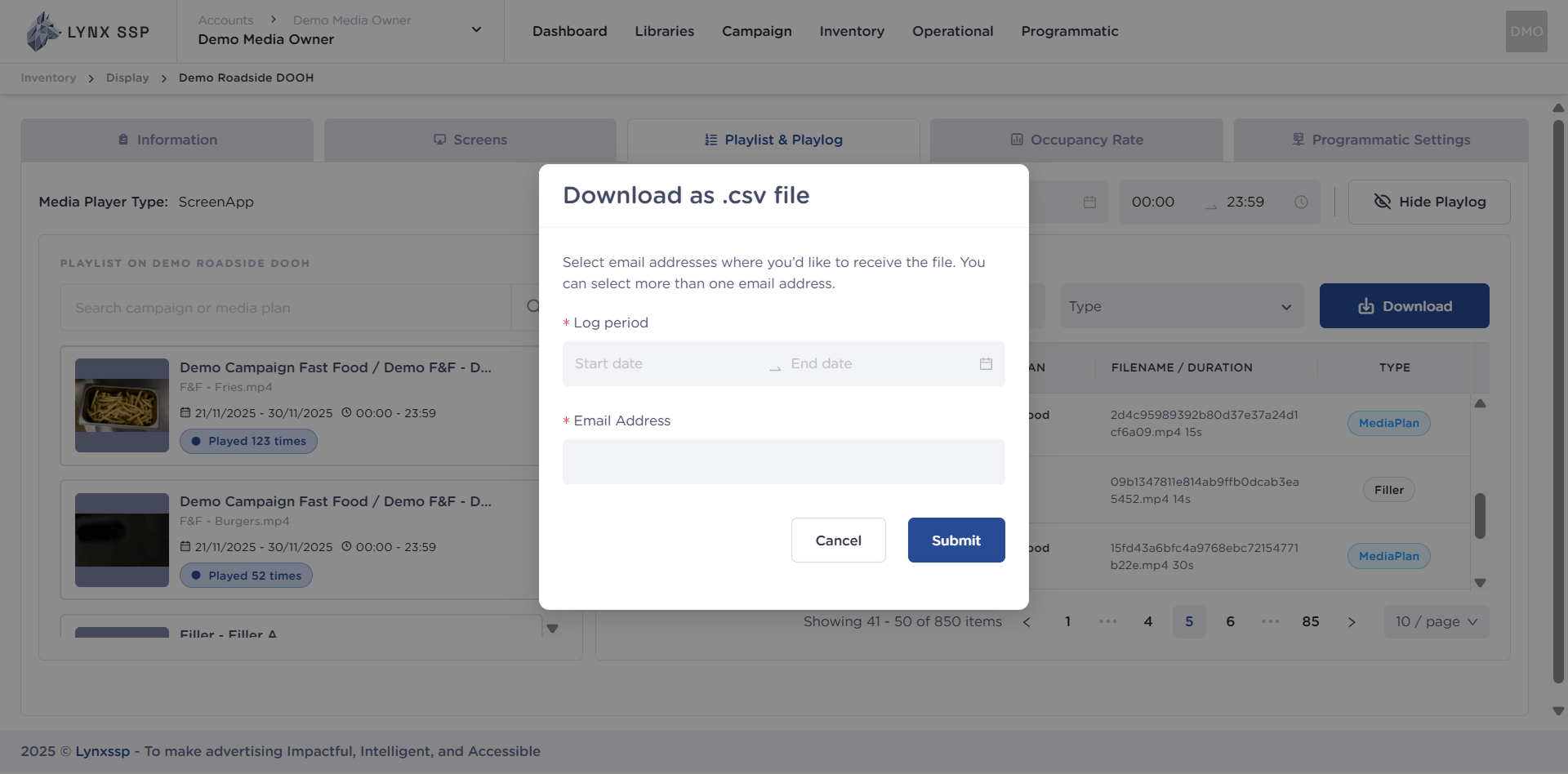
Click the “Download” Button
2
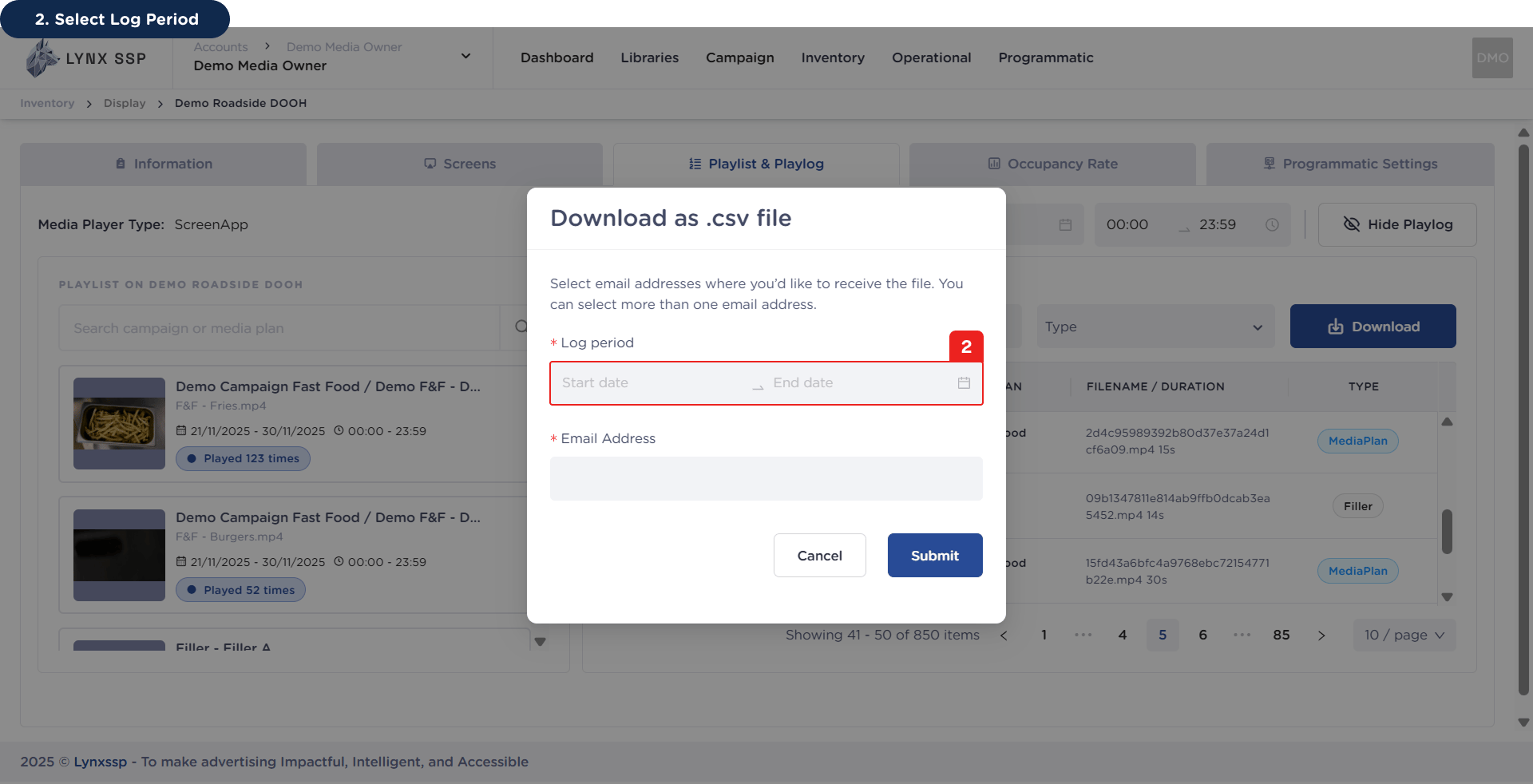
Select Log Period (Required)
3
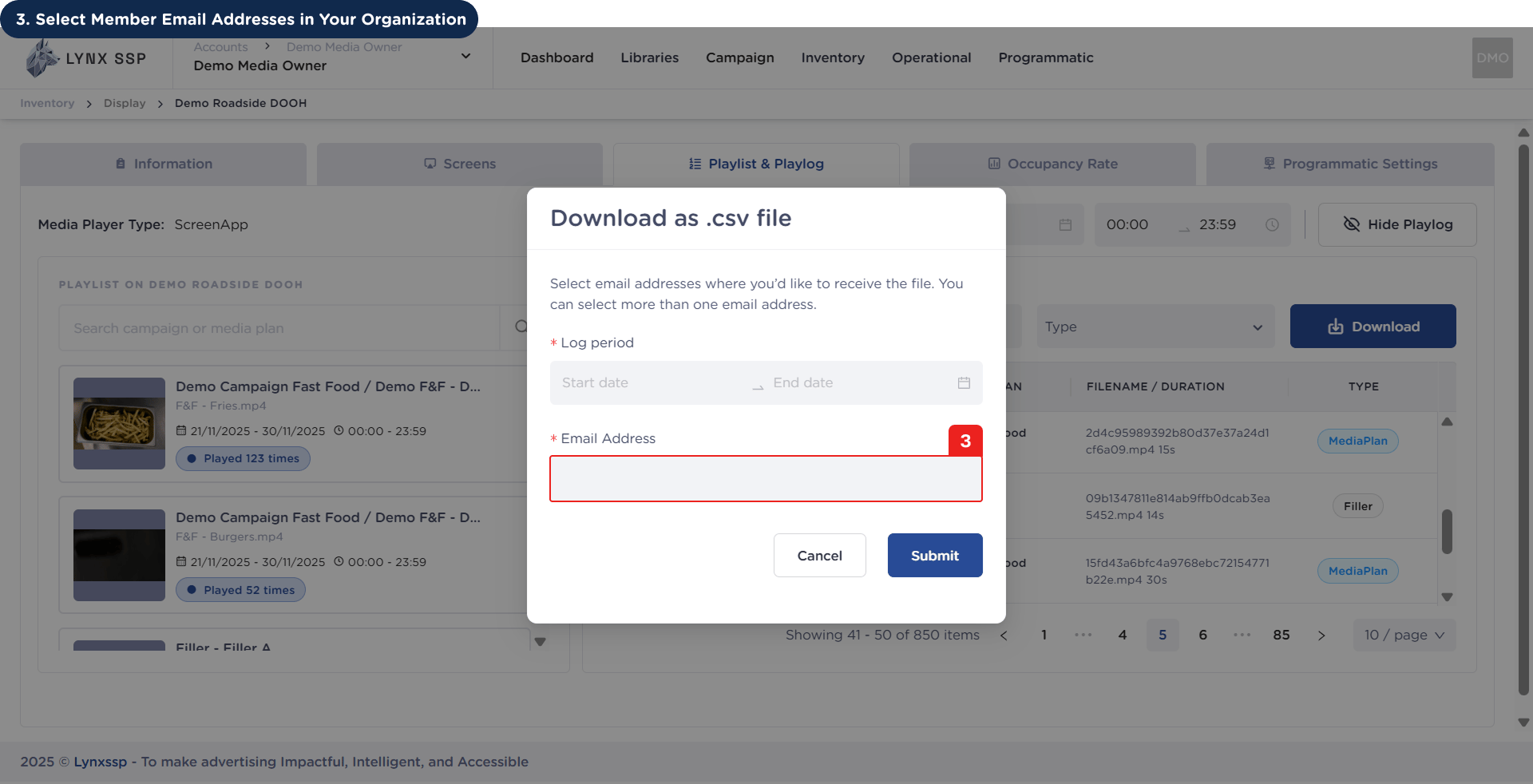
Select Member Email Addresses in Your Organization (Required)
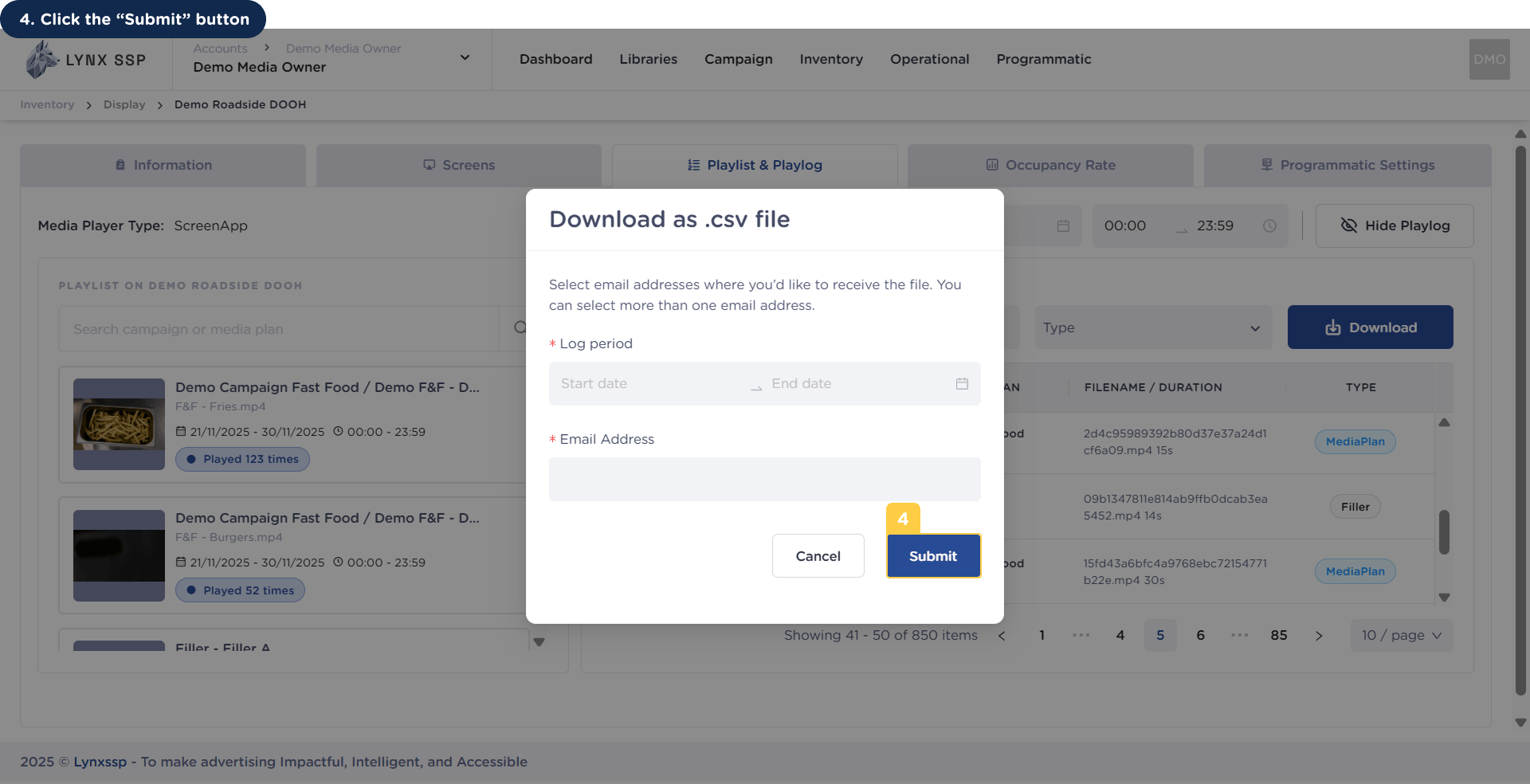
4
Click the “Submit” Button
Click the “Download” Button
Select Log Period (Required)
Select Member Email Addresses in Your Organization (Required)
Click the “Submit” Button