

1
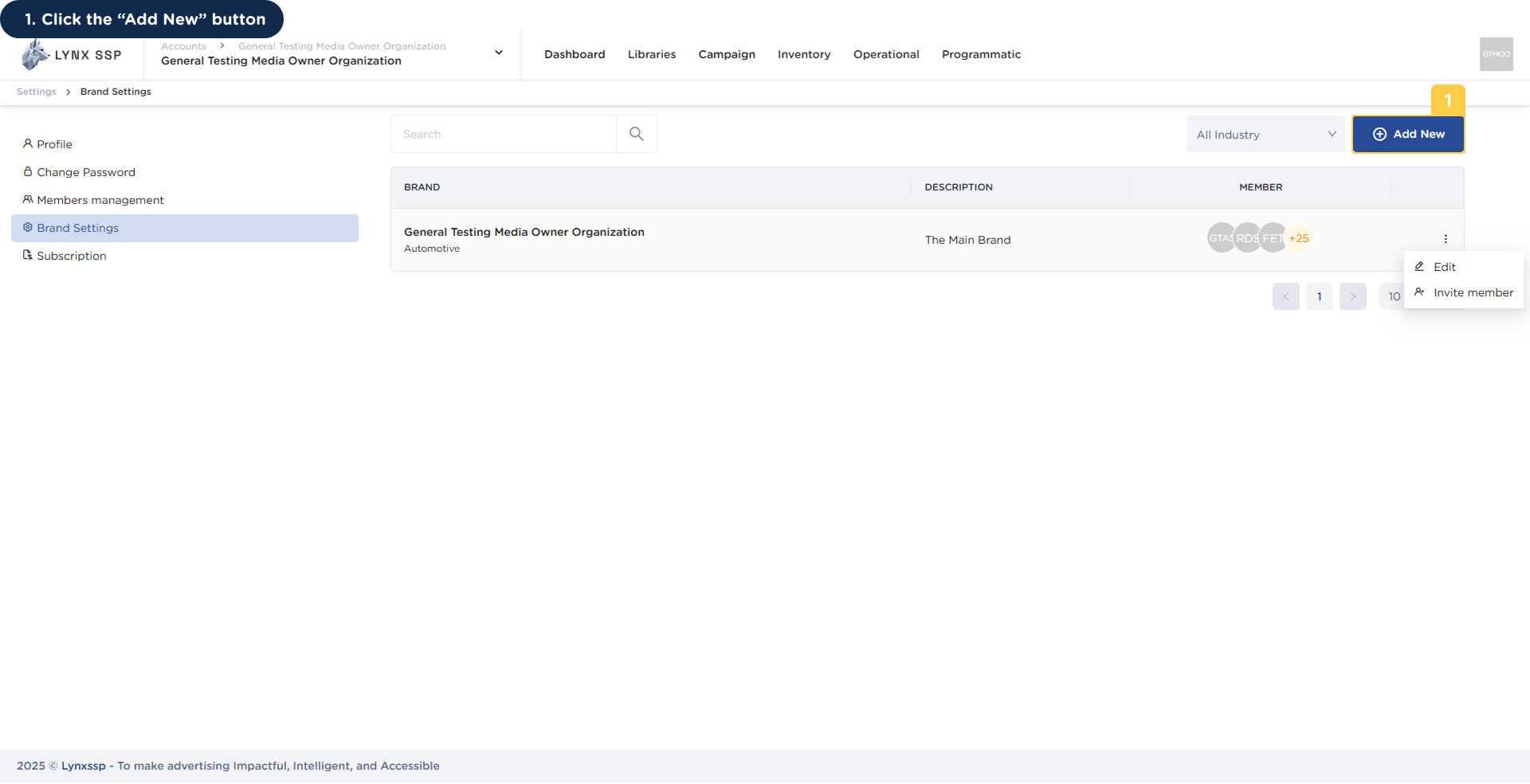
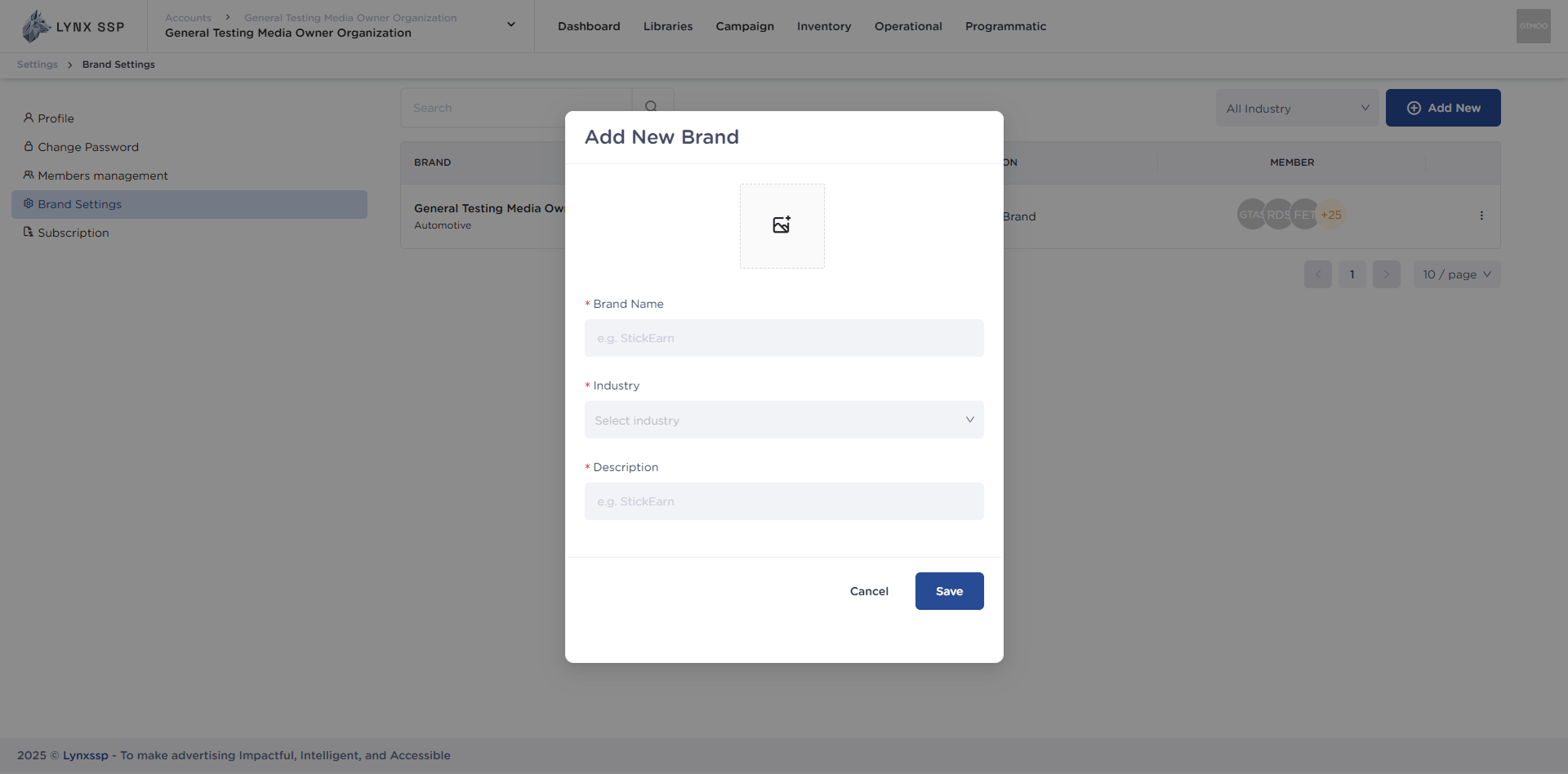
Click the “Add New” Button
2
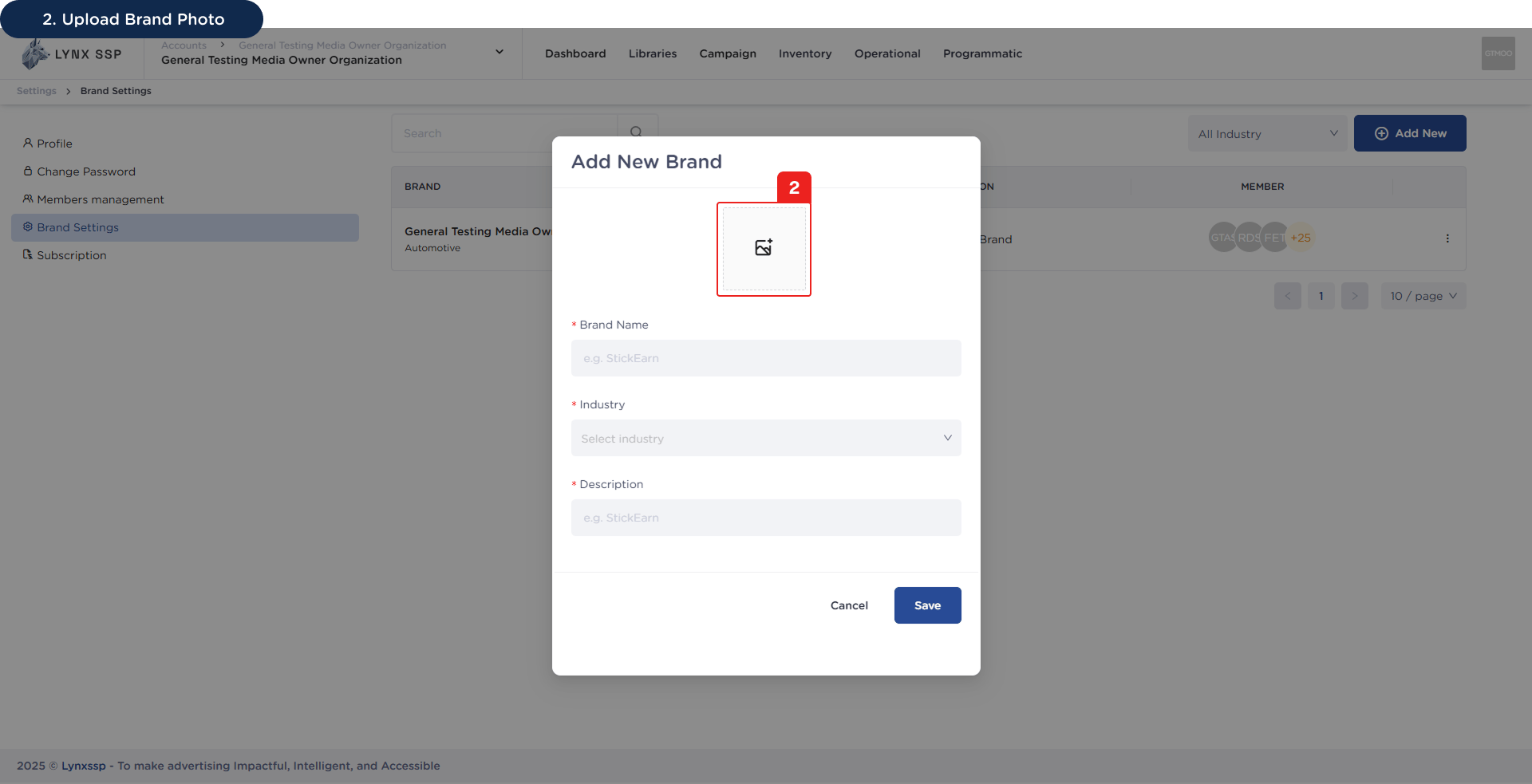
Upload Brand Photo (Optional)
3
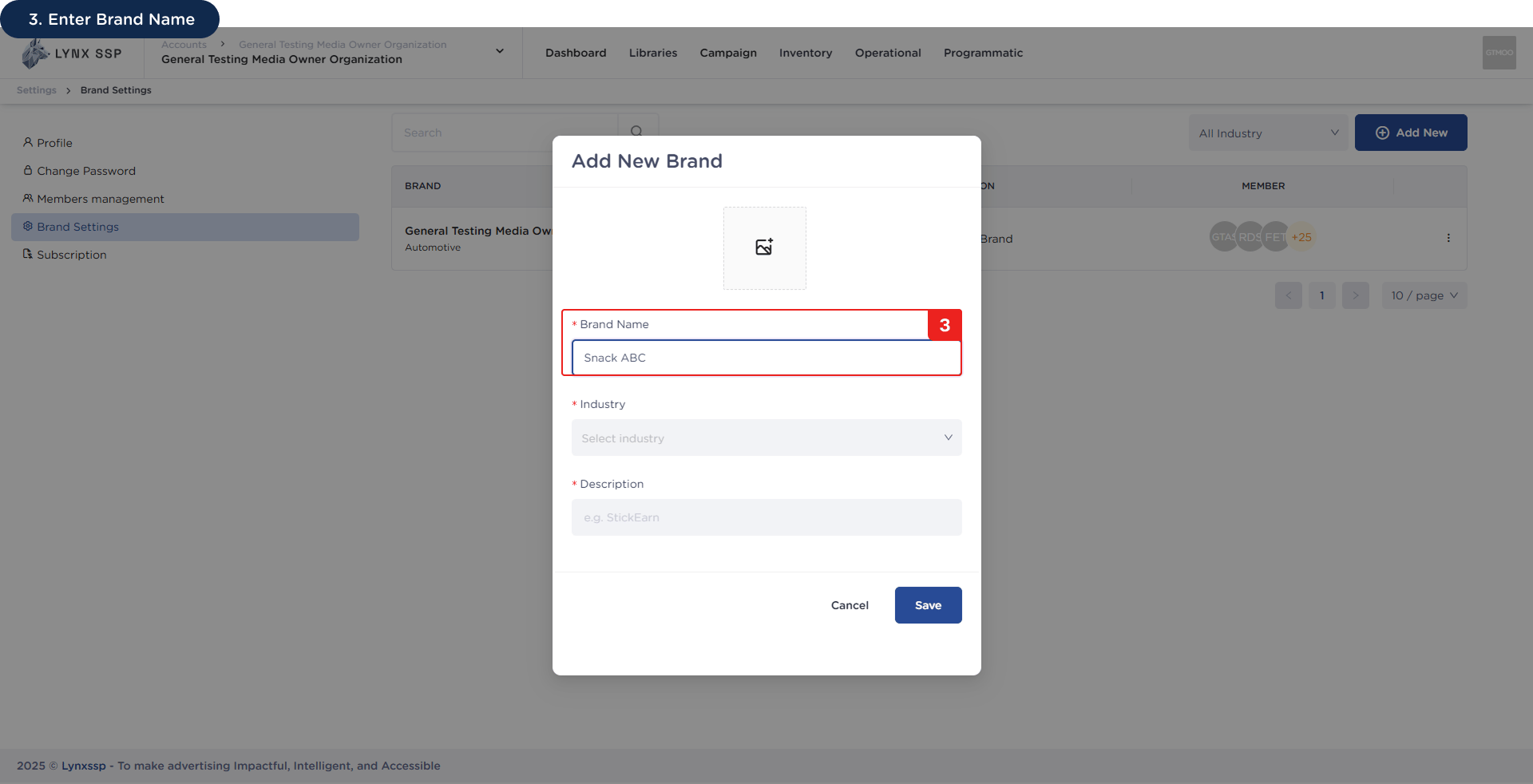
Enter Brand Name (Required)
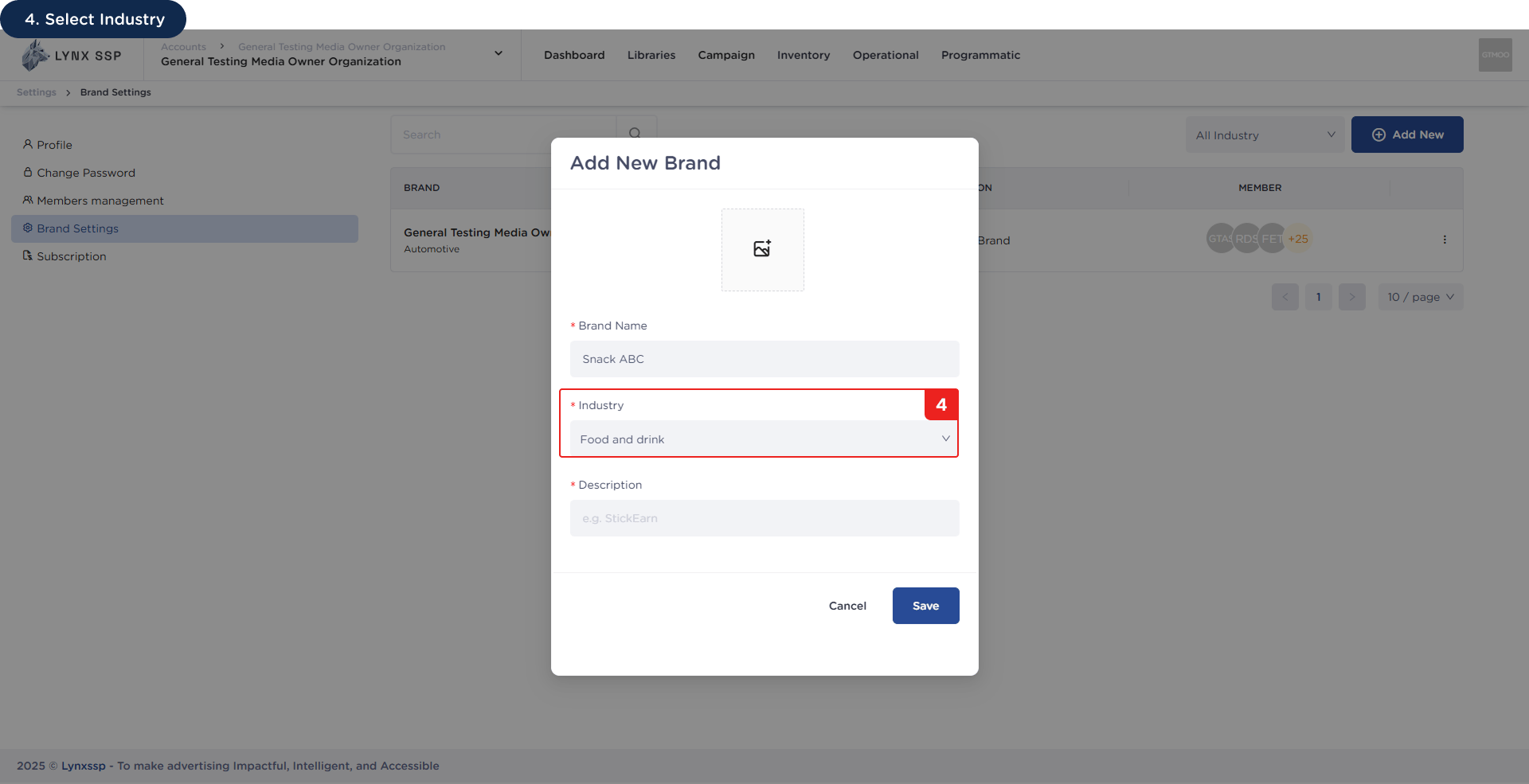
4
Select Industry (Required)
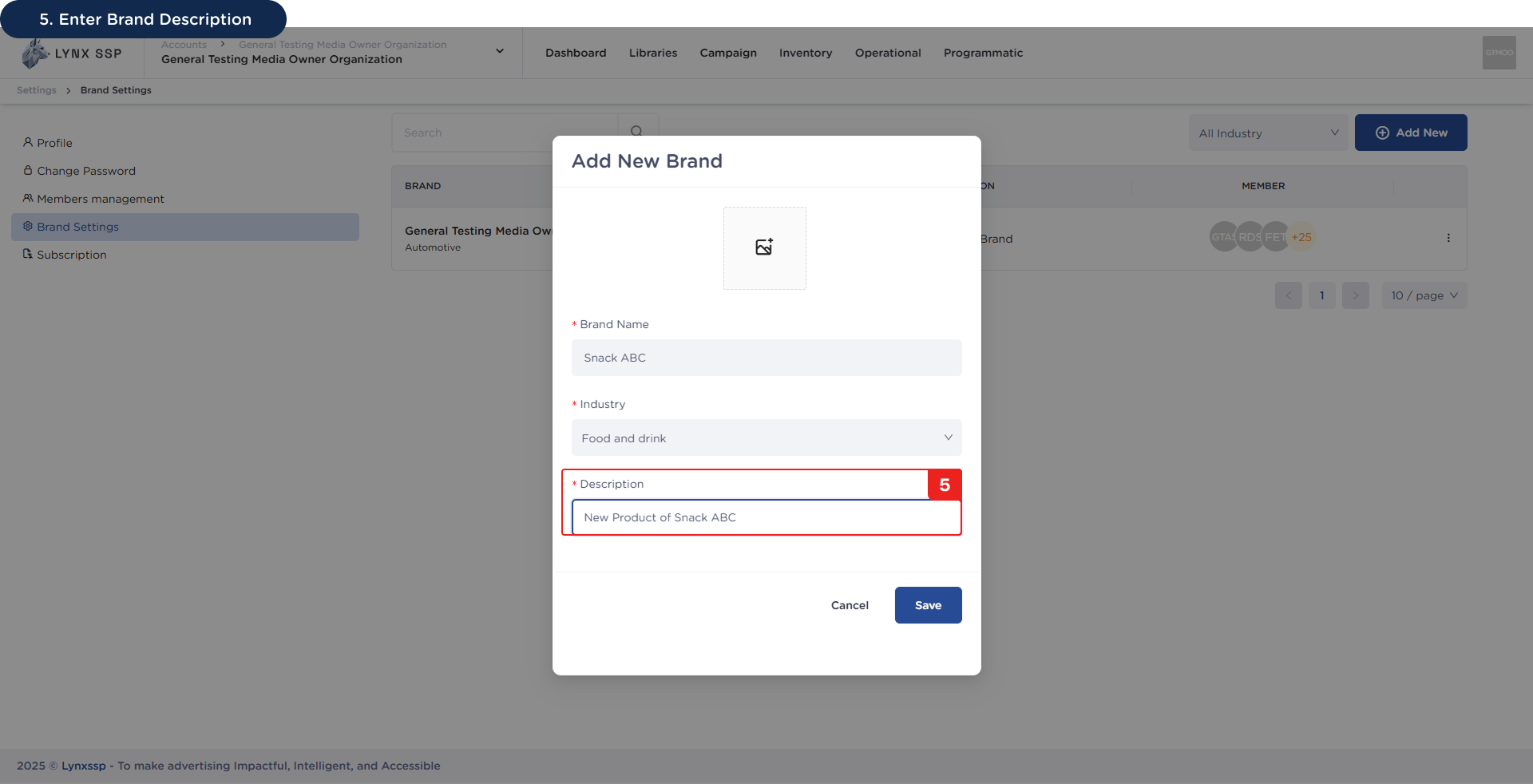
5
Enter Brand Description (Required)
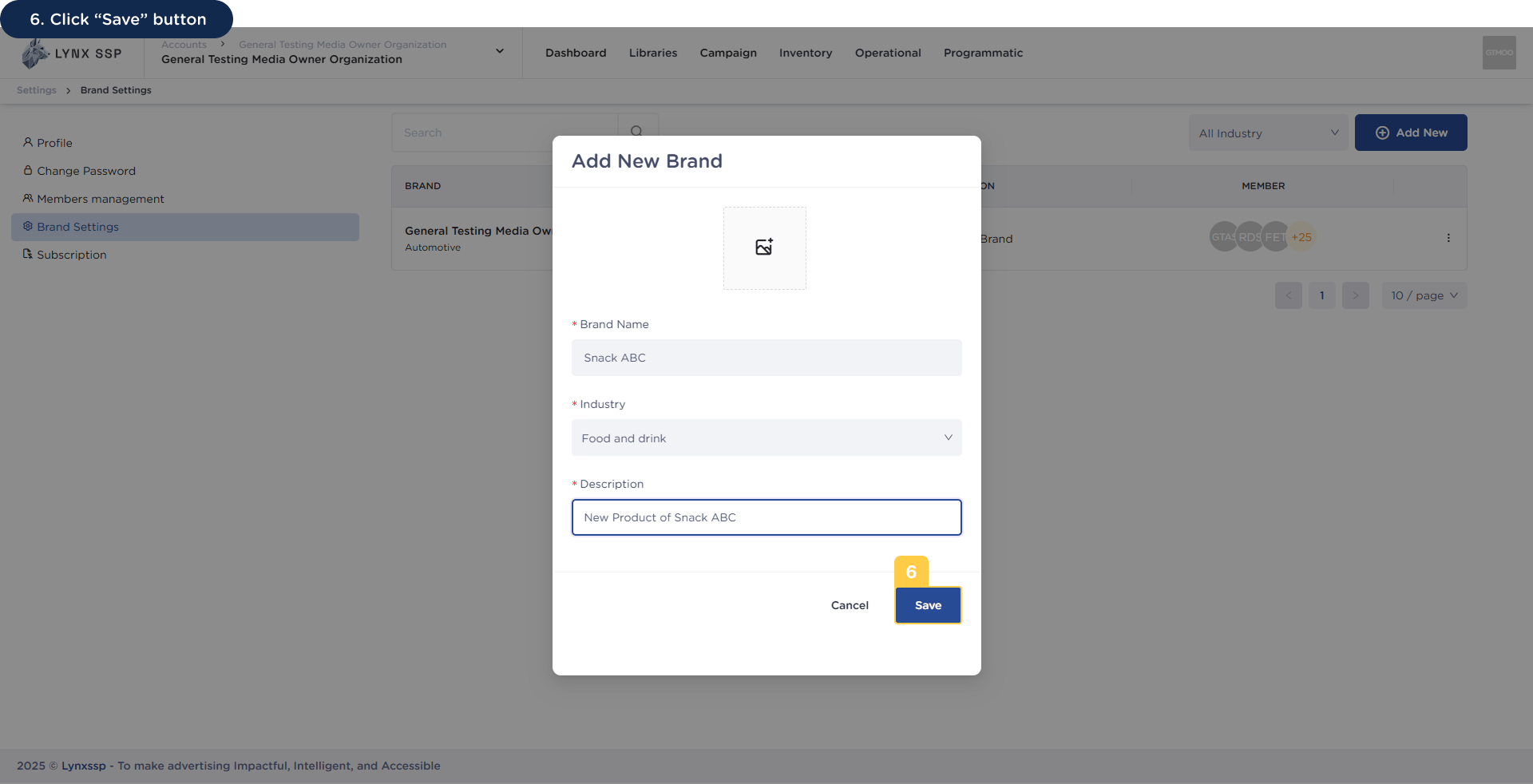
6
Click “Save” Button
Click the “Add New” Button
Upload Brand Photo (Optional)
Enter Brand Name (Required)
Select Industry (Required)
Enter Brand Description (Required)
Click “Save” Button