Documentation IndexFetch the complete documentation index at: /llms.txtUse this file to discover all available pages before exploring further.
Fetch the complete documentation index at: /llms.txt
Use this file to discover all available pages before exploring further.
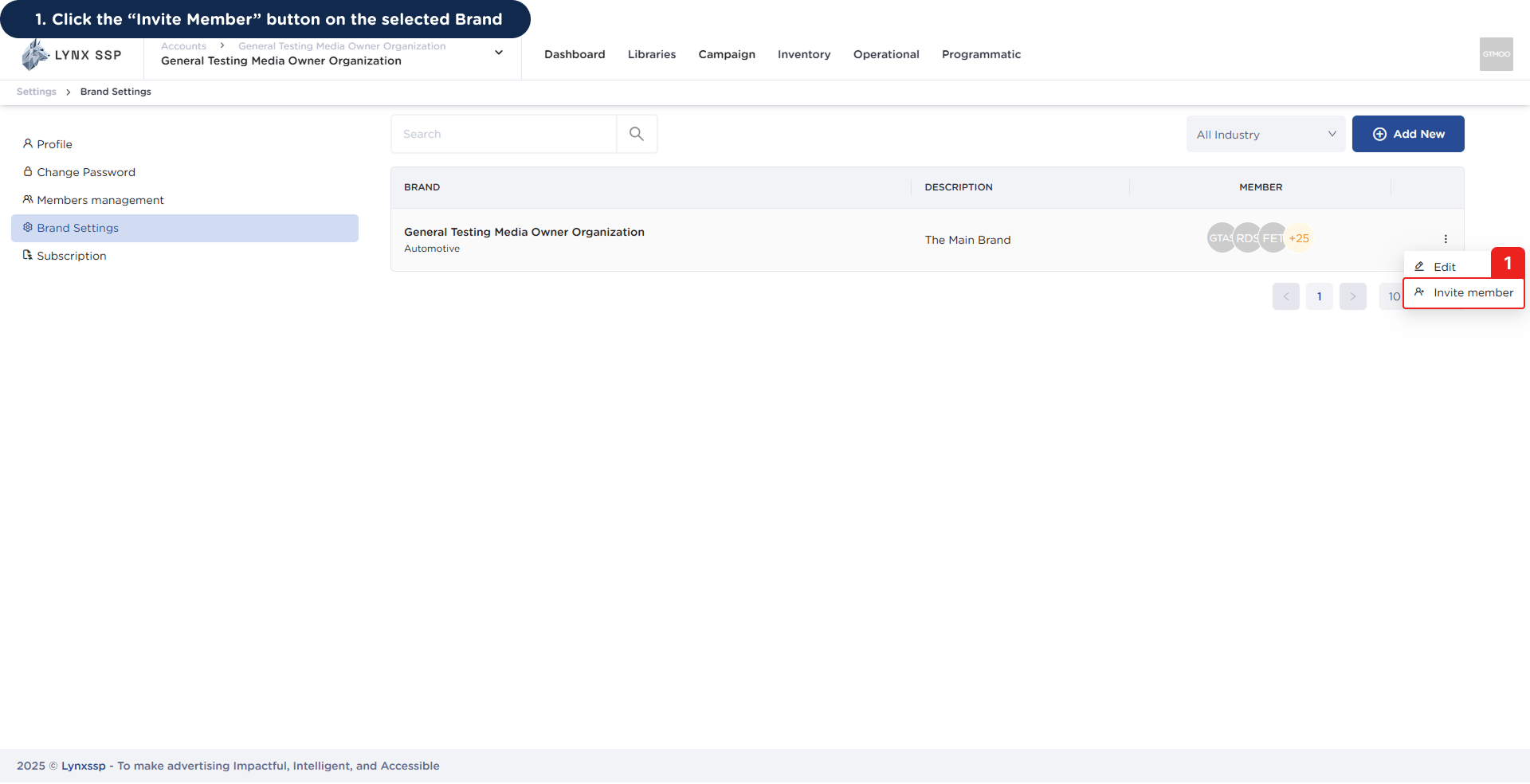
Click the “Invite Member” Button on the Selected Brand
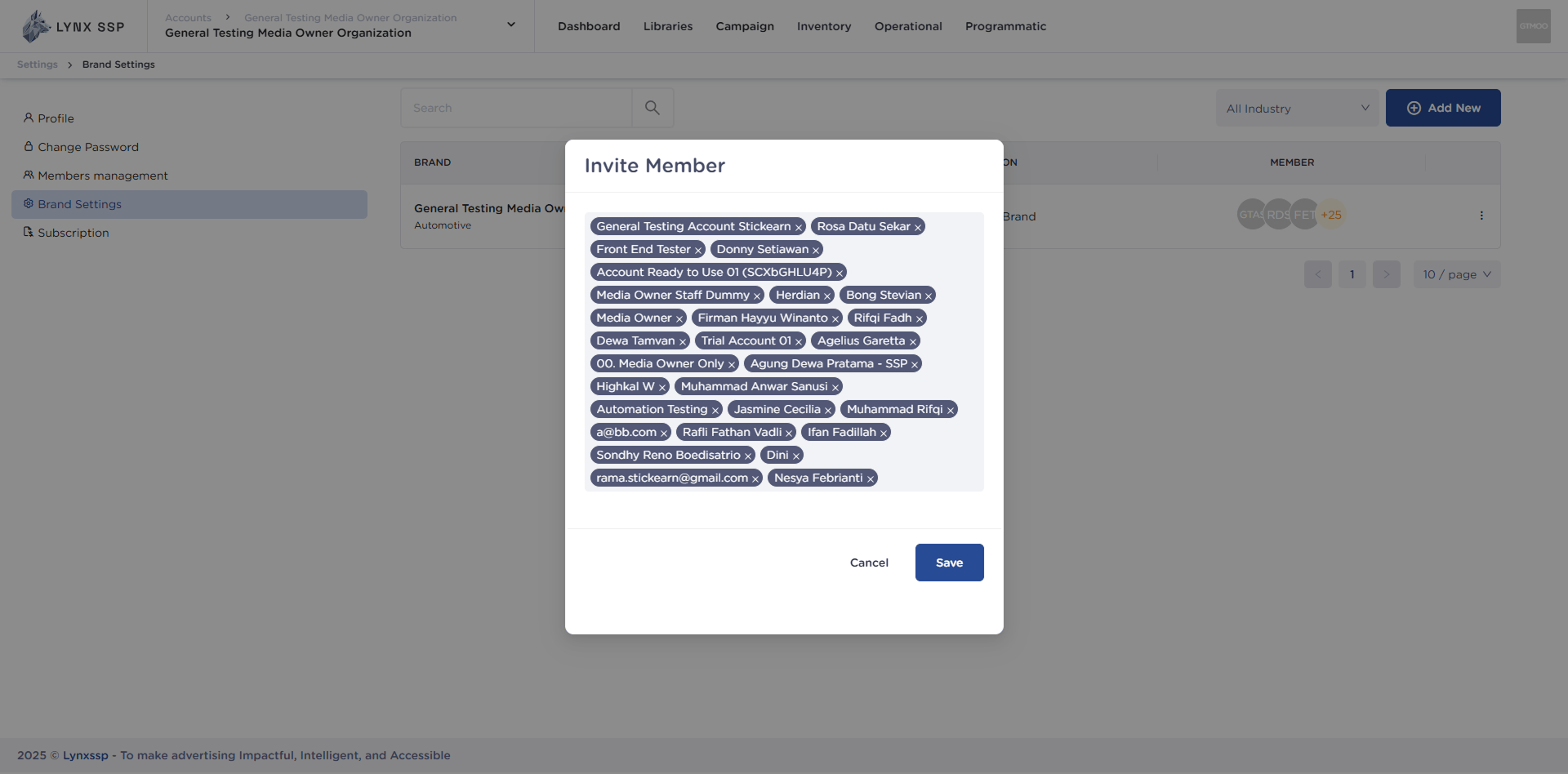
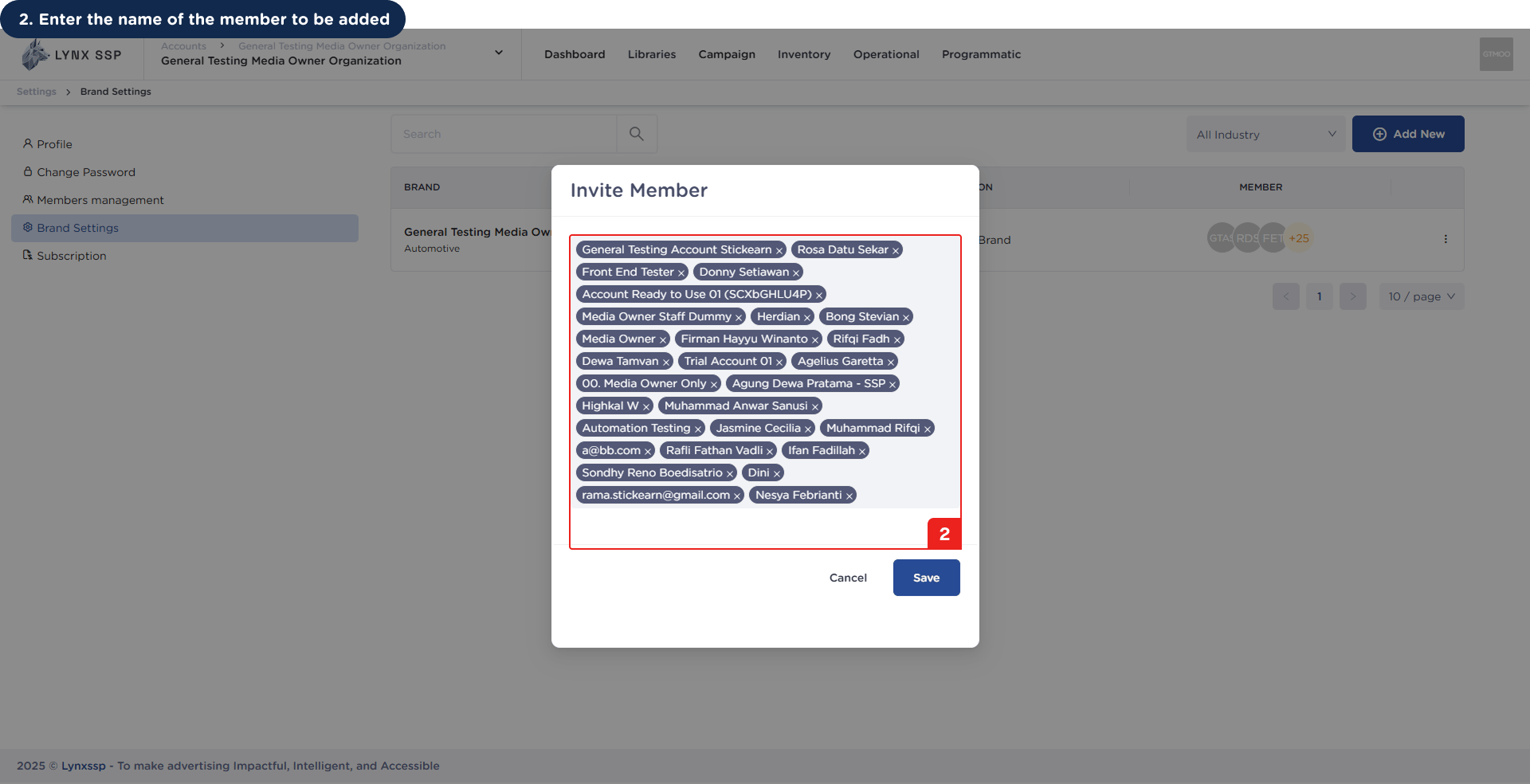
Enter the Name of the Member to be Added
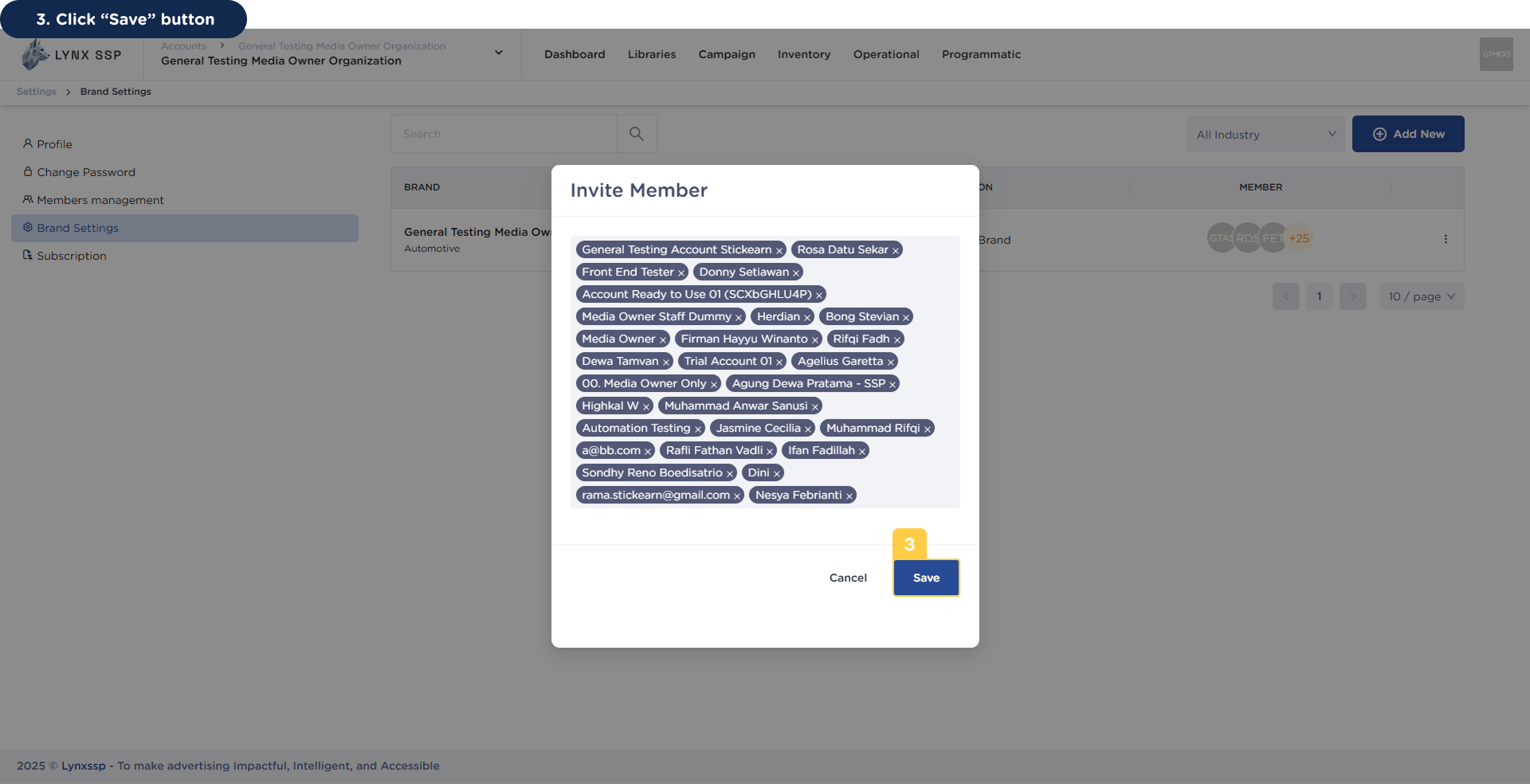
Click “Save” Button