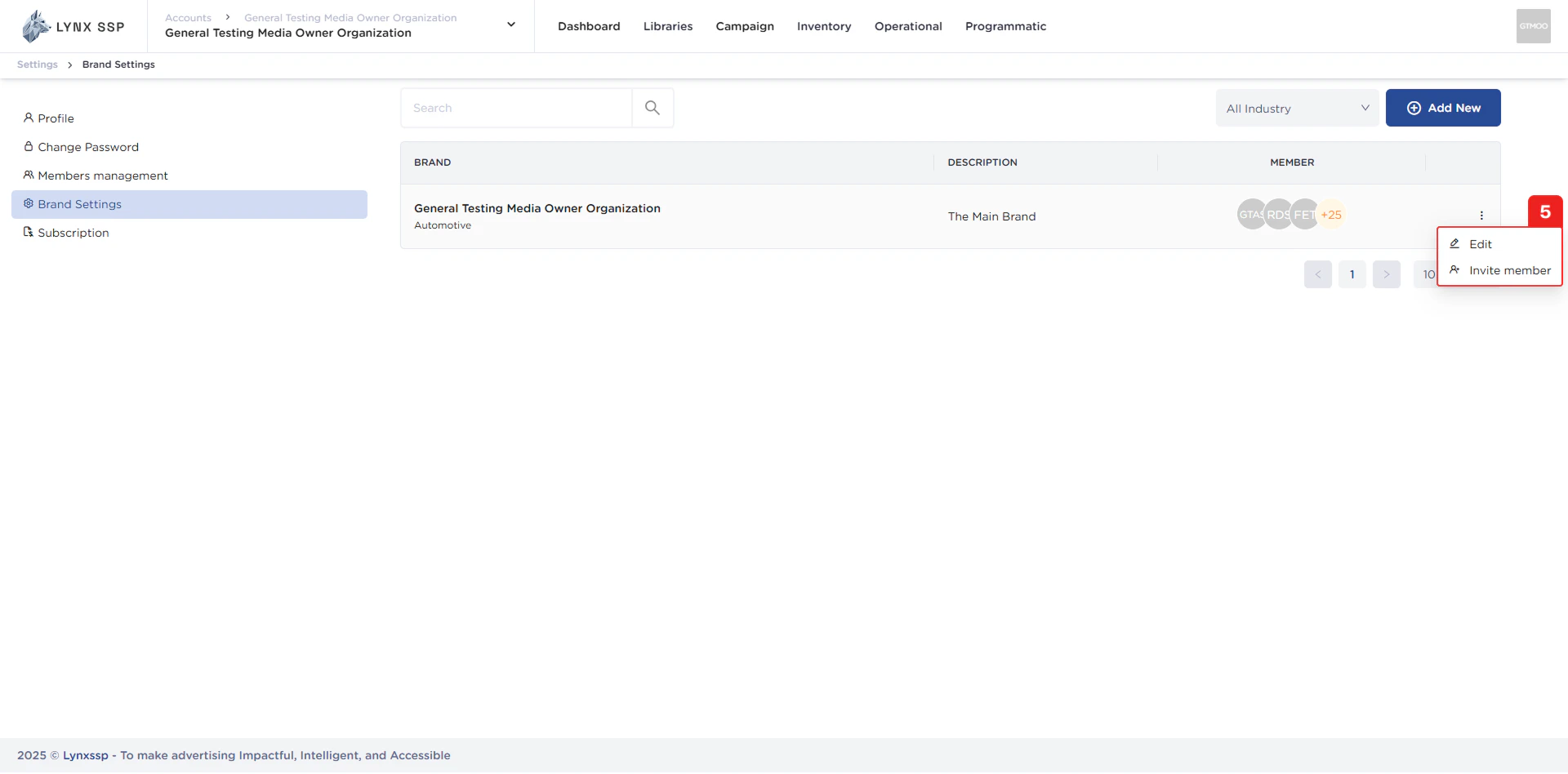
Accessing Brand Management Page
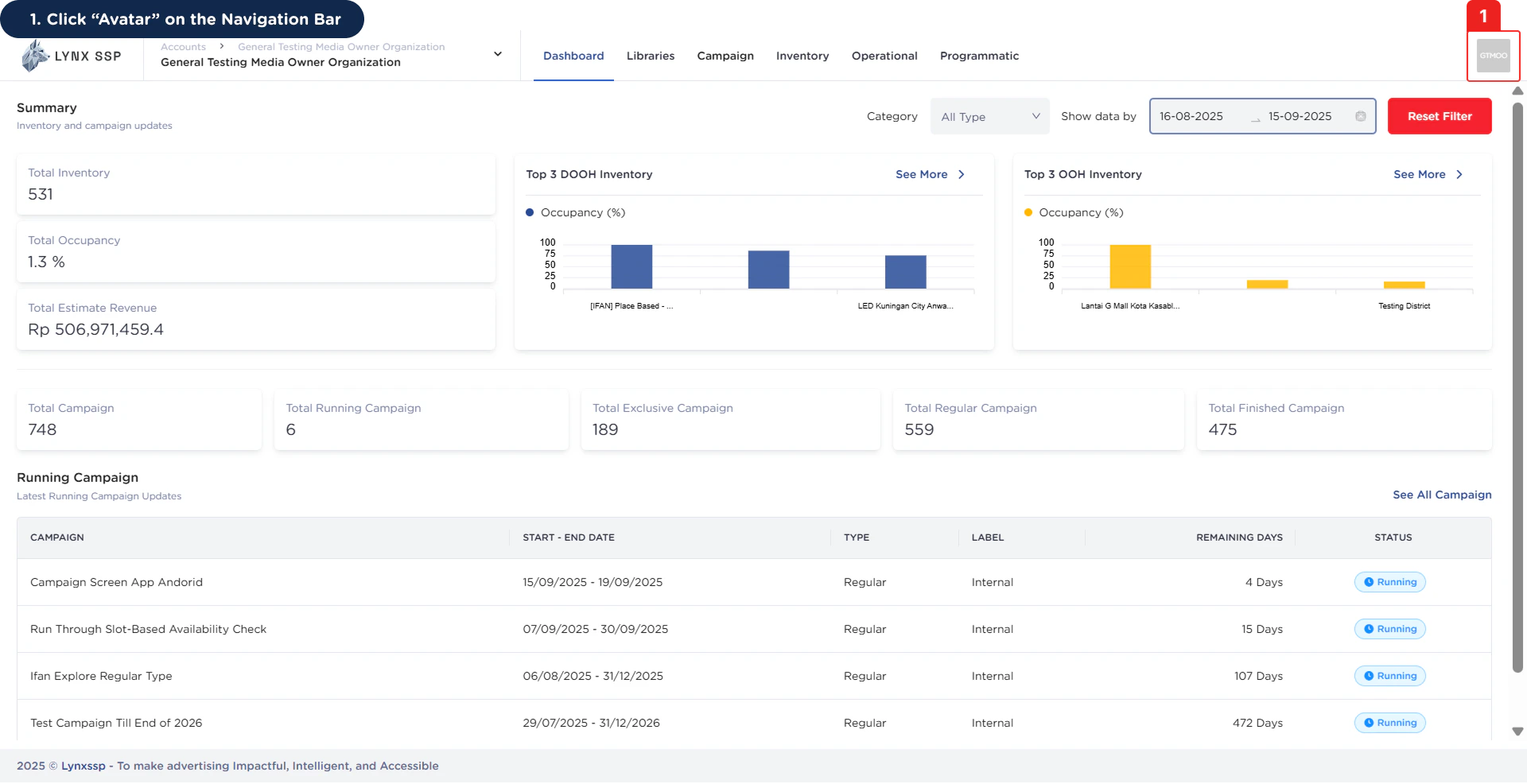
1
Click “Avatar” on the Navigation Bar
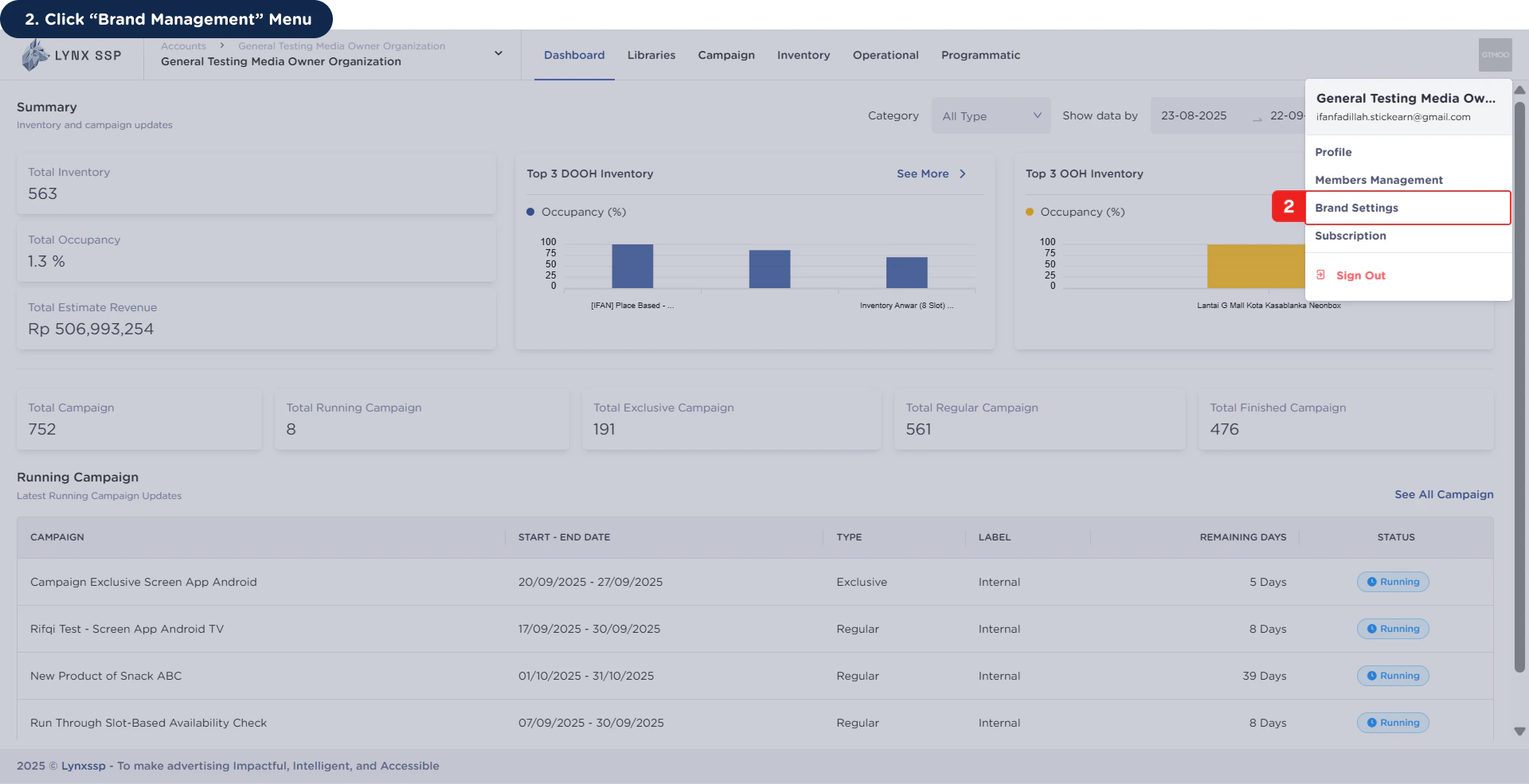
2
Click “Brand Management” Menu
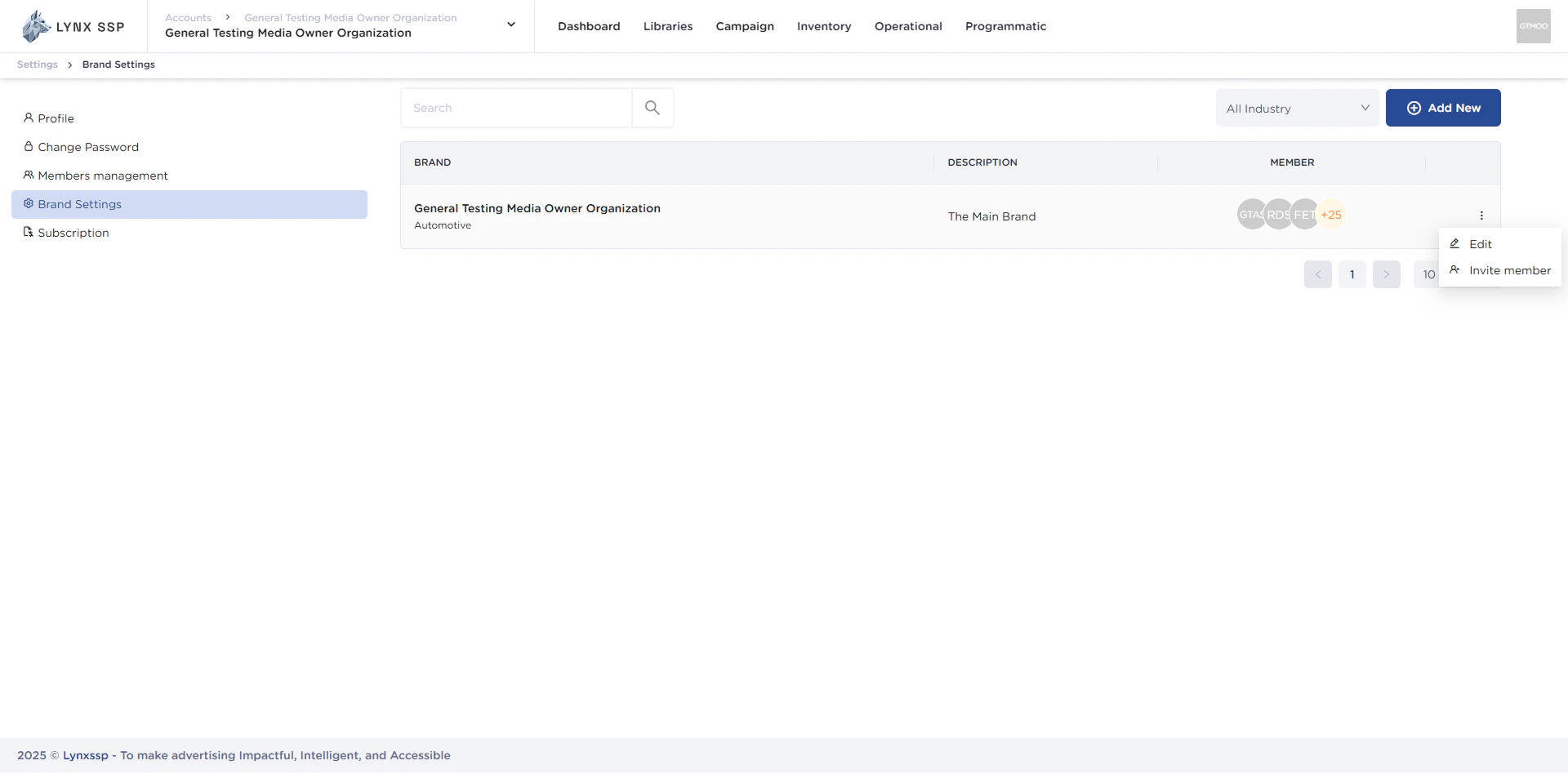
Brand Management Overview
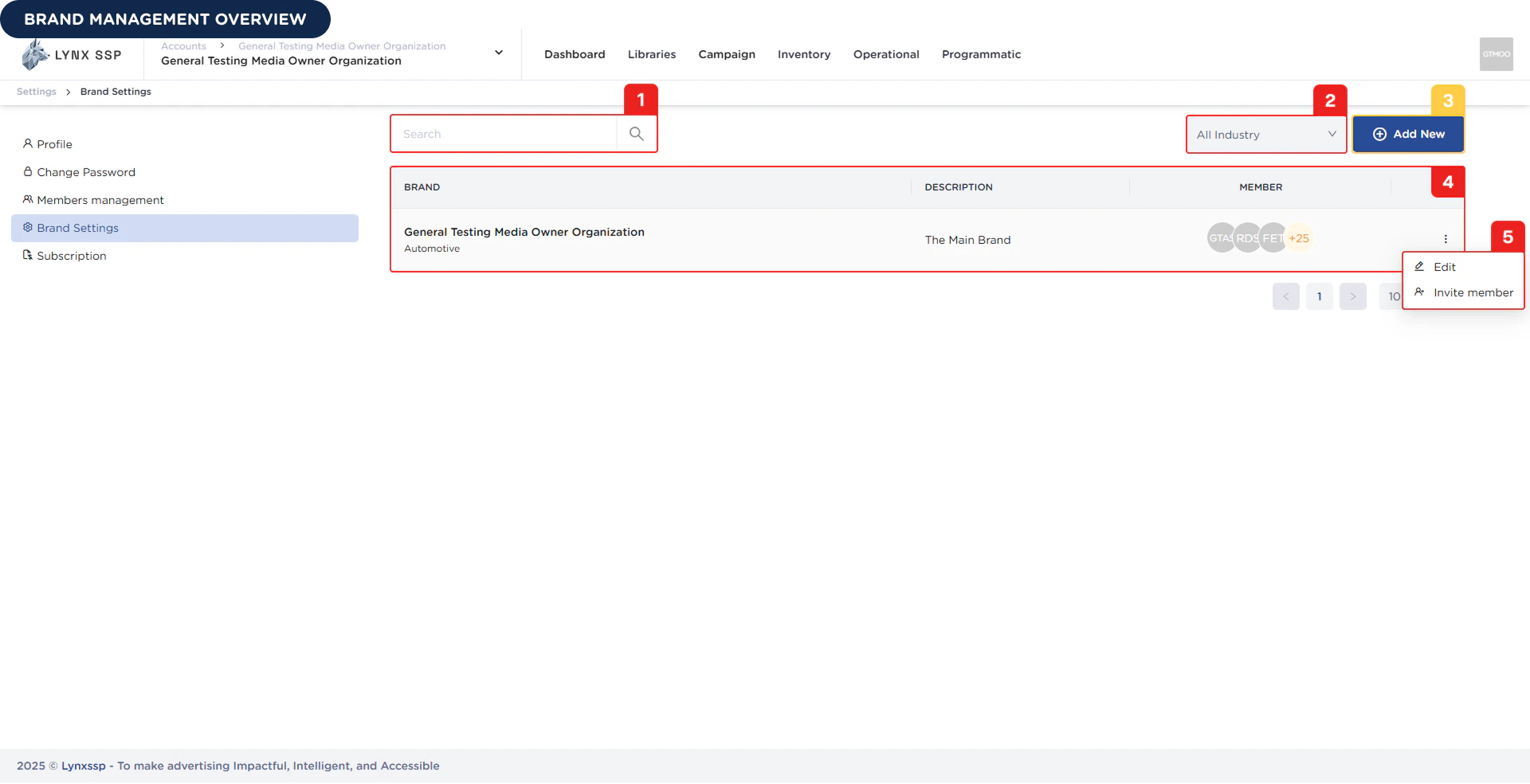
Search Brand
You can search for brand data by name.Filter by Industry
You can filter the brand data that appears in the list based on its industry.Add New Brand Button
You can create a new brand by pressing the “Add New” button.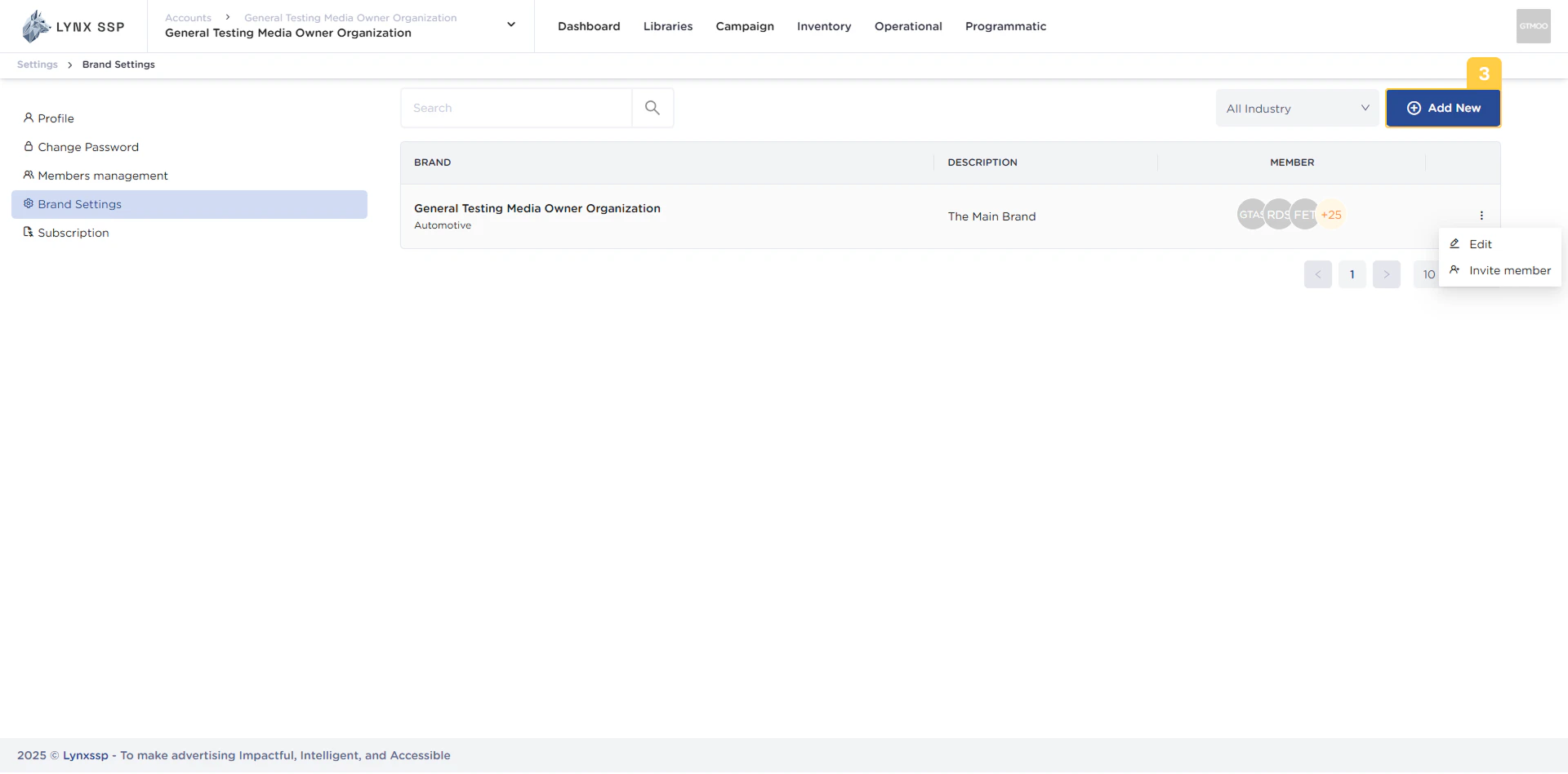
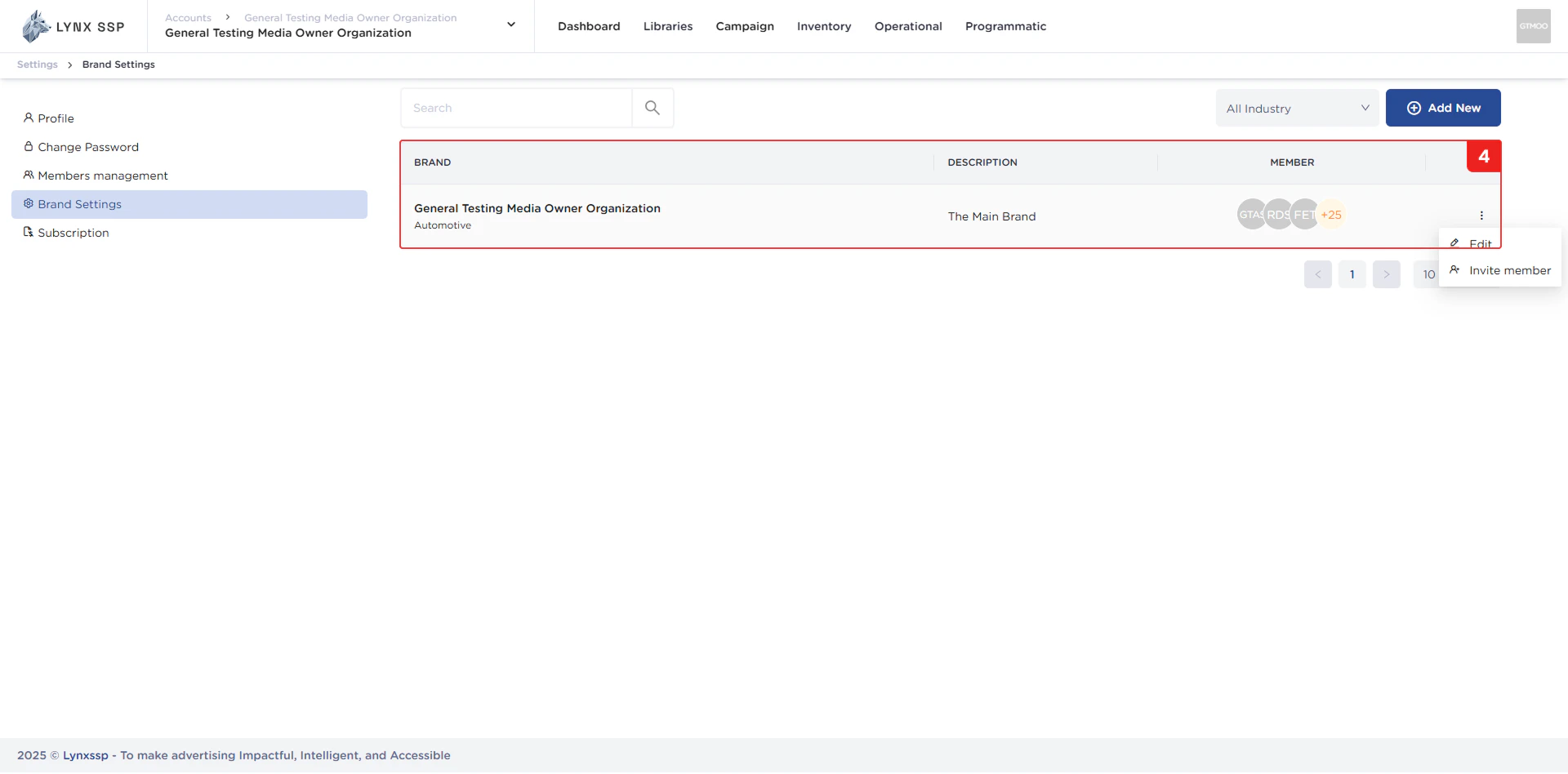
List Brand
In this section, you can see a list of all brands within the same organization as you. The properties that can be viewed in this table are as follows:- Brand Name
- Description
- Member
Action Menu “Edit” & “Invite Members”
You can change brand data through the “Edit” menu and add or invite members using the “Invite Member” menu.