

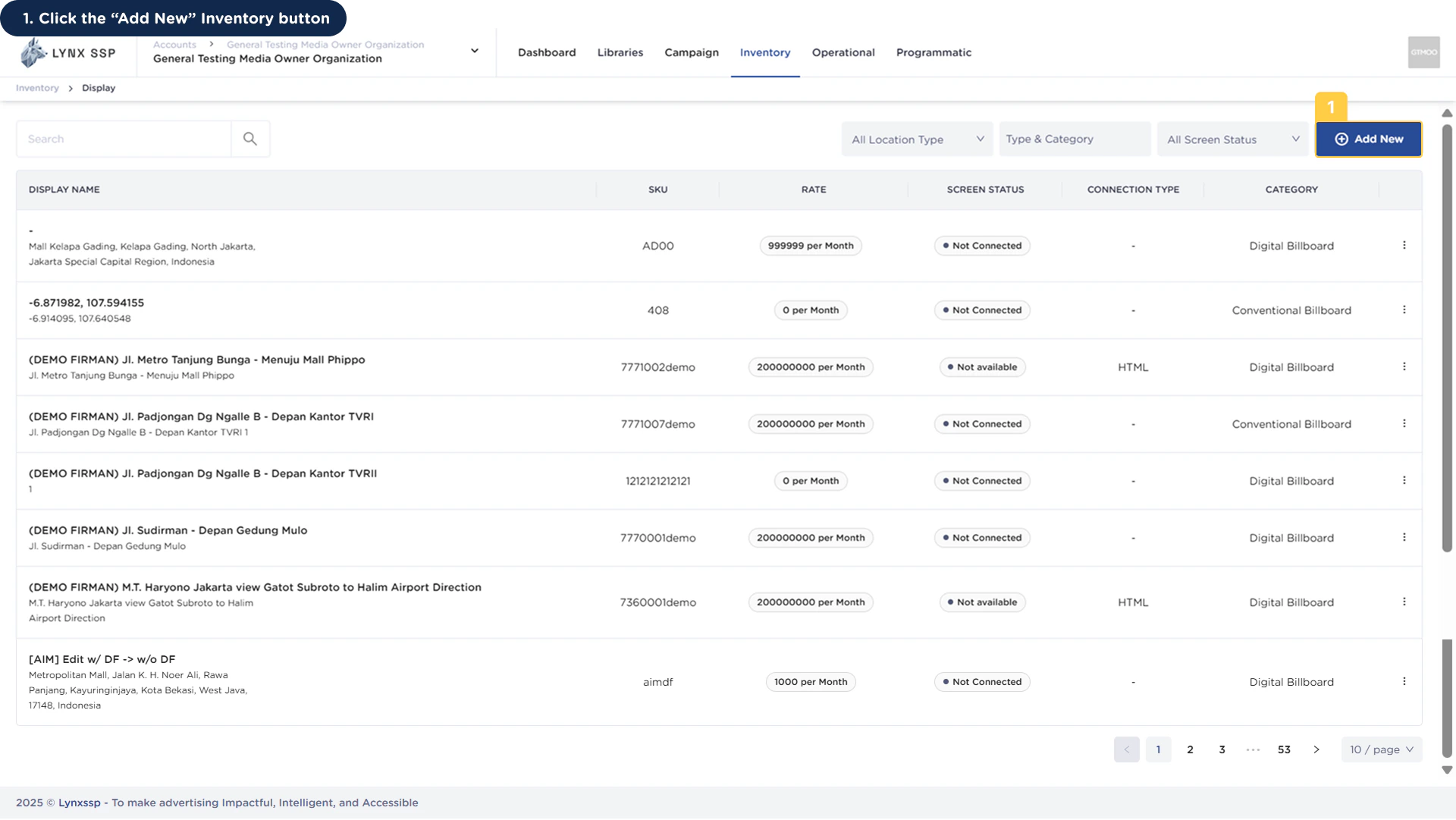
1
Click the “Add New” Inventory Button
2
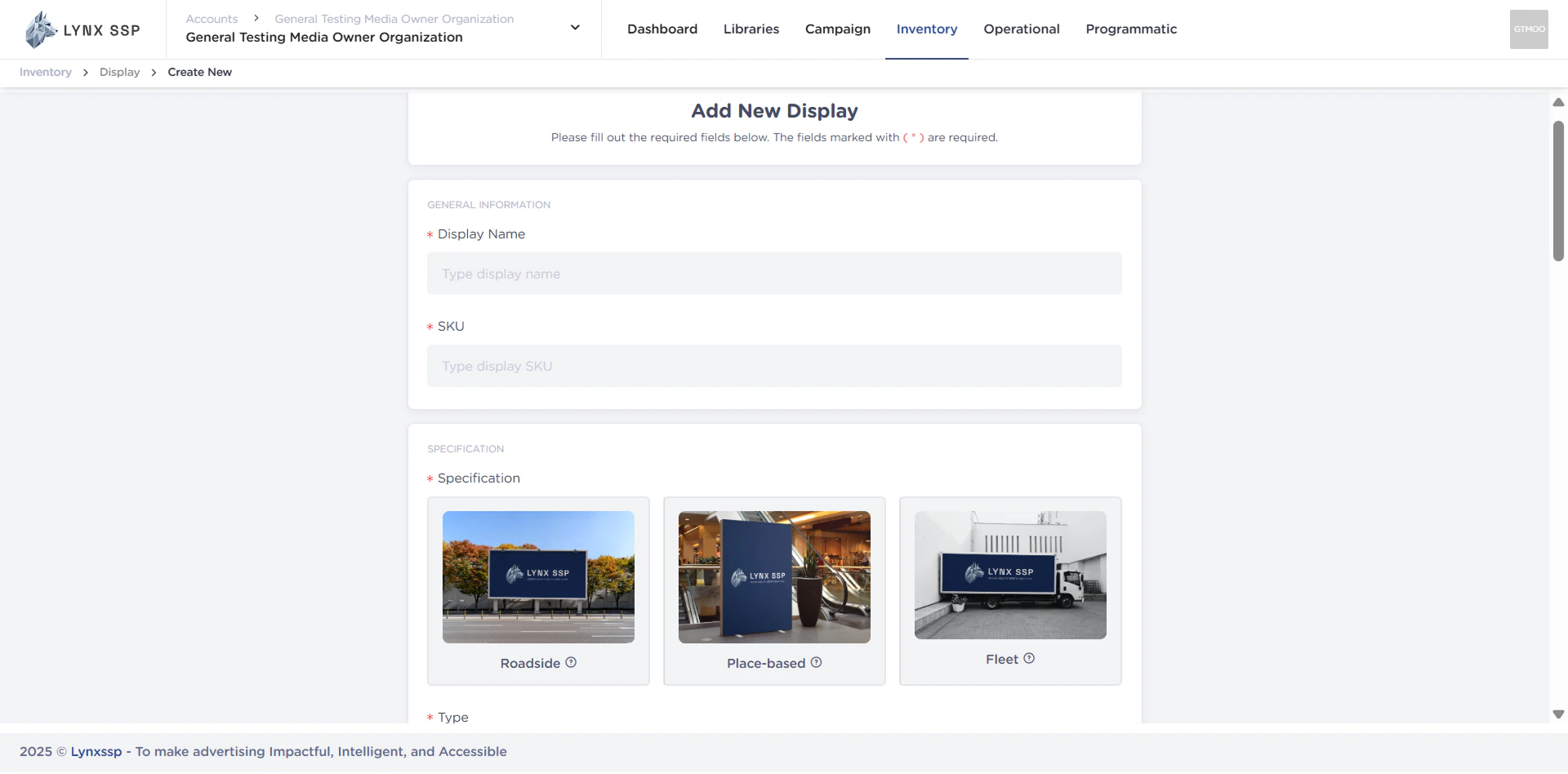
Fill Inventory Display Information
Add Your DOOH (Digital-Out-of-Home) Inventory type, to fill in inventory information, select the inventory type you want to add:
Roadside ↗
Place Based ↗
Fleet ↗
3
Connect Lynx SSP Platform to DOOH (Digital-Out-of-Home) Inventory Screen
Connect to Screen ↗
4
Check DOOH (Digital-Out-of-Home) Inventory Connection with Creative Filler
Check DOOH (Digital-Out-of-Home) Inventory Connection ↗
5
Monitoring Creative in the Playlist & Playlog Feature