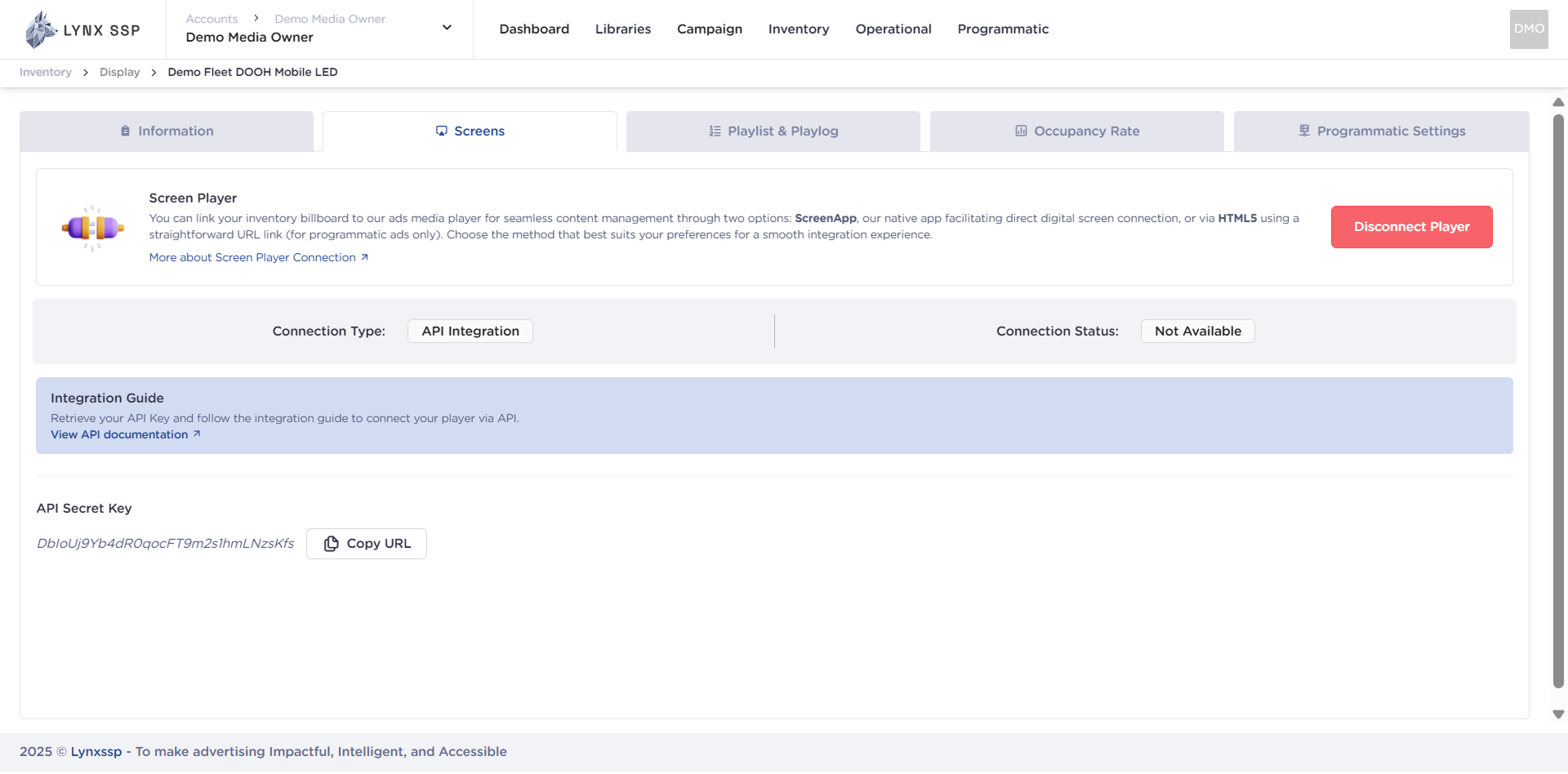
For more flexibility in integration, Lynx SSP provides API Integration so that DOOH (Digital-Out-of-Home) Inventory can be connected to third-party systems. This page will help you understand the DOOH (Digital-Out-of-Home) Inventory screen connection via API Integration.

How to Connect using API Integration


Ensure you have added DOOH (Digital-Out-of-Home) Inventory on the Lynx SSP Platform (How to Add New DOOH Inventory ↗)
1

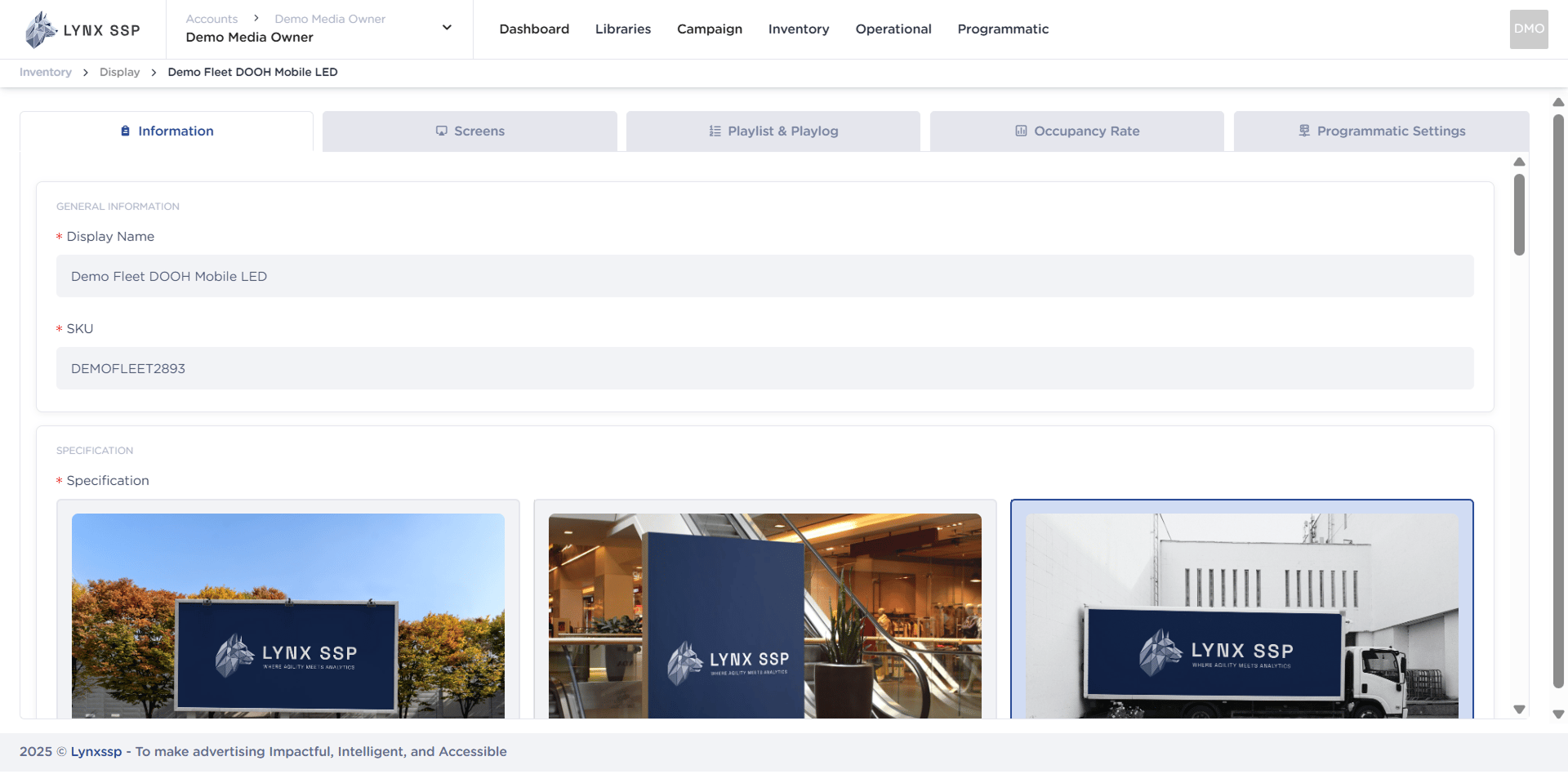
Click the “Action” Button & Click “Edit”
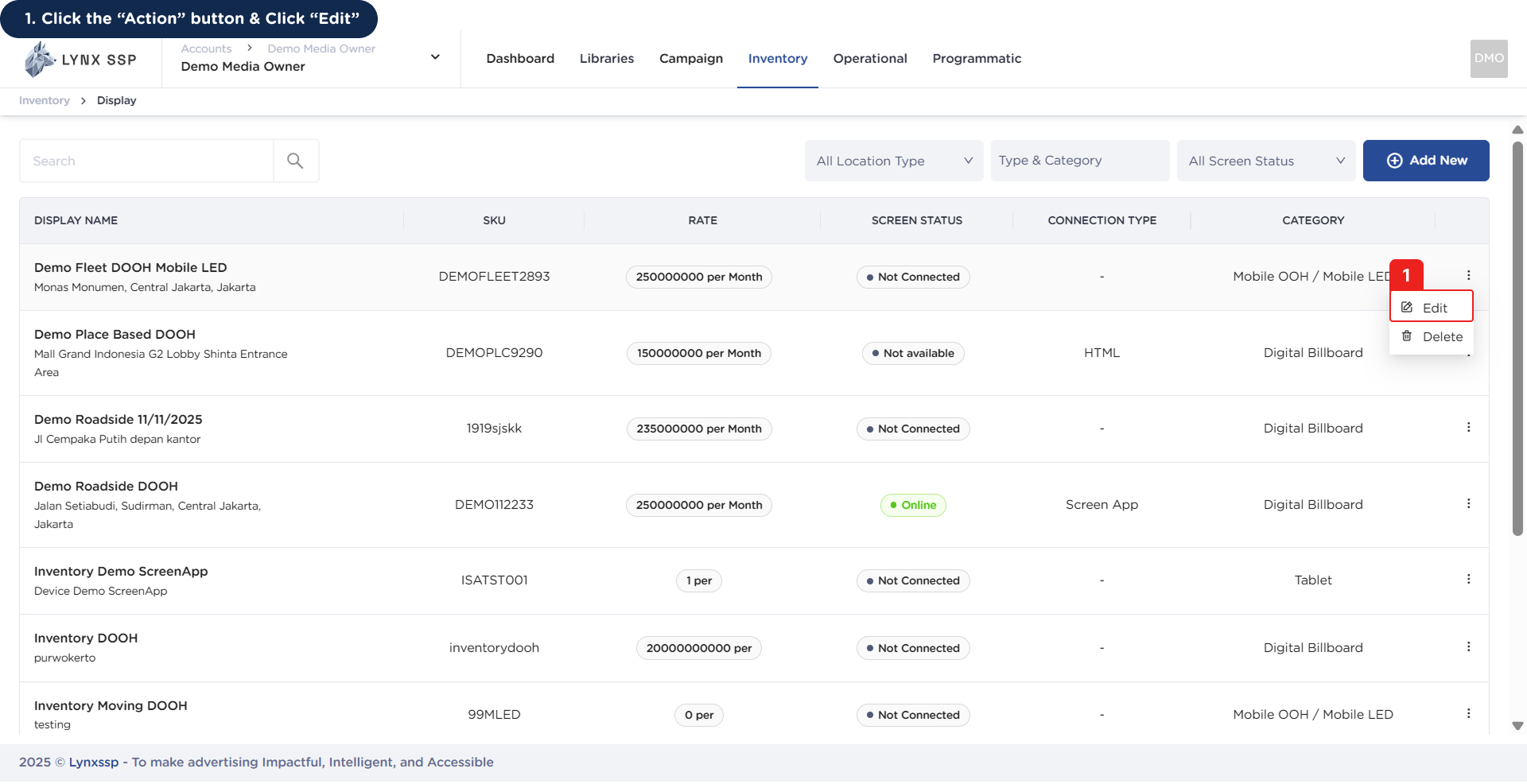
How to Connect using API Integration 1This will display the Inventory Details Page.How to Connect using API Integration 1.2
2

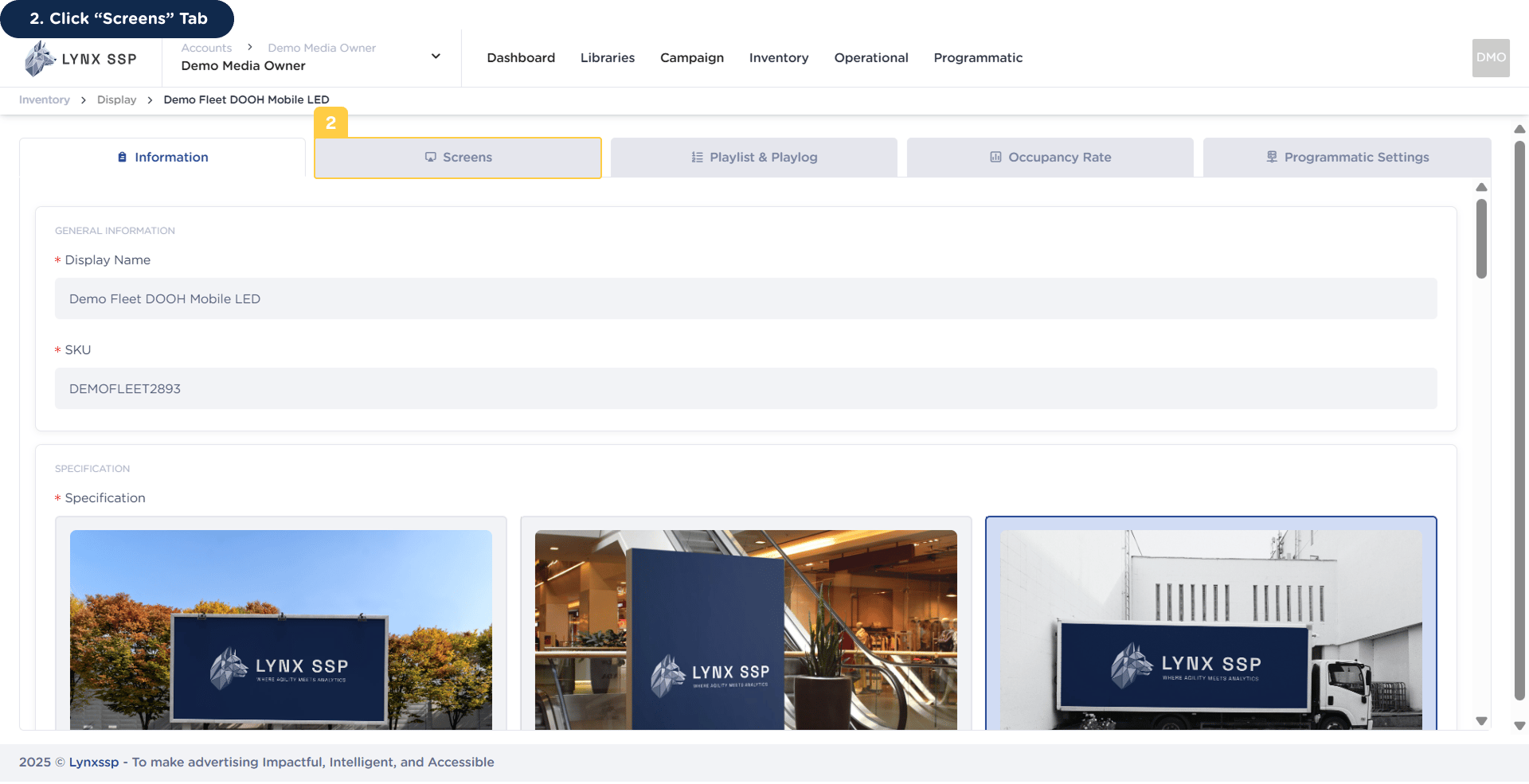
Click “Screens” Tab

How to Connect using API Integration 2
3

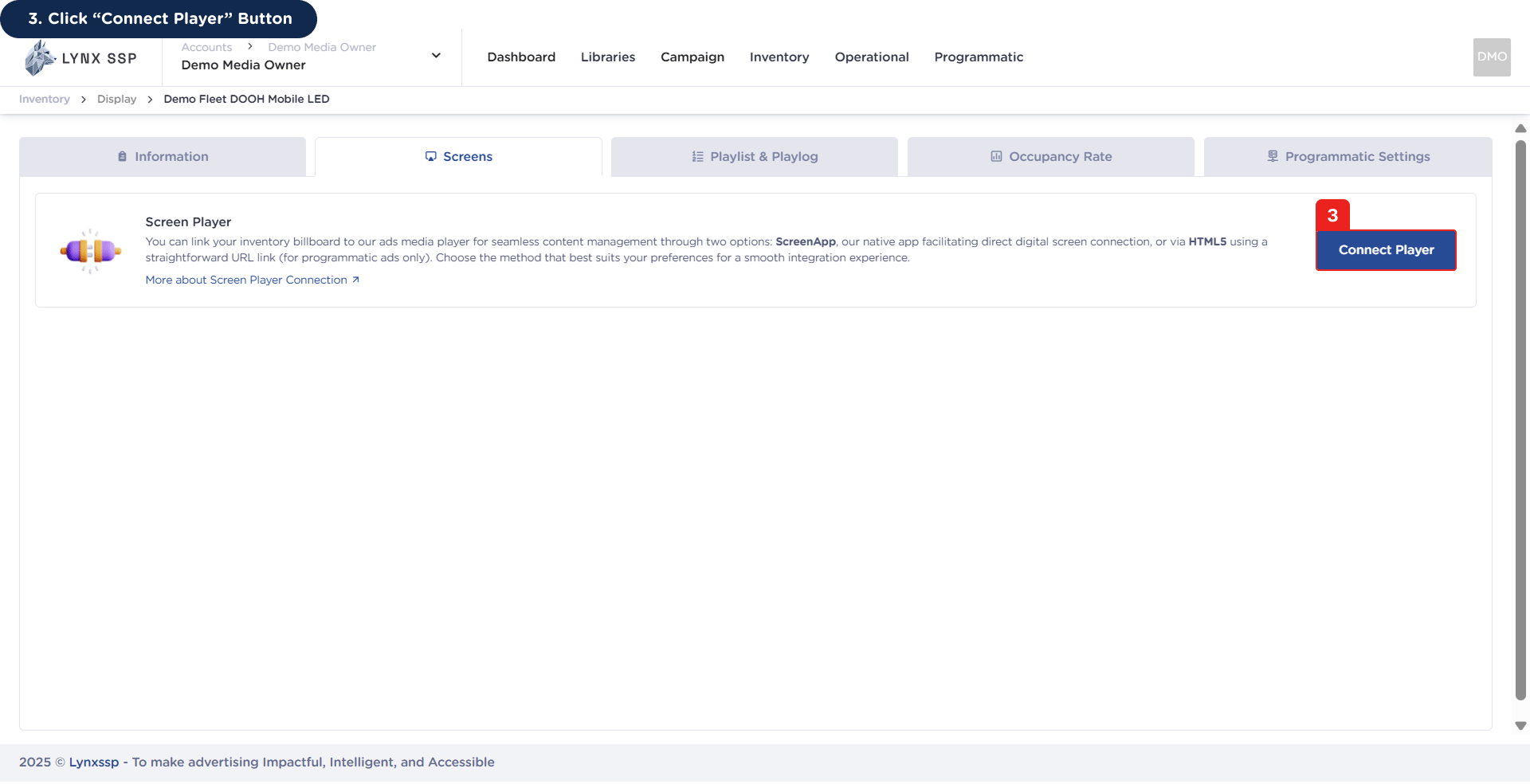
Click “Connect Player” Button

How to Connect using API Integration 3Then it will display the connect player modal.How to Connect using API Integration 3.2
4

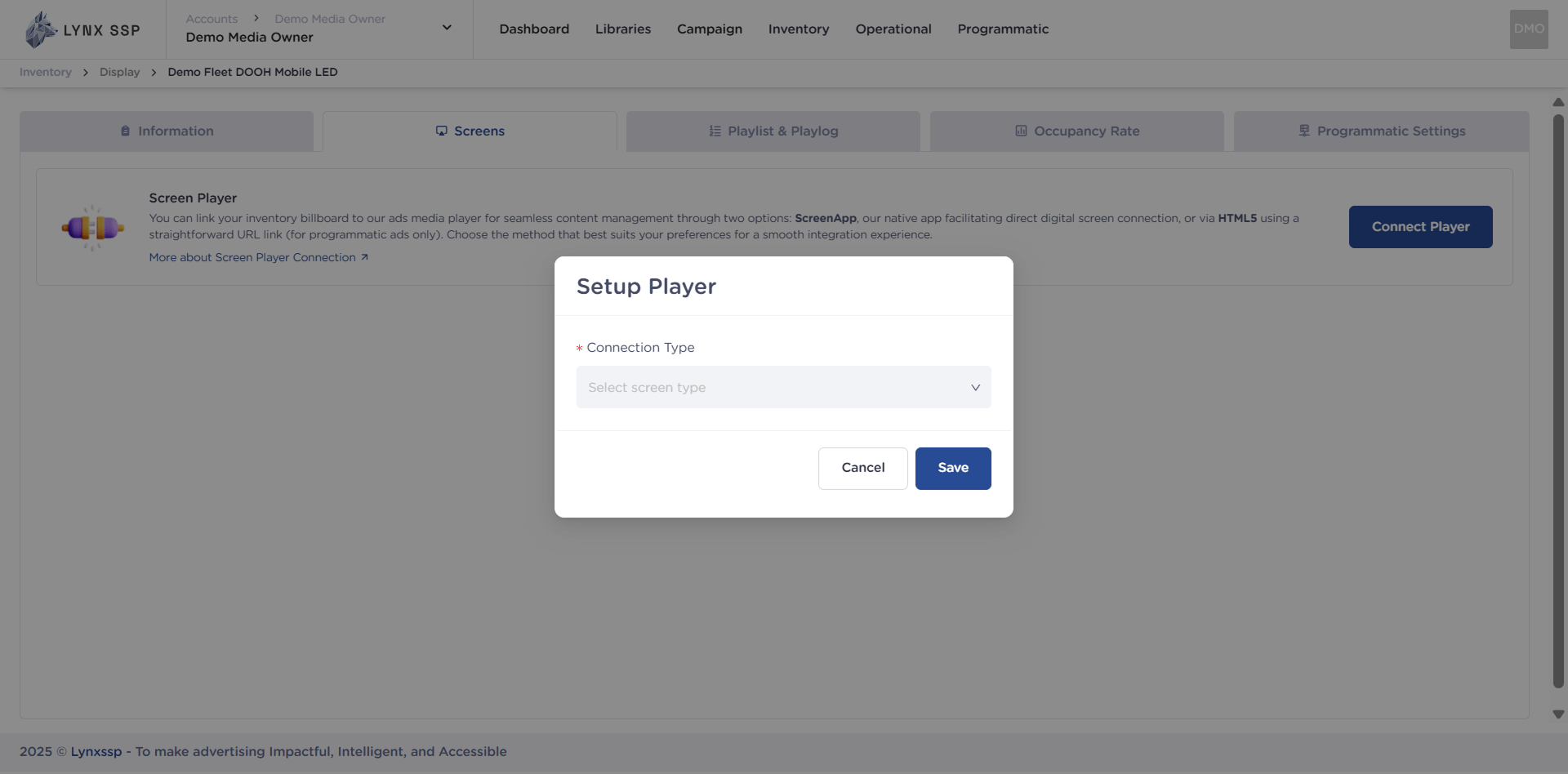
Click Connection Type drop-down menu and Select “API Integration”
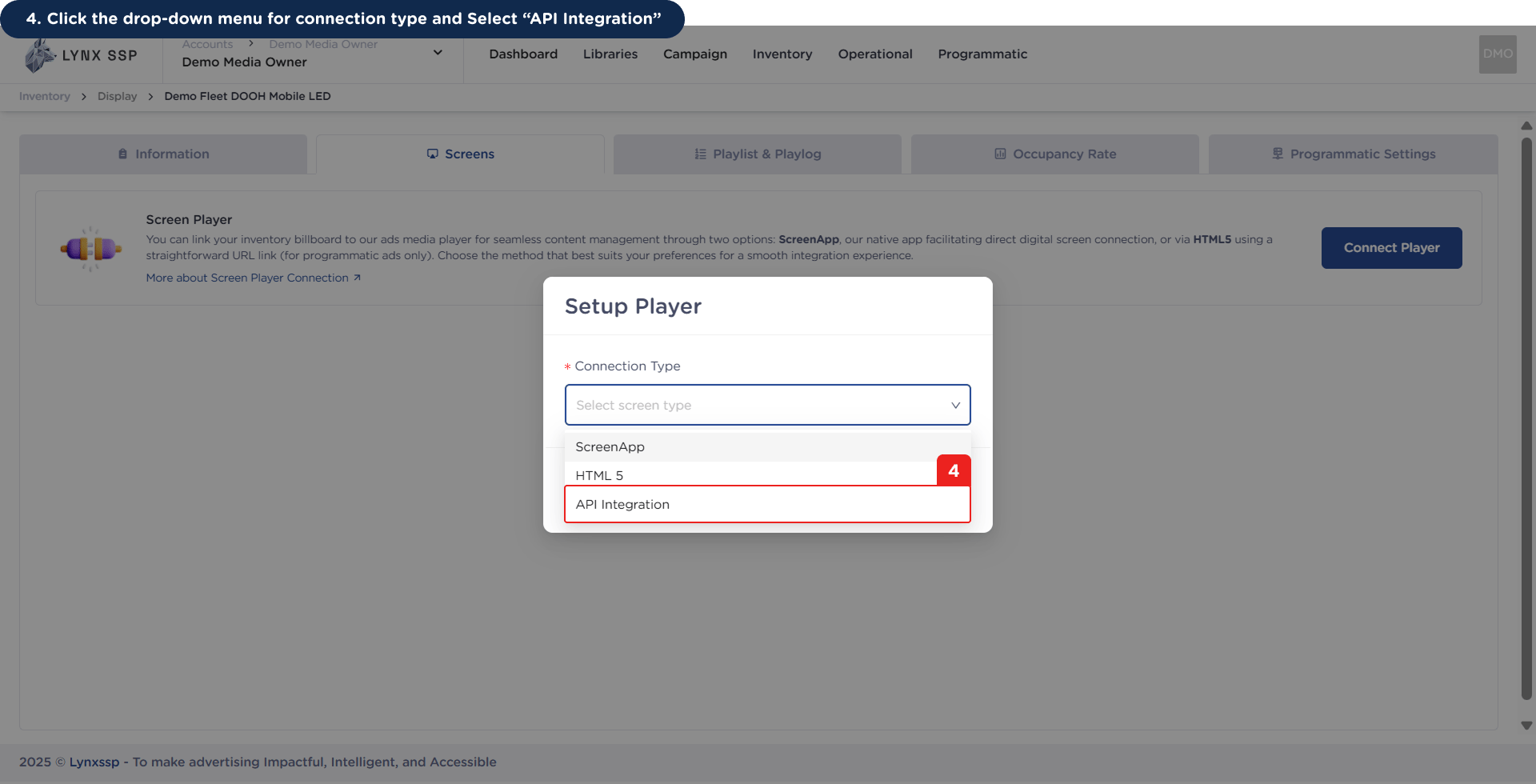
How to Connect using API Integration 4
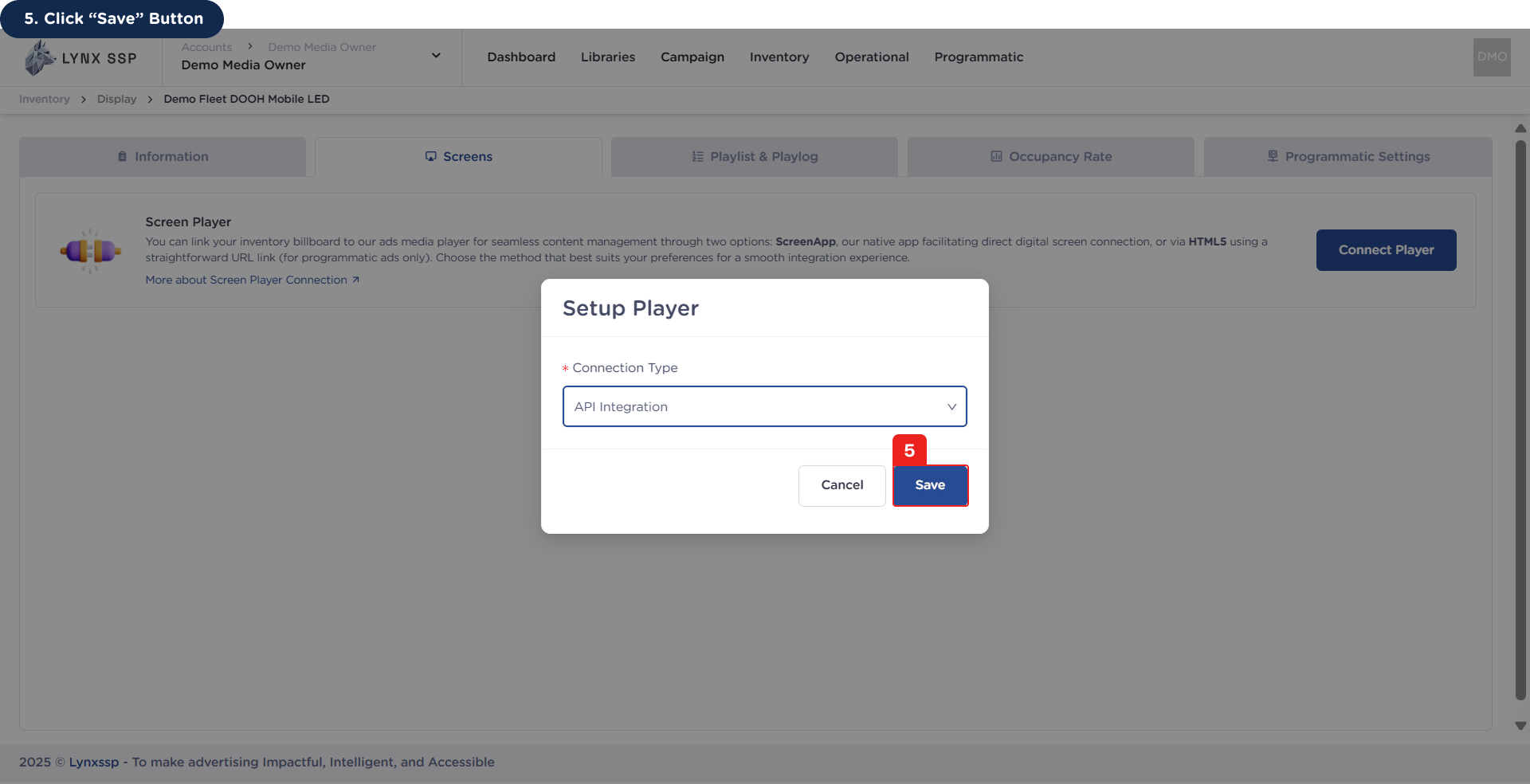
5

Click “Save” Button

How to Connect using API Integration 5Then API Integration is successfully connected and Copy API Secret Key for your production environment.How to Connect using API Integration 5.2